Question

How to get rid of excess white space within subreports?

  • October 10, 2024
  • 4 replies
  • 88 views

Forum|alt.badge.img

I’m trying to create a report with sub reports, however despite my best effort, massive space shows up between the values. 
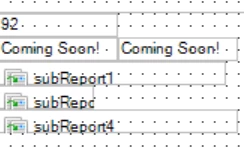
This is how I design the report.
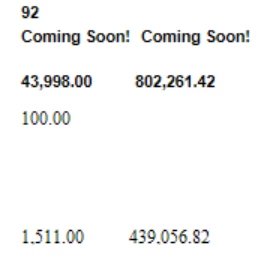
But it comes out looking like this.
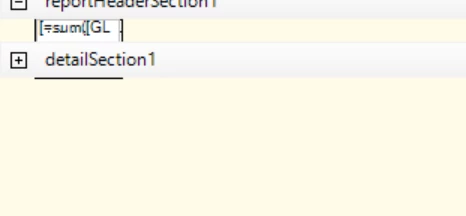
The 100 value is being drawn from this supreport.

I’m honestly not sure where all the excess space is coming from, but it is making it hard to make a concise report. Is there a way to fix this?


4 replies

BenjaminCrisman
Acumatica Employee
Forum|alt.badge.img+4
  • Acumatica Support Team
  • October 10, 2024

@kkraus Might need to see the subreports to know. It could be coming from the subreport printing the 100 or maybe the subreport4, but would need to see them.

Can you add the .rpx file to the post (zipped)?


Forum|alt.badge.img
  • Author
  • Freshman II
  • October 11, 2024

@BenjaminCrisman Of course. Here’s the main report and several of the sub reports.


BenjaminCrisman
Acumatica Employee
Forum|alt.badge.img+4
  • Acumatica Support Team
  • October 11, 2024

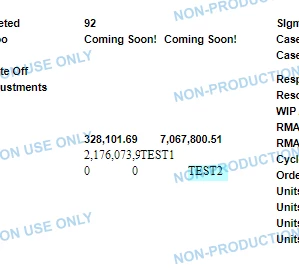
@kkraus It’s strange I guess because the same issue does not happen to me:

I added a couple extra fields to see if spacing or margin might make a difference, but it didn’t. Prints as expected for me?

What I would recommend to do is to add a Back Color to the subreports and the fields and then when it prints you’ll see which color is creating the space and it can really help narrow down where the issue may be coming from


Chris Hackett
Community Manager
Forum|alt.badge.img
  • Acumatica Community Manager
  • December 24, 2024

Hi ​@kkraus were you able to find a solution? Thank you!