Solved

How to get a barcode to not show if the value is null in report designer

  • March 4, 2026
  • 6 replies
  • 40 views

Forum|alt.badge.img

Hello, 

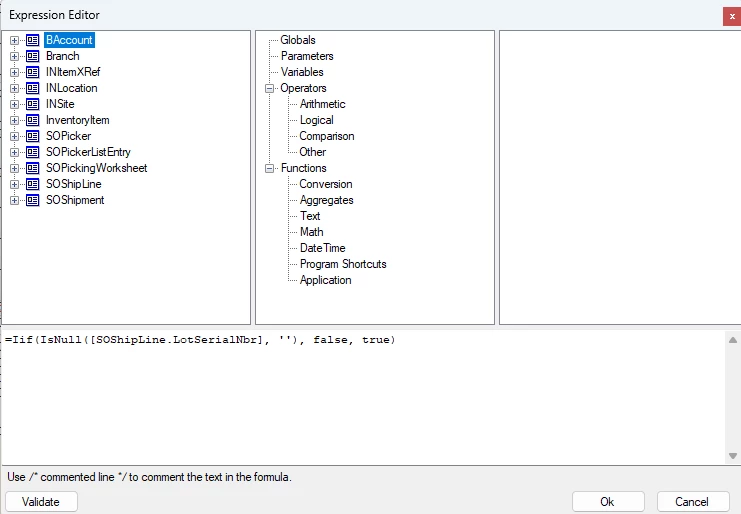
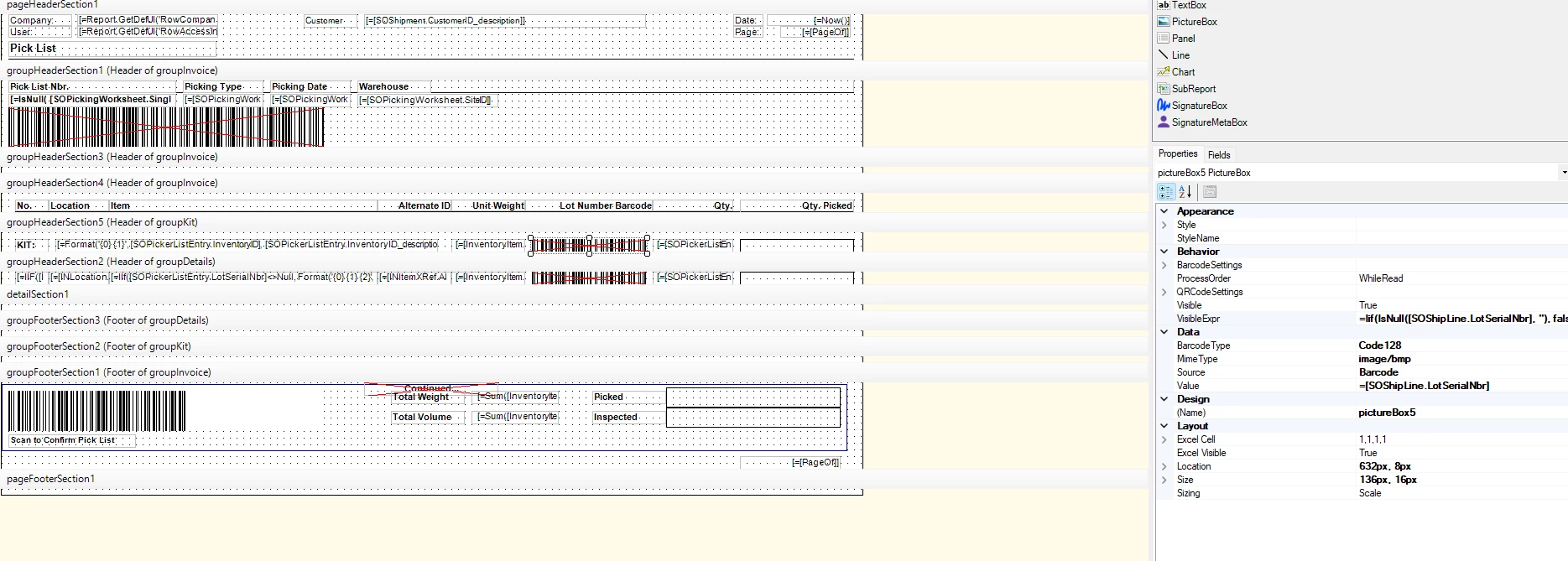
I have added a barcode to Worksheet Picklists to show the barcode for the lot/serial number. However, this is viable even if there is no lot/serial number for the line item (although this barcode is not usable). I saw on another post to set the value under the Visible Expr in report designer, but I am failing to write the correct expression. Does anyone have any idea how to accomplish this? 
 

Best answer by KrunalDoshi

Hi ​@ChantellBeaty,

You need to grab LotSerialNumber from SOShipLineSplit table (you can replace it with SOShipLine in your case if prints LotSerialNumber) and can use below expression in Visible express of Details section. 

=IIF(ISNULL([SOShipLineSplit.LotSerialNbr],'')='', false, true)

I have already tried this and is working for me. Let me know how it goes for you.

6 replies

jhalling52
Jr Varsity I
Forum|alt.badge.img
  • Jr Varsity I
  • March 4, 2026

Hi ​@ChantellBeaty,

If you want the lot/serial barcode to be visible, regardless of whether the line has a lot/serial nbr, just clear out the visible expression for that field and leave it empty.


Forum|alt.badge.img
  • Author
  • Jr Varsity II
  • March 4, 2026

Hi ​@ChantellBeaty,

If you want the lot/serial barcode to be visible, regardless of whether the line has a lot/serial nbr, just clear out the visible expression for that field and leave it empty.


I am trying to have the barcode not show if there is not a lot/serial number for the line item. It currently shows even if there is not a lot/serial number for the line item. 


Forum|alt.badge.img+1

Hi Chantell, please try using the following visibility exp:

=[SOShipLine.LotSerialNbr]<>null


Forum|alt.badge.img
  • Author
  • Jr Varsity II
  • March 4, 2026

Hi Chantell, please try using the following visibility exp:

=[SOShipLine.LotSerialNbr]<>null

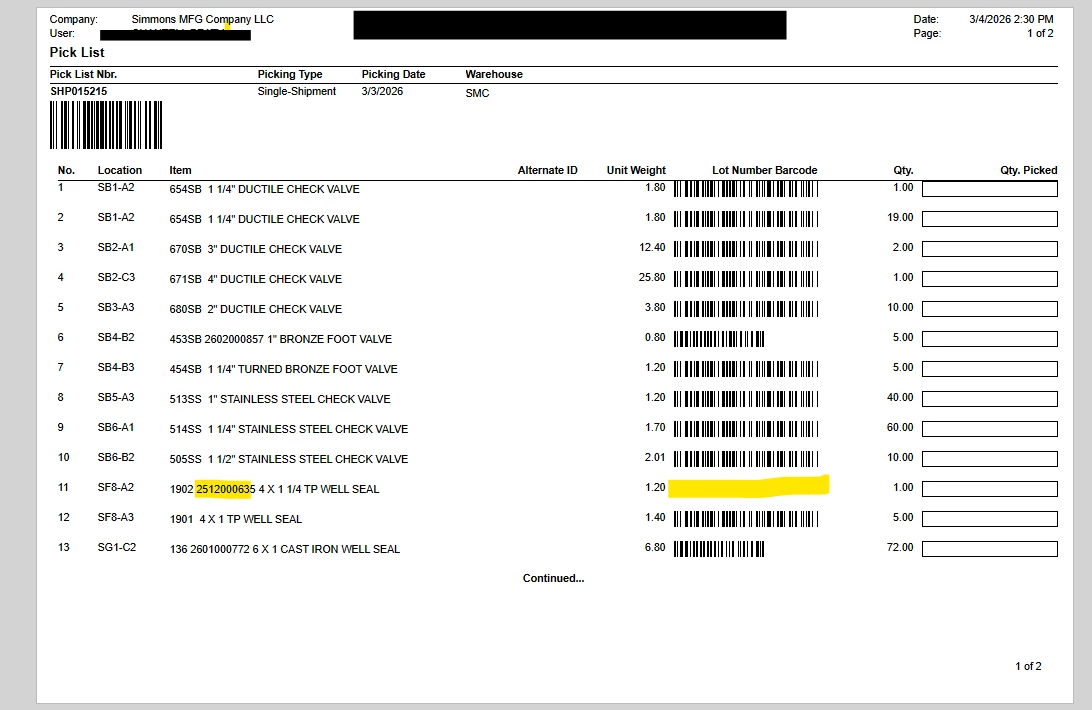
That did not remove the items without lot/serial numbers. It removed some of the ones with lot/serial numbers: 


KrunalDoshi
Jr Varsity II
Forum|alt.badge.img
  • Jr Varsity II
  • Answer
  • March 5, 2026

Hi ​@ChantellBeaty,

You need to grab LotSerialNumber from SOShipLineSplit table (you can replace it with SOShipLine in your case if prints LotSerialNumber) and can use below expression in Visible express of Details section. 

=IIF(ISNULL([SOShipLineSplit.LotSerialNbr],'')='', false, true)

I have already tried this and is working for me. Let me know how it goes for you.


Forum|alt.badge.img
  • Author
  • Jr Varsity II
  • March 5, 2026

Hi ​@ChantellBeaty,

You need to grab LotSerialNumber from SOShipLineSplit table (you can replace it with SOShipLine in your case if prints LotSerialNumber) and can use below expression in Visible express of Details section. 

=IIF(ISNULL([SOShipLineSplit.LotSerialNbr],'')='', false, true)

I have already tried this and is working for me. Let me know how it goes for you.

Thank you so much! This worked perfectly after I added this field and join.