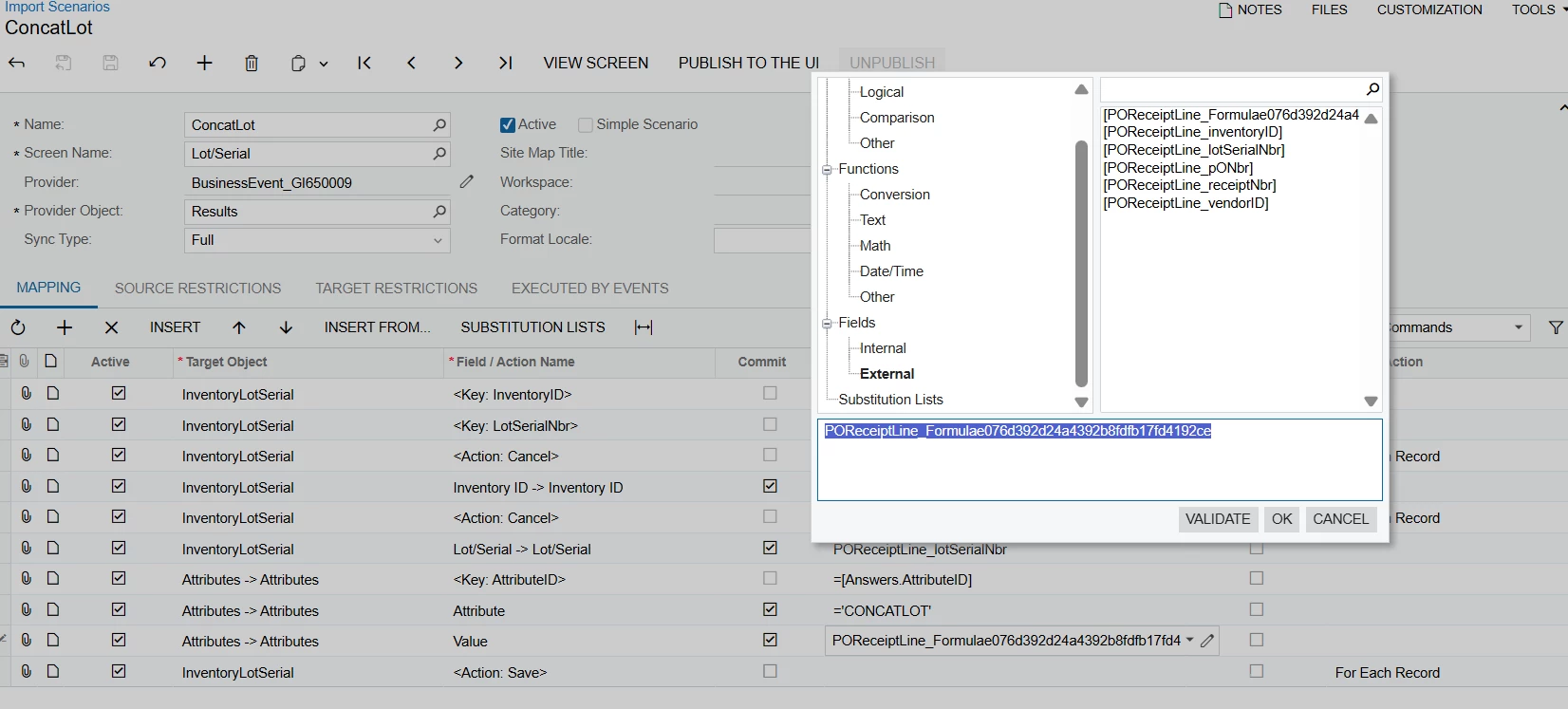
Within a import scenario, I’ve found this formula field that is causing problems. I want to locate it to fix the issues, but I’m not sure where it’s coming from. It’s considered a external field, so I assume a customization, but I can’t locate it anywhere. Is there a way to find it?
Best answer by BenjaminCrisman
@kkraus It looks like this BE is using a GI as a data provider, the field is coming from one of the lines in the results grid of the GI.
Have you double checked the results and clicked on the expressions there to see if one of them matches the Formula output seen in the import mapping?
Hi, Since you suspect this field comes from a customization, and it might be a UI field, try searching for it inside the Customization Project → Files → ASPX section using Ctrl+F (search by field name).
If this is not a custom screen but an existing one, open the screen in the UI, click Edit ASPX, and search for the field there.