Answer

How to Filter on report writer based on a formula

  • December 15, 2023
  • 4 replies
  • 330 views

Forum|alt.badge.img

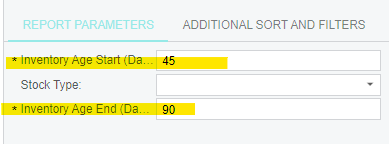
I am trying to filter the results of a report based on the below filters 

However, it is calculated field in the table as shown below: 


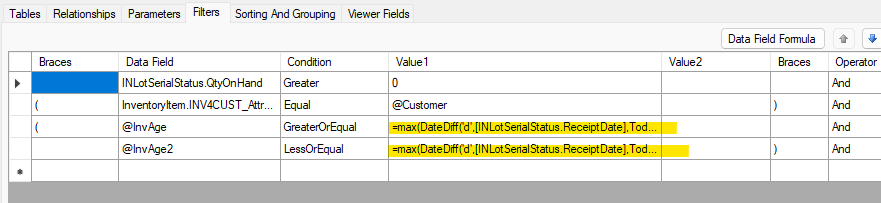
I am using the same formula on the filters tab like below: 


However, on the report - it does not list the items that are aged between 45 and 90 days ONLY. 

Can you please advise what I am missing here? thank you

@lauraj46, @Robert Sternberg - any ideas? thank you!

Best answer by lauraj46

Hi @kanupindi ,

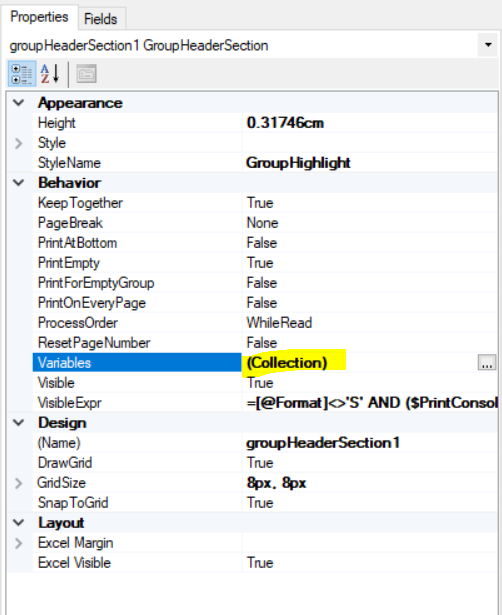
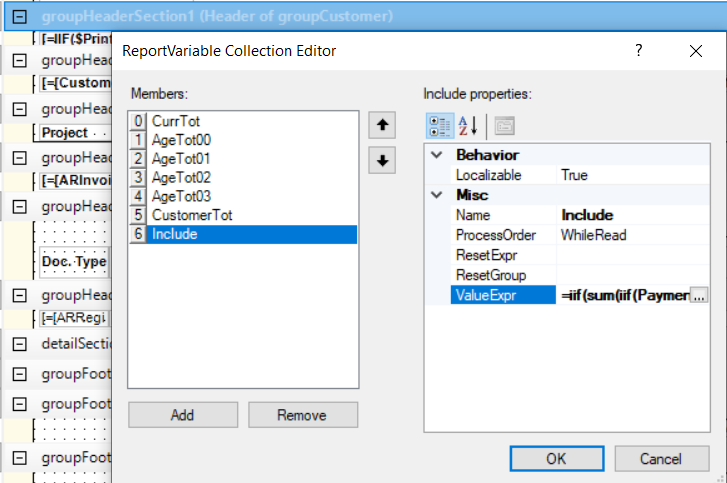
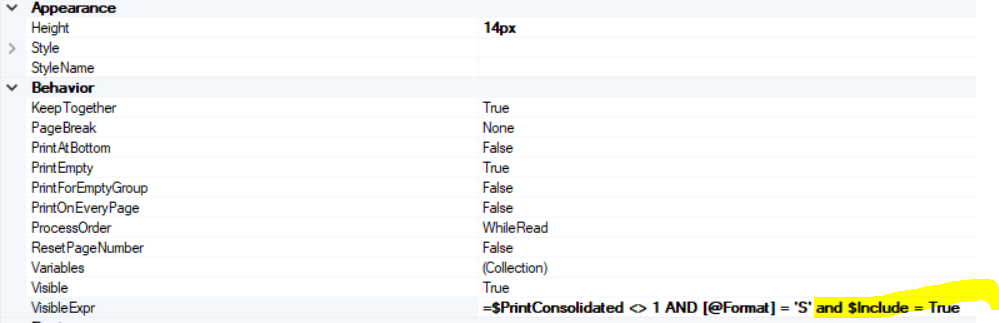
Variables are created in the properties for a section, probably one of the customer group headings in your case.


Set the visibility for other sections based on the value of the $Include parameter.

I think you should be able to adapt this to use the formula that you already worked out.

Hope this helps!

Laura

4 replies

lauraj46
Captain II
Forum|alt.badge.img+8
  • Captain II
  • December 15, 2023

Hi @kanupindi ,

I've never tried using an aggregate function with a filter in the Report Designer.  I don't think this will work because it wouldn't know which group level to apply for.the filtering.

I have created an aging report similar to this, but using variables within the report and then hiding certain sections based on those calculations.  

Hope this helps!

Laura 


Forum|alt.badge.img
  • Author
  • Jr Varsity III
  • December 15, 2023

Hi @lauraj46 ,


Thank you for your valuable feedback as always. Do you mind giving an example on what you meant by creating variables within the report? I am a novice when it comes to Acumatica Report Designer. 

Below is what a perfect result would be:

Age parameter 1: 45

Age parameter 2: 90

it should only display items between age 45 and 90 days on the report. 

Do you have any ideas on how I can implement this?


lauraj46
Captain II
Forum|alt.badge.img+8
  • Captain II
  • Answer
  • December 18, 2023

Hi @kanupindi ,

Variables are created in the properties for a section, probably one of the customer group headings in your case.


Set the visibility for other sections based on the value of the $Include parameter.

I think you should be able to adapt this to use the formula that you already worked out.

Hope this helps!

Laura


Forum|alt.badge.img
  • Author
  • Jr Varsity III
  • December 18, 2023

Hi @lauraj46 , thank you for the feedback. I will try and get back to you