

Solved

How to filter a field on a dashboard widget where the value is empty in 2026R1

  • April 16, 2026
  • 3 replies
  • 32 views

Forum|alt.badge.img

I am trying to create a dashboard widget for unassigned opportunities from the Opportunities generic inquiry.

The filter would be:

    Opportunities having a status of open or new

    Owner ID is empty.

However when creating this filter, there is no option under the Ownder ID for ‘Is Empty’. Nether is there one for assignment date.
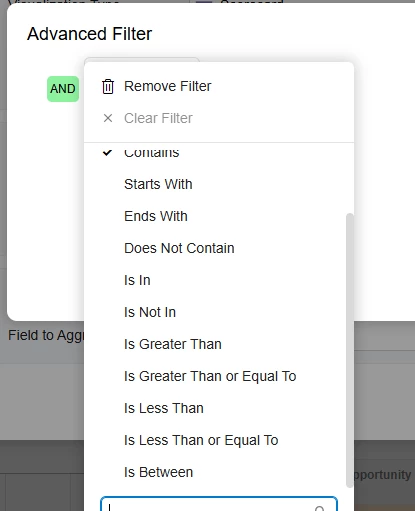
 

Whe creating a chart using the AI Assistant on the above criteria, I see on the filter for the widget, the filter shows as follows:
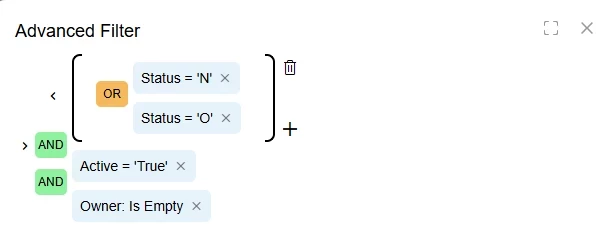
How does one replicate this on a widget such as the one I have tried to create form a dsshboard?
Best answer by KrunalDoshi

Hi ​@suemackeown13,

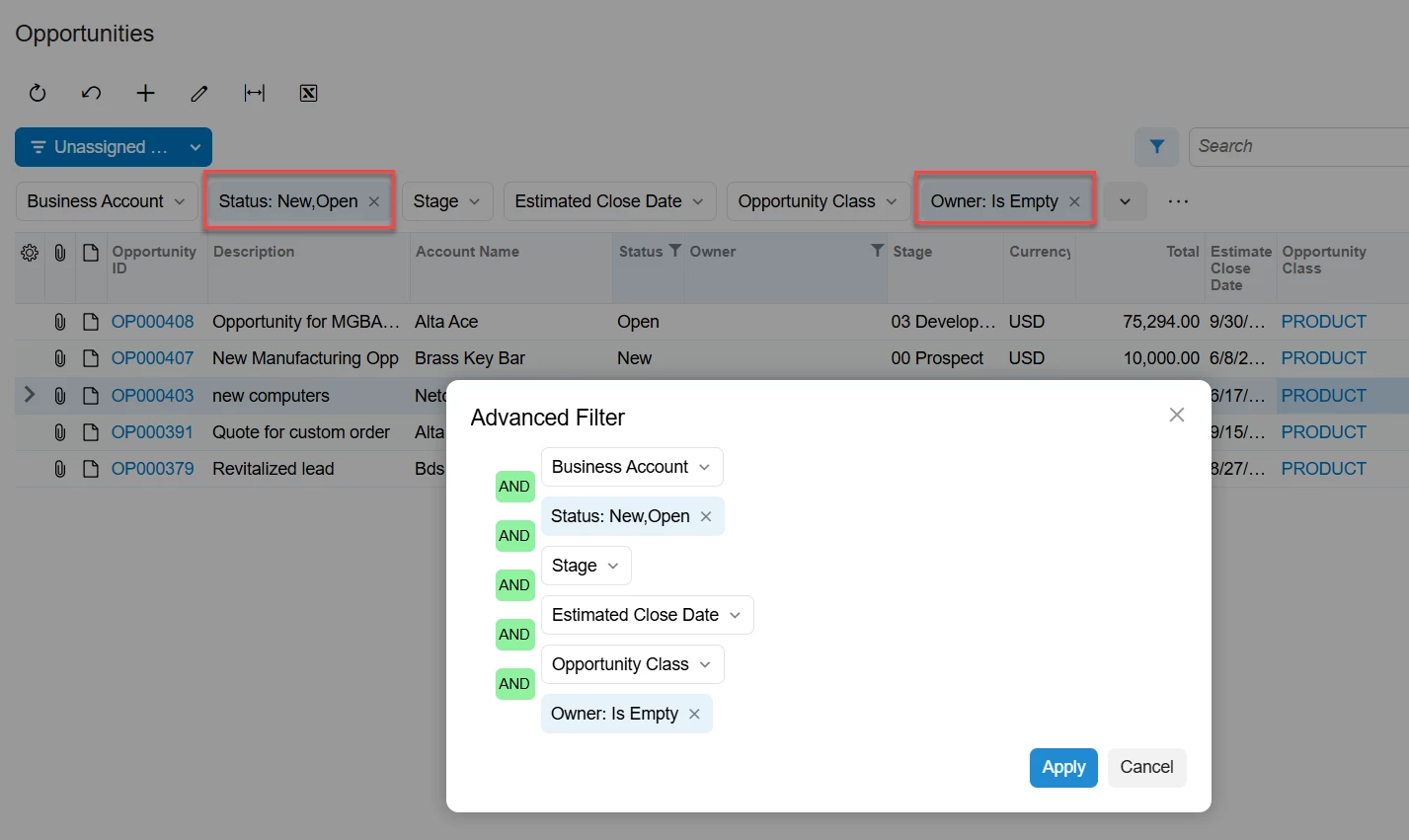
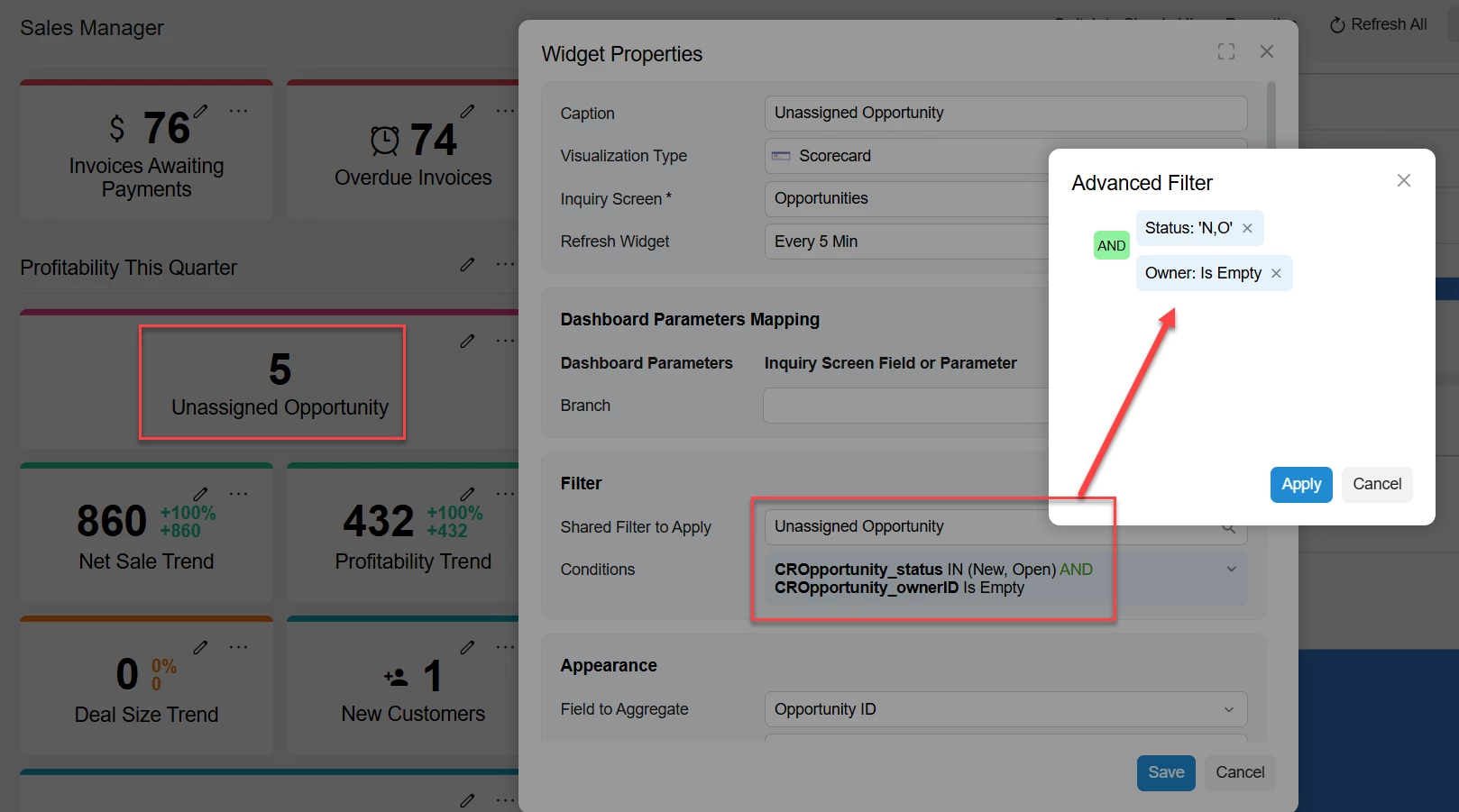
You can add a shared filter on the GI with all the conditions (Opportunities Status = New or Open and Owner Is Empty). Then use the same filter in Dashboard widget to show the value. I have included below screenshots for your reference. Hopefully that helps.

Shared Filter in Opportunities GI
Dashboard Widget with Shared Filter from Opportunities GI


3 replies

Manikanta Dhulipudi
Captain II
Forum|alt.badge.img+16

KrunalDoshi
Varsity III
Forum|alt.badge.img+1
  • Varsity III
  • Answer
  • April 16, 2026

Hi ​@suemackeown13,

You can add a shared filter on the GI with all the conditions (Opportunities Status = New or Open and Owner Is Empty). Then use the same filter in Dashboard widget to show the value. I have included below screenshots for your reference. Hopefully that helps.

Shared Filter in Opportunities GI
Dashboard Widget with Shared Filter from Opportunities GI


Forum|alt.badge.img
  • Author
  • Jr Varsity III
  • April 20, 2026

Thank you, that worked!


