Answer

How to display filtered value

  • January 3, 2023
  • 3 replies
  • 122 views

Forum|alt.badge.img+1

Hi there,

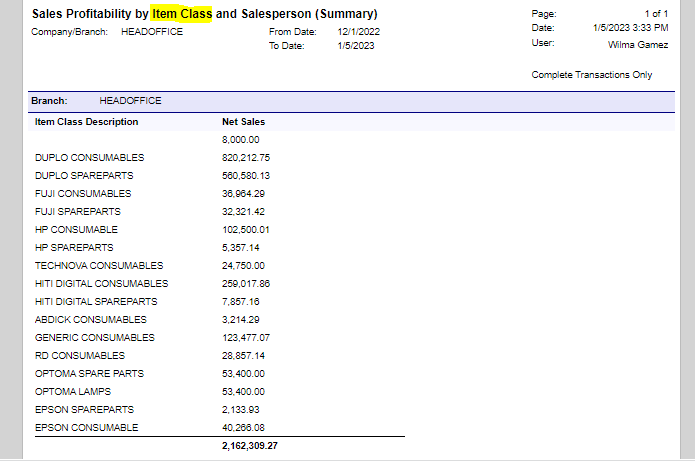
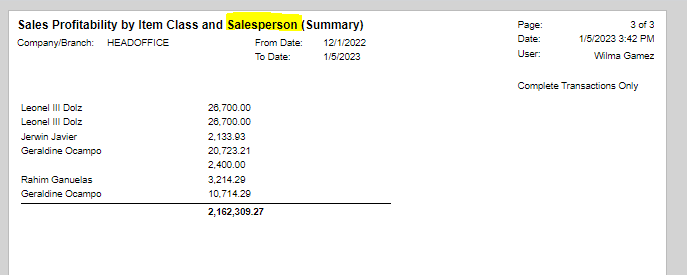
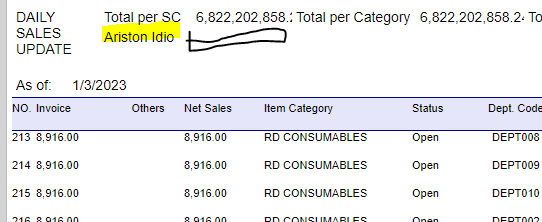
How can I show the total net sales per Sales Agent? I also wanna list down the names of agents but only appearing once. Can anyone please help me? Thanks a lot in advance!

Best answer by brendan91

I don’t fully understand what you want the final report to look like.

If you just want a summary for each salesperson on the same report? If so, have you looked into creating a sub report? https://www.acumatica.com/blog/technical-tuesday-project-overview-report-part-2/

Do you want a separate report for each salesperson? If this is the case, it would be easy to use a salesperson parameter to achieve this.


3 replies

brendan91
Semi-Pro III
Forum|alt.badge.img+1
  • Semi-Pro III
  • Answer
  • January 3, 2023

I don’t fully understand what you want the final report to look like.

If you just want a summary for each salesperson on the same report? If so, have you looked into creating a sub report? https://www.acumatica.com/blog/technical-tuesday-project-overview-report-part-2/

Do you want a separate report for each salesperson? If this is the case, it would be easy to use a salesperson parameter to achieve this.


DConcannon
Varsity II
Forum|alt.badge.img+2
  • Varsity II
  • January 4, 2023

@paula012


How can I show the total net sales per Sales Agent? I also wanna list down the names of agents but only appearing once. Can anyone please help me? Thanks a lot in advance!


To see an example of how to add a total, look at the Sales Order Details by Inventory Item report, pay attention to the groupFooterSection and the Sorting and Grouping tab in build schema, it is very straightforward.

To ‘list down’ the name of the agent, you will need to add a new column in both the groupHeaderSection and groupDetailsSection to add the header text and the ‘agent’ field, resepectively.


Forum|alt.badge.img+1
  • Author
  • Semi-Pro II
  • January 5, 2023

I’m very sorry for my late response. I’ve been working on it yet. Thank you so much for taking the time to look after my concern sir @brendan91  and sir @DConcannon !

To see an example of how to add a total, look at the Sales Order Details by Inventory Item report, pay attention to the groupFooterSection and the Sorting and Grouping tab in build schema, it is very straightforward.

To ‘list down’ the name of the agent, you will need to add a new column in both the groupHeaderSection and groupDetailsSection to add the header text and the ‘agent’ field, resepectively.


Sir @DConcannon , thanks for directing me there, I just copied the schema and made two reports I needed in one.

And sir @brendan91 , I tried to follow through the subreport-making, sadly it’s not working for me, as some tables, relationships, etc. are different from my actual report, though I tried to comprehend and changed them, I might have missed a few. What happened is, I built the subreport from scratch, just as the article said, so I don’t have the schema the main report has. As the subreport displays, only textbox words showed and not the values from tables. Do I need more details to explain? And what are those?

Please help me out again ‘til I make it a success. Thanks!