Solved

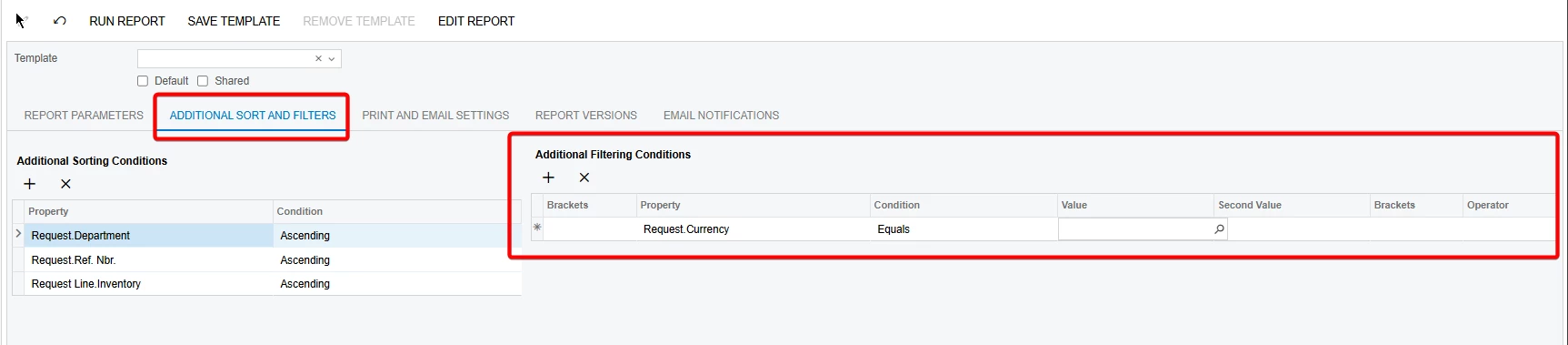
How to add to "Additional sort and filters" on stock report

  • February 10, 2026
  • 4 replies
  • 34 views

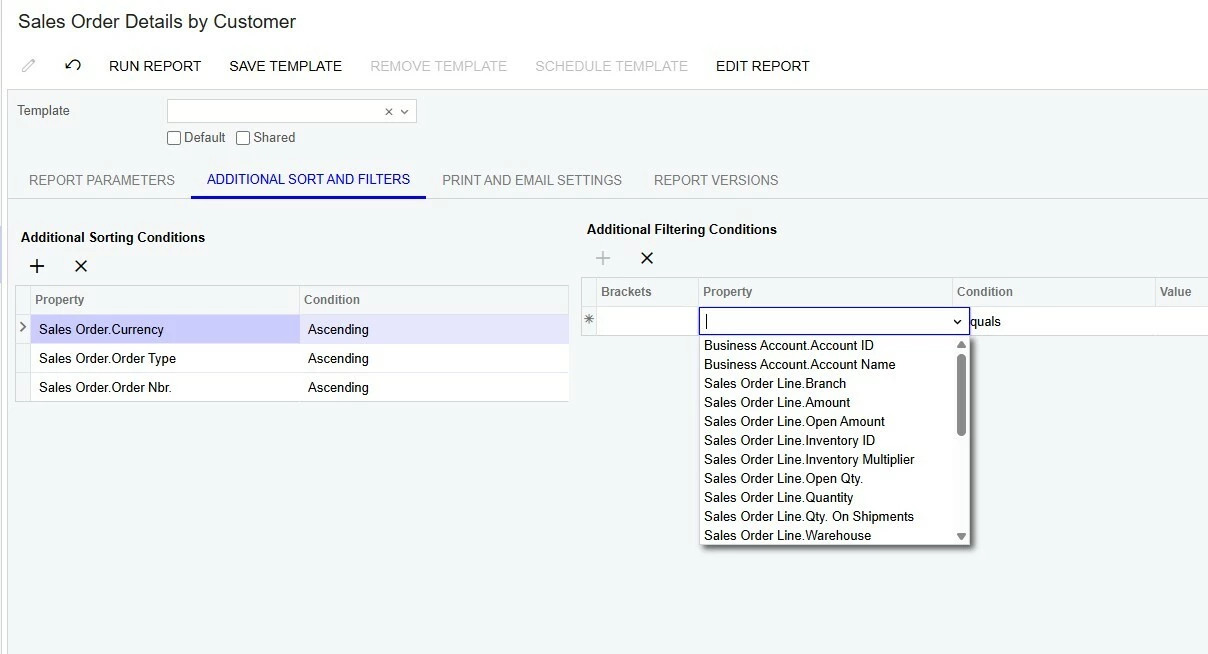
I was hoping to add the ability to filter by SOLine.InventoryID_description in the Sales Order Details by Customer report, but for the life of me i can’t get this field as an option. Following what online tips i could find I added this field to the Viewer Fields in the schema browser. Then I also placed it in the groupDetails section on the report itself at another recommendation. 
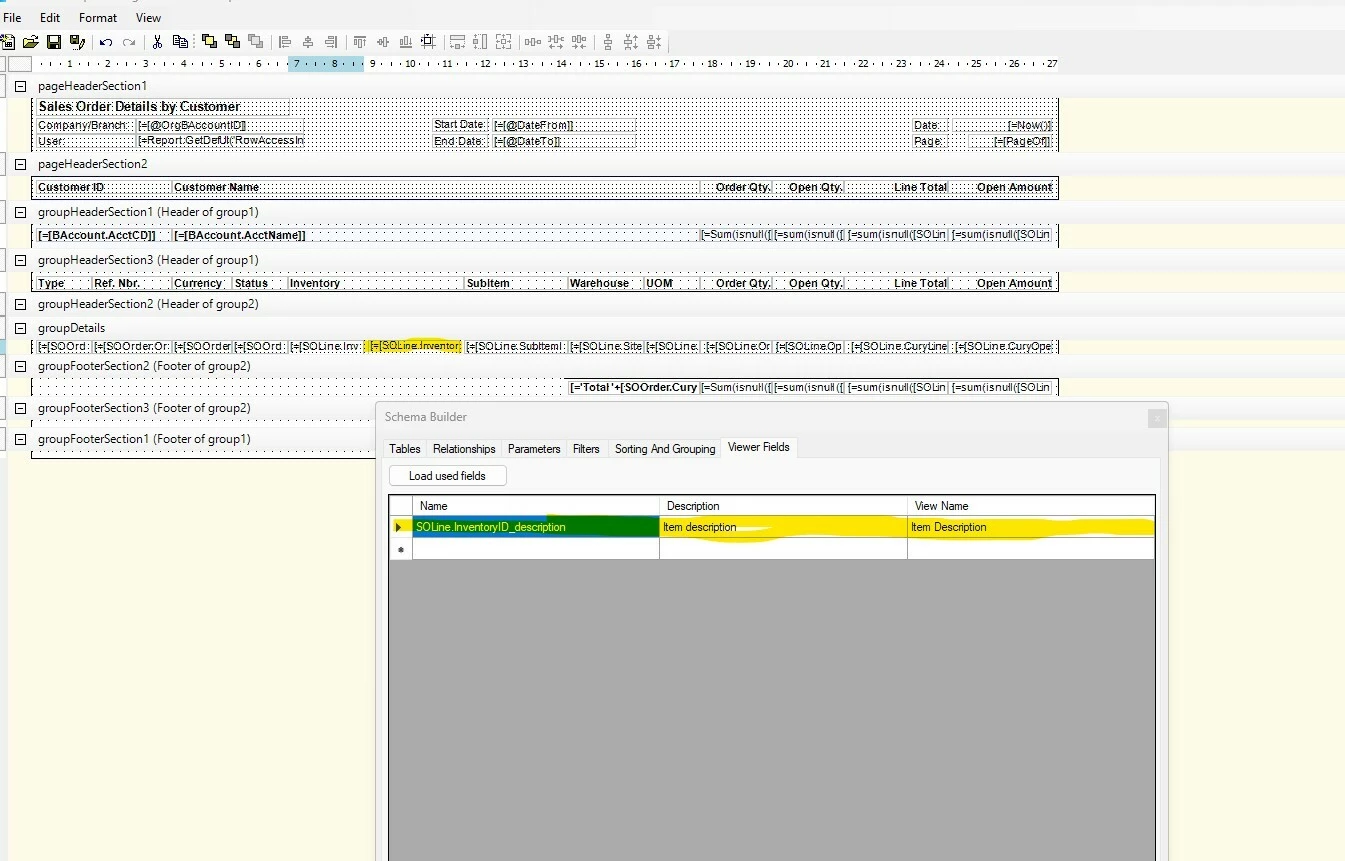
Every other writeup i can find is either putting it in as a parameter or a sorting option, neither of which is what im looking for.

End result, our staff wants to be able to sort this report by keywords in the item description. Sales Order Details by Inventory Item doesnt work for us in this case because its layout is item-first instead of customer-first.

I have my fingers crossed this is something simple im just not seeing as i don’t spend alot of time in report designer.


Best answer by BenjaminCrisman

@chrisbroccolo Ahh apologies, I misunderstood. You won’t be able to add the field there because it’s an unbound field, so it won’t show up there. You can only do this from inside the report.

4 replies

BenjaminCrisman
Acumatica Employee
Forum|alt.badge.img+4
  • Acumatica Support Team
  • February 10, 2026

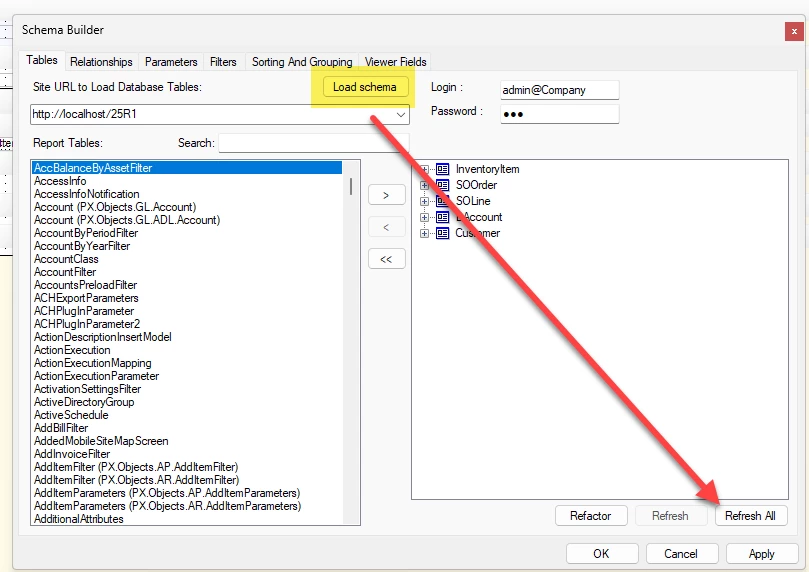
@chrisbroccolo You may want to try doing a Refresh All on the Tables tab of the Build Schema:
 

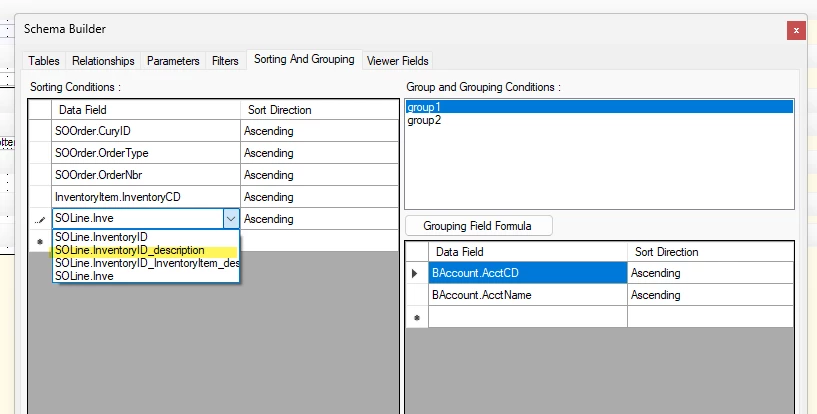
I was able to see it in the normal Sorting and Grouping tab:

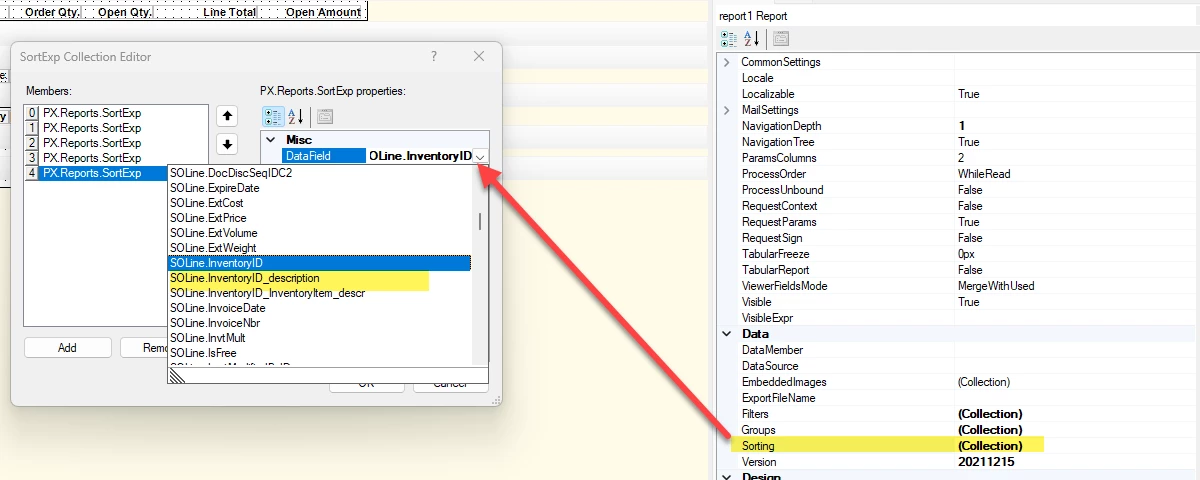
As well as the Sorting collection editor:

Are you seeing it but it’s not working or the field just doesn’t display at all in those sections?


  • Author
  • Freshman I
  • February 11, 2026

Gave this a whirl, but unfortunately no go.

In report designer it all showed nicely, but in Acumatica it still isn’t showing as an Additional Filtering Condition.


BenjaminCrisman
Acumatica Employee
Forum|alt.badge.img+4
  • Acumatica Support Team
  • Answer
  • February 11, 2026

@chrisbroccolo Ahh apologies, I misunderstood. You won’t be able to add the field there because it’s an unbound field, so it won’t show up there. You can only do this from inside the report.


  • Author
  • Freshman I
  • February 12, 2026

ahh, thats unfortunate. I will have to pass on to our team that this isnt possible.