Question

How to add a logic to define due in the next 2 days

  • March 12, 2026
  • 5 replies
  • 55 views

Forum|alt.badge.img

Hello all,

Can you help me in building up the logic in coloring the rows of a GI where if the Date is due in the next 2 days it should turn the row as orange.

I have applied the logic as below:

Date<=Today()+2, ‘orange’


where upon running the GI it throws the error for system cannot convert +2 system.int.


How to resolve this?

5 replies

Forum|alt.badge.img+3
  • Jr Varsity II
  • March 12, 2026

Hi ​@Harry ,

Can you try by using below formula-

Date <= DateAdd(day, 2, Today())


  • Freshman II
  • March 12, 2026

Hi ​@Harry,

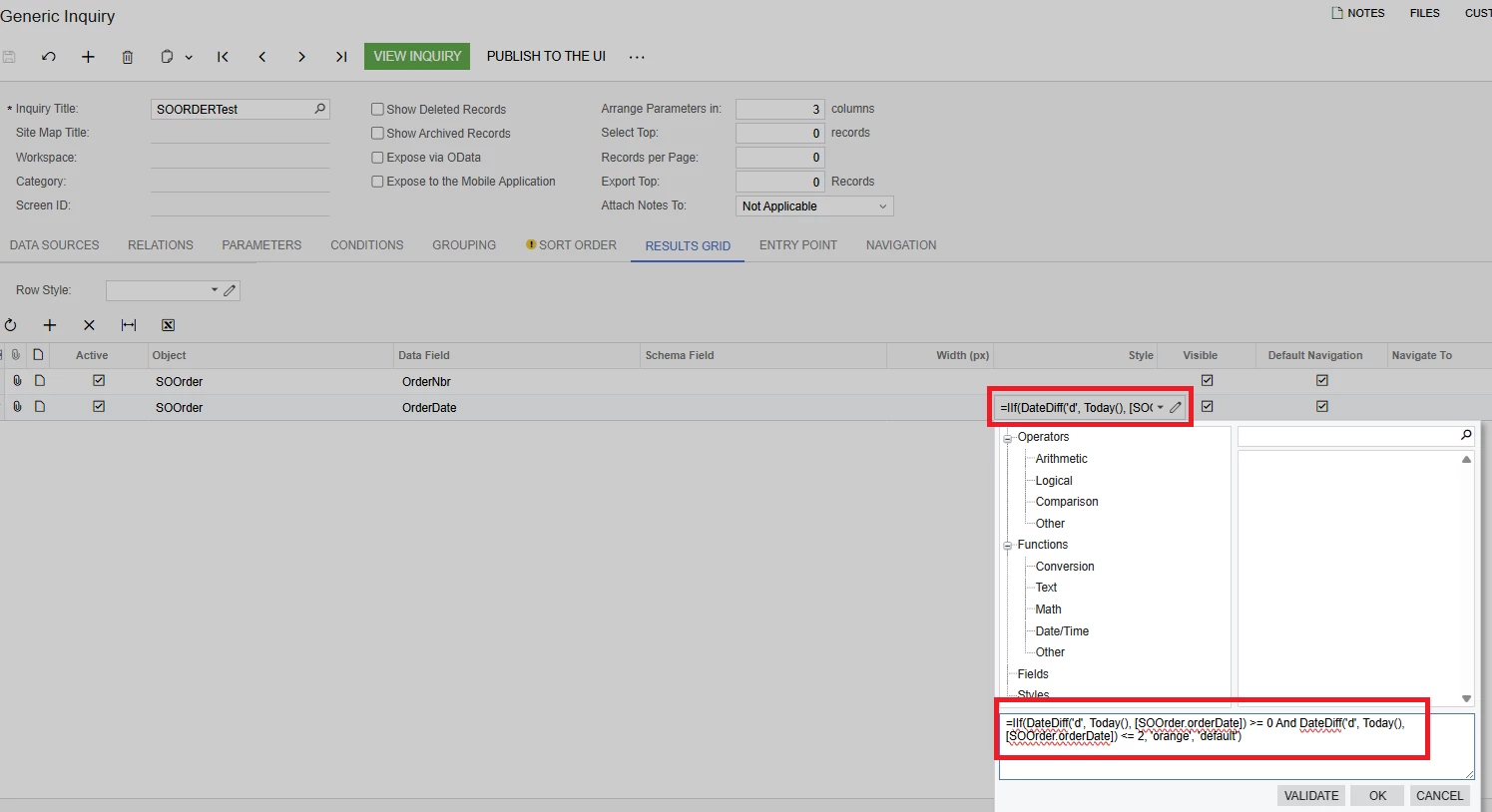
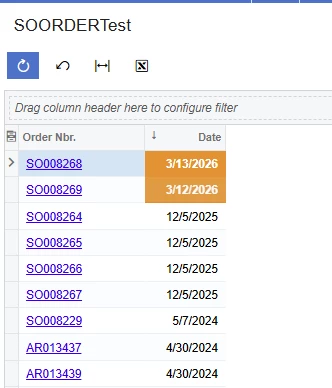
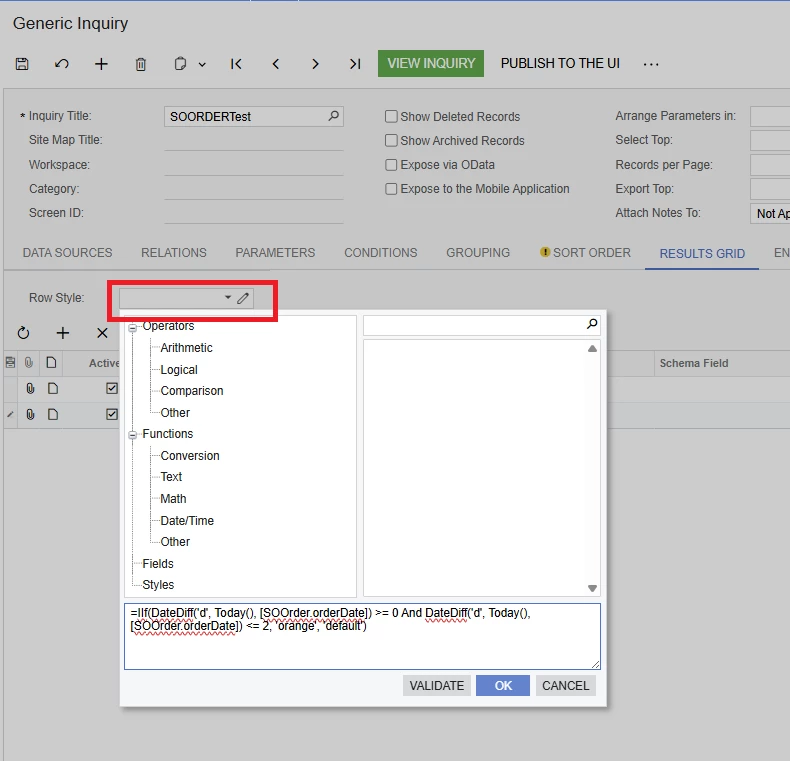
In Generic Inquiry, add this code in the Row Style section.

=IIf(DateDiff('d', Today(), [SOOrder.orderDate]) >= 0 And DateDiff('d', Today(), [SOOrder.orderDate]) <= 2, 'orange', 'default')

For OrderDate, replace it with the field you need.


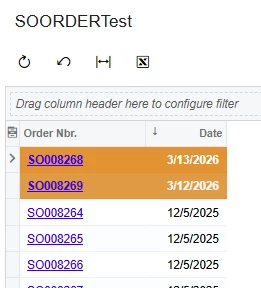
If you want to change the row color, add the row style to the header.


This should address your requirement.


Forum|alt.badge.img
  • Author
  • Semi-Pro II
  • March 12, 2026

hwllo ​@saco86 , ​@Rakshanda , how about DateAdd(Today(),’d’,-2)?


Forum|alt.badge.img+3
  • Jr Varsity II
  • March 12, 2026

hi ​@Harry ,

use like DateAdd('d', -2, Today())

hope above helps !!


Forum|alt.badge.img
  • Jr Varsity II
  • March 12, 2026

Hi ​@Harry,

You can also try this approach as an alternative:

=IIf([Table.DateField] <= DateAdd(Today(), 'd', 2), 'orange', 'default')

Hope this helps!