Solved

How to add a logic to define due in the next 2 days

  • March 12, 2026
  • 5 replies
  • 113 views
  • Translate All

Forum|alt.badge.img

Hello all,

Can you help me in building up the logic in coloring the rows of a GI where if the Date is due in the next 2 days it should turn the row as orange.

I have applied the logic as below:

Date<=Today()+2, ‘orange’


where upon running the GI it throws the error for system cannot convert +2 system.int.


How to resolve this?

Best answer by Rakshanda

hi ​@Harry ,

use like DateAdd('d', -2, Today())

hope above helps !!

View original

5 replies

Forum|alt.badge.img+8
  • Jr Varsity II
  • March 12, 2026

Hi ​@Harry ,

Can you try by using below formula-

Date <= DateAdd(day, 2, Today())

Translate

Forum|alt.badge.img
  • Jr Varsity I
  • March 12, 2026

Hi ​@Harry,

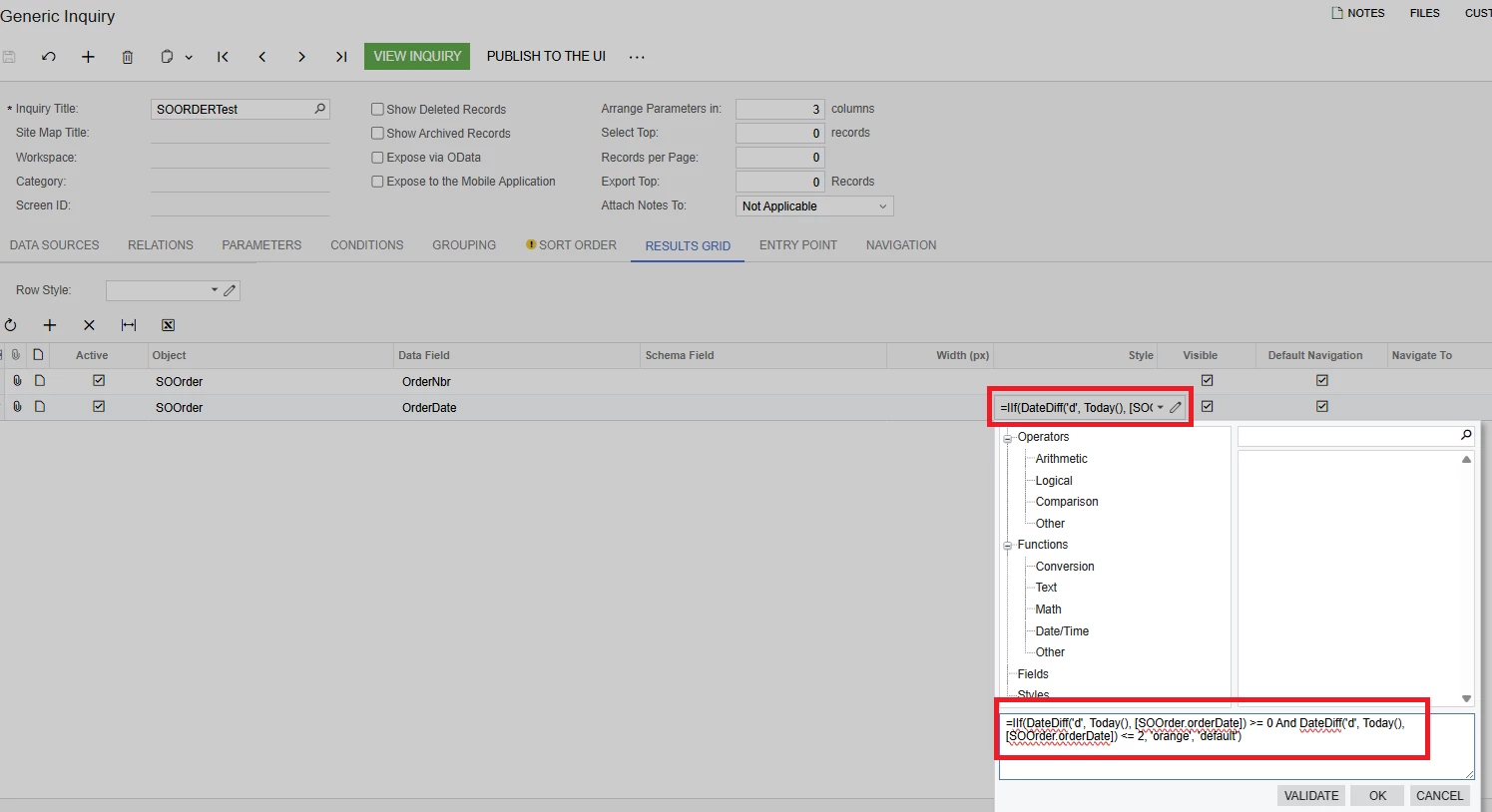
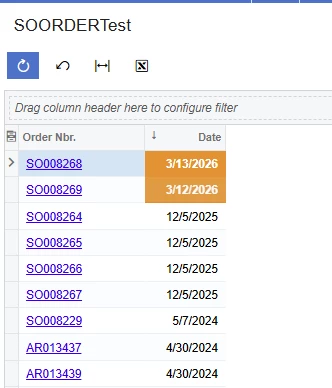
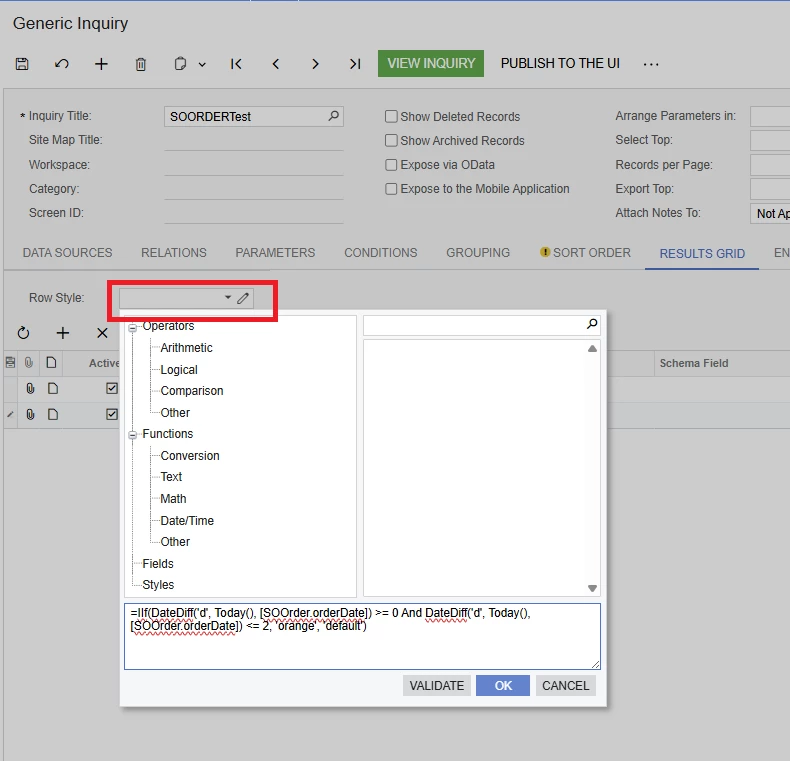
In Generic Inquiry, add this code in the Row Style section.

=IIf(DateDiff('d', Today(), [SOOrder.orderDate]) >= 0 And DateDiff('d', Today(), [SOOrder.orderDate]) <= 2, 'orange', 'default')

For OrderDate, replace it with the field you need.


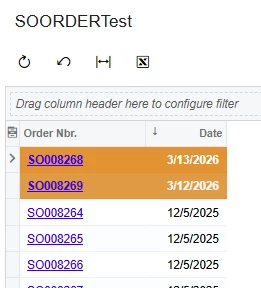
If you want to change the row color, add the row style to the header.


This should address your requirement.

Translate

Forum|alt.badge.img
  • Author
  • Semi-Pro III
  • March 12, 2026

hwllo ​@saco86 , ​@Rakshanda , how about DateAdd(Today(),’d’,-2)?

Translate

Forum|alt.badge.img+8
  • Jr Varsity II
  • Answer
  • March 12, 2026

hi ​@Harry ,

use like DateAdd('d', -2, Today())

hope above helps !!

Translate

Forum|alt.badge.img+1
  • Semi-Pro II
  • March 12, 2026

Hi ​@Harry,

You can also try this approach as an alternative:

=IIf([Table.DateField] <= DateAdd(Today(), 'd', 2), 'orange', 'default')

Hope this helps!

Translate