Answer

How do I make a GI open in full screen and hide the top menu?

  • October 29, 2021
  • 7 replies
  • 160 views

Forum|alt.badge.img

I want to be able to put a GI up on a big screen in the office and not have the menu and headers showing.


for example, if i wanted to hide all that i have scribbled on red below, and just keep the main table, is there a way?


Best answer by DanielStarke

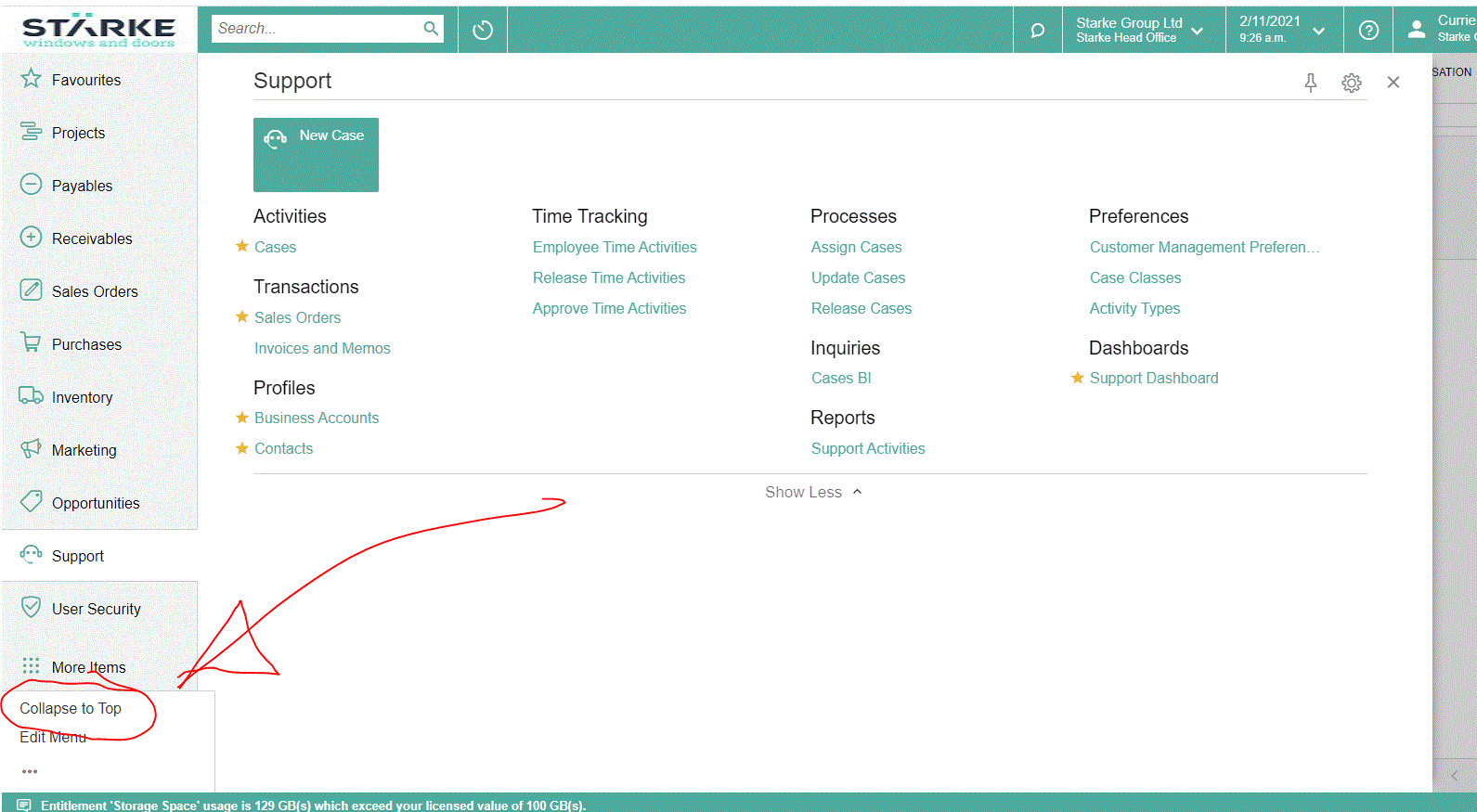
By collapsing to the top and then going into Full Screen (F11) you get very good utilization of the screen real estate. @Naveen B - this might be useful for others. 
 

7 replies

Naveen Boga
Captain II
Forum|alt.badge.img+19
  • Captain II
  • October 29, 2021

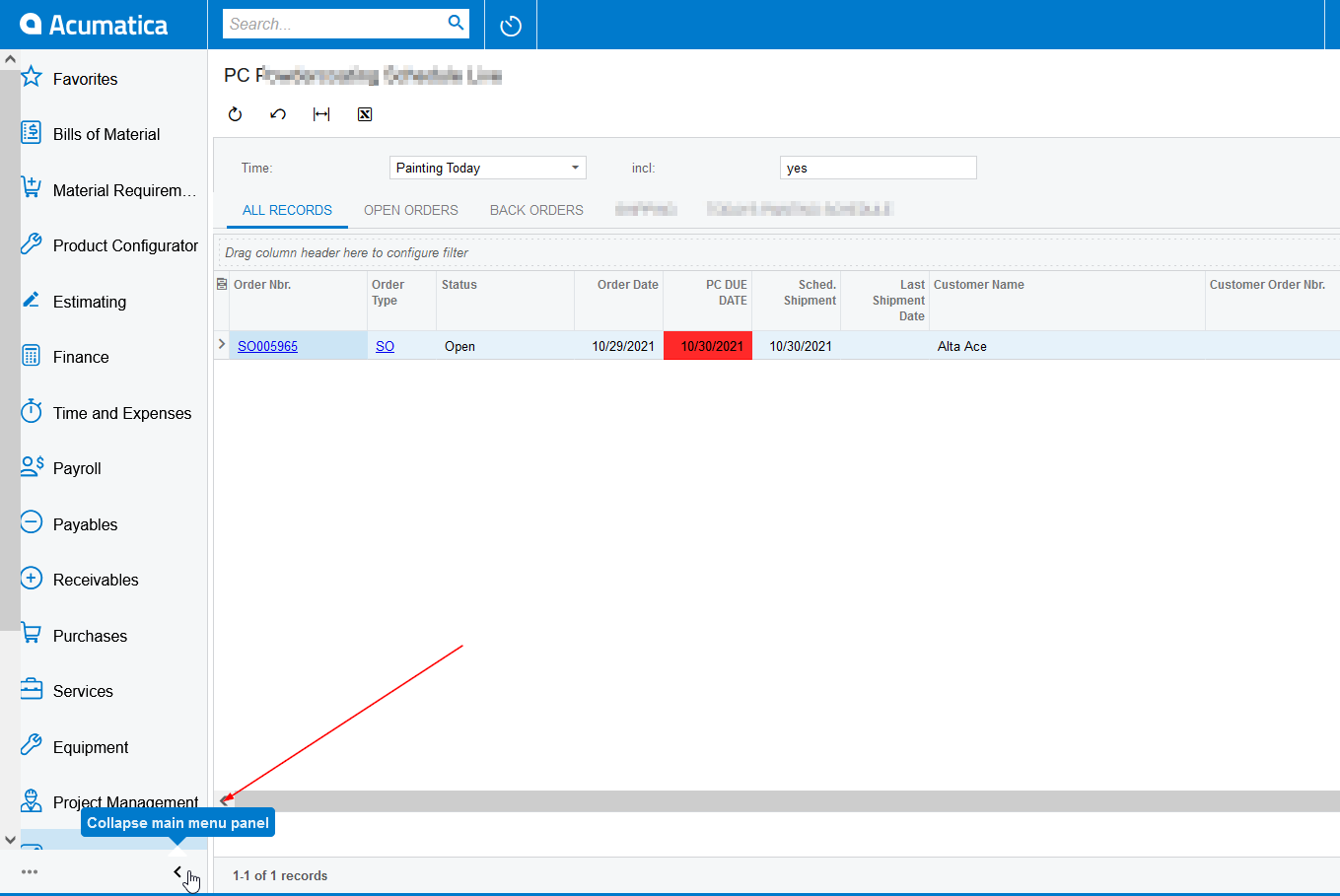
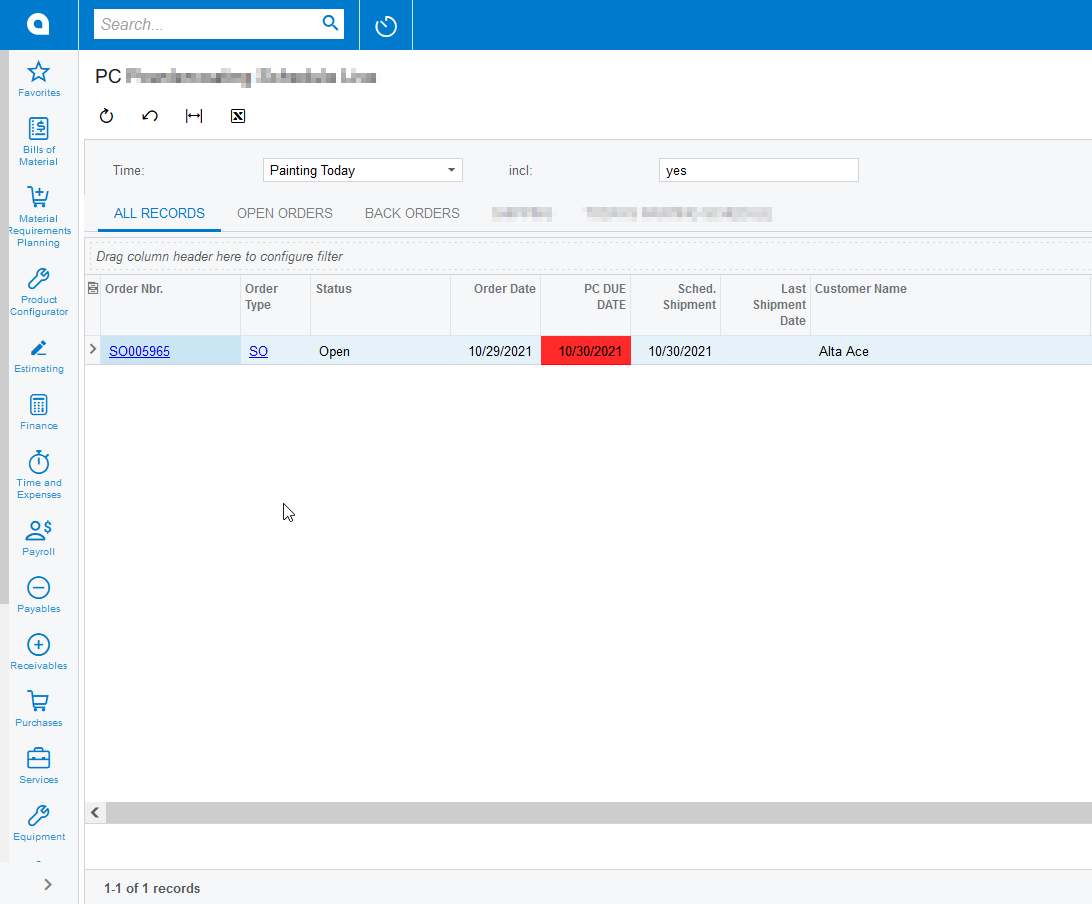
Hi @DanielStarke  You can collapse the left side menu panel but I don’t think we can hide the top menu. 

Here is the screenshots.


Forum|alt.badge.img
  • Author
  • Varsity I
  • Answer
  • November 1, 2021

By collapsing to the top and then going into Full Screen (F11) you get very good utilization of the screen real estate. @Naveen B - this might be useful for others. 


Forum|alt.badge.img
  • Jr Varsity III
  • August 31, 2022

Hi,
I would love to know if it would be possible to change the setting to permanently collapse the menu to the top in some sort of setting as well. It would save me time daily so I don’t have to collapse every morning when I start my day :)

Kind regards,

Calvin


BenjaminCrisman
Acumatica Employee
Forum|alt.badge.img+4
  • Acumatica Support Team
  • August 31, 2022

@Calvin I don’t think there is a setting to have collapsed be a default option unfortunately. This could be a great candidate for a product idea!


Laura03
Captain II
Forum|alt.badge.img+19
  • Captain II
  • September 1, 2022

Hello @Calvin ,

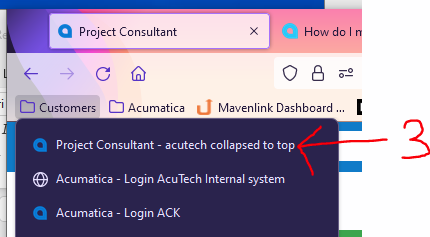
I find that if I collapse my menu to the top, and after making this change I use my Browser to create a shortcut, the menu stays collapsed when I open from the shortcut. This default collapsed may be specific to my browser; I’m using Firefox. HTH

  1. Collapse to top
  2. Favorite/Save shortcut.
  3. Use Shortcut to open Acumatica


Forum|alt.badge.img
  • Jr Varsity III
  • September 1, 2022

Hi @laura01

This is an amazing hack! It seems to work great by making a shortcut. 

Thank you for suggesting!

Calvin


Laura03
Captain II
Forum|alt.badge.img+19
  • Captain II
  • September 1, 2022

😃