Question

How can this GI be joined to allow for all the line of the Sales Order to be shown?

  • September 24, 2025
  • 6 replies
  • 63 views

Forum|alt.badge.img

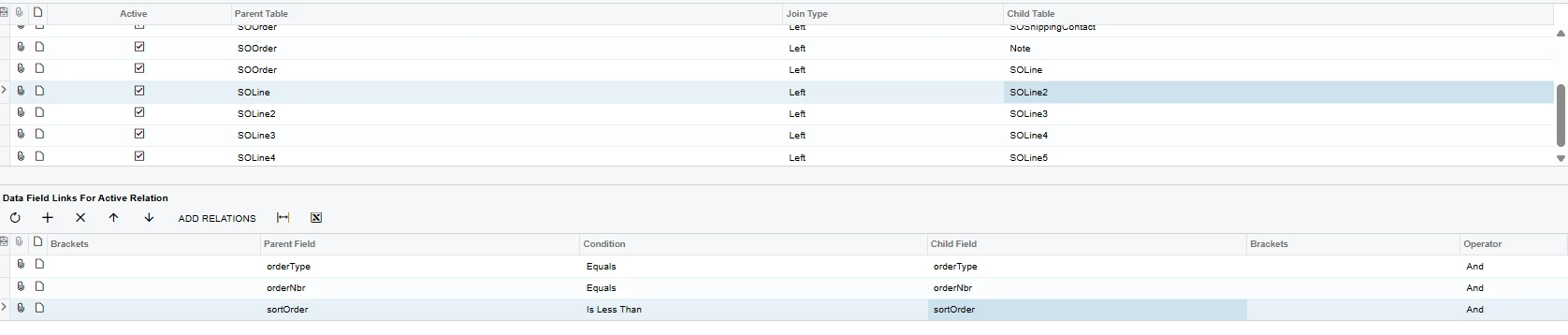
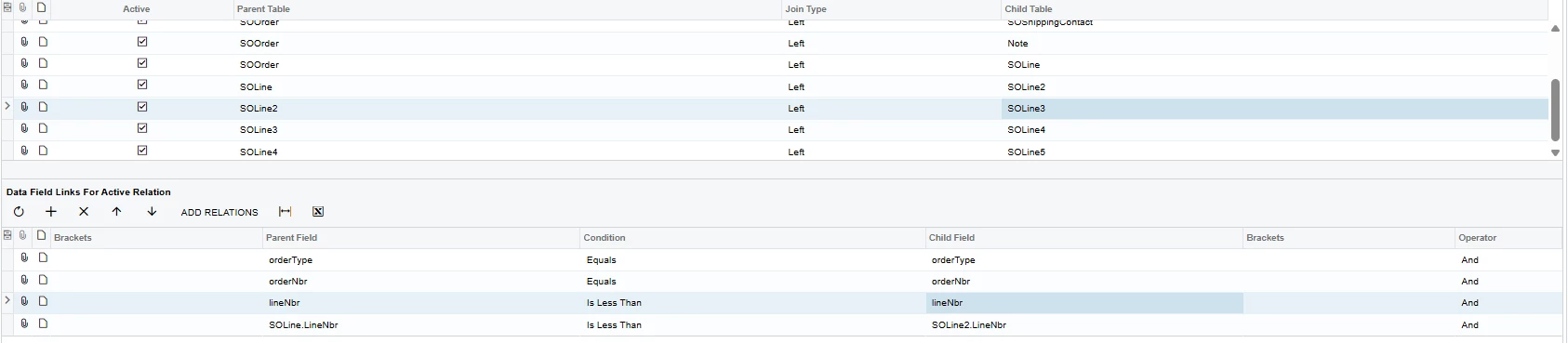
I’m trying to create a GI that will show all five lines of a Sales Order using joins based on line numbers. However, Line Numbers (or Sort Order) don’t follow a sequential order, so I can’t filter based on 1,2,3,ect. I tried the following join, but this only results in the first value working correctly, and the rest being the same part repeated over and over again (and its not even the second part in the list.) Is there some way to fix these joins so that they work correctly? (See attached GI)


6 replies

darylbowman
Captain II
Forum|alt.badge.img+15
  • September 24, 2025

Unless you have something more going on here, you don’t need to join the lines individually. Simply left join SOLine to SOOrder and all the lines will show.


Forum|alt.badge.img
  • Author
  • Freshman II
  • September 24, 2025

Unless you have something more going on here, you don’t need to join the lines individually. Simply left join SOLine to SOOrder and all the lines will show.

All the lines will be displayed, in multiple different rows. I want to put all the rows into one single row. So instead of row 1 with part 1, row 2 with part 2, ect. I’m trying to do row 1 with part 1,2,ect.


darylbowman
Captain II
Forum|alt.badge.img+15
  • September 24, 2025

Could I ask what the motivation for this is?


Forum|alt.badge.img
  • Author
  • Freshman II
  • September 24, 2025

Could I ask what the motivation for this is?

I’m trying to create a notification in teams with all the parts for a order listed, however, there is no functionality to adding multiple lines or attachments to Teams notifications. 


Chris Hackett
Community Manager
Forum|alt.badge.img
  • Acumatica Community Manager
  • November 5, 2025

Hi ​@kkraus were you able to find a solution? Thank you!


lauraj46
Captain II
Forum|alt.badge.img+8
  • Captain II
  • November 10, 2025

Hi ​@kkraus ,

I haven’t personally used the Teams integration and it isn’t documented as such, but Email Templates support multiple row with the foreach command.  I’m assuming you’ve confirmed that this doesn’t work in Teams Templates?

<foreach view="Products">     ((Products.InventoryID)) - ((Products.Quantity)) - ((Products.CuryExtPrice)) <br> </foreach>

https://help.acumatica.com/(W(110))/Help?ScreenId=ShowWiki&pageid=b95a9c38-deb7-4735-8d9a-e47c4702adf1