Answer

How can I change the size of the check?

  • May 1, 2023
  • 3 replies
  • 135 views

I am trying to change move the text on my check as the font that I have on it now is off and messes up the check. How can I do this?

Best answer by lauraj46

Hi @Jazzyb1999 ,

You make changes to the check layout using the Report Designer by editing the report AP641000.rpx.

TIP: On this report there are some sections that are conditionally hidden based on the Features and Options that are enabled for your site.  If you make formatting changes and they don’t appear, double-check that you are editing the visible sections!

A good resource to get started with the Report Designer is the Acumatica Open University course S150.

https://openuni.acumatica.com/courses/reporting/s150-reporting-report-designer/

Hope this helps!

Laura

 

3 replies

lauraj46
Captain II
Forum|alt.badge.img+8
  • Captain II
  • May 1, 2023

Hi @Jazzyb1999 ,

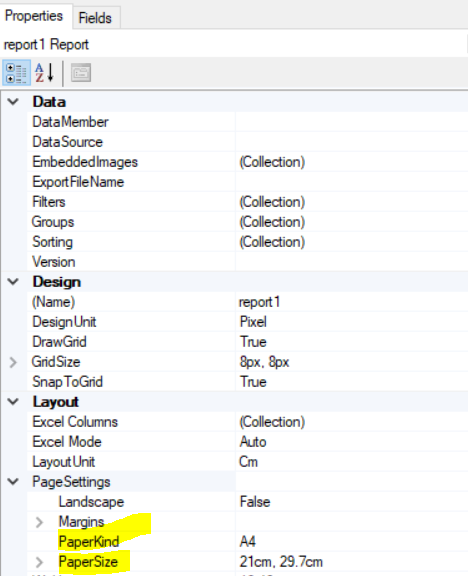
If I’m understanding your question correctly, you can change the size of the paper for the check stock in the report properties.

Hope this helps!

Laura


  • Author
  • Freshman I
  • May 1, 2023

Hi @lauraj46,


I am looking to change the text placement on the check(looking to move all the text down a little bit).


Thanks


lauraj46
Captain II
Forum|alt.badge.img+8
  • Captain II
  • Answer
  • May 1, 2023

Hi @Jazzyb1999 ,

You make changes to the check layout using the Report Designer by editing the report AP641000.rpx.

TIP: On this report there are some sections that are conditionally hidden based on the Features and Options that are enabled for your site.  If you make formatting changes and they don’t appear, double-check that you are editing the visible sections!

A good resource to get started with the Report Designer is the Acumatica Open University course S150.

https://openuni.acumatica.com/courses/reporting/s150-reporting-report-designer/

Hope this helps!

Laura