Solved

Hide a cell unless triggered by parameter

  • December 17, 2025
  • 2 replies
  • 22 views

Forum|alt.badge.img

Hello!

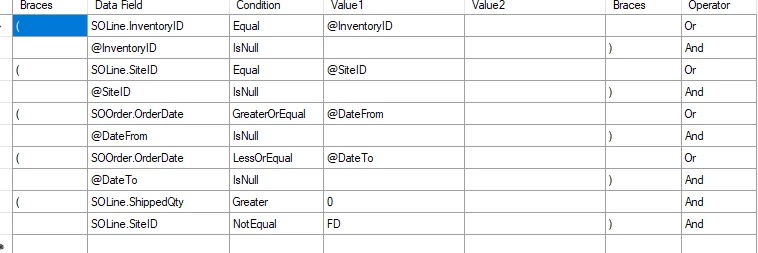
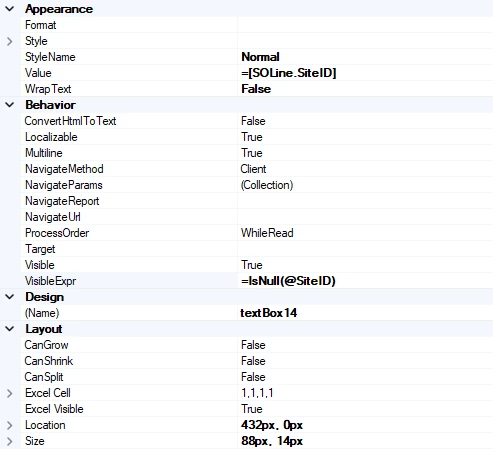
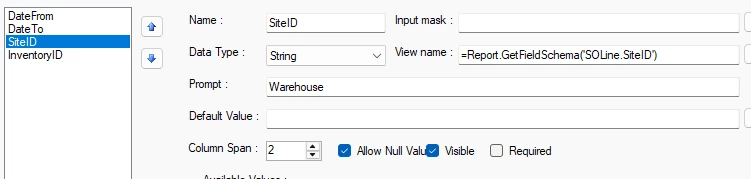
I have a Parameter set up as @SiteID. I am attempting to make a cell on my report designer only visible if @SiteID parameter is null. Can this be done? 


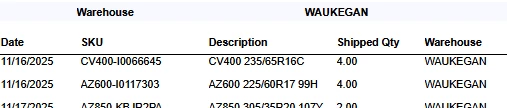
Maybe to explain a bit further. At the top; I’d like this to show up only when @SiteID is used
I’d then like the “warehouse” and “Waukegan” below it on the right column to only show when @SiteID IsNull


I’ve looked online and done a bunch of AI chats and i only seem to error out every iteration i use. 

Best answer by lauraj46

Hi ​@kdolgner ,

For the visibility condition you can use =[@SiteID] <> Null or =[@SiteID]=Null

Hope this helps!

Laura

2 replies

lauraj46
Captain II
Forum|alt.badge.img+8
  • Captain II
  • Answer
  • December 17, 2025

Hi ​@kdolgner ,

For the visibility condition you can use =[@SiteID] <> Null or =[@SiteID]=Null

Hope this helps!

Laura


Forum|alt.badge.img
  • Author
  • Freshman II
  • December 18, 2025

Hi ​@kdolgner ,

For the visibility condition you can use =[@SiteID] <> Null or =[@SiteID]=Null

Hope this helps!

Laura


thank you so much. Neither of these were in the ones i found in my research but =[@SiteID]=Null is what worked for me.