Answer

GI with both default address and billing address?

  • September 1, 2023
  • 12 replies
  • 378 views

jhouser
Captain II
Forum|alt.badge.img+6

Hi everyone,


I’ve always struggled with how to pull two address types into a single GI, and right now I really need it. The GI I’m working on needs the Default Address (or shipping address) and the Billing Address info. 

Attached is an XML from my test environment. The problem I’m having is either no Billing Address info pulls through, or it pulls the same address as default. If I change Billing Address on customer it doesn’t show in the GI. 

Would really appreciate the help!

Best answer by BenjaminCrisman

@thoyt76 I’m attaching the GI I edited, let me know if it works


12 replies

BenjaminCrisman
Acumatica Employee
Forum|alt.badge.img+4
  • Acumatica Support Team
  • September 1, 2023

Hi @jhouser! I checked the GI and it looks like it’s just not quite setup right, but should be quick fixes.

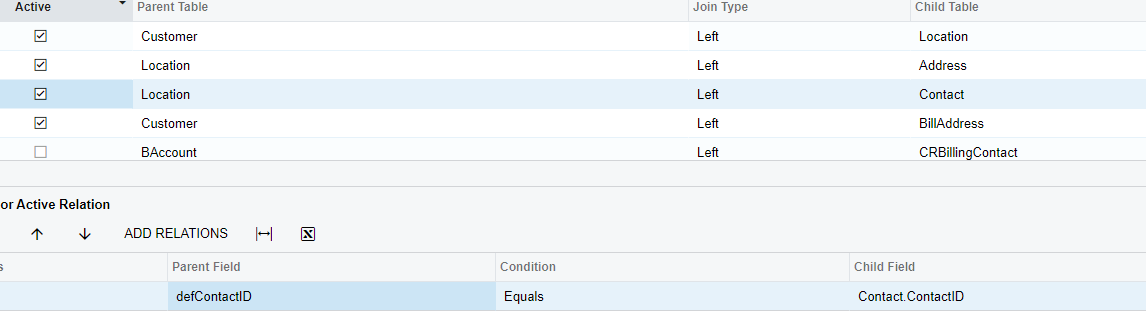
The Location table will link to Address to have the details for the shipping information and the Customer table will to Address table to get the billing information, so since you can’t join both of them to the same Address table, you’ll need to give one (or both) of them an Alias.

With this configuration I was able to see all the address necessary (there is also Customer Locations GI in sales demo)

Customer linked to Location on BAccountID = BAccountID

Location linked to Address on DefAddressID = AddressID

Location linked to Contact on DefContactID = ContactID

Customer linked to BillAddress (Address table alias) on DefBillAddressID = AddressID


jhouser
Captain II
Forum|alt.badge.img+6
  • Author
  • Captain II
  • September 1, 2023

@BenjaminCrisman Ah, so that’s what the Alias is for! This was extraordinarily helpful! This allows me to have both addresses on a single line to be used in a P&L GI. Thank you! 


  • February 20, 2025

Hello,

@BenjaminCrisman:

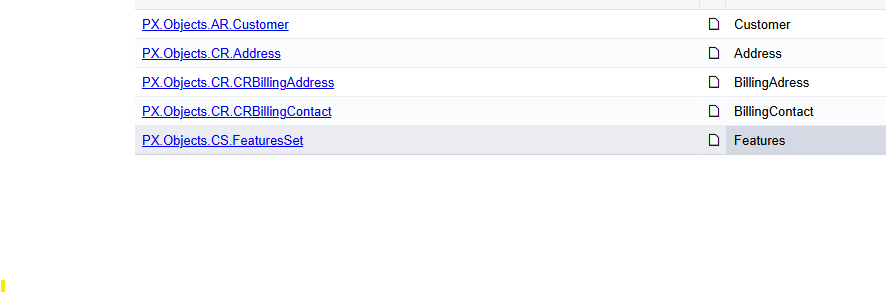
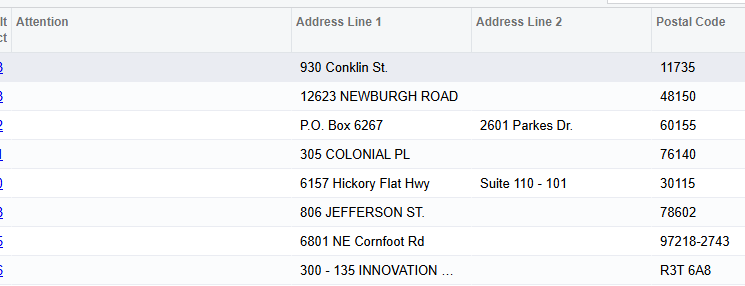
Can you please help me with adding the customer billing contact (“attention”) and phone number to my GI? I’m having trouble joining the tables. Here are my screen shots:

Tables:


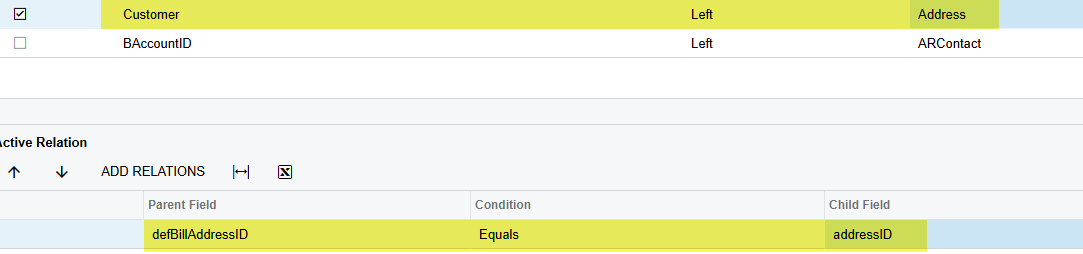
Relations:


Thank you in advance for any assistance!!


BenjaminCrisman
Acumatica Employee
Forum|alt.badge.img+4
  • Acumatica Support Team
  • February 20, 2025

@thoyt76 From what it looks like in your screenshot you have Customer table linked directly to Address table. You’ll want to link Customer to Location and then link Location to Address and Location to Contact as seen in my screenshot above. Then you can link Customer to an alias of the Address table.

Use the data links below the screenshot for how to connect these tables.

If you’re still having an issue then please upload the xml file so I can review it and help


  • February 20, 2025

Hello,

@BenjaminCrisman 

Thank you for the information.

I followed the steps but am still having trouble.

Just to clarify, I don’t need the shipping addresses, just the billing one.

Thank you for your help.


BenjaminCrisman
Acumatica Employee
Forum|alt.badge.img+4
  • Acumatica Support Team
  • February 20, 2025

@thoyt76 You had linked to CRBillingAddress and should be using Address instead. Additionally, the data links specify to link CRBillingAddress as parent table and also CRBillingAddress to child table? This is incorrect type of join and you may want to review the Generic Inquiry training for better understanding on how to setup these types of relations and how to look for key linking fields.

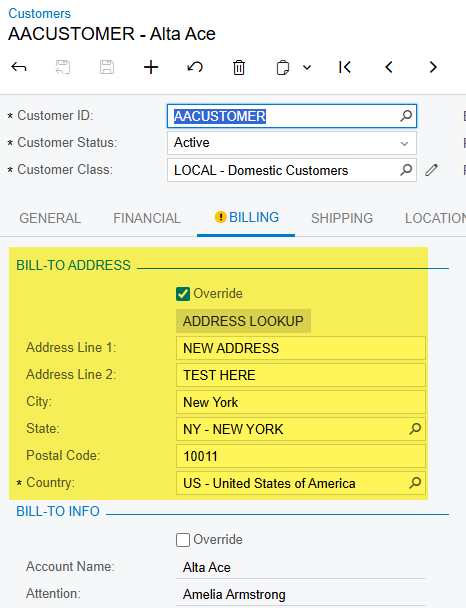
In the meantime you can just link Customer to Address on DefBillAddressID = AddressID:


  • February 20, 2025

@BenjaminCrisman 


Sorry for my confusion. Nothing I’m doing is working. :-(


BenjaminCrisman
Acumatica Employee
Forum|alt.badge.img+4
  • Acumatica Support Team
  • Answer
  • February 20, 2025

@thoyt76 I’m attaching the GI I edited, let me know if it works


  • February 20, 2025

It was still not giving me the “Attention” field info.


I did figure it out finally though. 


Your help is greatly appreciated!!


BenjaminCrisman
Acumatica Employee
Forum|alt.badge.img+4
  • Acumatica Support Team
  • February 20, 2025

@thoyt76 I’m glad you figured it out, the Attention field is not in Address table, so you’ll have to get this from the Contact table


  • February 20, 2025

@BenjaminCrisman 


Thank you.


rpiester
Freshman II
  • Freshman II
  • April 25, 2025

This was really helpful.  I never understood the need for an alias for a DAC until this discussion.