Solved

GI "move row up" button doesn't work

  • Apr 25, 2026 3:27 PM UTC
  • 6 replies
  • 114 views
  • Translate All

Forum|alt.badge.img

I am having trouble moving GI Condition rows using the “Move Row Up” and “Move Row Down” buttons. When I select a row and click the “Move Row Up” button nothing happens. In my screenshot below, the only way I can “move” the row at the bottom up to the second row is to delete all 17 intervening rows and then manually add them all back below the new row. I don't have an option to import criteria either, which would be useful here.

Is this really the only way to “insert” a GI condition somewhere other than the bottom row?
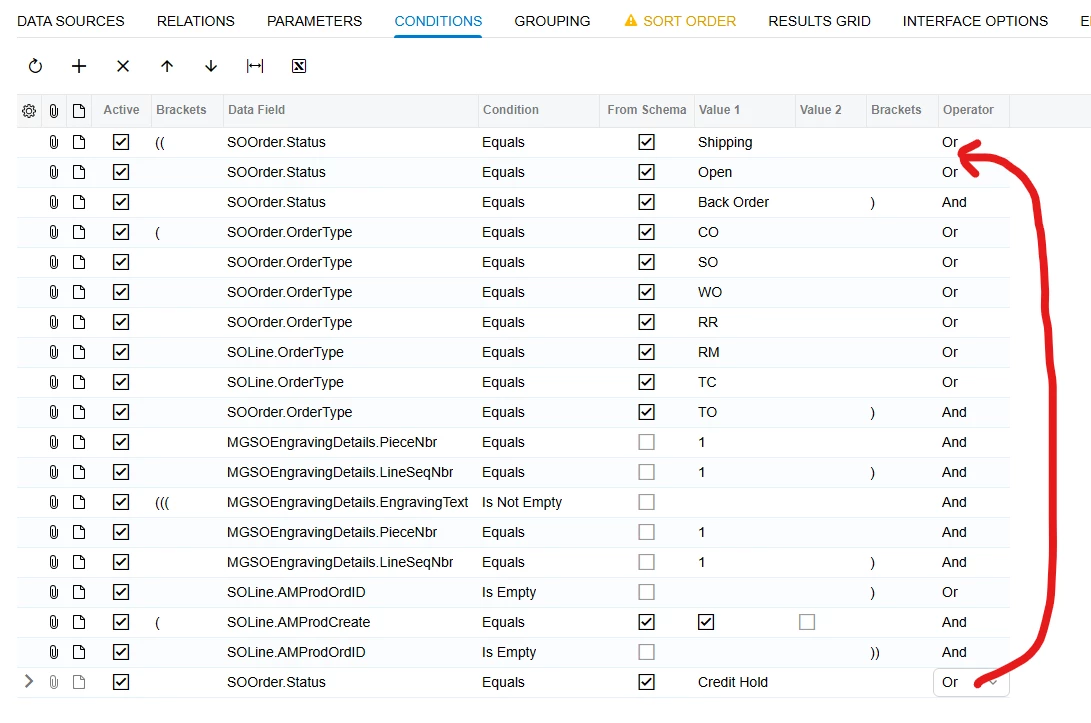
Can’t Edit GI Criteria Row Order

 Thank you!

Best answer by bwhite49

It’s one of the modern UI issues. Conditions and parameters can’t be re-arranged. Fortunately, the results grid is fine. 

View original

6 replies

Naveen Boga
Captain II
Forum|alt.badge.img+20
  • Captain II
  • Apr 26, 2026 6:34 AM UTC

Hi ​@jon12  I haven’t encountered this issue before. Could you please confirm which version of Acumatica you are currently using?

Also, it might be worth checking if this is browser-related. I would recommend trying the following:

  • Open the screen in a Private/Incognito window
  • Clear your browser cache and cookies
  • Try a different browser (e.g., Chrome/Firefox/Edge)

Sometimes UI behaviors like this can be affected by caching or browser-specific issues.

If the problem persists, it could be version-specific or related to a known issue, and we can look into it further.

Translate

bwhite49
Captain II
Forum|alt.badge.img+12
  • Captain II
  • Answer
  • Apr 26, 2026 11:31 AM UTC

It’s one of the modern UI issues. Conditions and parameters can’t be re-arranged. Fortunately, the results grid is fine. 

Translate

KrunalDoshi
Pro I
Forum|alt.badge.img+9
  • Pro I
  • Apr 26, 2026 11:55 AM UTC

Hi ​@jon12 

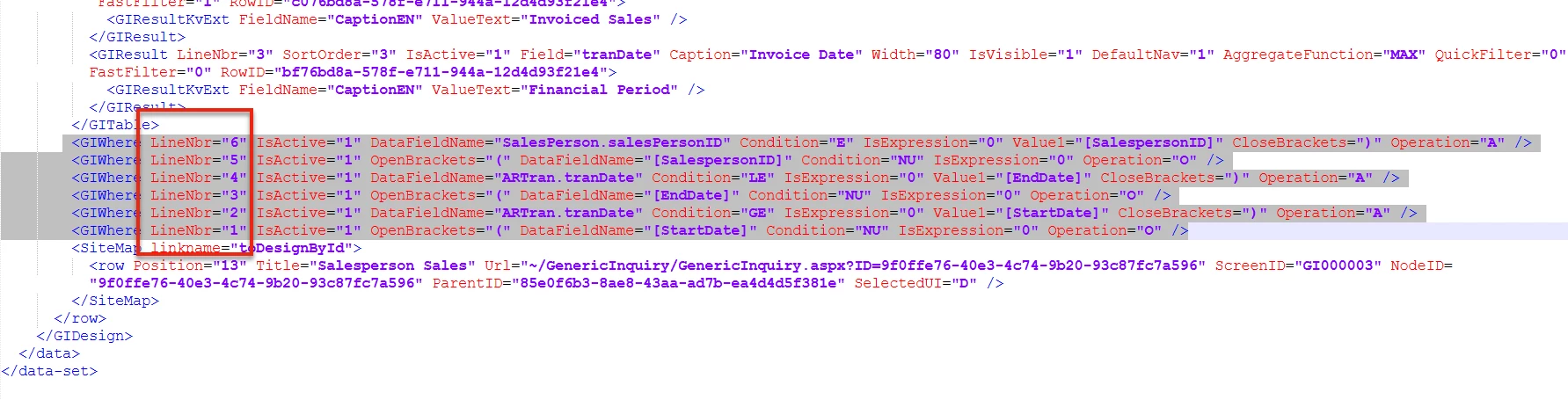
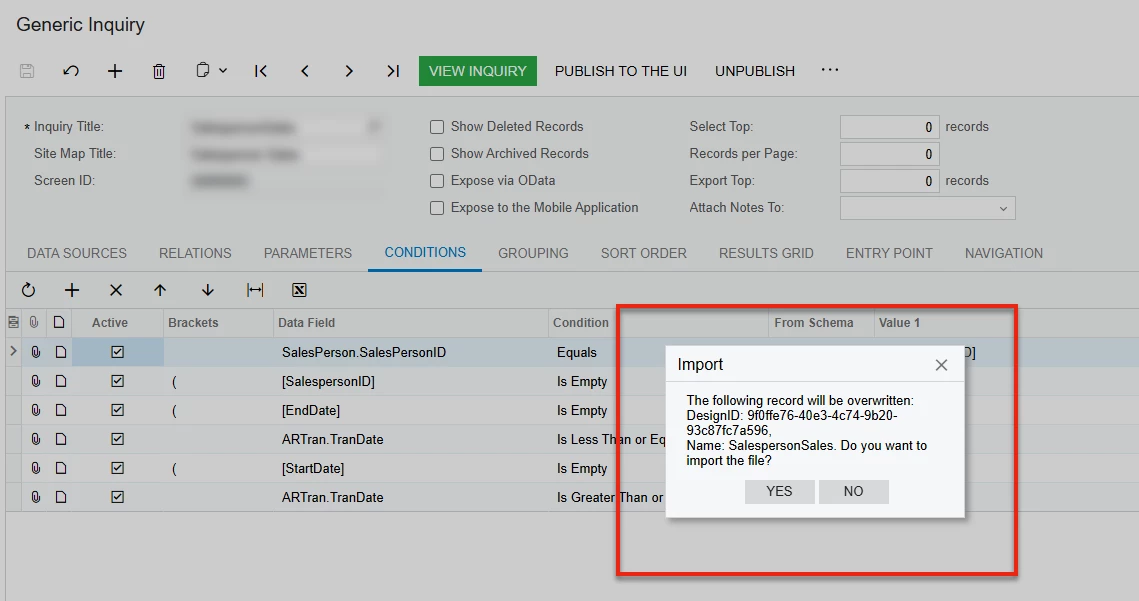
The workaround would be that you can export the GI and edit it in text editor. Move the condition(s) you want to move, change the LineNbr respectively and then reimport the GI.  It will ask for overwrite which you can say yes. That way at least you do not have to delete all 17 conditions and re-add it again. See below screenshot for your reference. I just took a sample GI. 

Hope this is helpful.


Translate

Naveen Boga
Captain II
Forum|alt.badge.img+20
  • Captain II
  • Apr 27, 2026 3:41 AM UTC

Hi ​@jon12  Yeah,   I’ve reviewed the functionality in detail and identified that this appears to be an Acumatica bug with Modern UI. Based on the underlying code behavior, the Move Up and Move Down actions are consistently operating on the first record, rather than the currently selected row. This indicates that the system is not correctly respecting the user’s selection in the Modern UI.

Interestingly, the same functionality is working as expected in the Classic UI, which suggests that the issue is specific to the Modern UI implementation.

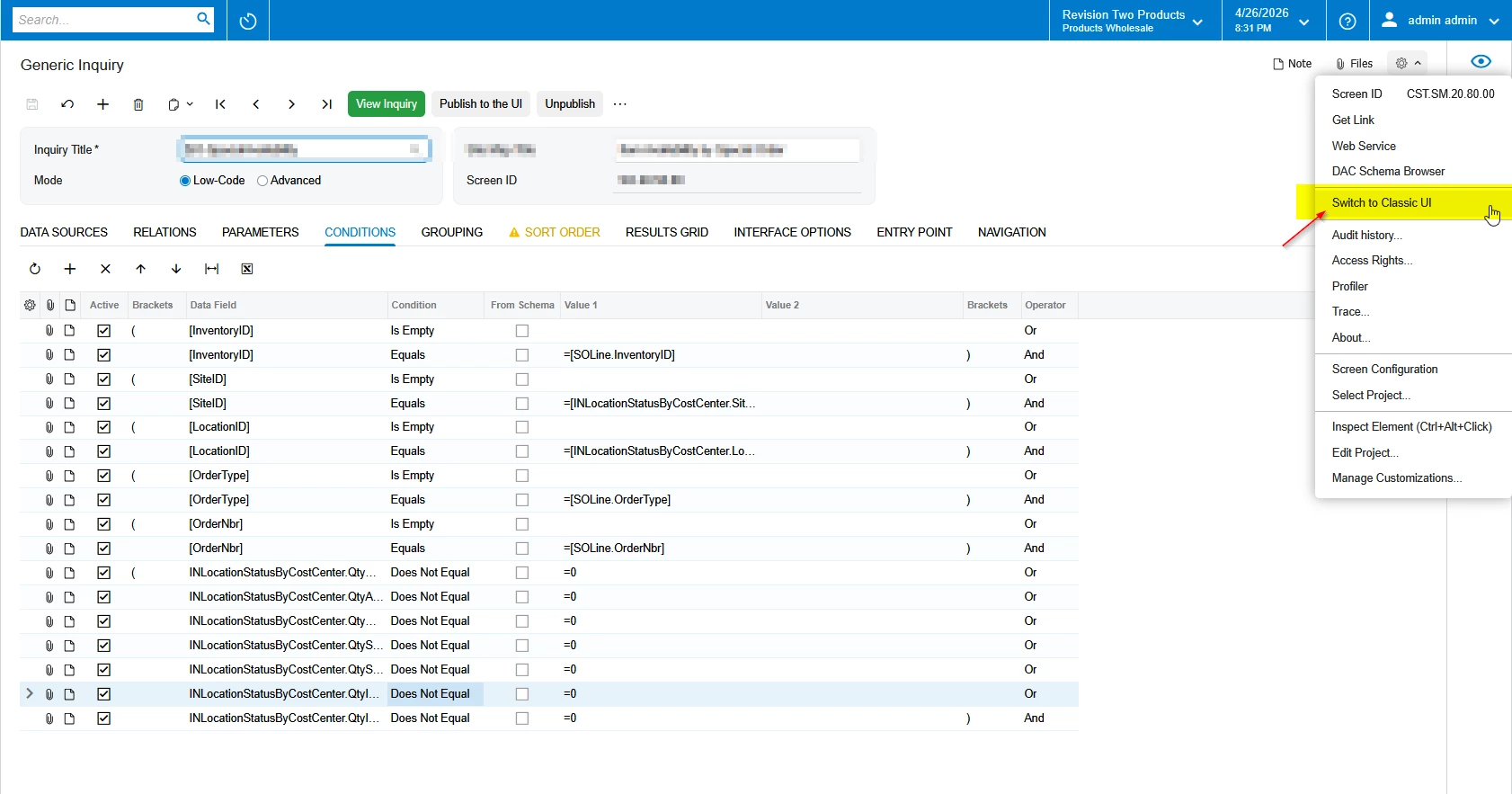
As a workaround, I recommend switching to the Classic UI using the “Switch to Classic UI” option, making the required adjustments there, and then switching back to the Modern UI once done.


CC: ​@Chris Hackett   I have also reviewed the release notes (Release_Notes_for_Acumatica_25_201_0213.pdf), and this issue does not appear under the known issues section. Could you please help escalate this internally to the relevant team for further investigation and resolution?


Translate

Forum|alt.badge.img
  • Author
  • Freshman I
  • Apr 27, 2026 11:41 AM UTC

Thank you all for the feedback and multiple solutions/workarounds. ​@Naveen Boga  We are on version 2025 R2.

Does Modern UI offer any benefit to the GI screen over Classic? If not we’ll just keep it on Classic UI for now.

Thank you!

Translate

Naveen Boga
Captain II
Forum|alt.badge.img+20
  • Captain II
  • Apr 27, 2026 12:25 PM UTC

​@jon12   Modern UI doesn’t add any real functional advantage specifically for the GI (Generic Inquiry) screen yet. For most practical purposes, sticking with Classic UI for GI is perfectly fine.


Translate