



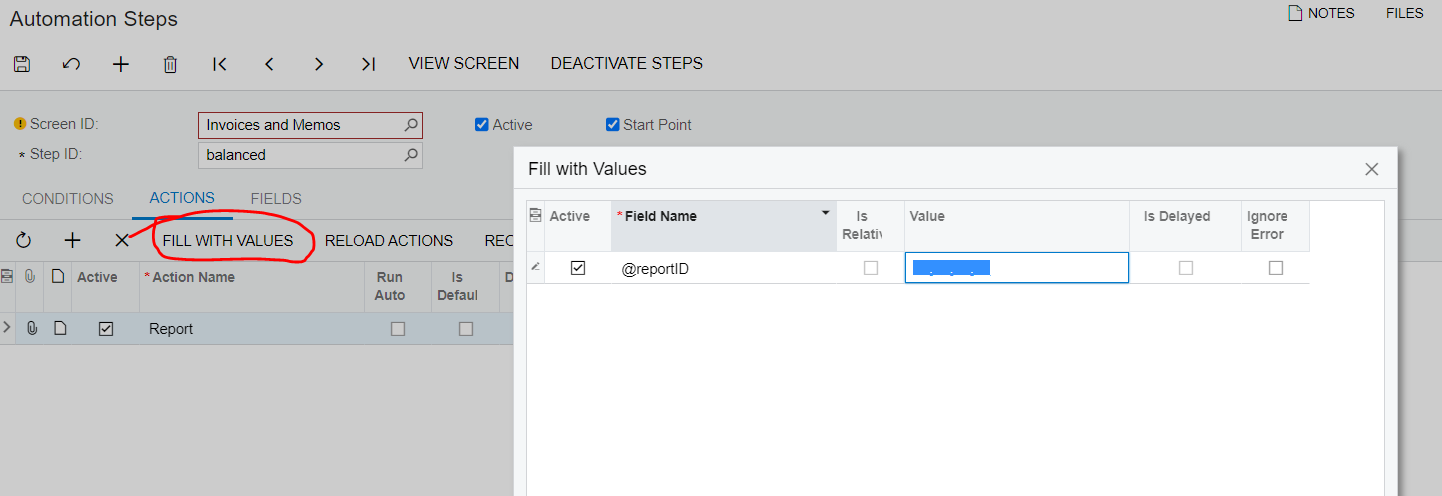
I have made an action in Customiztion Project Editor to print a custom report from Invoice screen, but I am unable to add that action to a mass action on a GI. I can add an action to the GI through the Automation Steps screen that does show on the mass actions in a GI, but I can’t add the custom report to the action. Does anyone know if this is possible and where i can find some documentation on this? Thank you.
Solved
GI mass action to print a custom report
Best answer by alicia23
I figured this one out …. In the “Fill Values” you have to type @reportID

Login to the community
No account yet? Create an account
Social Login
Login with your Acumatica accountEnter your E-mail address. We'll send you an e-mail with instructions to reset your password.