Solved

GI - filter GL journal detail by date and Batch number

  • January 22, 2026
  • 9 replies
  • 61 views

Forum|alt.badge.img

Hi All, 

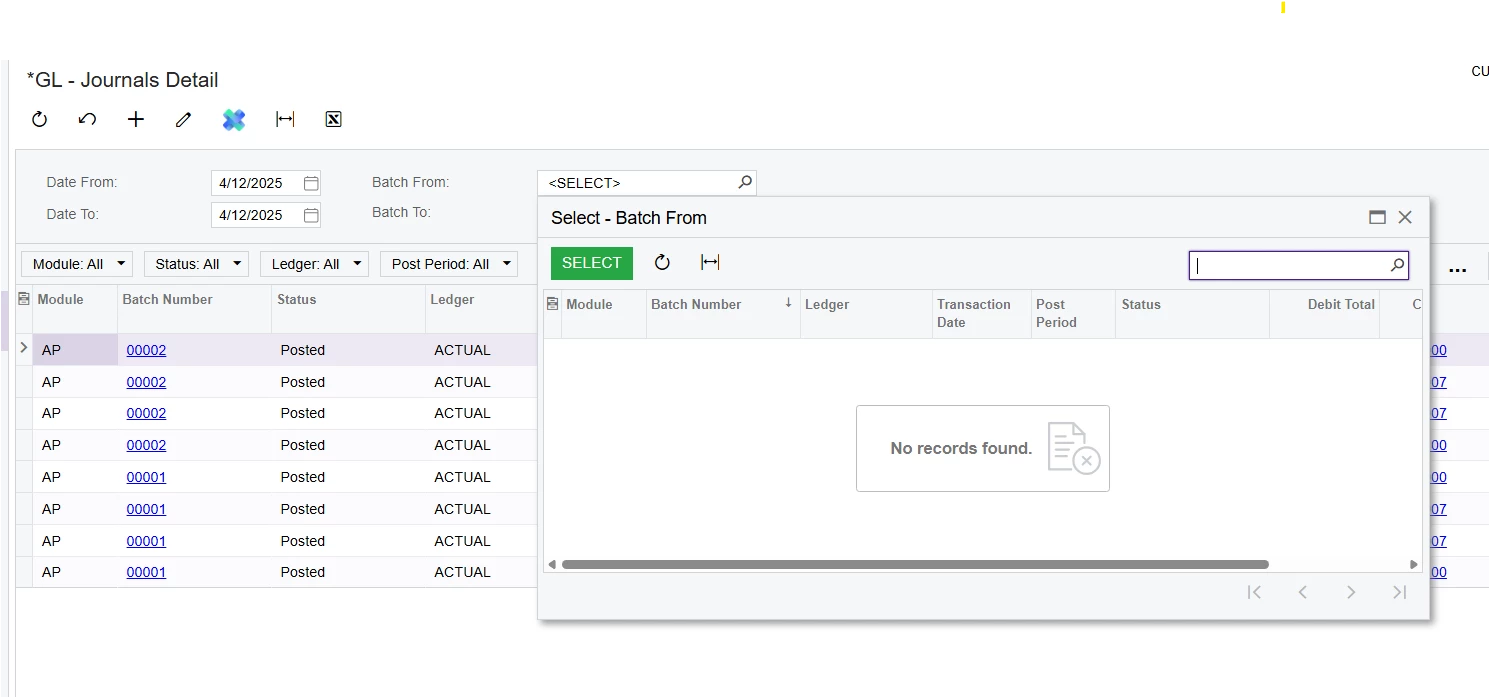
I have created a GI on GL journal detail but my filtering doesn’t work on the batch number ( from and to) and journal date ( from and to) can someone please give me a lead on what I have missed? 

None of these filters work.
Thank you 


Best answer by GhazalSh

Hi ​@GhazalSh,


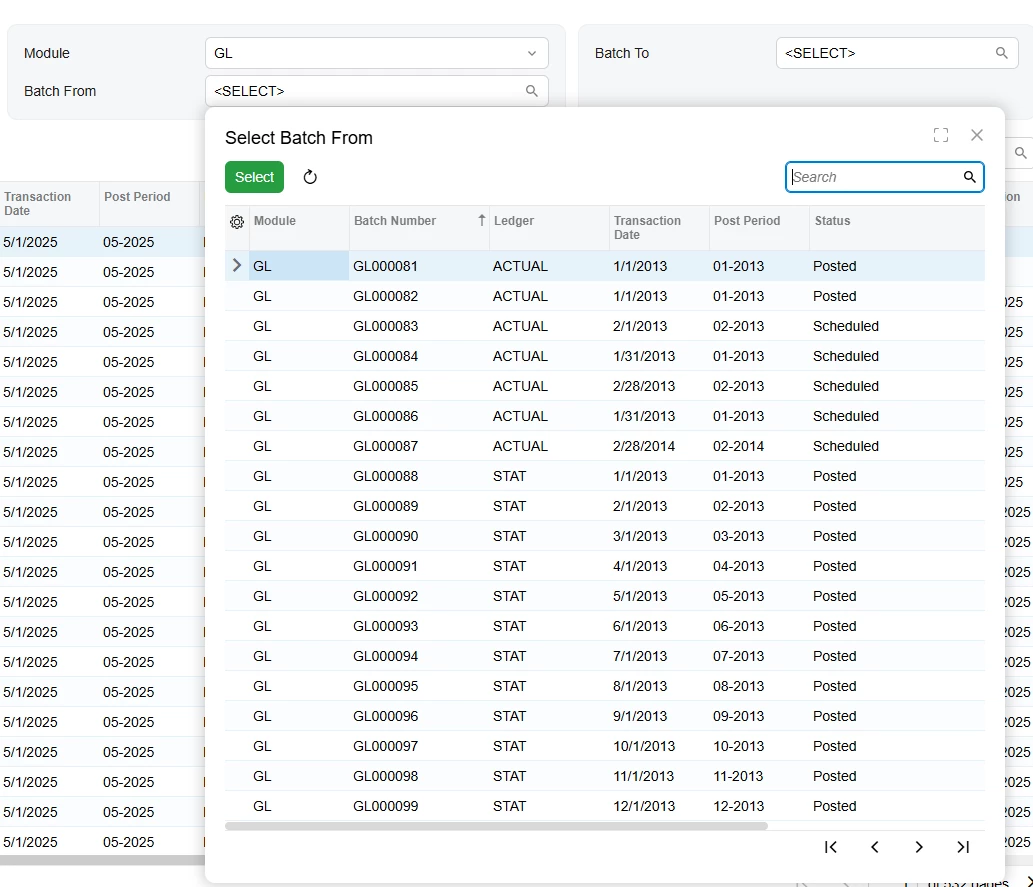
The BatchNbr field is restricted by Module. Here is a screenshot of the selector from the codes.

You can’t use it without specifying the module. Here is a screenshot from a GI where I added a parameter Module and selected it, after that the Batch numbers appeared:
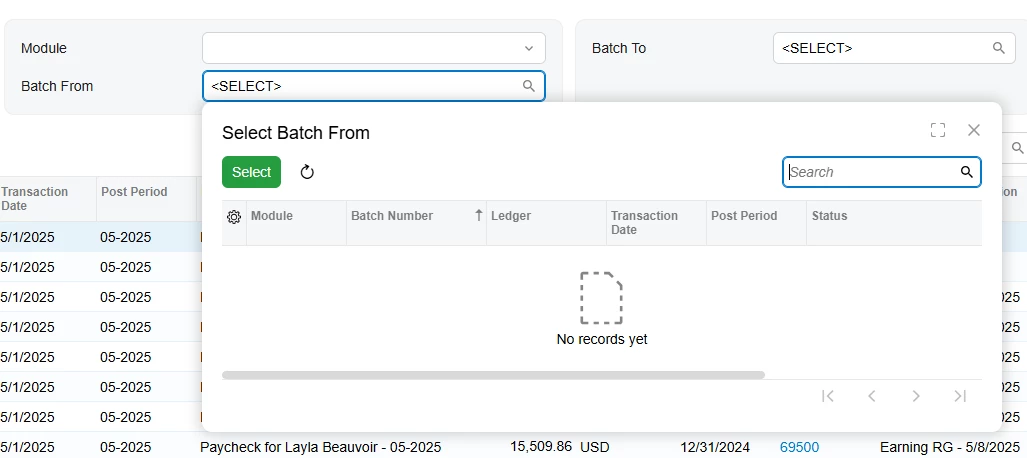
If I clear the Module field they will disappear:
 

Correct , so there is no way to force all batches for all modules to show. these batches sequencially could be driven from any module. it is not feasible to select each module one by one and select the batch range. Thanks for confirming this. 

9 replies

lauraj46
Captain II
Forum|alt.badge.img+9
  • Captain II
  • January 22, 2026

Hi ​@GhazalSh ,

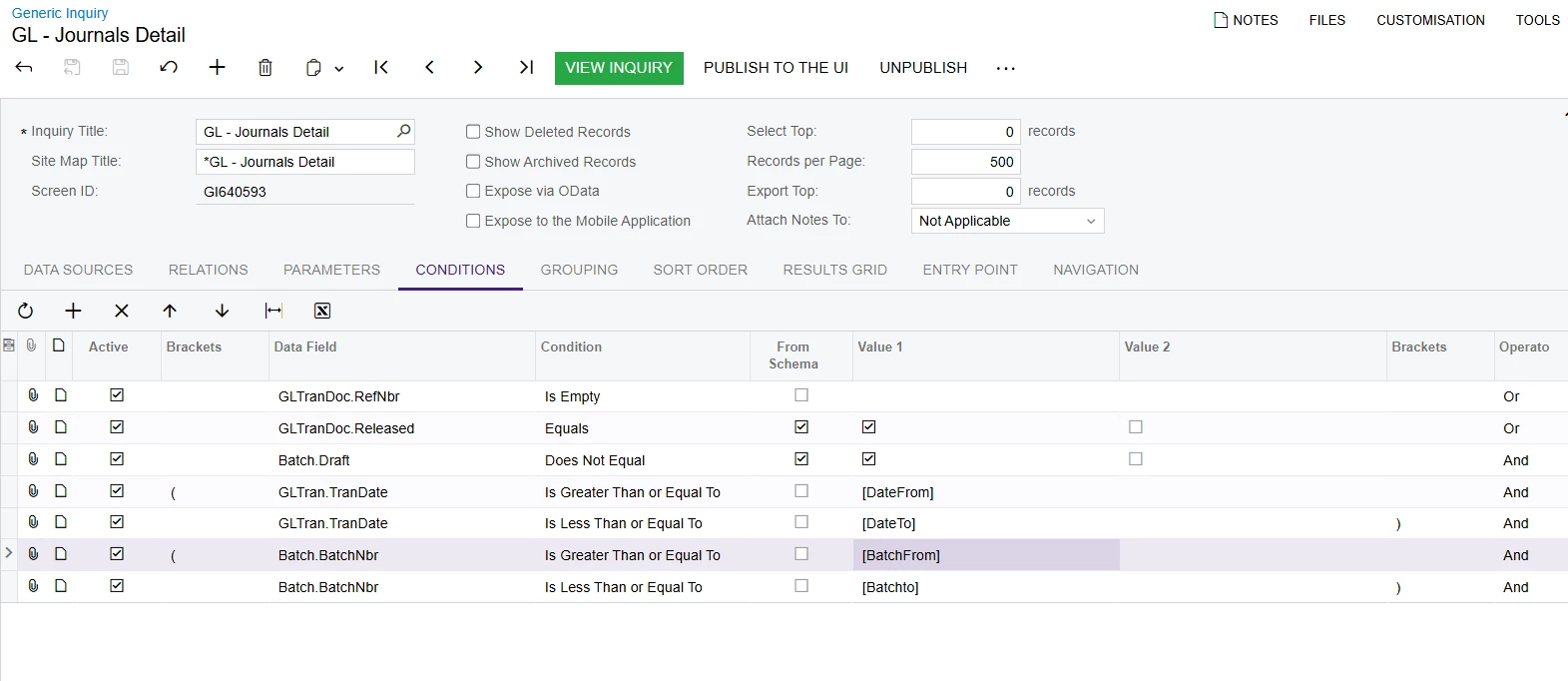
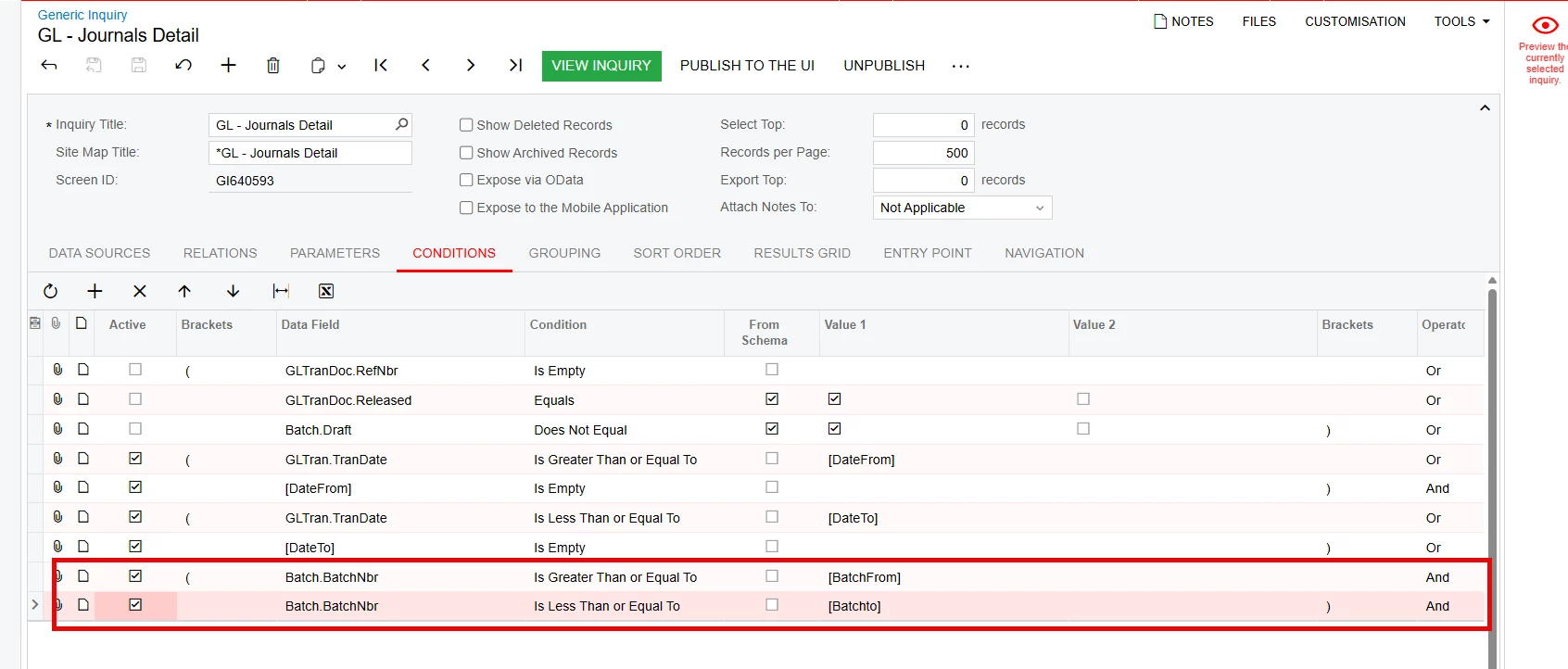
I would suggest adding brackets around the OR operations to define the order of operations. 

Laura 


BenjaminCrisman
Acumatica Employee
Forum|alt.badge.img+4
  • Acumatica Support Team
  • January 22, 2026

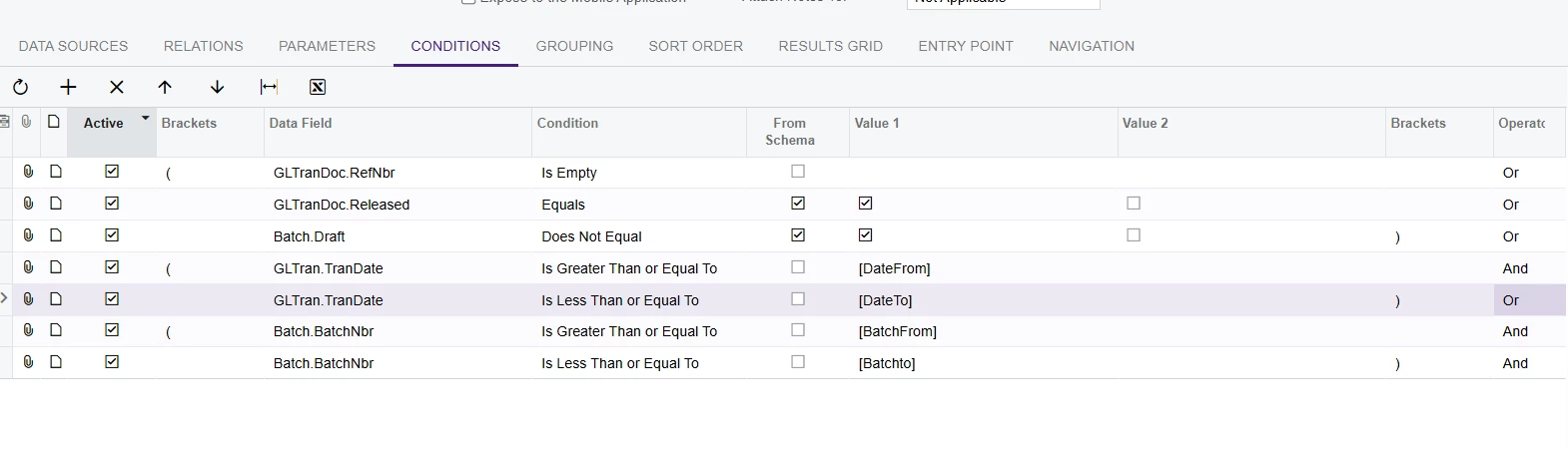
@GhazalSh When you are making your conditions and specifying an ‘Or’ clause, you need to make sure you put brackets on it or it will end up just disregarding what you’re trying to capture. As it reads now it’s saying the first line needs to be met OR the second line, OR the third line AND the rest of it. So it doesn’t really seem like it’s going to work without the correct brackets.

Edit: Just saw ​@lauraj46’s response, in agreement!


Forum|alt.badge.img
  • Author
  • Jr Varsity III
  • January 23, 2026

Hi ​@lauraj46 ​@BenjaminCrisman , 

Thanks so much for taking the time to respond. This GI is the expansion from the Original GI of Acumatica , I have now added the brackets but it still doesn’t show my desired results. 

I need to filter by date or by Batch number ,

Thank you 

Ghazal 


lauraj46
Captain II
Forum|alt.badge.img+9
  • Captain II
  • January 23, 2026

Hi ​@GhazalSh ,

You should have an AND at the end of line 3, since you want this criteria to be true AND your additional filters.

Hope this helps! 

Laura


Forum|alt.badge.img
  • Author
  • Jr Varsity III
  • January 26, 2026

Hi ​@lauraj46 , ​@BenjaminCrisman , 

Thanks I have sorted out the date range issue and now I can filter by date. My biggest issue is now batch number. Doesn’t seem like Batch numbers can be filtered. My customer scenario is they have to export these to another ERP system. Since batches are sequencial it would be safer to export by batch numbers than date range. 

Thanks 


lauraj46
Captain II
Forum|alt.badge.img+9
  • Captain II
  • January 26, 2026

Hi ​@GhazalSh ,

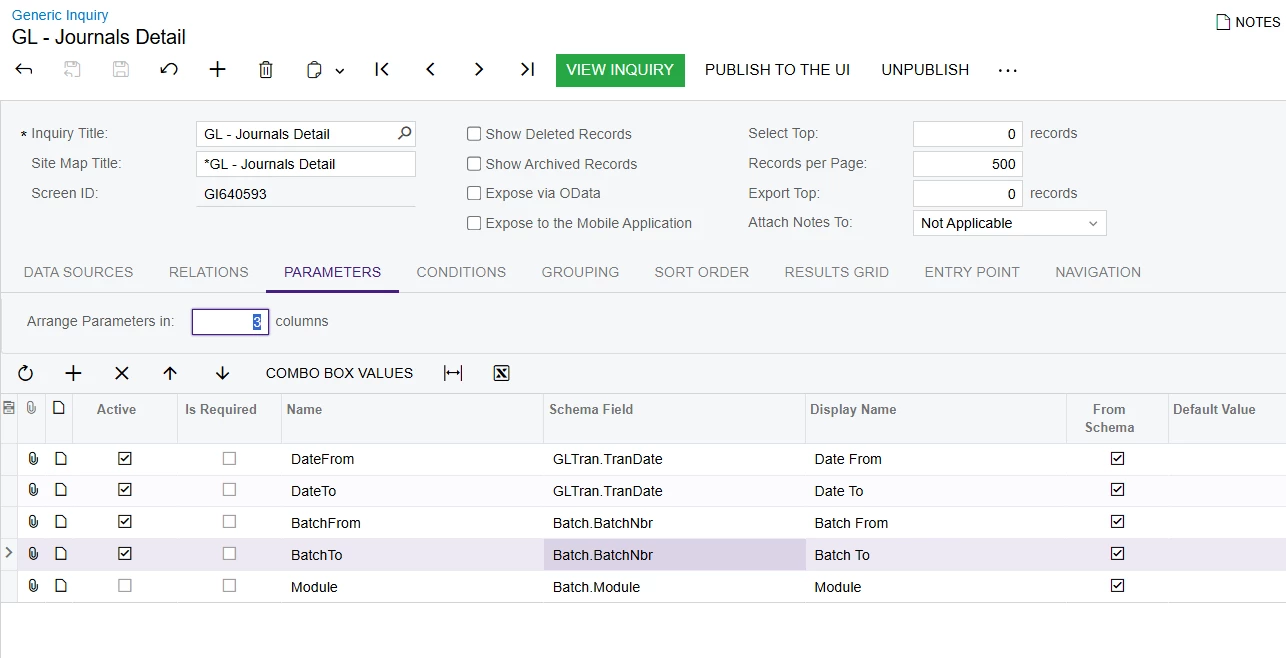
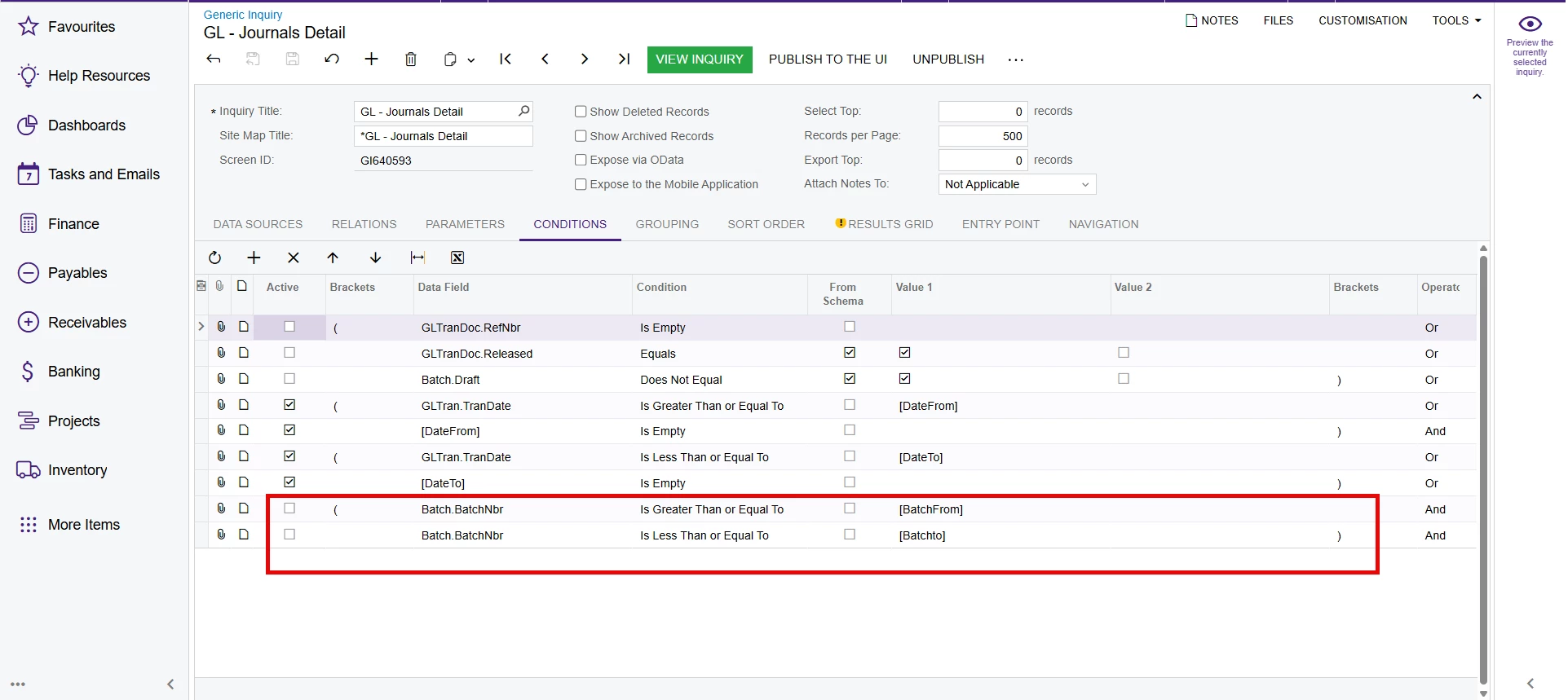
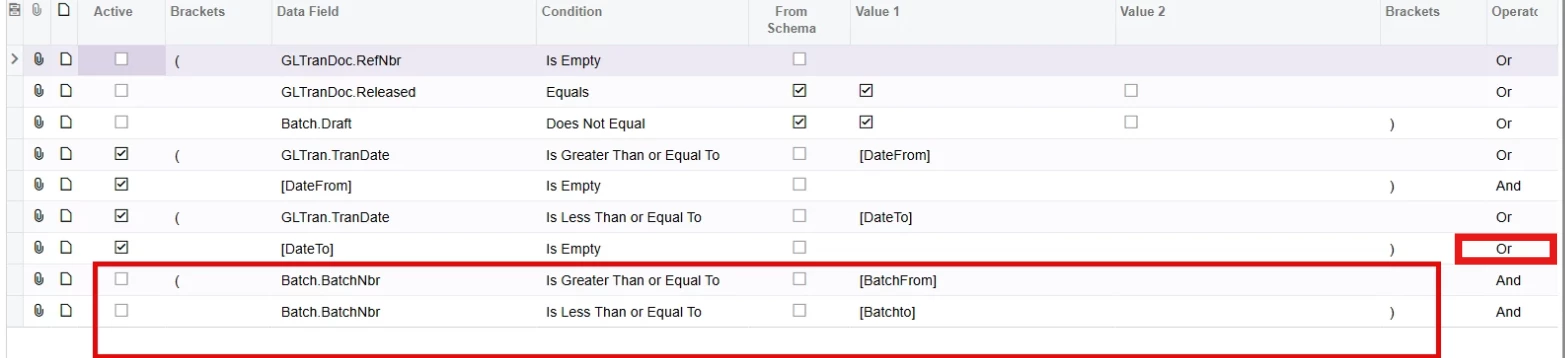
Glad to hear you are making progress.  I noticed that the batch number filters are not active.  Additionally, since you have joined these two clauses with an OR operator the system will return all records if the DateFrom and DateTo are empty OR the batch number criteria is met.  I would recommend changing this operator to an AND, or deleting the TranDate criteria if not needed.

Hope this helps!

Laura


Forum|alt.badge.img
  • Author
  • Jr Varsity III
  • February 2, 2026

Hi ​@GhazalSh ,

Glad to hear you are making progress.  I noticed that the batch number filters are not active.  Additionally, since you have joined these two clauses with an OR operator the system will return all records if the DateFrom and DateTo are empty OR the batch number criteria is met.  I would recommend changing this operator to an AND, or deleting the TranDate criteria if not needed.

Hope this helps!

Laura

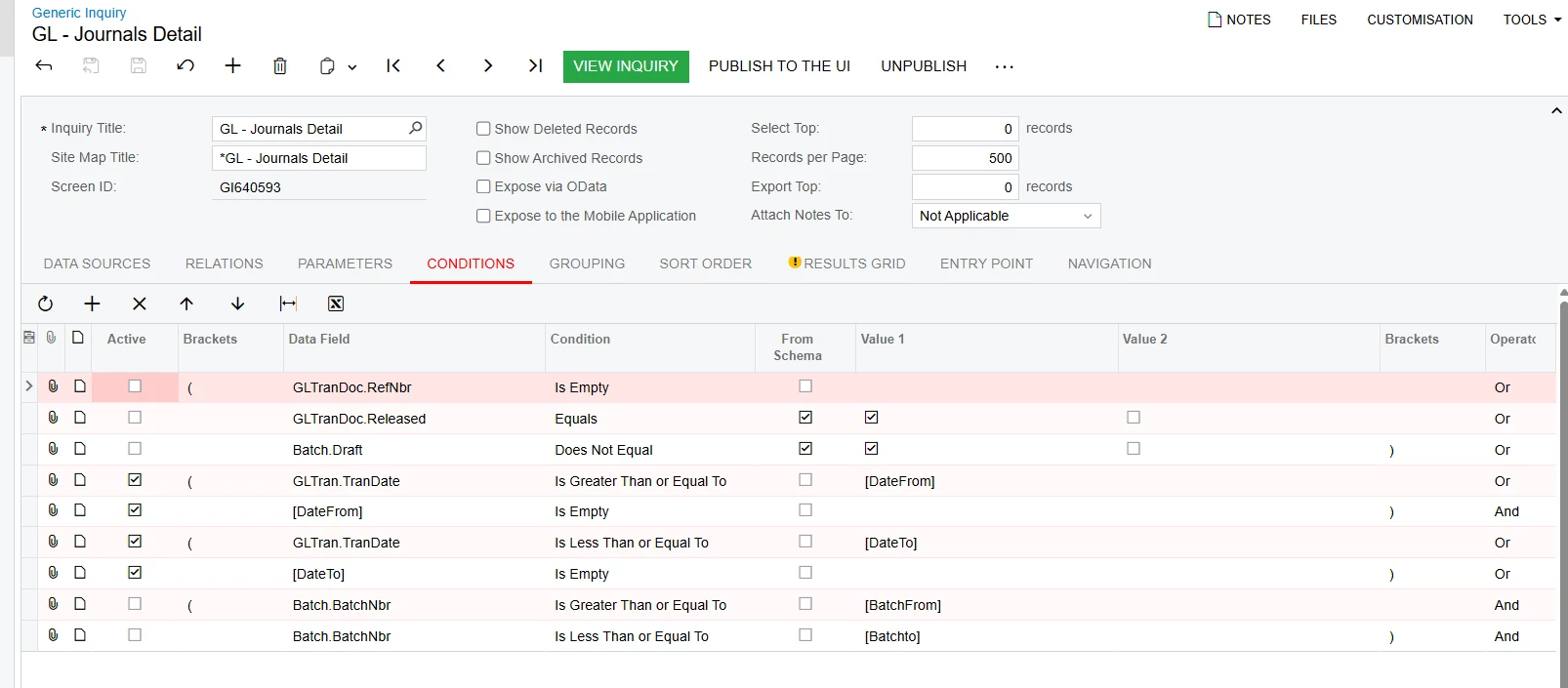
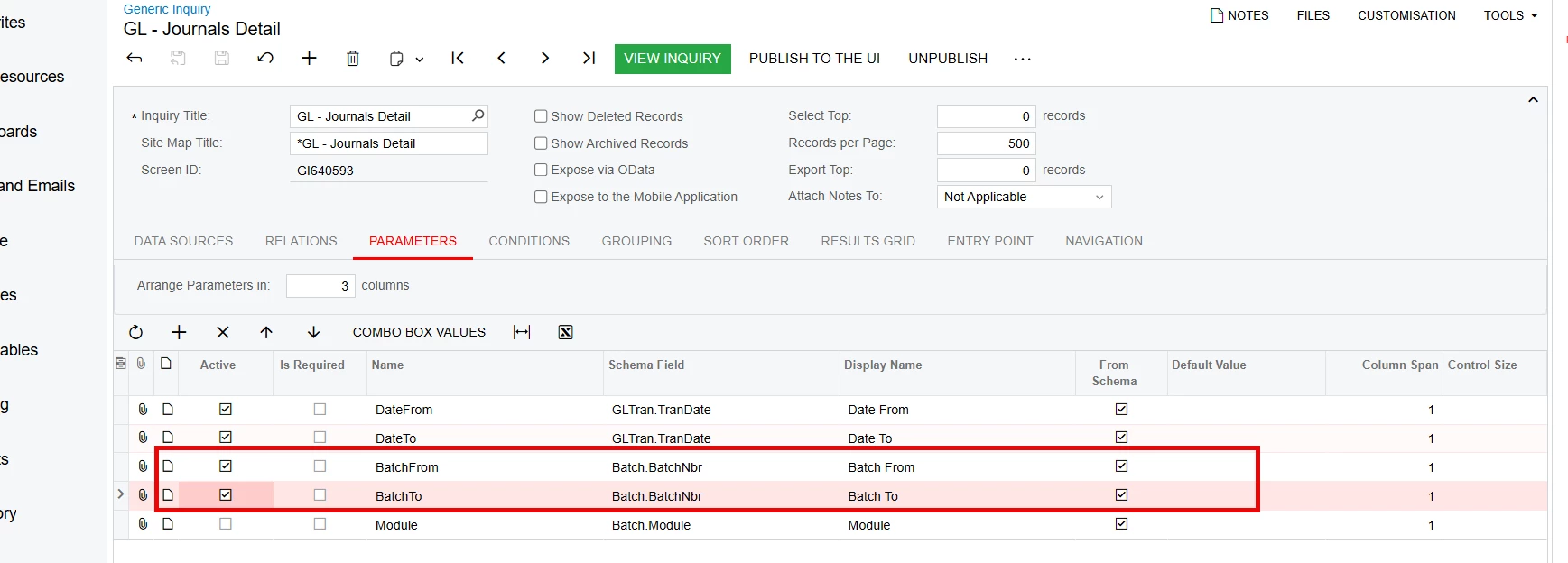
Thanks Laura, I need to be able to filter this GI either by (batch numbers from and to )or by (Date range from and to) I had that unchecked in the last screenshot as there is no way I can make the parameters and condition active and get the GI work.

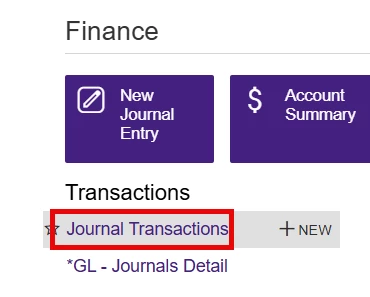
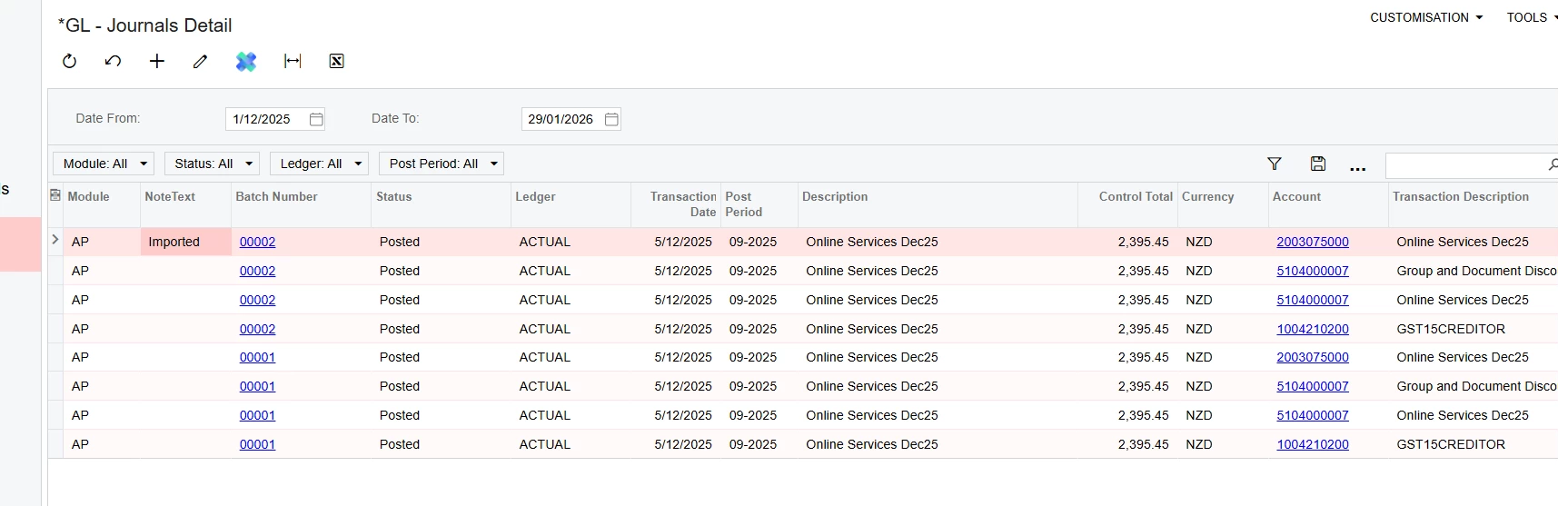
Below is the screenshot of what is working perfectly 


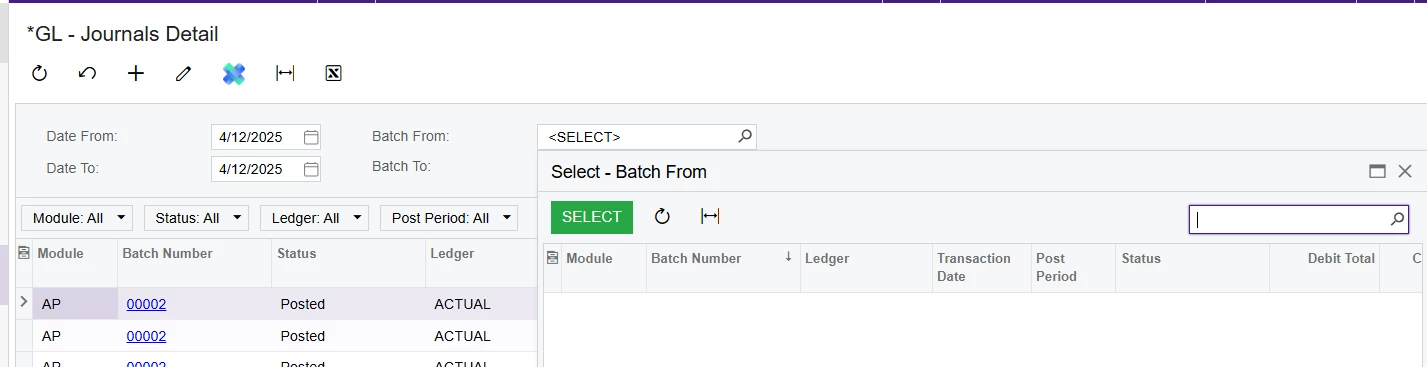
Result : 


Once I enable the condition of Batch number and parameters in the GI

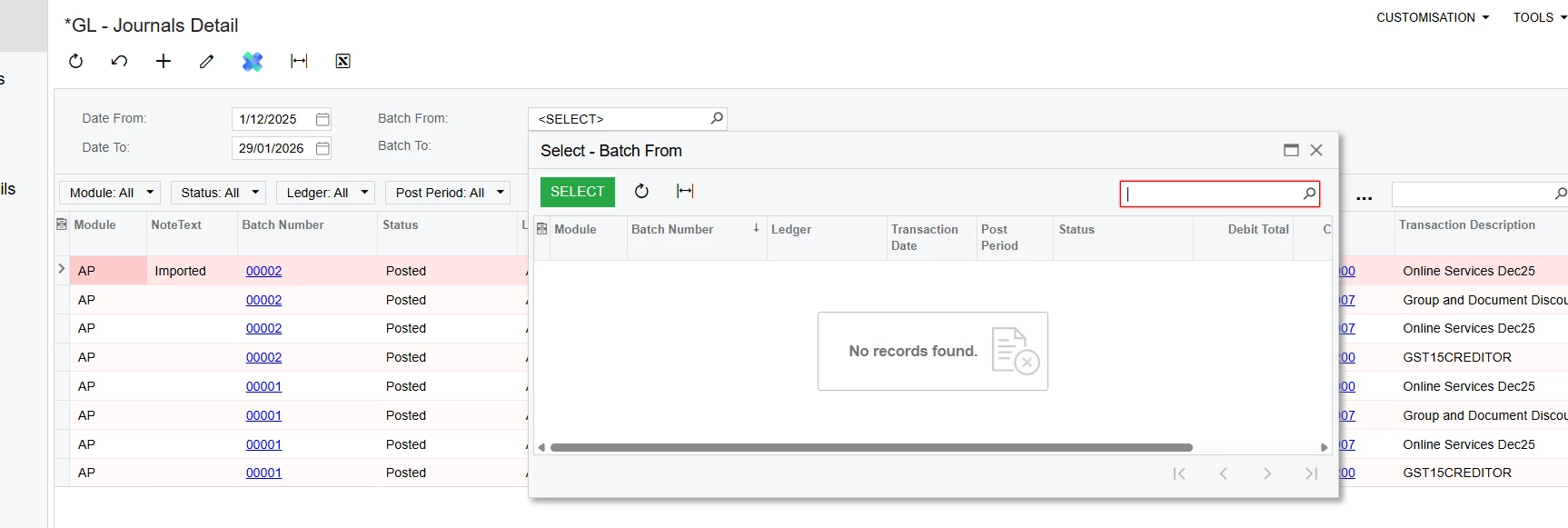
There is no batch number to select from: it shows nothing 

my question is how to be able to filter by batch numbers as well in this GI. Thank you 


npetrosov31
Jr Varsity I
Forum|alt.badge.img+1
  • Jr Varsity I
  • February 2, 2026

Hi ​@GhazalSh,


The BatchNbr field is restricted by Module. Here is a screenshot of the selector from the codes.

You can’t use it without specifying the module. Here is a screenshot from a GI where I added a parameter Module and selected it, after that the Batch numbers appeared:

If I clear the Module field they will disappear:


Forum|alt.badge.img
  • Author
  • Jr Varsity III
  • Answer
  • February 2, 2026

Hi ​@GhazalSh,


The BatchNbr field is restricted by Module. Here is a screenshot of the selector from the codes.

You can’t use it without specifying the module. Here is a screenshot from a GI where I added a parameter Module and selected it, after that the Batch numbers appeared:

If I clear the Module field they will disappear:


Correct , so there is no way to force all batches for all modules to show. these batches sequencially could be driven from any module. it is not feasible to select each module one by one and select the batch range. Thanks for confirming this.