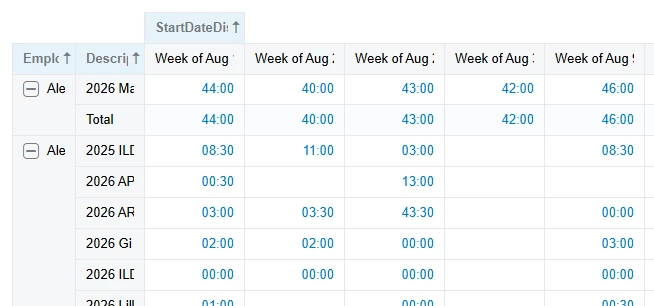
I’m creating a Pivot Table from a Generic Inquiry and I have multiple rows included. In this example, I’m just pulling the Employee, Project, and Time Entry and mashing them together so we have a report that shows Employee totals and Employee Project totals. It looks and works great.
But the problem is when you export to Excel and it looks not so great. The second column moves over to the blank column when the name doesn’t show (names and project names replaced with generic data). Is there any way to stop this from happening?
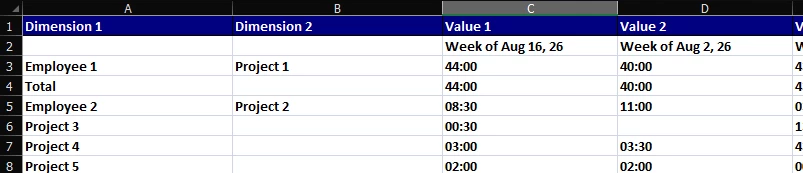
I would expect it to look more like this considering this is how it looks in the pivot table:
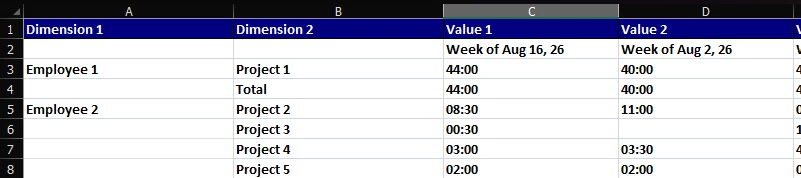
Anyone have any suggestions? Or is this just a bug?
Editing to add a quick note: I could do this in Report Designer with a Tabular Report which downloads nicely to Excel, but then I can’t have a total on the far right side.