
Solved

Duplicated quantities and amount when connecting sales order to sales invoice

  • Apr 20, 2026 8:50 AM UTC
  • 4 replies
  • 93 views
  • Translate All

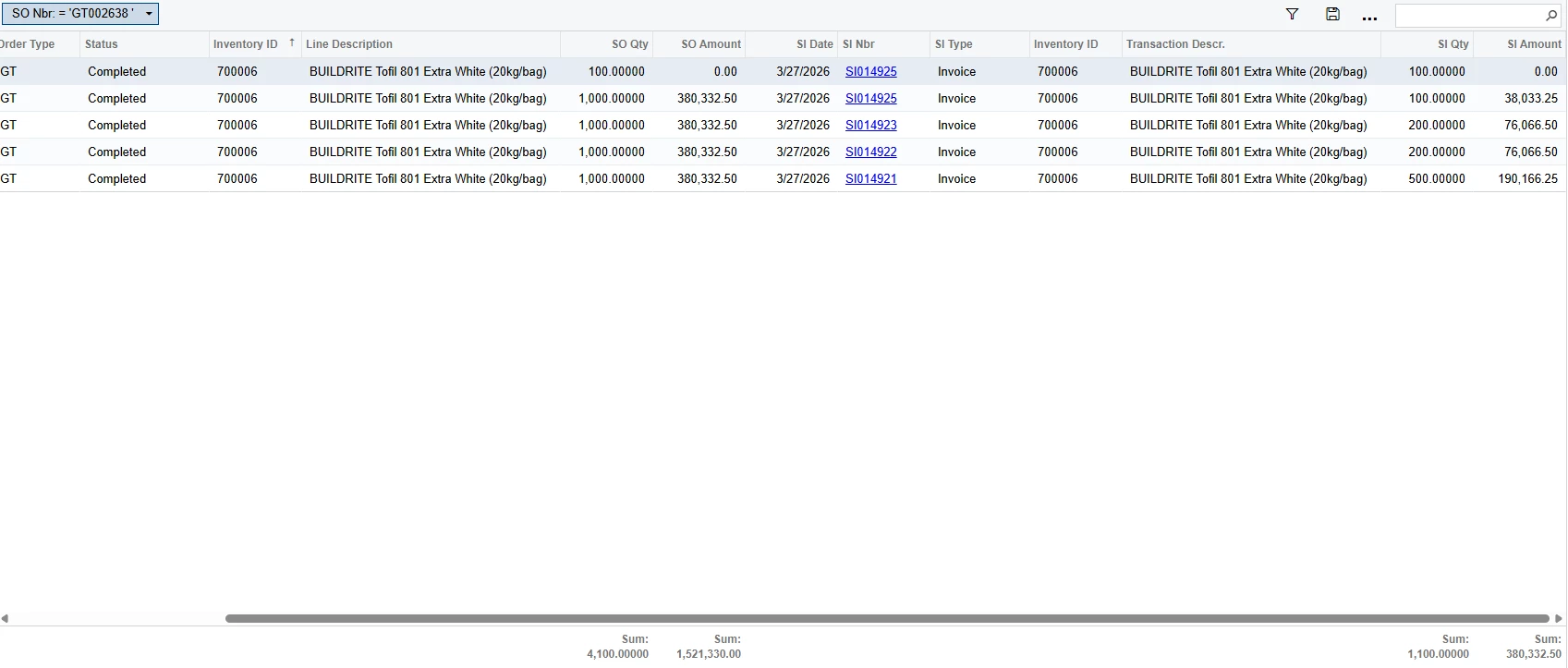
Hello, is there a way to prevent duplicated quantities and amounts for items that are shipped and invoiced multiple times? This is for a single sales order that is invoiced multiple times due to split deliveries.
 

Best answer by nhatnghetinh

Hi ​@dreycruz 

I see that your GI correctly displays the data for the lines on the Invoice (ARTran). The SO Qty and SO Amount lines are correctly repeated from the original SO. However, you are using SUM to sum the SO Qty and SO Amount lines, which doesn't display the desired data.

Try joining with SOShipline and adding the column SOShipline.ShippedQty and creating a function SUM(SOShipline.ShippedQty) to replace SUM(SOline.OrderQty). Then the SO Qty column will be the quantity of the original SO used for reference.
The SO Amount column is handled similarly to the SO Qty column.


Best Regards,

NNT

View original

4 replies

nhatnghetinh
Captain II
Forum|alt.badge.img+15
  • Captain II
  • Apr 20, 2026 9:06 AM UTC

Hi ​@dreycruz 

Because the joins in your GI are not optimized. Please attach your GI XML file.


Best Regards,

NNT

Translate

  • Author
  • Freshman I
  • Apr 20, 2026 9:16 AM UTC

Hi ​@dreycruz 

Because the joins in your GI are not optimized. Please attach your GI XML file.


Best Regards,

NNT

Here’s the XML file

Translate

Manikanta Dhulipudi
Captain II
Forum|alt.badge.img+16

​@dreycruz 

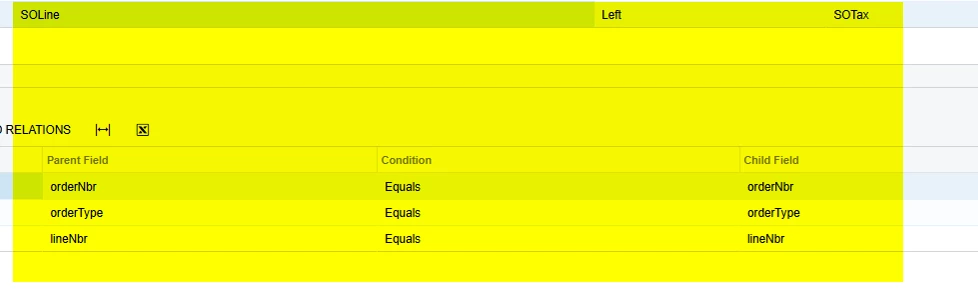
Can you disable this relations and check this.

Based on the tax lines in the taxes tab it shows the lines, however the GI should by review for qunatites here as well.


Translate

nhatnghetinh
Captain II
Forum|alt.badge.img+15
  • Captain II
  • Answer
  • Apr 21, 2026 3:08 AM UTC

Hi ​@dreycruz 

I see that your GI correctly displays the data for the lines on the Invoice (ARTran). The SO Qty and SO Amount lines are correctly repeated from the original SO. However, you are using SUM to sum the SO Qty and SO Amount lines, which doesn't display the desired data.

Try joining with SOShipline and adding the column SOShipline.ShippedQty and creating a function SUM(SOShipline.ShippedQty) to replace SUM(SOline.OrderQty). Then the SO Qty column will be the quantity of the original SO used for reference.
The SO Amount column is handled similarly to the SO Qty column.


Best Regards,

NNT

Translate