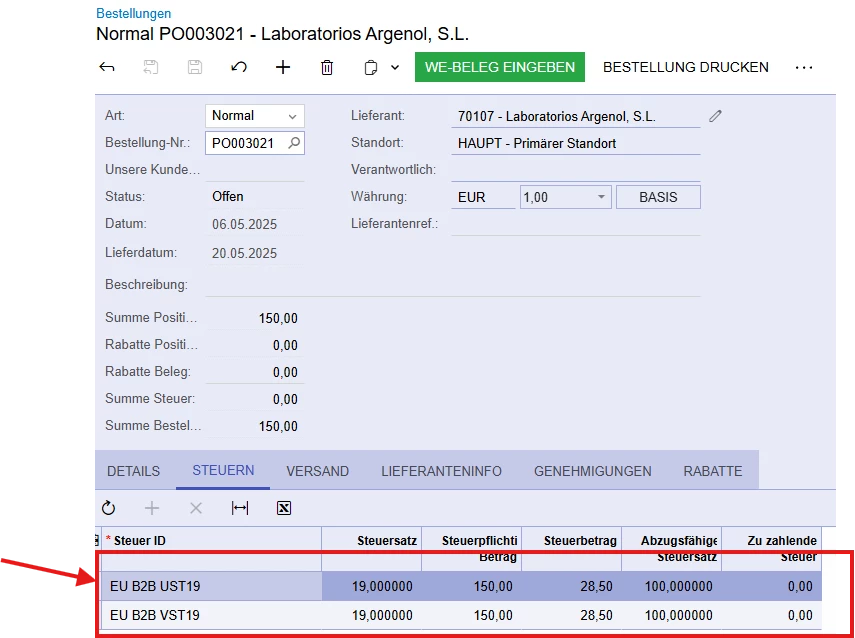
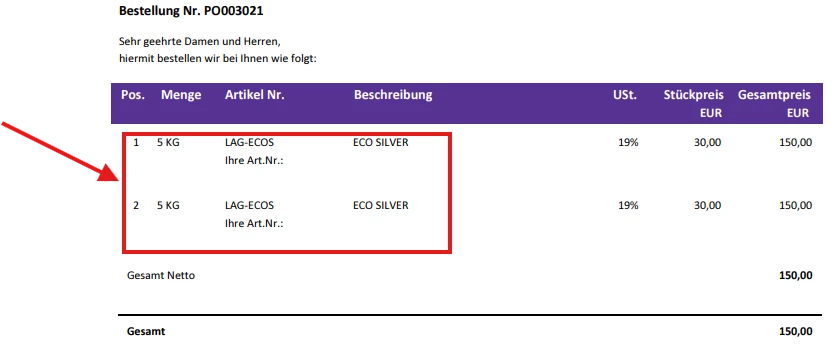
Hello 🙂, my issue is that due to reverse charge (i.e., input/output VAT handling), the line items appear twice on the document.
I want to create a filter in the Report Designer to correct this duplication. Does anyone have an idea how I could solve this problem?
Below are a few images that illustrate the issue.
Best answer by DrewNisley
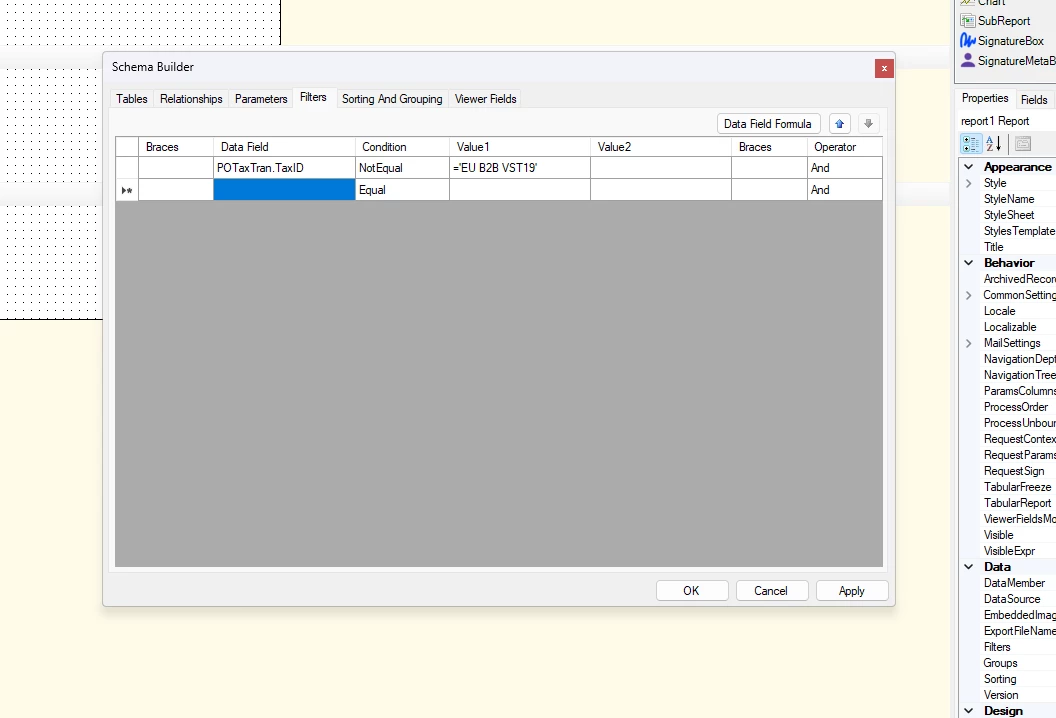
Actually, you should just be able to put it in the filter. Just filter out the ID of your VAT taxes in the filter section of the report designer. This should stop it from duplicating and shouldn’t take away anything from the report as long as you weren’t using VAT values anywhere on the report.
@PanteaShahrian You should just be able to make an exclusion in your join to the POTaxTran table, saying that the Tax ID NotEqual to ‘EU B2B VST19’ (I assume that is your VAT Tax ID)
Actually, you should just be able to put it in the filter. Just filter out the ID of your VAT taxes in the filter section of the report designer. This should stop it from duplicating and shouldn’t take away anything from the report as long as you weren’t using VAT values anywhere on the report.