Question

Divide by Zero error on GI

  • May 6, 2026
  • 4 replies
  • 37 views

MissyMain41
Jr Varsity II
Forum|alt.badge.img

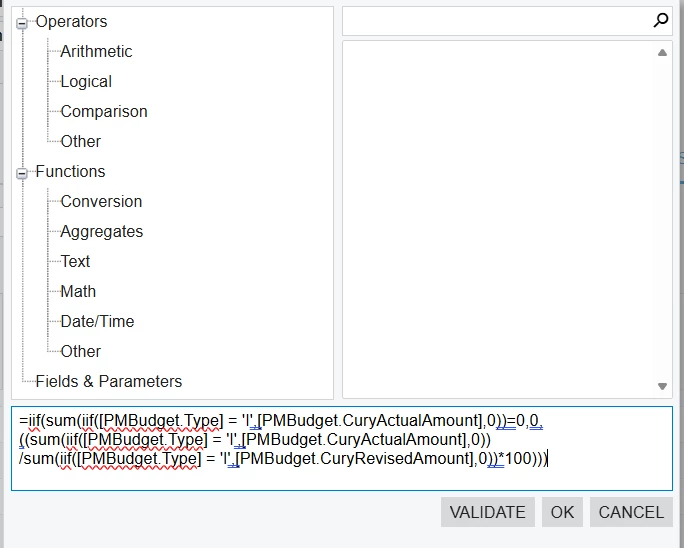
I am reviewing a customized GI that my colleagues built that is now throwing errors on a specific field in a client site. 

We are receiving a “Divide by Zero error Encountered” when sorting or filtering this column 

It is likely this issue started after upgrade, as this client was just recently upgraded and this GI was built a year ago

Any advice would be welcomed :) 

(the goal of the field is to show the % billed for projects) 


4 replies

bwhite49
Captain II
Forum|alt.badge.img+12
  • Captain II
  • May 6, 2026

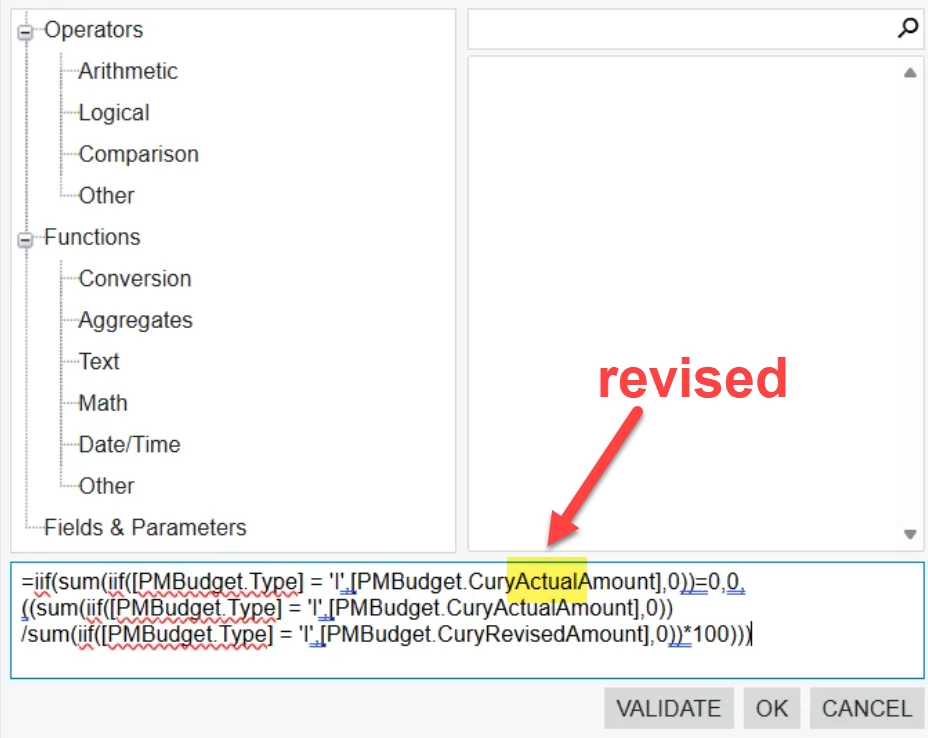
I think the only issue is this highlighted field needs to be revised 


Naveen Boga
Captain II
Forum|alt.badge.img+20
  • Captain II
  • May 6, 2026

@MissyMain41  Here is the updated formual for your reference.


=iif( sum(iif([PMBudget.Type] = 'I',[PMBudget.CuryRevisedAmount],0)) = 0, 0, ((sum(iif([PMBudget.Type] = 'I',[PMBudget.CuryActualAmount],0)) / sum(iif([PMBudget.Type] = 'I',[PMBudget.CuryRevisedAmount],0))) * 100) )


meganfriesen37
Captain II
Forum|alt.badge.img+13

I’ve sometimes had to add an additional IIF statement so that if the denominator in my calculation = 0, the return an alternate value (i.e. ‘N/A’ or something) and if it’s not 0, then to do the calculation as you have it written out.


Naveen Boga
Captain II
Forum|alt.badge.img+20
  • Captain II
  • May 6, 2026

Yes, correct. The updated formula I shared already includes that handling by checking whether the denominator is 0 before performing the division.

Currently, it returns 0 when the revised amount is 0, but we can also change the alternate return value to something like “N/A” if that would be more suitable for your reporting requirement.