Solved

Displaying Serial Numbers on Shipment Confirmation

  • January 23, 2025
  • 15 replies
  • 268 views

Forum|alt.badge.img+1

Hi Acumatica,

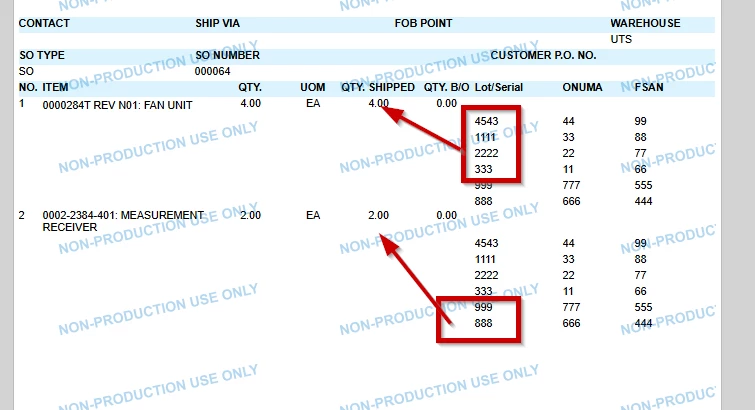
I am trying to display Serial Numbers on a Shipment Confirmation, but I am running into an issue. When I put this field under the Group Header Section4, it will only display the first number from the list. When I put it in the Details Section, it displays all numbers for all items.


I am sure I cannot be the only one with needing this on a Confirmation. Any suggestions would be appreciated.


Thank you!
Best answer by rkenna

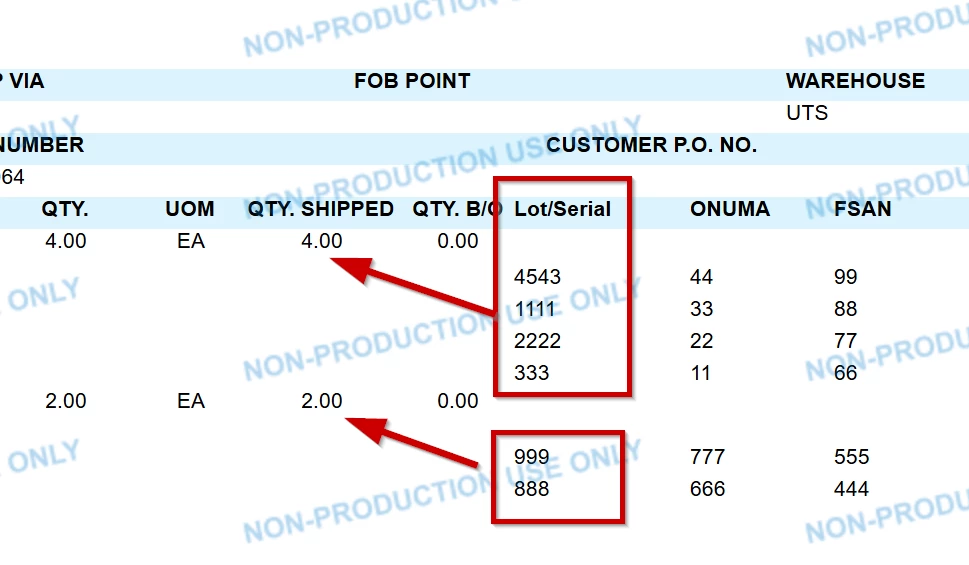
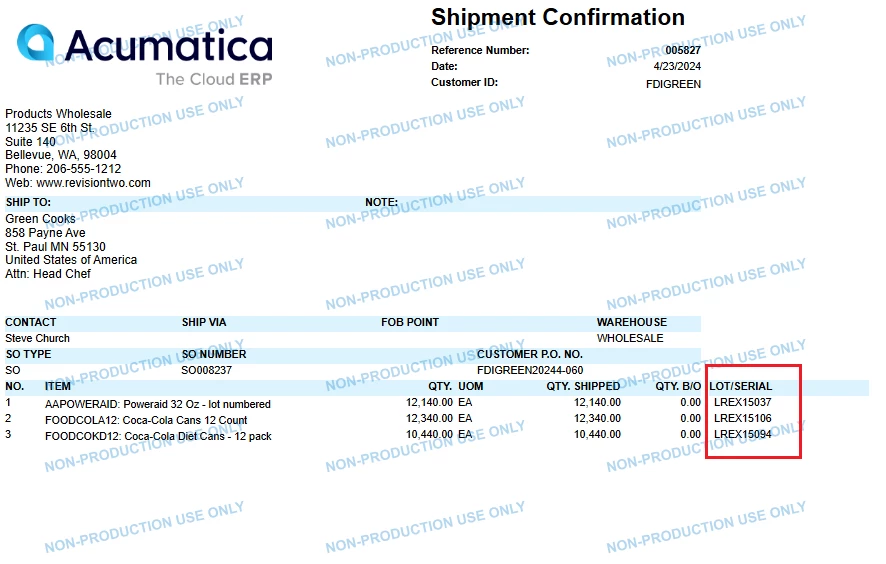
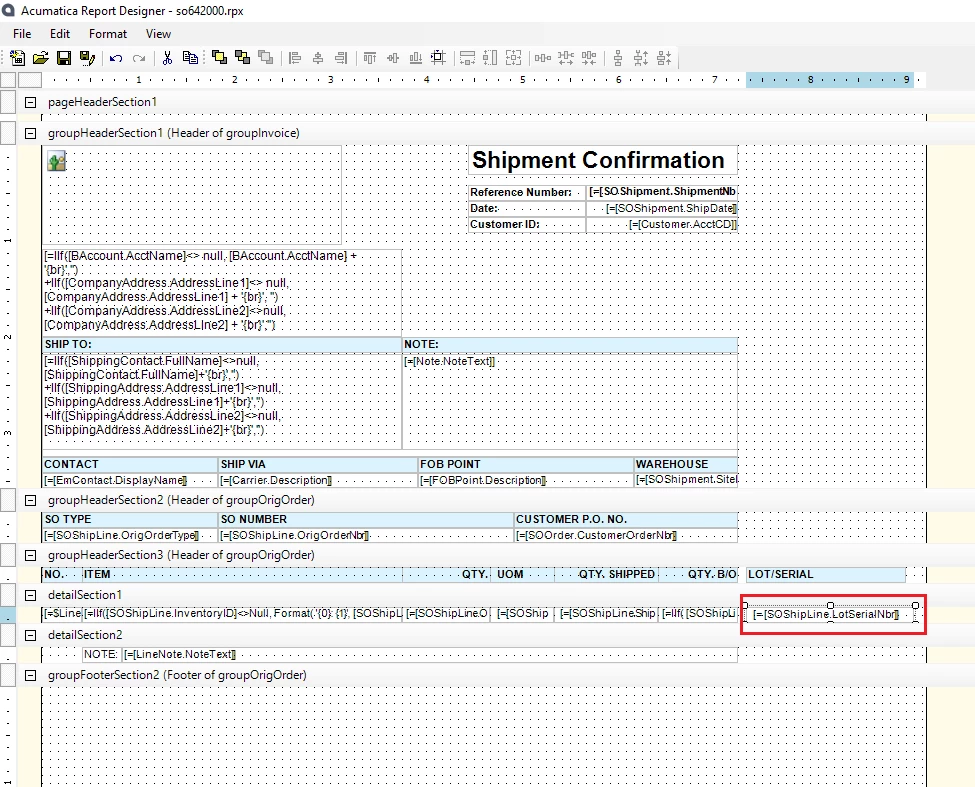
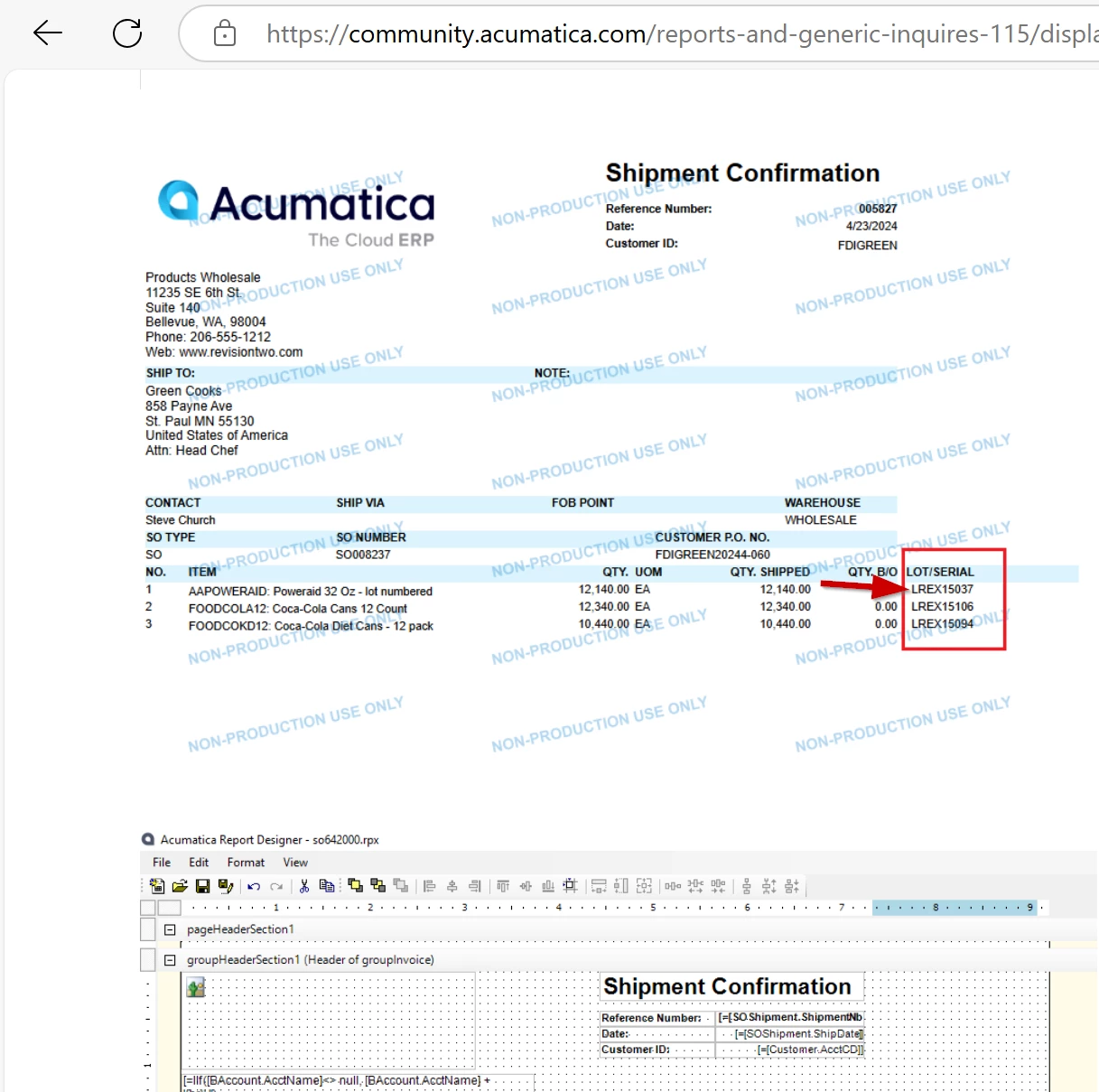
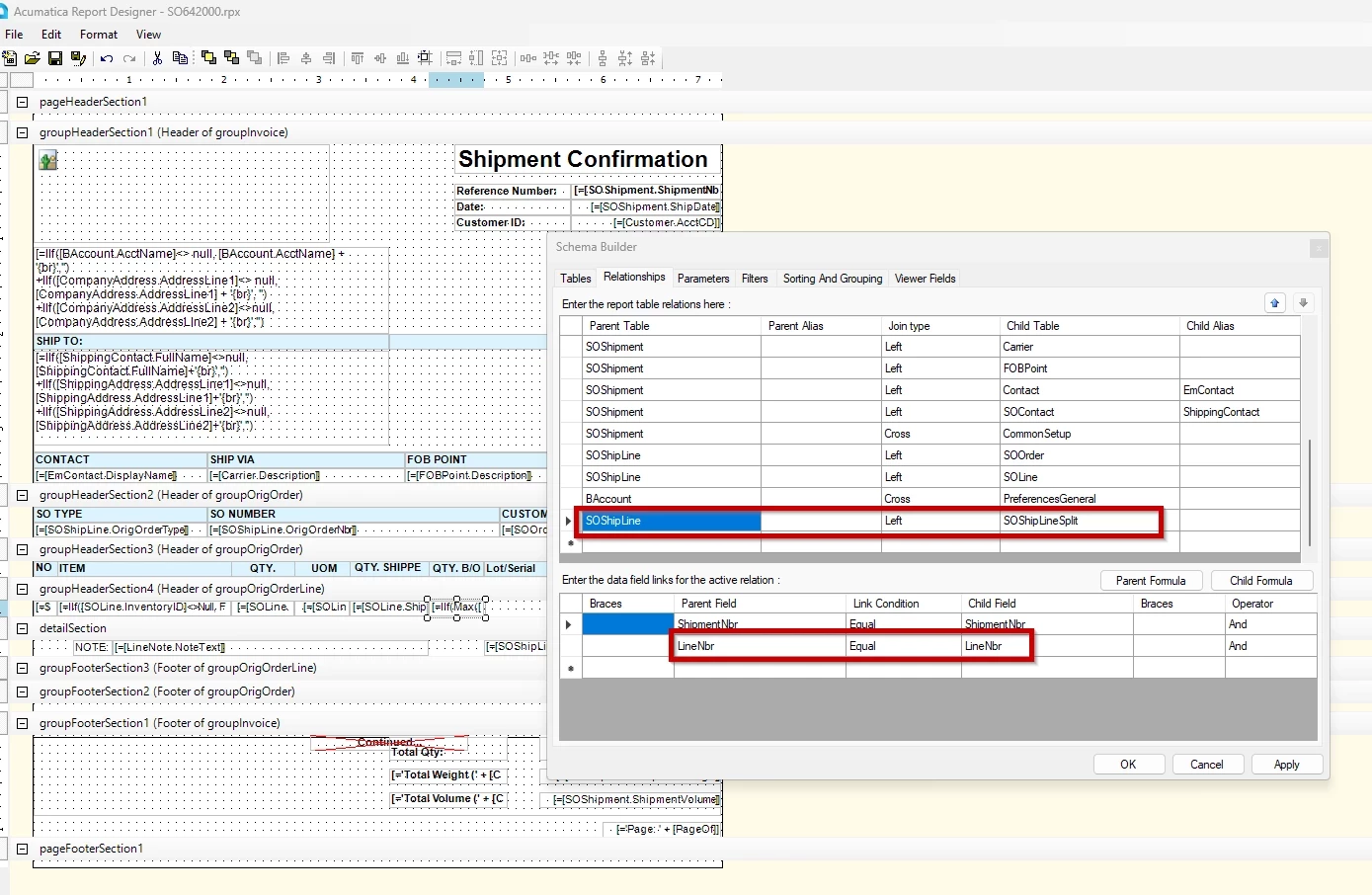
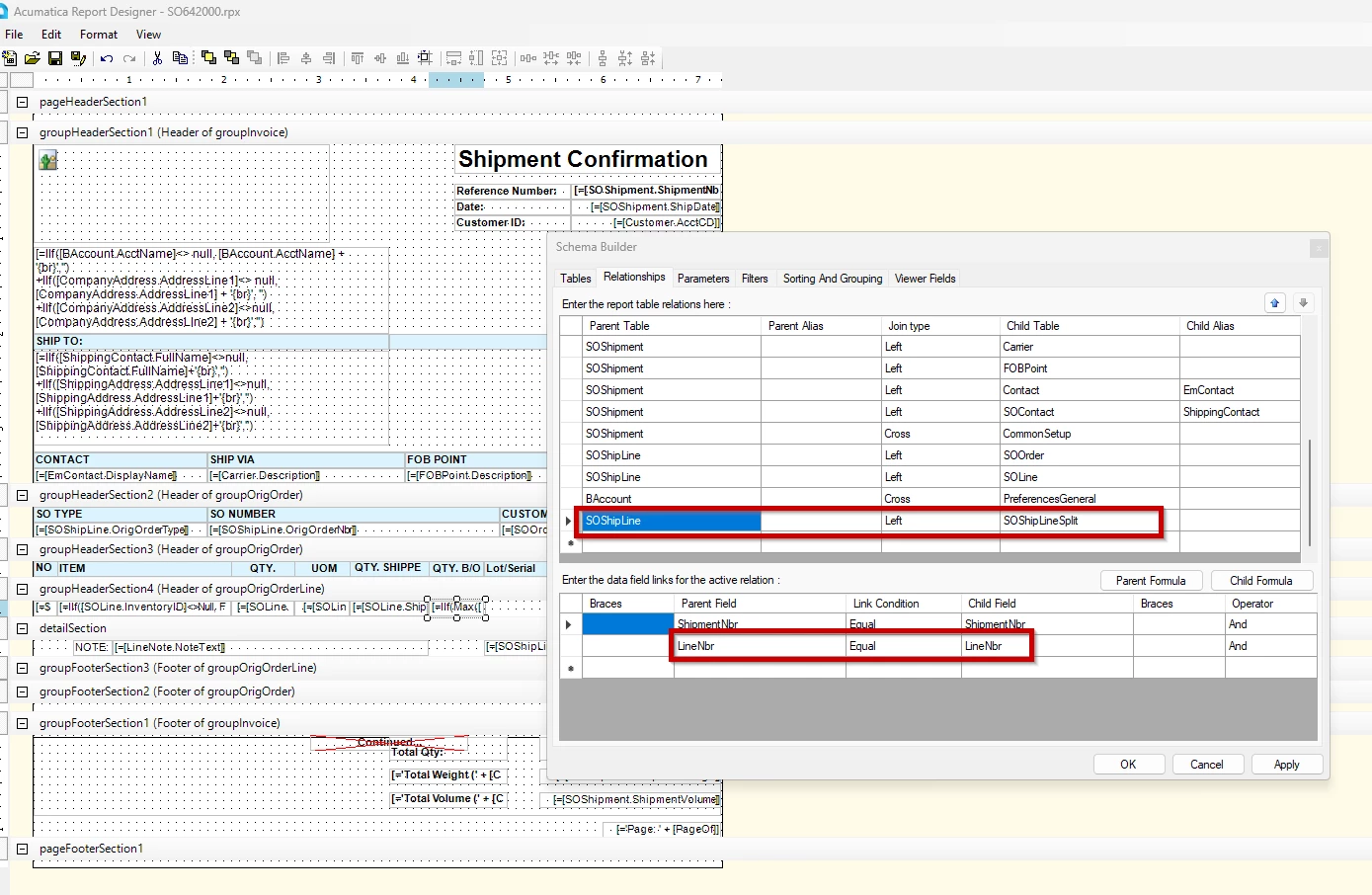
I just wanted to share that I have a resolution to this. In the Relationships, I have added the LineNbr for the data field links. This way, when they display, the Line Details are associated with the Line Number they go with, and they don’t all display on every item… only the ones that should display.


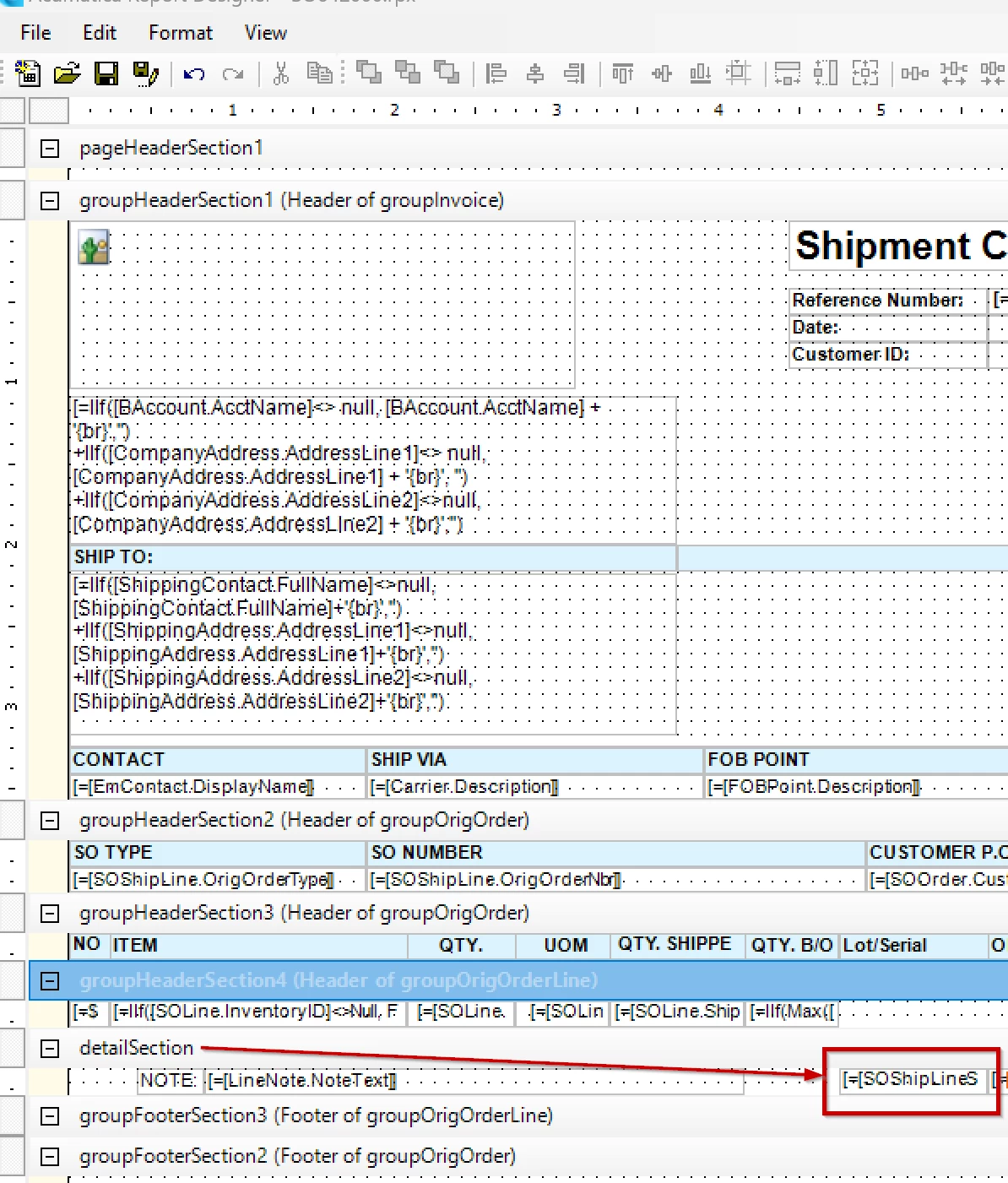
Final result:


15 replies

Forum|alt.badge.img+3

@rkenna, If you add any detailed or line-level information to the group headers, it will group the detailed information and display only one record from that group. I recommend creating a separate detail section and replicating this to verify if the same issue occurs.


Forum|alt.badge.img+1
  • Author
  • Captain I
  • January 23, 2025

@ranjithduraisamy72 

I did do this, but it gave me the same result unfortunately.


Forum|alt.badge.img+3

It seems like Lot serial attribute package published in your instance. Can you please share your xml file of your report? So, I can check, when I have time.


meganfriesen37
Captain II
Forum|alt.badge.img+13

I’d check to see how you’ve joined the Shipment table to the Lot/Serial table - It seems like maybe you need to add an additional relationship about the order line or something similar.


Forum|alt.badge.img+3

It looks like you are using lotserialattribute package, that might be problem. you need to add the lot serial attribute table in your joint condition.


nhatnghetinh
Captain II
Forum|alt.badge.img+13
  • Captain II
  • January 24, 2025

Hi ​@rkenna 

I tested on version 2024.R1 and it works fine. Please refer to the .rpx file I attached.


Best Regards,

NNT


Forum|alt.badge.img+1
  • Author
  • Captain I
  • January 24, 2025

Hi ​@nhatnghetinh 

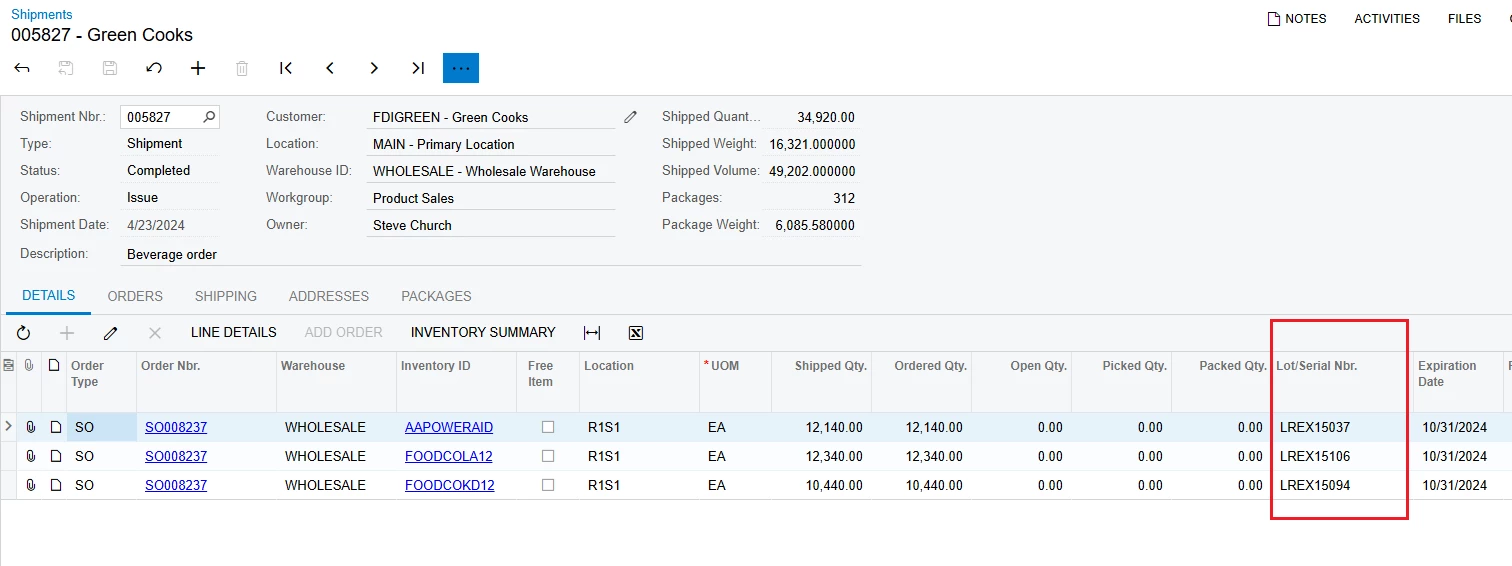
Thank you for your response. The issue I see with what you sent is it is pulling in only one lot/serial, even though the quantity is more than one (see screenshot). 

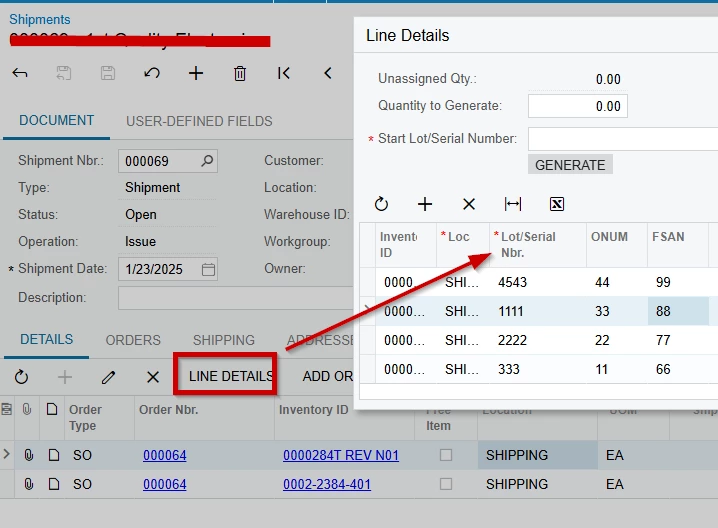
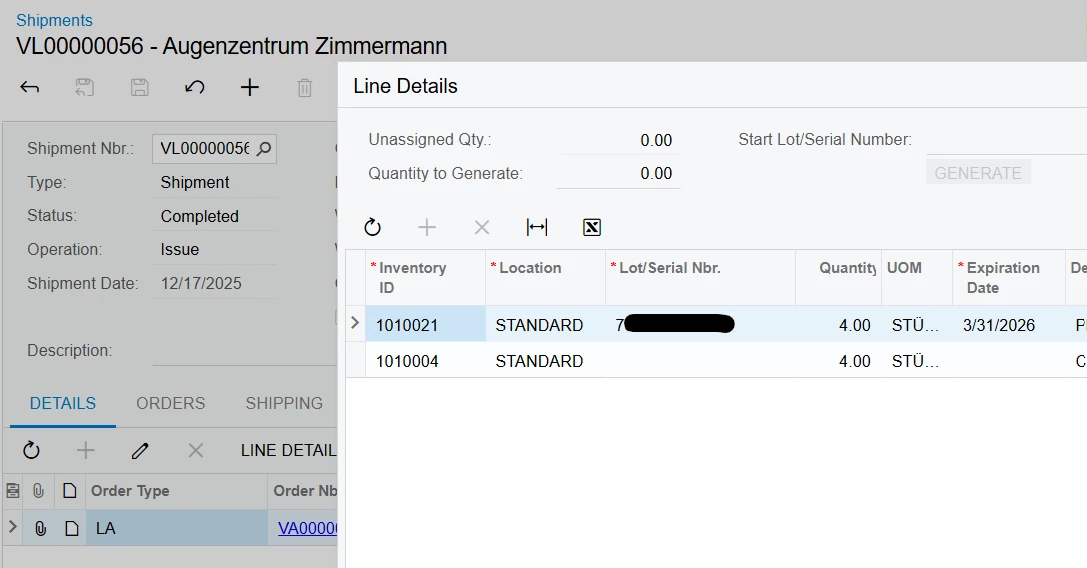
If items are serialized, and there is a quantity of 5, then there will be 5 serial numbers listed. See my screenshot above in my initial post, but these are assigned on the Line Details. 

Thank you,

RJ


Forum|alt.badge.img+1
  • Author
  • Captain I
  • Answer
  • January 24, 2025

I just wanted to share that I have a resolution to this. In the Relationships, I have added the LineNbr for the data field links. This way, when they display, the Line Details are associated with the Line Number they go with, and they don’t all display on every item… only the ones that should display.


Final result:


Chris Hackett
Community Manager
Forum|alt.badge.img
  • Acumatica Community Manager
  • January 31, 2025

Thank you for sharing your solution with the community ​@rkenna!


  • Freshman I
  • December 19, 2025

Hello ​@rkenna ,

I followed the instructions exactly as described, but in my case the items on the Shipment Confirmation are shown twice when I enter the LOT number.

I’ve attached the file here. Would you be so kind as to take a look and let me know what might be causing this? Thank you very much in advance for your help.


Forum|alt.badge.img+1
  • Author
  • Captain I
  • December 19, 2025

Hi ​@pbavili ,


Can you please send me what the report output looks like, as well as some screenshots of the shipment including the line details? Feel free to message me directly should you not feel comfortable sharing on the community post.

-RJ


Bravo94
Freshman I
Forum|alt.badge.img
  • Freshman I
  • December 22, 2025

@rkenna 
 

Hi rkenna,


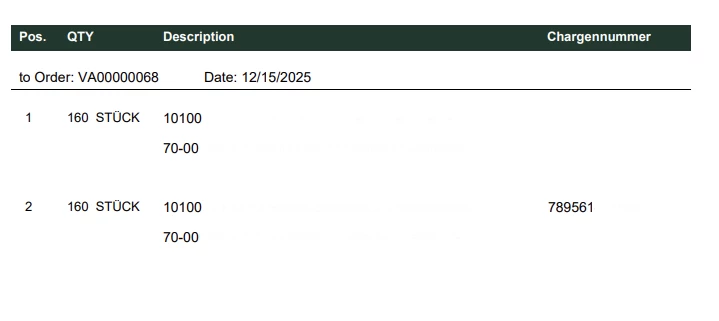
Sorry to reach out out of the blue. I’m experiencing the same issue as pbavili described in the post

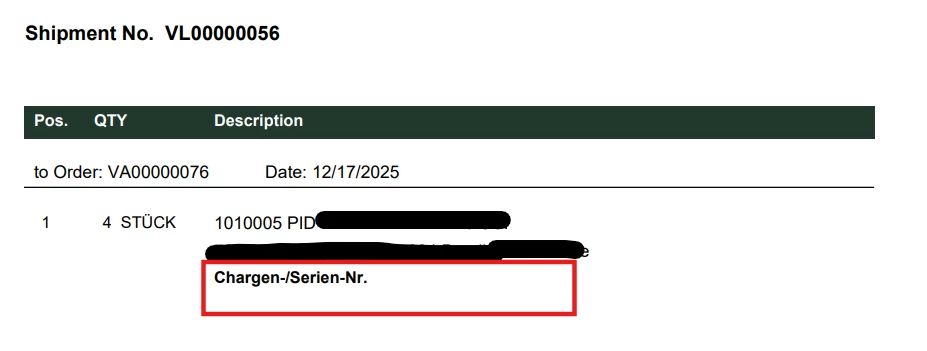
Below is what the output of the report currently looks like on my side.


Thank you for your help.


Forum|alt.badge.img+1
  • Author
  • Captain I
  • December 26, 2025

Hi ​@Bravo94 ,


It looks like this file has been altered significantly from the original Shipment Confirmation report, or it is a completely customized report built from scratch, so it is hard to tell what might be causing this not being familiar with the rest of the report. If you look at my screenshots above, you will see the LOT numbers are in the DetailSection where the line notes would be, and the other line information is in the group header Section 4. It looks like in your report there are 4 detail sections, and 2 of them are completely empty. 


  • Freshman I
  • December 30, 2025

Hi ​@rkenna ,


I have tried both options, with and without a subreport.

I would like to mention that I am doing this for set items. Each set consists of two items: one with a LOT number and one without.

When using the subreport, the LOT number does not appear. When not using the subreport, the Set-Item is displayed twice.

I have also attached the report and the subreport for your review. I would be very grateful if you could have a look.


Kind regards


Forum|alt.badge.img+1
  • Author
  • Captain I
  • January 21, 2026

Hi ​@pbavili,


Thanks for sharing these. Unfortunately, due to this appearing to be a fully customized layout report, I am not able to troubleshoot the issue as I do not have full knowledge of the layout and the groups inside of it. If it was an alteration of the standard Acumatica layout, I would be able to troubleshoot, but this is a customized layout. 

Apologies,

-RJ