

Solved

Display date/time field without seconds

  • January 23, 2024
  • 4 replies
  • 343 views

jhouser
Captain II
Forum|alt.badge.img+7

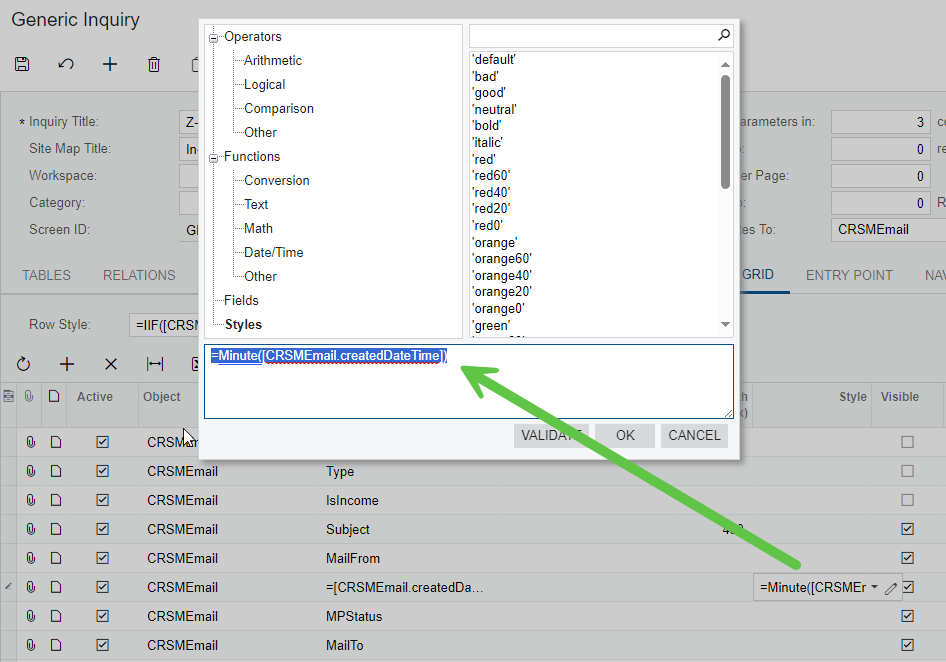
Anyone know how I can format date/time field in a GI to hide seconds? (e.g. 11:42 AM instead of 11:42:06 AM)

I tried function shown below in the style column but it doesn’t change anything…


Best answer by jhouser

Nevermind, I found this and it worked: Acumatica Generic Inquiry Date and Time (augforums.com)

4 replies

dcomerford
Captain II
Forum|alt.badge.img+16
  • Captain II
  • January 23, 2024

I cannot see what table you are using but try setting the Schema field on this line to one of thr date fields available


jhouser
Captain II
Forum|alt.badge.img+7
  • Author
  • Captain II
  • Answer
  • January 23, 2024

Nevermind, I found this and it worked: Acumatica Generic Inquiry Date and Time (augforums.com)


Chris Hackett
Community Manager
Forum|alt.badge.img
  • Acumatica Community Manager
  • January 24, 2024

Thank you for sharing your solution with the community @jhouser!


Forum|alt.badge.img
  • Freshman II
  • March 26, 2026

The problem is that this works fine (not sure of the overhead with this) in the original GI.  But if you use that GI as the based for another GI, the second GI fails with an error related to the “unused” table CRCase.



