Answer

"Default Receipt To" showing up as a Number in a Generic Inquiry

  • January 16, 2025
  • 6 replies
  • 57 views

Forum|alt.badge.img

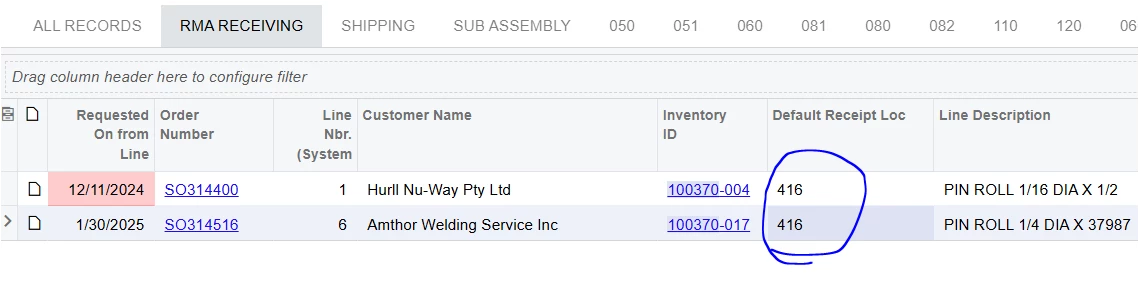
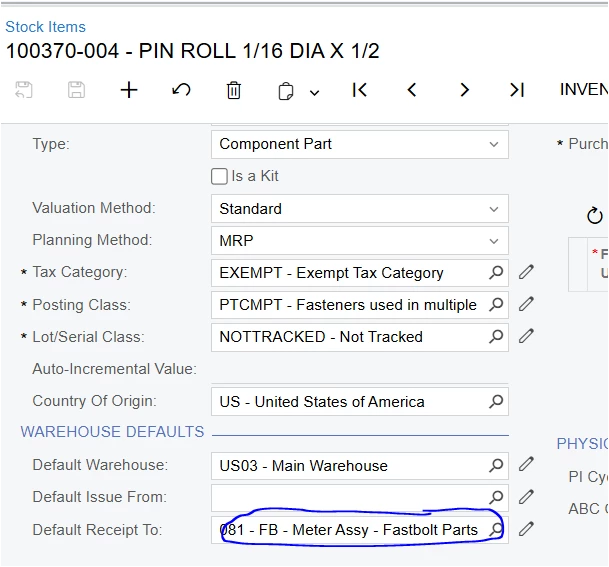
i have a Generic Inquiry that i have been using for a few months now and all of a sudden the Value for the Default Receipt to is showing up as a number.  I also have a problem with my filters using this same field so i think i may be related.  how do i get it to show the actual field value.    thank you in advance.


Below is the Stock Item 
 

and below is a screen shot for the Results Grid.   
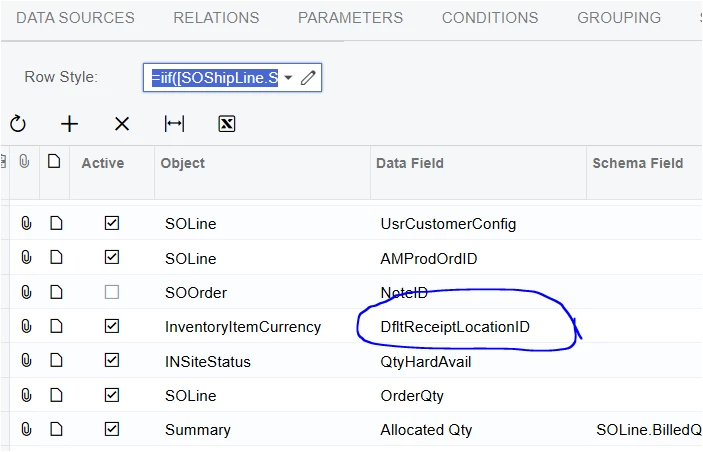


Best answer by DipakNilkanth

Hi ​@rdillard64,

To fetch the Location ID,
1) You need to add INLocation table to Data Sources Tab in your Generic Inquiry.
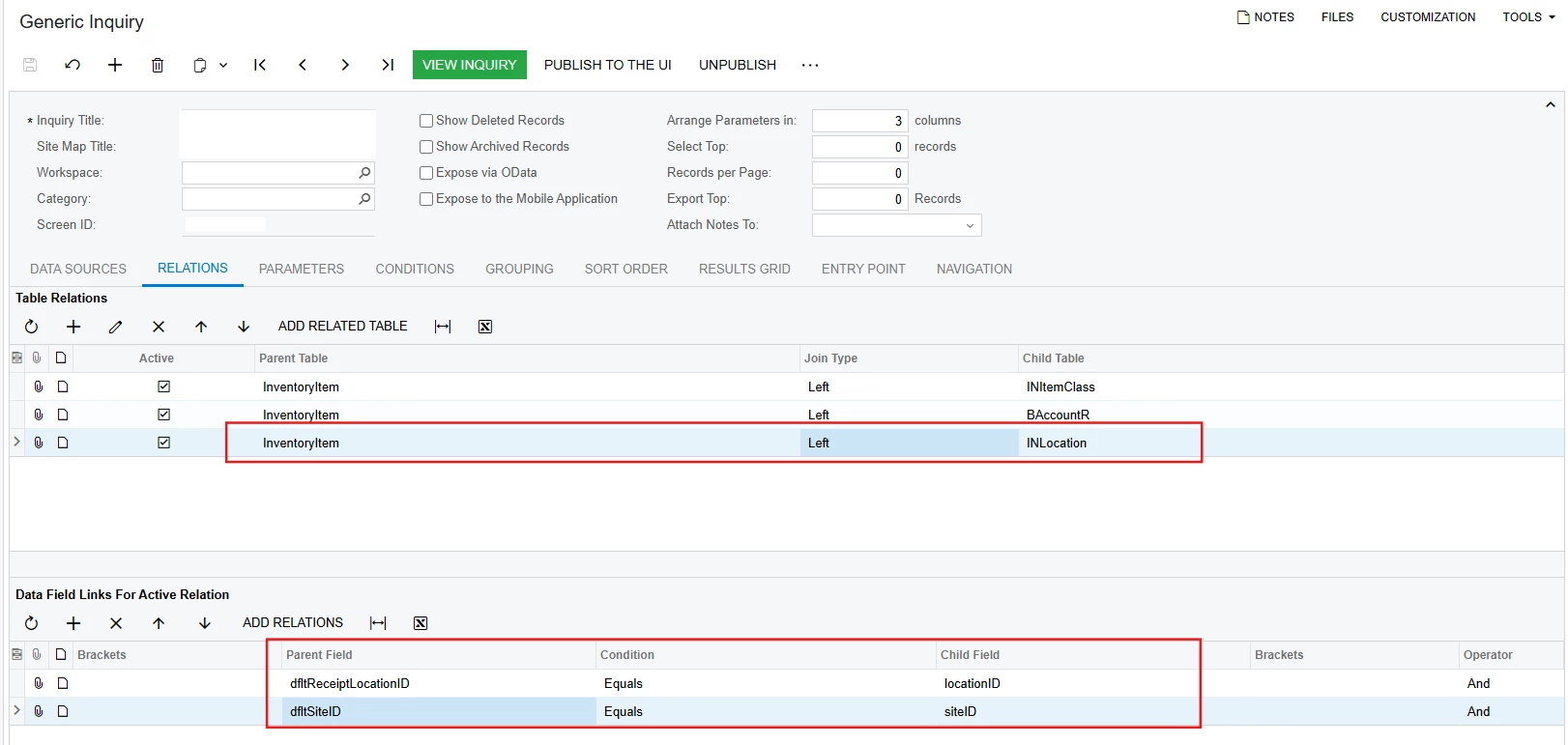
2) Add below relations in Relations tab.


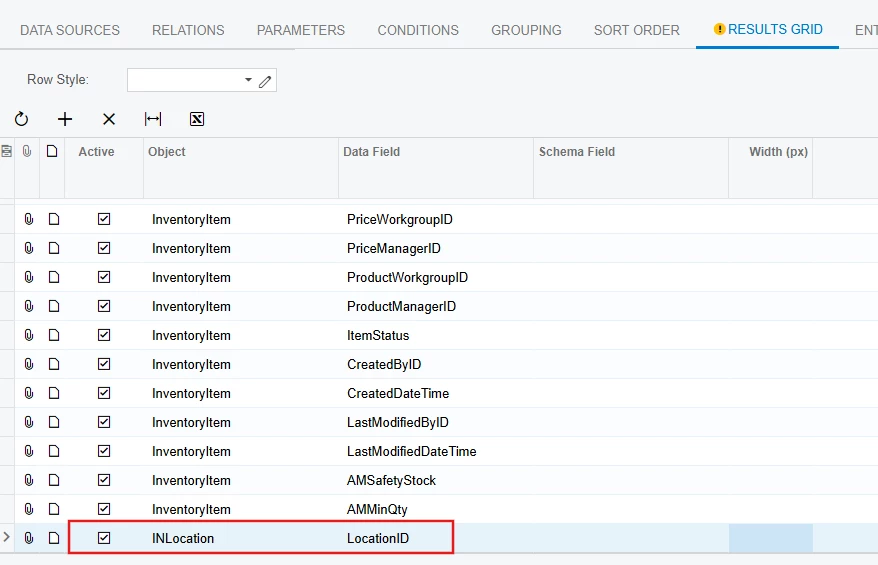
3) Pass the Location ID from INLocation object in results Grid. By following those steps you can able to fetch the Location ID.


Hope, it helps!

6 replies

DipakNilkanth
Pro III
Forum|alt.badge.img+13

Hi ​@rdillard64,

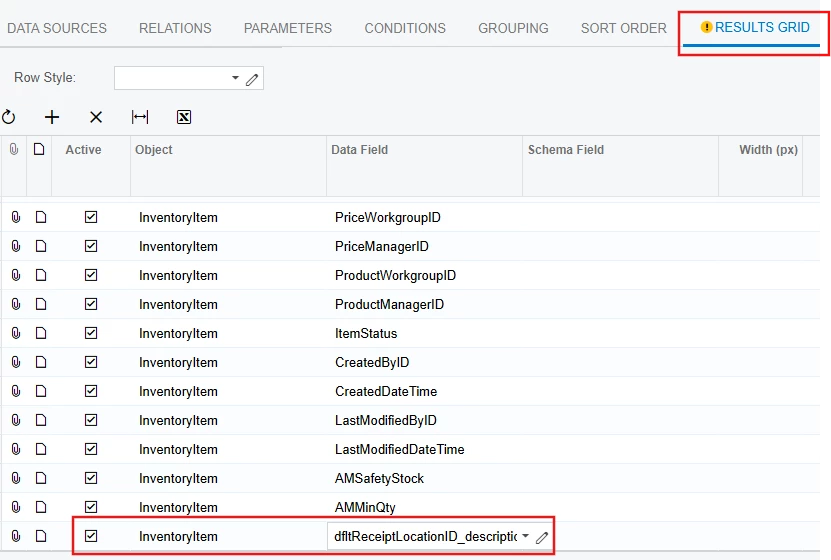
You need to add dfltReceiptLocationID_description as Data field value from InventoryItem Object in Results Grid tab. 


It will show the Location Description.

Hope, it helps!


darylbowman
Captain II
Forum|alt.badge.img+15

I’m guessing that the issue is from using the InventoryItemCurrency table instead of InventoryItem. If selectors are configured properly, it should show you the LocationCD even though you’re using the ID. However, sometimes on entities not used much on-screen, shortcuts are taken.


Forum|alt.badge.img
  • Author
  • Jr Varsity II
  • January 16, 2025

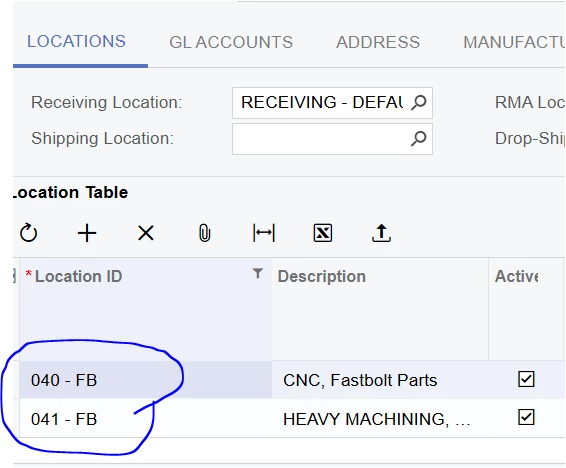
That did give me the description of the Location but what i need is the Location ID.   when i added the Location ID in the Results Grid i got a warning that the field was Obsolete.  


i Saved the GI anyway but it still only shows numbers for some Stock Items. i’ve checked the Stock Items that show correctly vs the ones that show as numbers and can’t find a difference in the stock items.  


DipakNilkanth
Pro III
Forum|alt.badge.img+13
  • Pro III
  • Answer
  • January 16, 2025

Hi ​@rdillard64,

To fetch the Location ID,
1) You need to add INLocation table to Data Sources Tab in your Generic Inquiry.
2) Add below relations in Relations tab.


3) Pass the Location ID from INLocation object in results Grid. By following those steps you can able to fetch the Location ID.


Hope, it helps!


Forum|alt.badge.img
  • Author
  • Jr Varsity II
  • January 16, 2025

Thank you.  I will work on this and give some feedback.  


Forum|alt.badge.img
  • Author
  • Jr Varsity II
  • January 16, 2025

That got me all the way to the goal Line. I still had a number instead of the Value so i used LocationCD and now everything works.  


thanks