@ulfwee
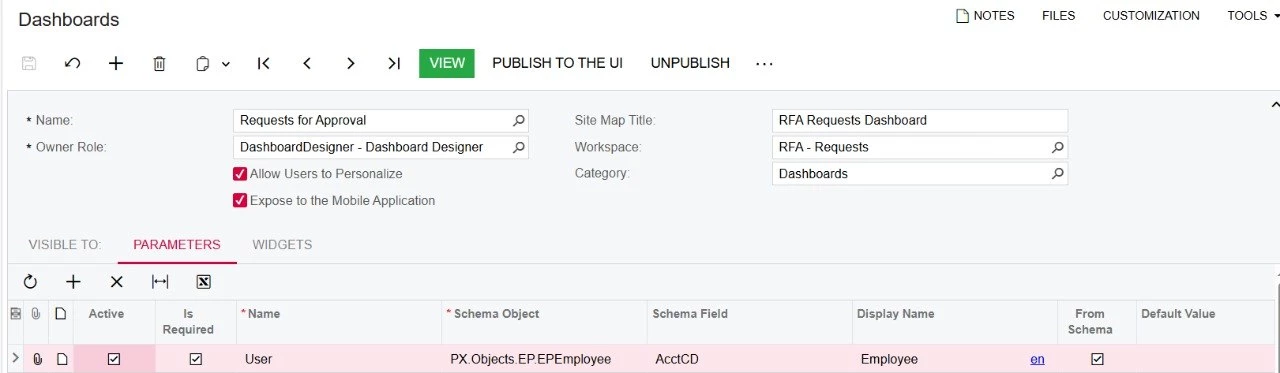
Your "Employee" dashboard parameter is bound to:
- Schema Object: PX.Objects.EP.EPEmployee
- Schema Field: AcctCD
AcctCD is the Employee's display code (e.g., EP000001) — it's a string/description-type field, not the underlying User GUID.
@me is a special macro that resolves to the current logged-in User's ID (a GUID). It's designed to match against Guid-typed "who did this" fields — CreatedByID, LastModifiedByID, OwnerID, and yes, ApprovedByID. It is not designed to resolve against an Employee's AcctCD field.
Two ways to fix it
Option A — simplest, bypass the dashboard parameter for this filter:
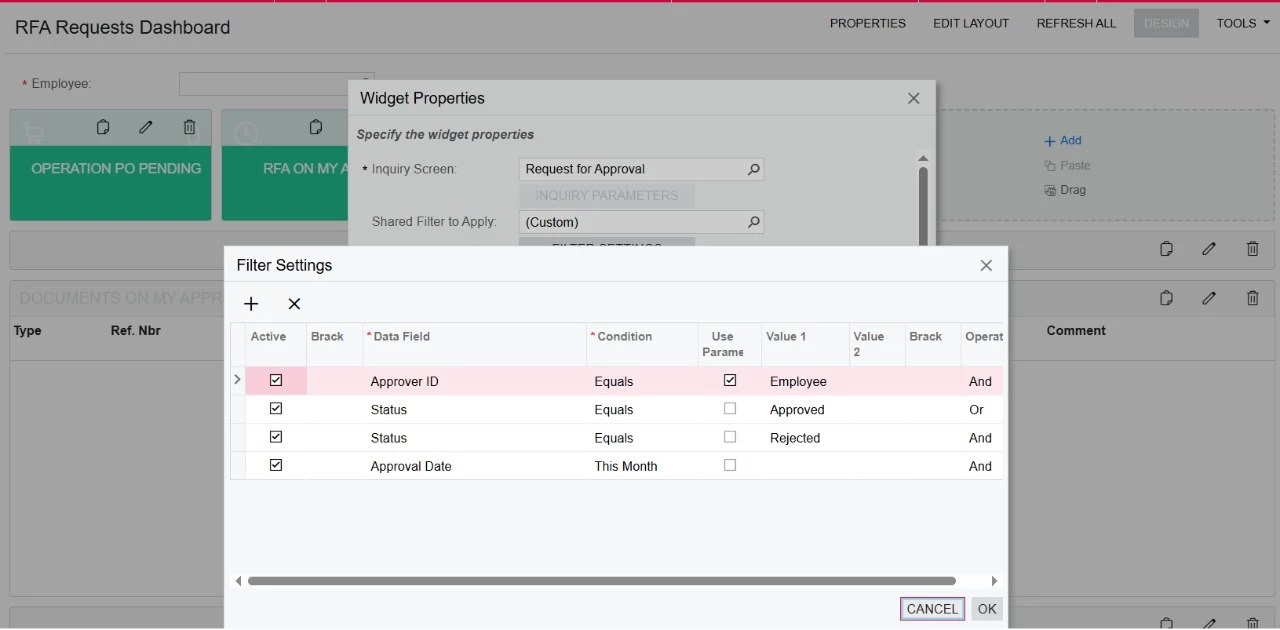
In the widget's Filter Settings, on the Approver ID row, uncheck "Use Param," and type @me (lowercase) directly into Value 1. Since ApprovedByID is already the correct Guid-type field, @me resolves correctly here. This is the path that's confirmed working by other users with this exact scenario. Downside: you lose the ability to let users manually override "Employee" via the dashboard-level parameter box.
Option B — keep the dashboard parameter, but fix its binding:
Change the parameter's Schema Field from AcctCD to the Employee's underlying User-reference Guid field (commonly UserID on EPEmployee, sometimes exposed as EmployeeID/AccountID depending on your version) so it matches the same type/domain as ApprovedByID. Then set the Default Value to @me (lowercase, in the actual Default Value input — not just the grid checkbox).