

Question

DAC browswer unpublished?

  • February 18, 2026
  • 7 replies
  • 53 views

Forum|alt.badge.img


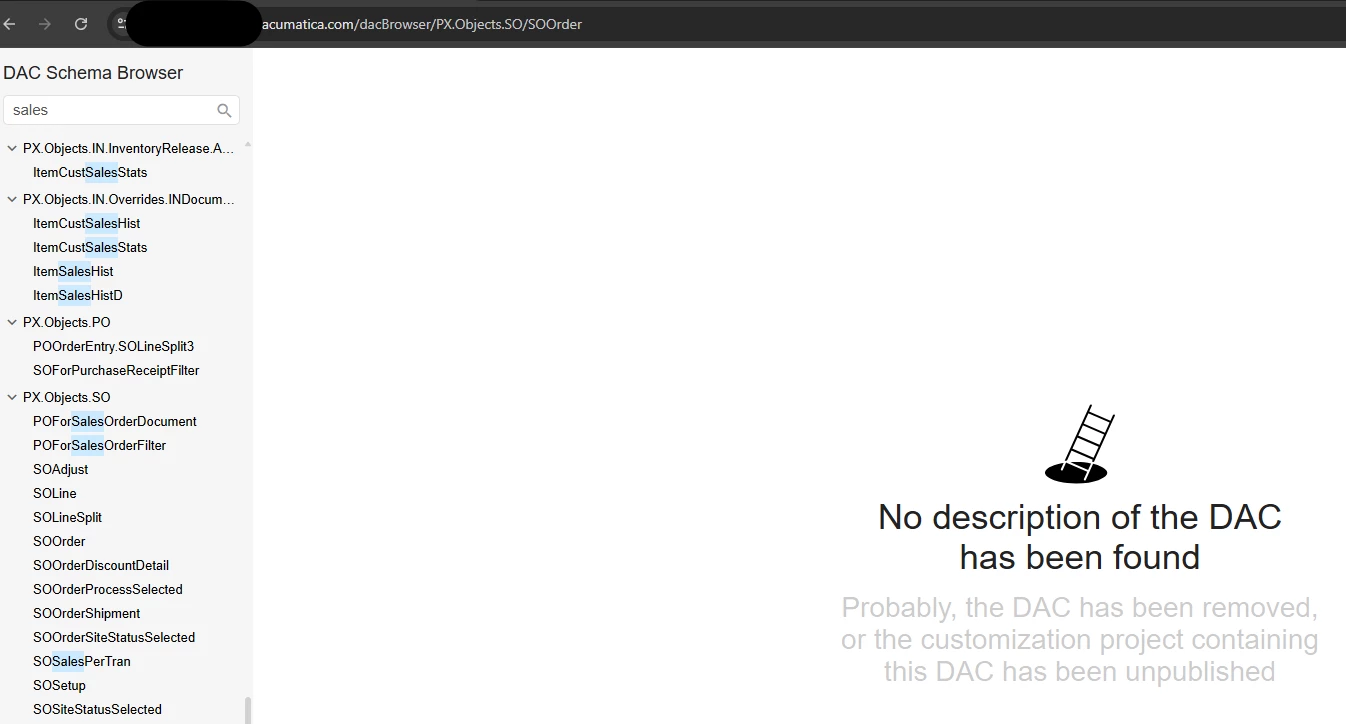
every single page on the DAC browser errors out with this. I’ve logged out, I’ve tried firefox, chrome, and edge. What’s up with acu’s websites lately? yesterday i was getting admin denial errors on the resources log in page; today this. 


Is there something i could have possibly have turned off by mistake?

7 replies

Forum|alt.badge.img+1

Hey ​@kdolgner ,

Can you try to restart the application, clear the caches and then try? If it still persists, then a support ticket with Acumatica would be required.


abhimanyuprajapati52
Jr Varsity I
Forum|alt.badge.img

Hi ​@kdolgner,

If this happens for all DACs, it’s usually not a browser issue. It typically means the customization metadata isn’t properly compiled.

Try:

  1. Go to Customization Projects → Publish All.

  2. If you have server access, restart IIS and republish.

  3. Access the site with ?ClearCache=true.

The DAC Browser relies on compiled customization metadata, so if publishing is incomplete or assemblies are out of sync, this message appears for every DAC.


BenjaminCrisman
Acumatica Employee
Forum|alt.badge.img+4
  • Acumatica Support Team
  • February 18, 2026

@kdolgner as ​@abhimanyuprajapati52 mentioned this is caused by customizations. You can try to reset IIS, which has worked in the past in a couple of cases I’ve worked on, you can try to republish, but ultimately if neither of those options work you need to try to narrow it down to the specific customization causing the issue and review it.


Forum|alt.badge.img
  • Author
  • Jr Varsity II
  • February 18, 2026

@kdolgner as ​@abhimanyuprajapati52 mentioned this is caused by customizations. You can try to reset IIS, which has worked in the past in a couple of cases I’ve worked on, you can try to republish, but ultimately if neither of those options work you need to try to narrow it down to the specific customization causing the issue and review it.

Hmmm. I’ll look into it. The only change of any “customization project” i did was reduce the decimal count on the weight field. Would that really cause a butterfly effect?


BenjaminCrisman
Acumatica Employee
Forum|alt.badge.img+4
  • Acumatica Support Team
  • February 18, 2026

@kdolgner Yes, I’ve seen a few support cases where it was specifically one of their customizations causing the issue, all DAC schema browser became empty due to an issue with one customization


DipakNilkanth
Pro III
Forum|alt.badge.img+14

Hi ​@kdolgner,

I have faced a similar issue in the past, and it was resolved by simply Resetting Caches and Restarting the Application from the Apply Updates screen.

Before proceeding, please confirm whether this is a production instance. If it is, make sure to perform these steps during non-working hours to avoid impacting users or losing any unsaved work.

Hope this helps.


KrunalDoshi
Freshman II
Forum|alt.badge.img
  • Freshman II
  • February 20, 2026

Hi ​@kdolgner,

It has happened to me as well. As ​@DipakNilkanth mentioned, try resetting cache. Although, in my case it was SQL connection getting break in-between, so I had to restart the SQL Server.




