Question

Customer Statement Report

  • June 18, 2026
  • 4 replies
  • 22 views

Not sure if I am allow to ask this here, but does anybody have an original/slightly modified customer statement report that they would be willing to share?

We had a firm do some work for us because we wanted an accompanying copy of all invoices included in the statement report, but now we have lost the ability to show a summary. The automation process for generating and emailing these statements yields a mess of a “statement” and then the invoices. Rather than pay money to have them fix it, I think I would rather have something at least similar to Acumatica’s out of the box report and try to embed the invoices myself. 

Any other advice would be appreciated!

4 replies

BenjaminCrisman
Acumatica Employee
Forum|alt.badge.img+4
  • Acumatica Support Team
  • June 18, 2026

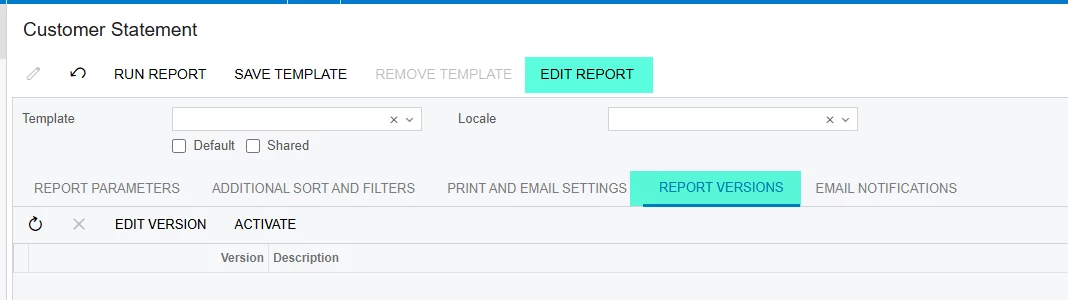
@osutherin You can revert your report to the out of the box Acumatica report if your user has the Report Designer role. From the Customer Statement report printing screen (AR641500) and on the Versions tab you can de-select any active version, which will leave the default form and from there you can customize it as needed or request feedback on your changes to see if we can help get closer to what you’re looking for


  • Author
  • Freshman I
  • June 18, 2026

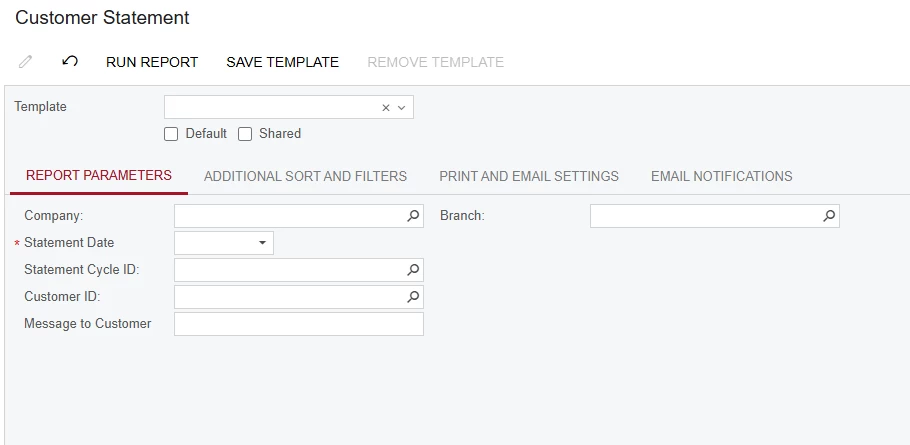
Unfortunately, I do not have that. Some report screens do, some don’t, and this is one that doesn’t. See below:


  • Author
  • Freshman I
  • June 18, 2026

@osutherin You can revert your report to the out of the box Acumatica report if your user has the Report Designer role. From the Customer Statement report printing screen (AR641500) and on the Versions tab you can de-select any active version, which will leave the default form and from there you can customize it as needed or request feedback on your changes to see if we can help get closer to what you’re looking for

Scratch that, I have it now. I thought I had the role selected for myself, but I did not. 


BenjaminCrisman
Acumatica Employee
Forum|alt.badge.img+4
  • Acumatica Support Team
  • June 18, 2026

I don’t think your user has the role because I don’t see the Edit Report button up in the top after the grayed out Remove Template:

Financial reports which utilize the ARM report engine do not require Report Designer to be able to edit them, but they also will not have a Versions (Report Versions in Classic UI) tab.

Double check your user has the Report Designer role