Answer

Customer Recovery

  • June 3, 2025
  • 5 replies
  • 79 views

Forum|alt.badge.img

An employee accidentally delete a customer from the receivables. How can I recover that customer?


Best answer by pallikasharma11

Hello ​@enriquey 

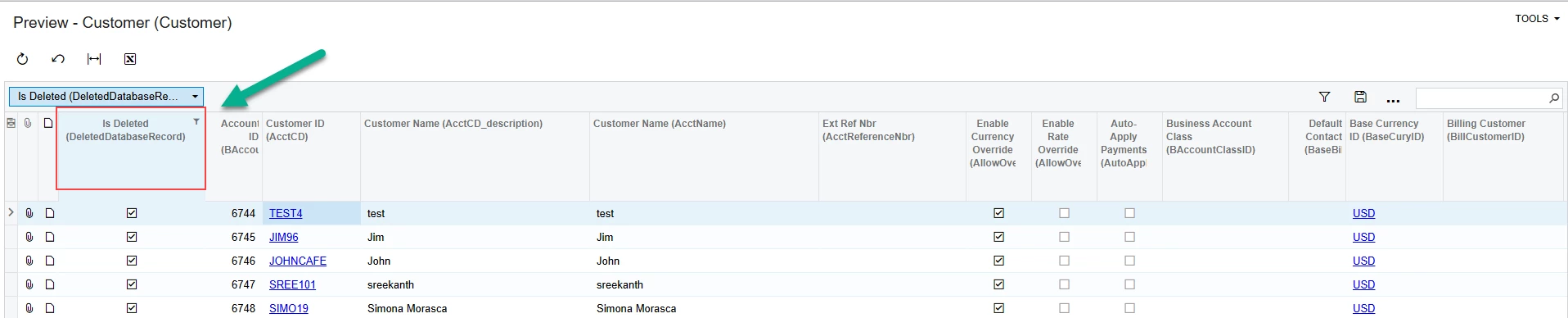
You can also access the deleted record with IsDeleted data field in Customer DAC
 

5 replies

nhatnghetinh
Captain II
Forum|alt.badge.img+11
  • Captain II
  • June 4, 2025

Hi ​@enriquey 

A customer can only be deleted if there has been no transaction related to this customer. Please recreate this customer.
Note: Always backup Excel files of master data (including Customers)


Best Regards,

NNT


Manikanta Dhulipudi
Captain II
Forum|alt.badge.img+15

@enriquey 

Any record deleted in the Acumatica cannot be retrived until unless buy a Backup service from Acumatica.

We can tell who deleted the customer with limted data when audit history enabled only.


Forum|alt.badge.img+2
  • Acumatica Employee
  • Answer
  • June 4, 2025

Hello ​@enriquey 

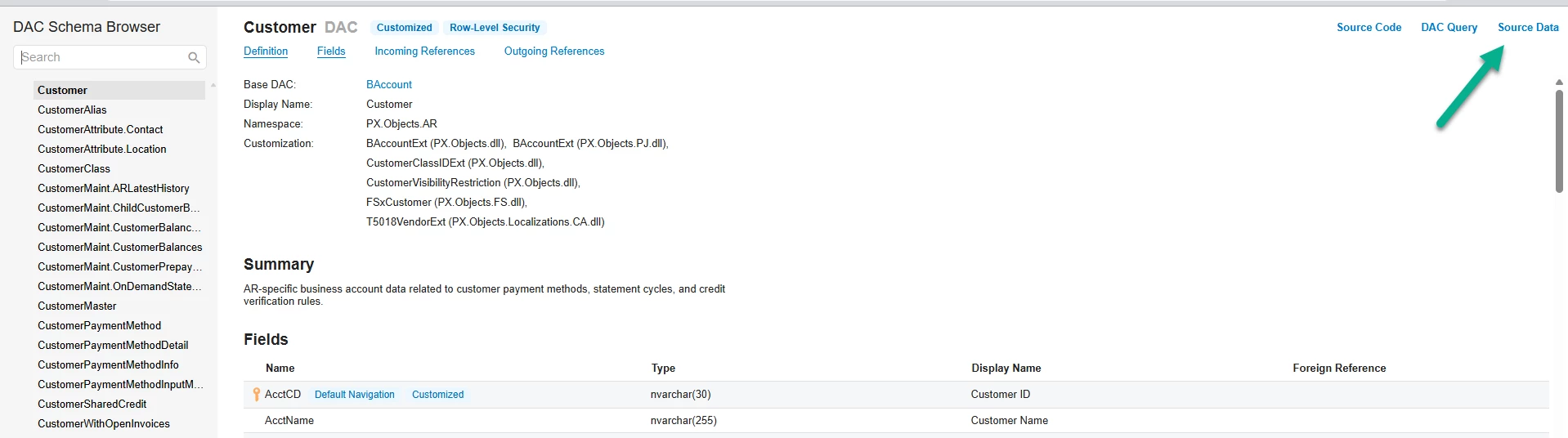
You can also access the deleted record with IsDeleted data field in Customer DAC


Forum|alt.badge.img
  • Author
  • Freshman I
  • June 4, 2025

@pallikasharma11 how do I get to The Customer DAC screen?


Forum|alt.badge.img+2

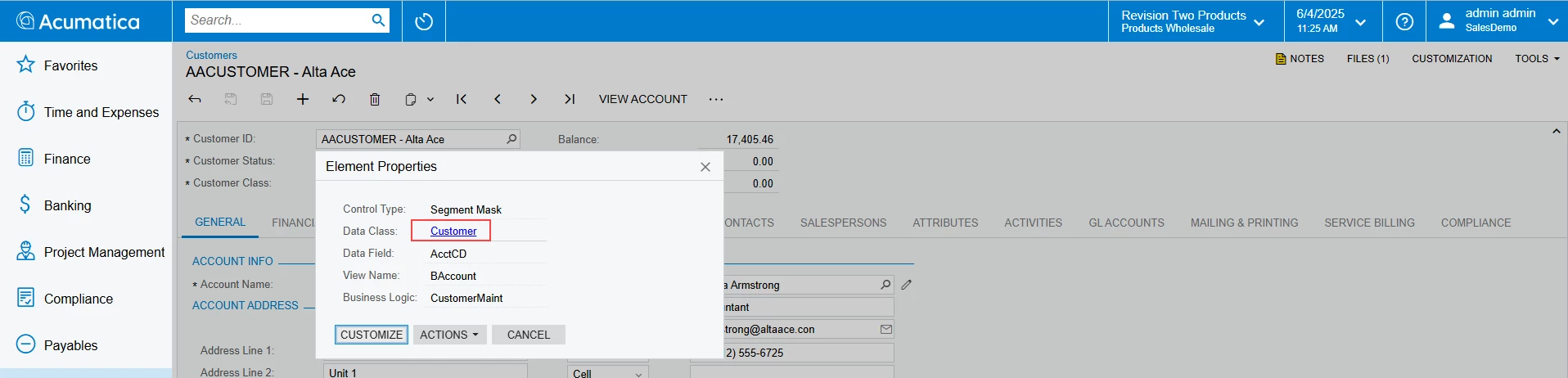
You need to have customizer role added, hover over Customer ID and press Ctrl+Alt or use Inspect element under Customization button (top right corner)

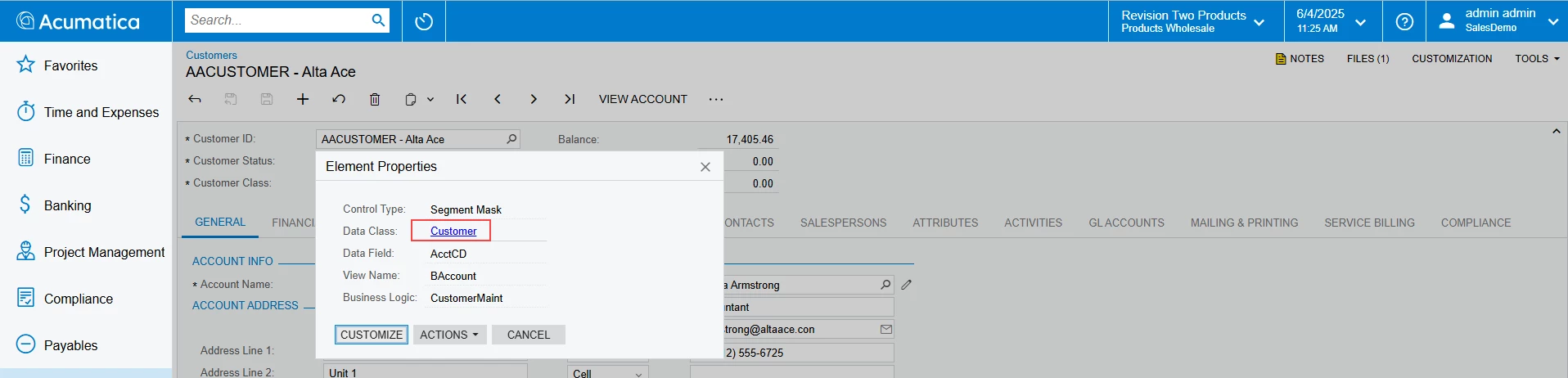
Element properties will open, click on Data Class- Customer

Navigate to Source data