Answer

Customer Mailing & Printing not carrying over to Email Template

  • May 6, 2024
  • 4 replies
  • 177 views

I am trying to setup Sales Order Notification Email templates to use information from the Mailing & Printing tab of the customer record as well as the Sales order.

All the email information was scrubbed from the report, and the report directed to SalesOrderNotification template. This worked correctly.

The Template has a message body, To fields set, From fields pulling from the Contact associated with the Sales order correctly.

However, i was wanting to use the Customer record Mailing & Printing settings to populate the CC field. I cannot get the email template to pull information from here at all.
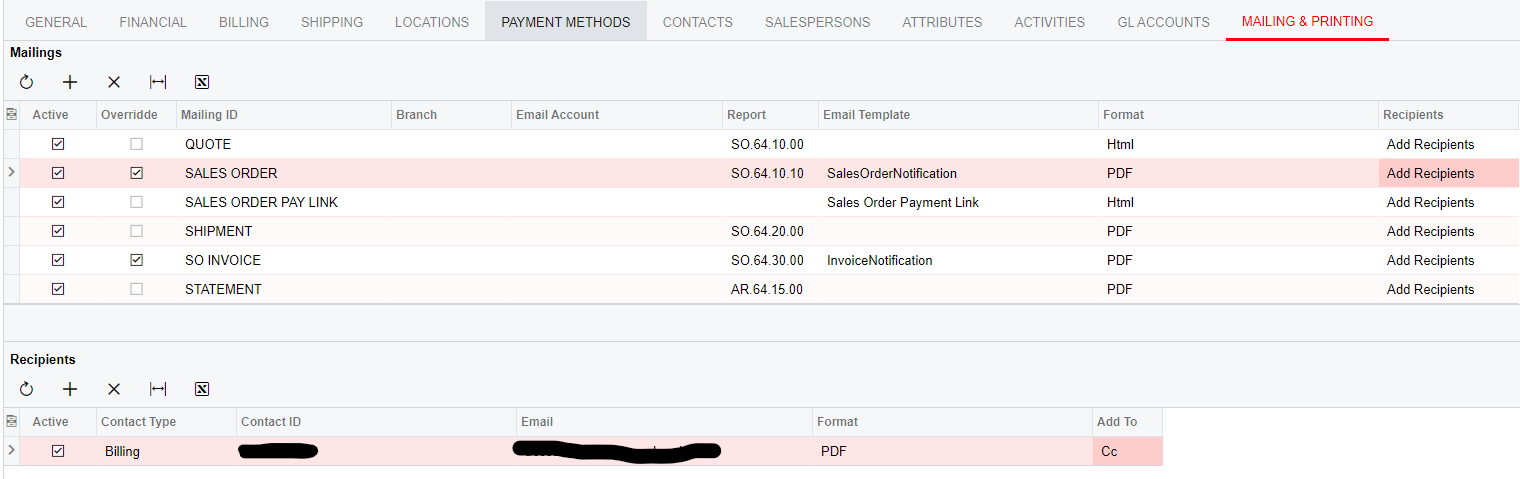
 

I tried both Add recipients and Overwrite.
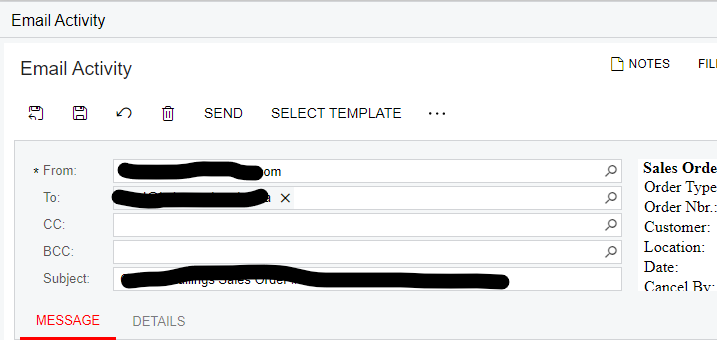
Nothing ever populates in the CC field.

I tried looking in the list of “Screen Fields” in the email template itself, but found nothing that makes this connection.

What have I missed in this process?
Best answer by DasunPerera91

Hi ChrisB,

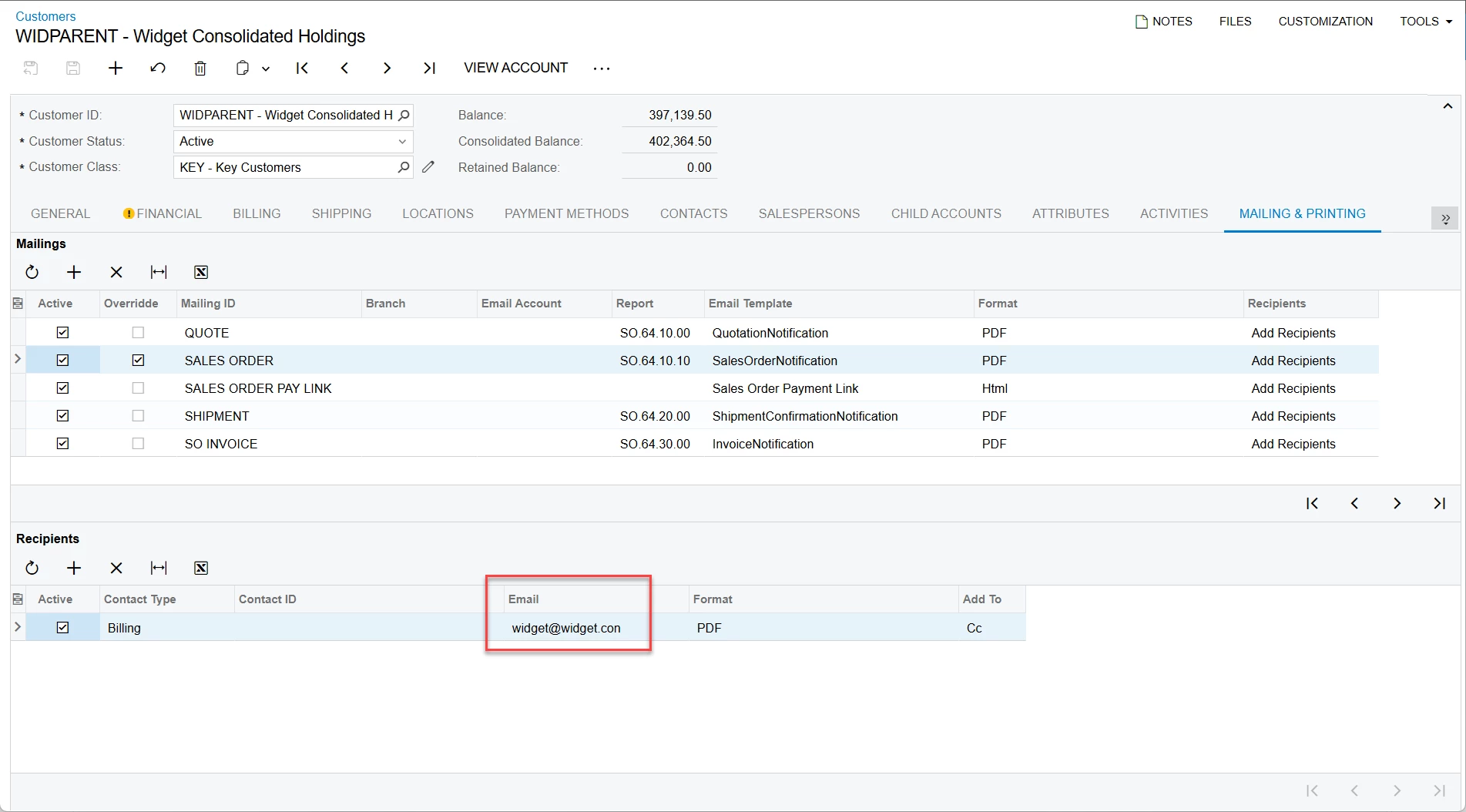
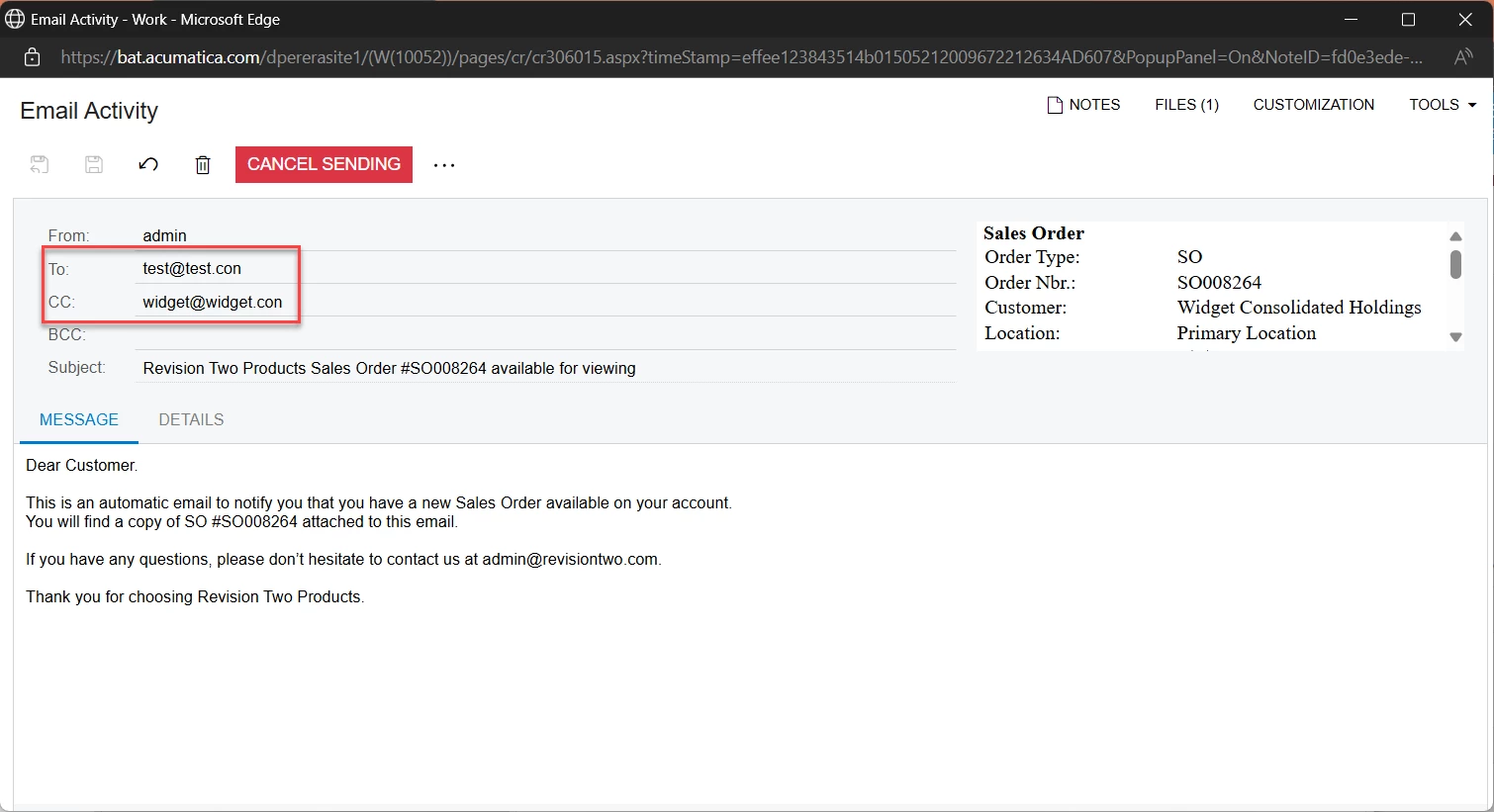
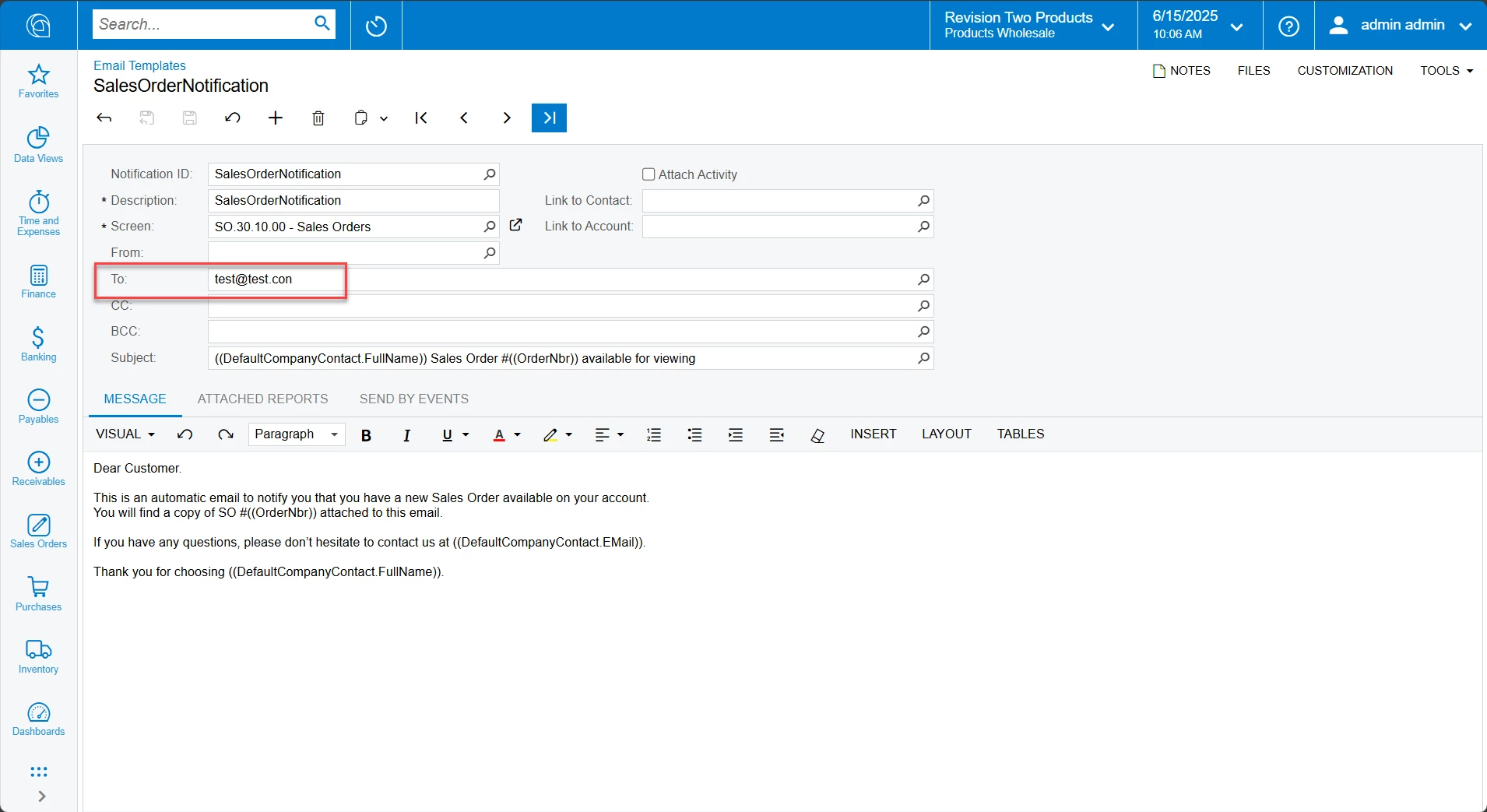
Tested this using Sales demo data. I’m assuming this is due to Billing Contact Email is in both CC and To fields. In this case system automatically removes CC email value. Can you add a dummy email to SalesOrderNotification email template and try testing again?

Screenshots of my testing:


4 replies

ngerst
Freshman II
Forum|alt.badge.img
  • Freshman II
  • May 30, 2024

Having the same issue. 


sdas09
Freshman II
Forum|alt.badge.img
  • Freshman II
  • June 12, 2025

Any update on this issue?


  • Author
  • Freshman I
  • June 12, 2025

Unfortunately no. Internally at our company we have implemented other ways of dealing with email’s since and haven’t revisited this issue due to other priorities.


DasunPerera91
Acumatica Employee
Forum|alt.badge.img
  • Acumatica Employee
  • Answer
  • June 15, 2025

Hi ChrisB,

Tested this using Sales demo data. I’m assuming this is due to Billing Contact Email is in both CC and To fields. In this case system automatically removes CC email value. Can you add a dummy email to SalesOrderNotification email template and try testing again?

Screenshots of my testing: