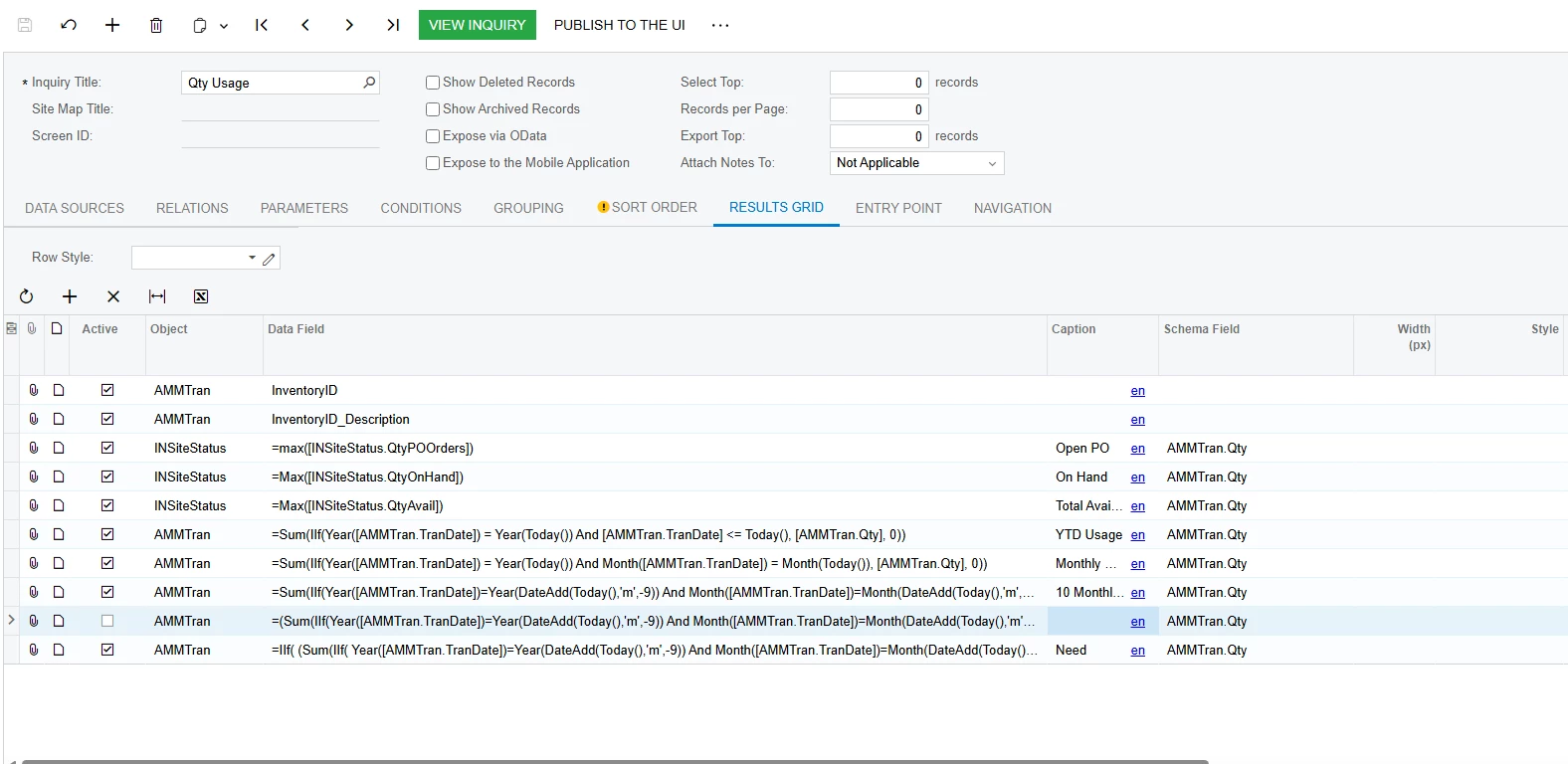
Hey guys, so I have built this GI and everything is working well. I want to add some colors to the either the rows or columns if possible.
But it looks like because of the complex formulas I have in the Date Field it’s not working.
I wanted to show something like “ if >0 apply green color”
Best answer by craig2
Hi @SandyA ,
So @dgodsill97 may be on to something, I haven’t messed with conditional formatting from a Subquery but that could be a good thing to try. Of course, it could add an additional data burden, so that’s something to consider.
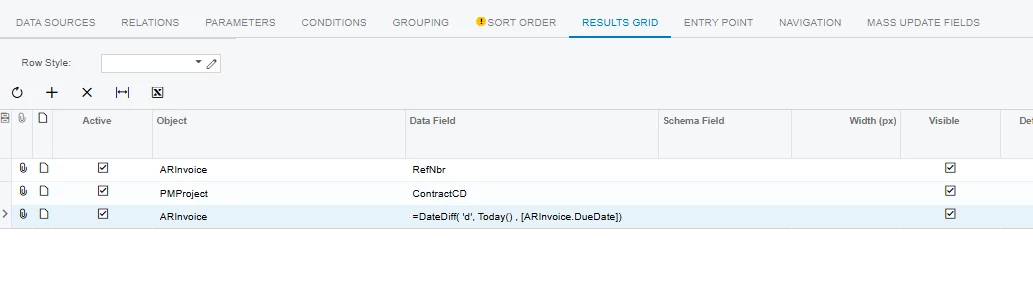
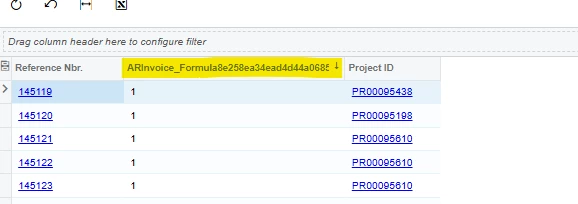
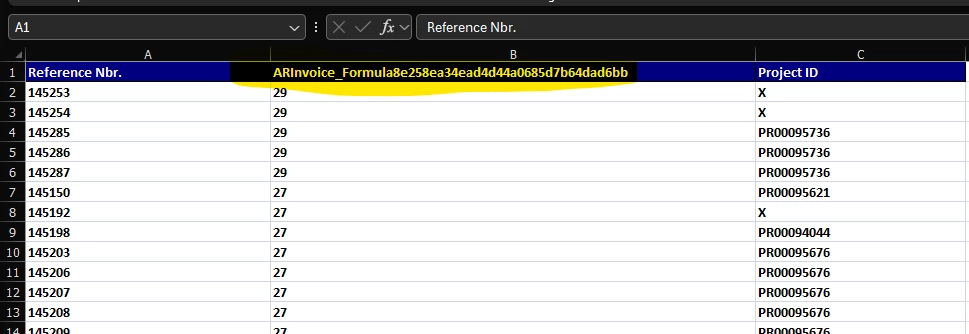
Conditional formatting Formula-Fields otherwise is a tricky business. When you create formulas like that, the system auto-assigns a formula name that you can see when viewing. I don’t think you can actually select the column header for the purposes of copying the name, so the best method I’ve found is to just export your GI into Excel. It then pulls the Formula-Field name into the column header, which you can then copy and use for your formatting logic.
Here’s a quick example:
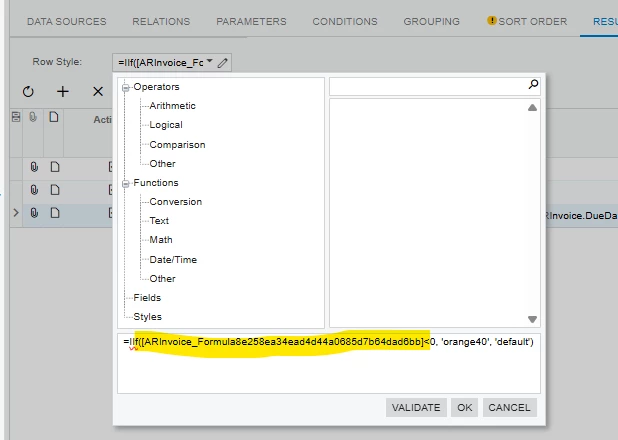
Once you have that, you can just reference it for your formatting logic:
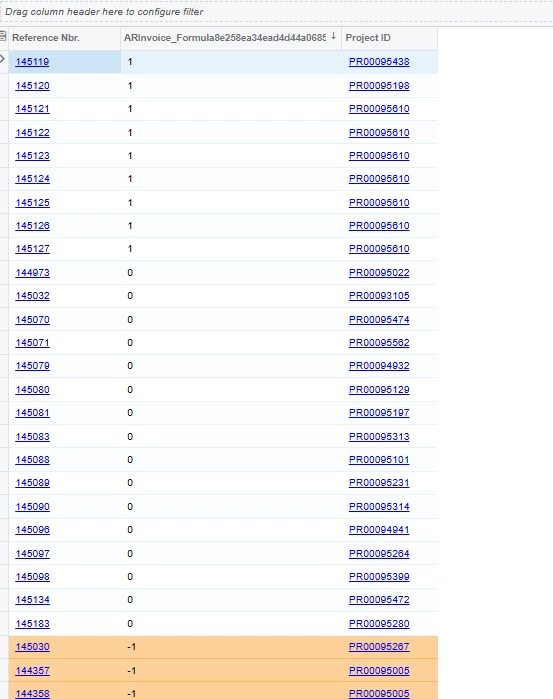
There we go! The formula will still work if you give the column a cleaner Caption as well.
So @dgodsill97 may be on to something, I haven’t messed with conditional formatting from a Subquery but that could be a good thing to try. Of course, it could add an additional data burden, so that’s something to consider.
Conditional formatting Formula-Fields otherwise is a tricky business. When you create formulas like that, the system auto-assigns a formula name that you can see when viewing. I don’t think you can actually select the column header for the purposes of copying the name, so the best method I’ve found is to just export your GI into Excel. It then pulls the Formula-Field name into the column header, which you can then copy and use for your formatting logic.
Here’s a quick example:
Once you have that, you can just reference it for your formatting logic:
There we go! The formula will still work if you give the column a cleaner Caption as well.
@dgodsill97's second-GI approach works, and it's a good one to keep in your pocket — layering inquiries gives you somewhere to filter and group on calculated values too. If you'd rather keep everything in the one inquiry, you can do the coloring right where you are.
On Generic Inquiry (SM208000), the Results Grid tab gives you two places for this:
Row Style Formula, the box above the grid — colors the whole row.
Style Formula, a column in the grid itself — colors just that one column.
The Style Formula uses the same formula editor and the same field list as the Field column, so anything you can write in your date column you can write here. The catch is that it evaluates against the underlying fields rather than your calculated column — you can't point it at the result column, you have to repeat the expression. That's what makes it look like the complex formula is breaking it.
So for yours:
=IIf(<your date expression> > 0, 'green20', 'default')
The style names come from a fixed list. Click the edit button on the Style Formula box and pick from the styles rather than typing them. The ones in use across the stock inquiries are good, bad, neutral, bold, default, and a color scale — green20, green40, green60, red0, red20, red60, orange20, yellow20, blue20, purple20.
Always return 'default' in the else branch so unmatched rows render normally.
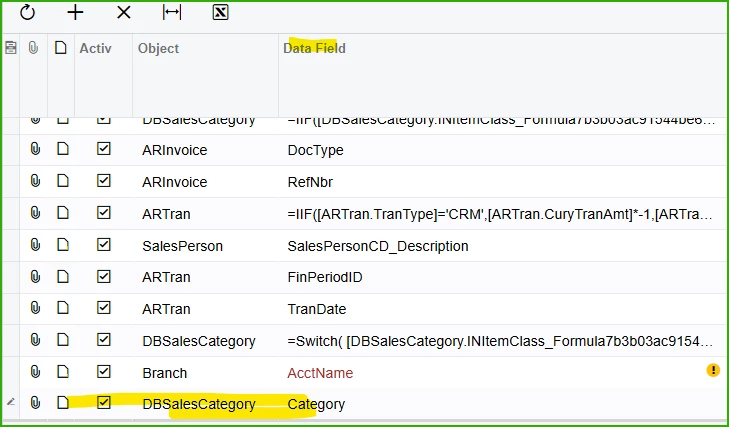
A GI as a datas source has to be published but it does not need to be in a workspace. The comment about formulas in the source GI is relevant when you need to use it in a formula in the main query. A quick way to find the assigned formula name is to select the caption from the subquery,
For example DBSalesCategory is a GI as a data source for the main query,
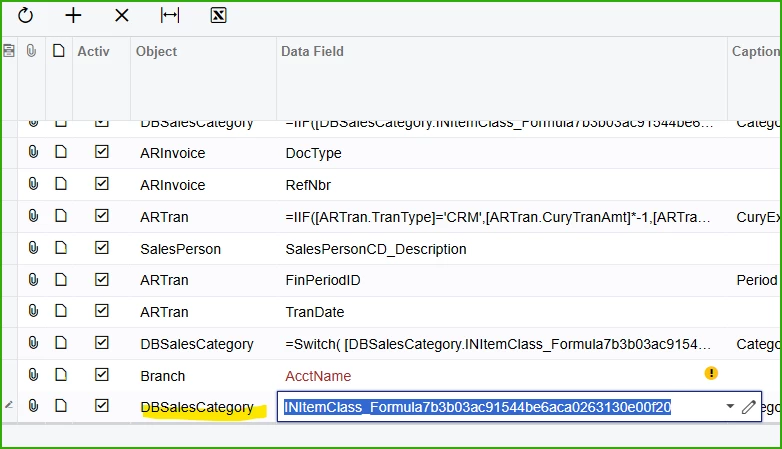
then click the data field and it shows the formula from the subquery