Solved

Condition or Visble expression to hide zero lines in report

  • Feb 14, 2026 6:29 PM UTC
  • 7 replies
  • 150 views
  • Translate All

Hi,

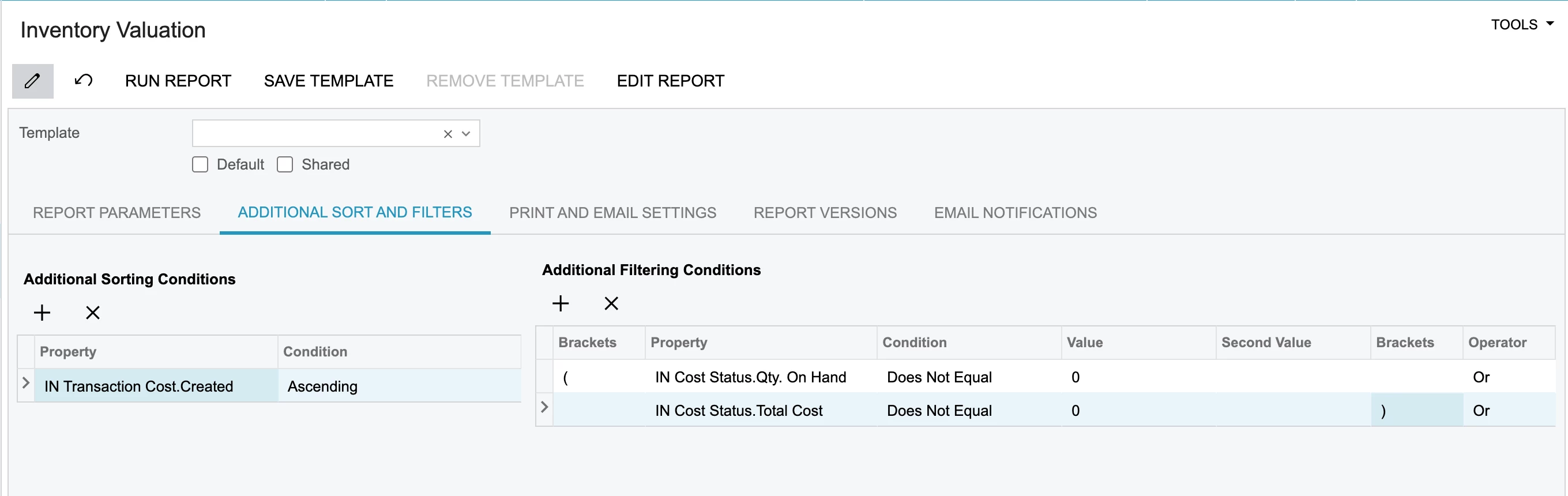
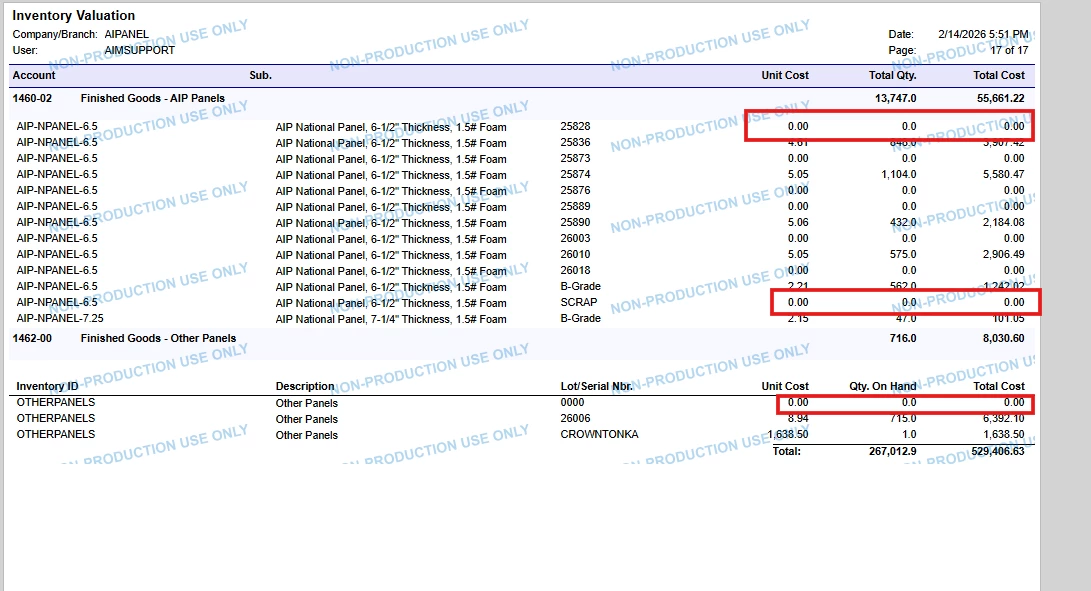
I’m trying to hide zero values in report through condition but there is a value difference when I run the report.

Could you please me to hide values through visbile expression. I tried some condition but it is showing true or false.

Please below image and RPX file


Best answer by aryanjadhav50

 Hi @ydasari

You can try modifying the VisibleExpr in the Group Header section.

Use this expression:

=IIf(IsNull([$TotalCost],0) = 0 OR IsNull([INCostStatus.QtyOnHand],0) = 0, False, True)

Make sure the Visible property is set to True.

This should hide the records where either TotalCost or QtyOnHand is zero.

View original

7 replies

Forum|alt.badge.img+8
  • Semi-Pro I
  • Feb 14, 2026 7:58 PM UTC

Hi ​@ydasari The best option to hide the 0.00 would be to add  Build Schema → Filter section with a value like INTRAN.UnitCost NOT EQUAL 0.00

If you are looking for only the Visible expression. Please elaborate and if possible, share your report.

Translate

Forum|alt.badge.img+8
  • Semi-Pro I
  • Feb 14, 2026 8:37 PM UTC

​@ydasari if you are still looking for additional help, can you confirm if it is the standard Inventory Valuation report. 

Translate

  • Author
  • Freshman I
  • Feb 15, 2026 4:10 AM UTC

Hi ​@ydasari The best option to hide the 0.00 would be to add  Build Schema → Filter section with a value like INTRAN.UnitCost NOT EQUAL 0.00

If you are looking for only the Visible expression. Please elaborate and if possible, share your report.

Hi ​@ChandraM ,


As I said in my post, I already tried all conditions but it is giving a disperancy in total cost 

Translate

Forum|alt.badge.img+5
  • Varsity III
  • Feb 16, 2026 7:32 AM UTC

hey ​@ydasari ,
have you tried using the below condition?

Hope this helps!!

Translate

Forum|alt.badge.img+1
  • Jr Varsity II
  • Answer
  • Feb 16, 2026 10:30 AM UTC

 Hi @ydasari

You can try modifying the VisibleExpr in the Group Header section.

Use this expression:

=IIf(IsNull([$TotalCost],0) = 0 OR IsNull([INCostStatus.QtyOnHand],0) = 0, False, True)

Make sure the Visible property is set to True.

This should hide the records where either TotalCost or QtyOnHand is zero.

Translate

  • Author
  • Freshman I
  • Feb 16, 2026 10:40 AM UTC

 Hi @ydasari

You can try modifying the VisibleExpr in the Group Header section.

Use this expression:

=IIf(IsNull([$TotalCost],0) = 0 OR IsNull([INCostStatus.QtyOnHand],0) = 0, False, True)

Make sure the Visible property is set to True.

This should hide the records where either TotalCost or QtyOnHand is zero.

Thanks Aryan. It worked!

Translate

stevec94
Freshman II
  • Freshman II
  • Jul 22, 2026 4:54 PM UTC

 Hi @ydasari

You can try modifying the VisibleExpr in the Group Header section.

Use this expression:

=IIf(IsNull([$TotalCost],0) = 0 OR IsNull([INCostStatus.QtyOnHand],0) = 0, False, True)

Make sure the Visible property is set to True.

This should hide the records where either TotalCost or QtyOnHand is zero.

Thanks Aryan. It worked!

I learned something useful today! Thanks :)

Translate