Answer

Changing Description on AR invoice

  • June 8, 2025
  • 4 replies
  • 70 views

Good morning all

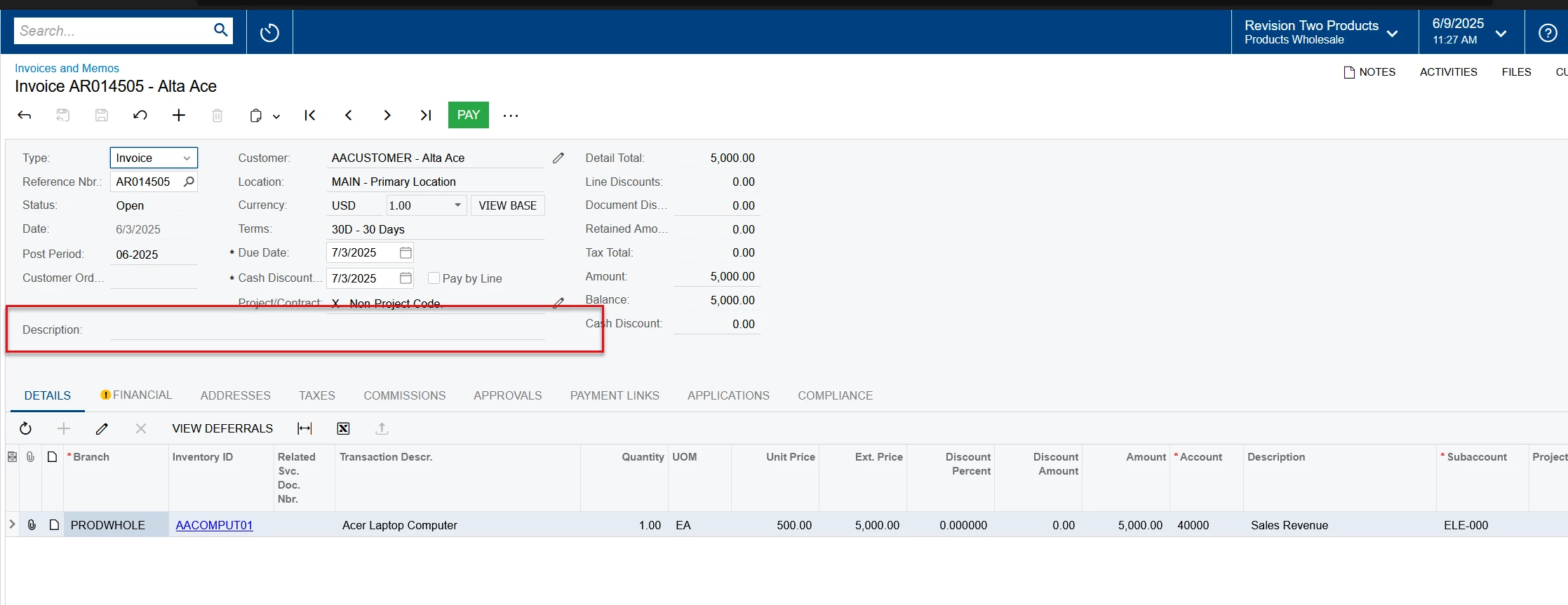
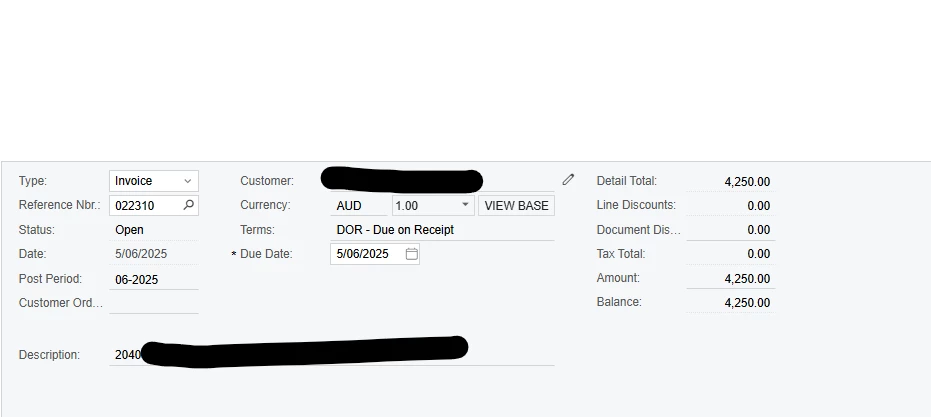
I have just realised that my Description on AR invoices, that have already been posted is incorrect.  Is there anyway I can change it, without having to reverse invoice etc.  I need it to say 2025 not 2040…..

thanks heaps


Best answer by miguel80

Hi!

I have managed to do that with a custom action, here are the steps
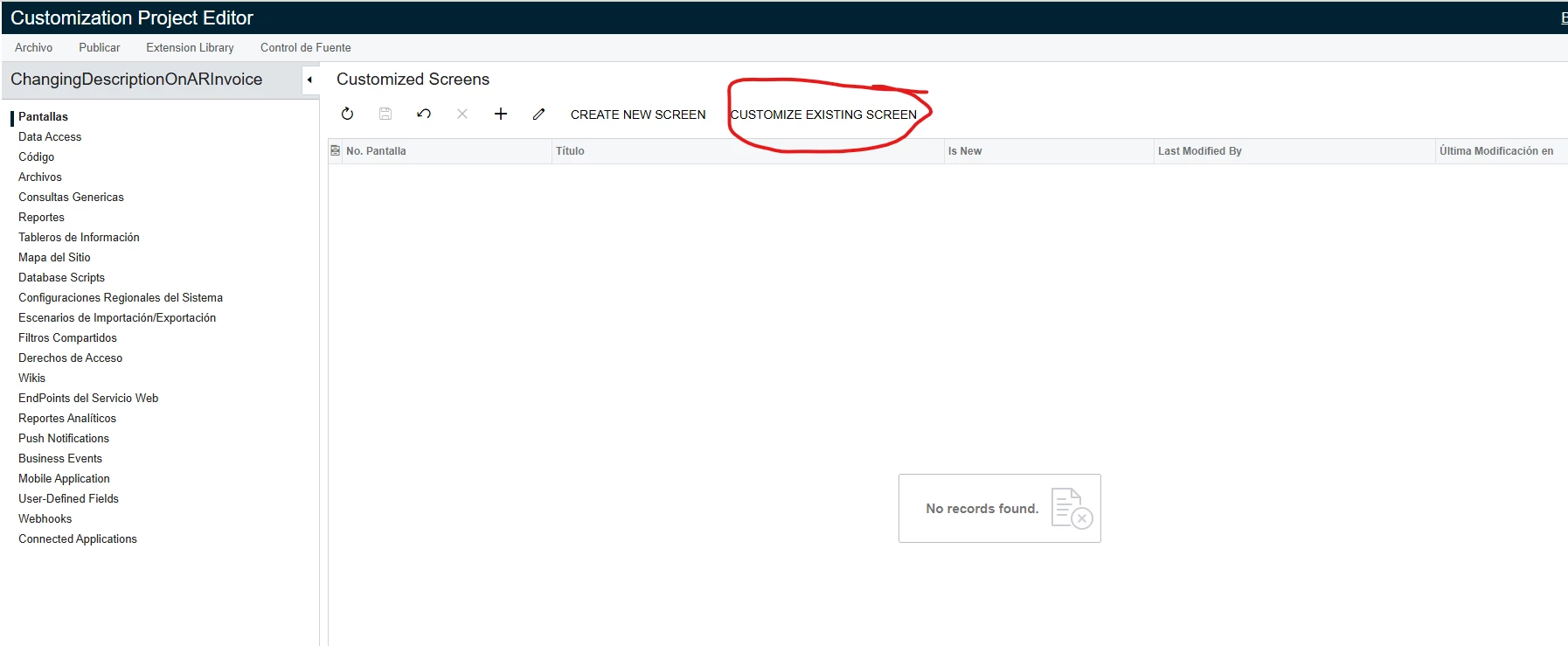
  • Create a new customization project.
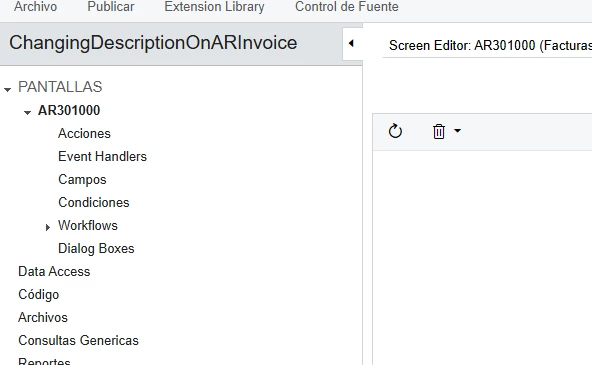
  • Add the AR301000 screen to the project by using the “Customize Existing Screen” action and selecting this screen.

You should be able to see it here:
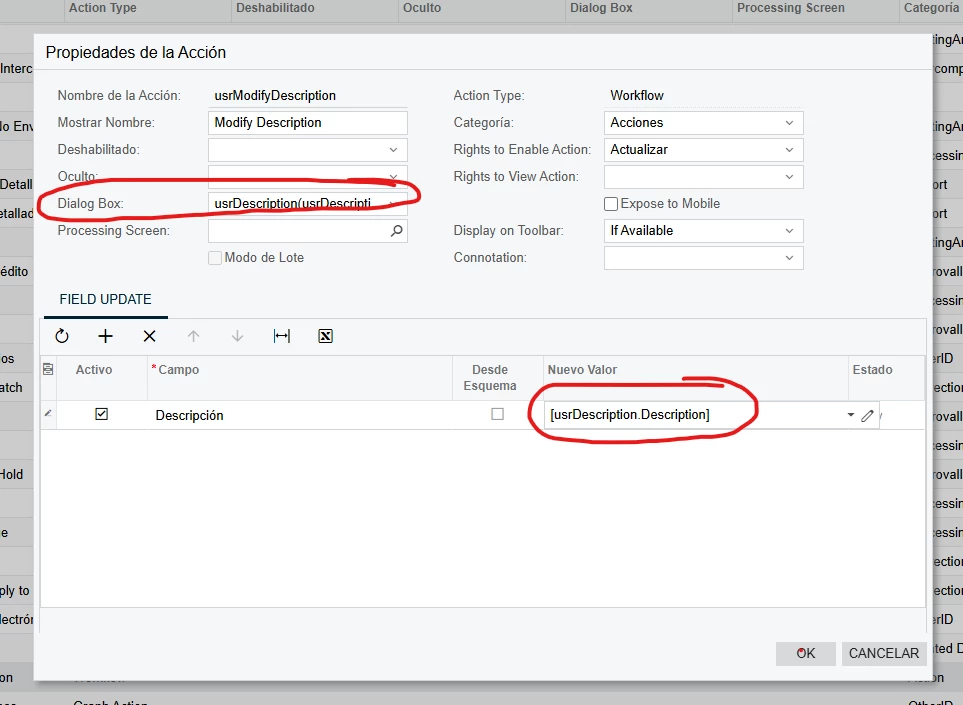
 

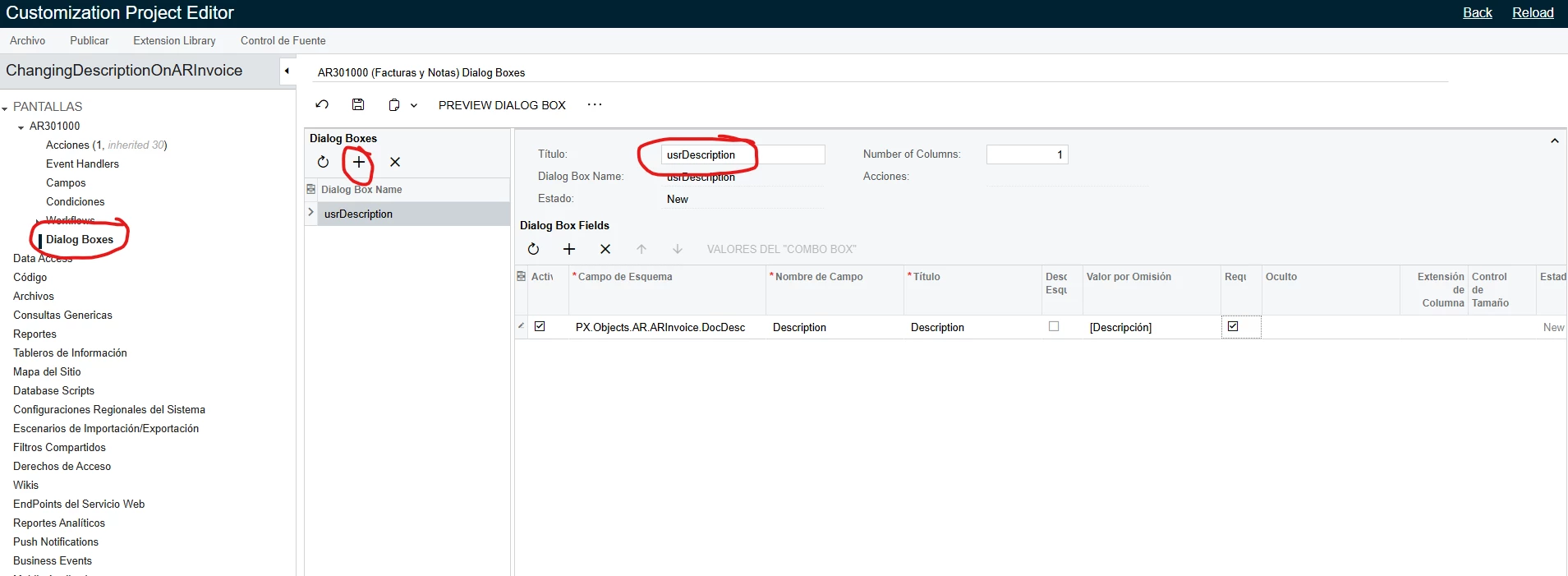
  • Go to the “Dialog Boxes” menu and add a new one using this parameters:


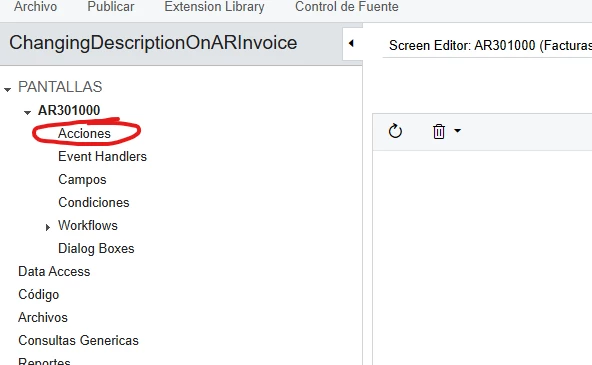
  • Go to the Action menu and add a new action:
  • Create it using these parameters:

Now you can publish the customization and the action will be there!
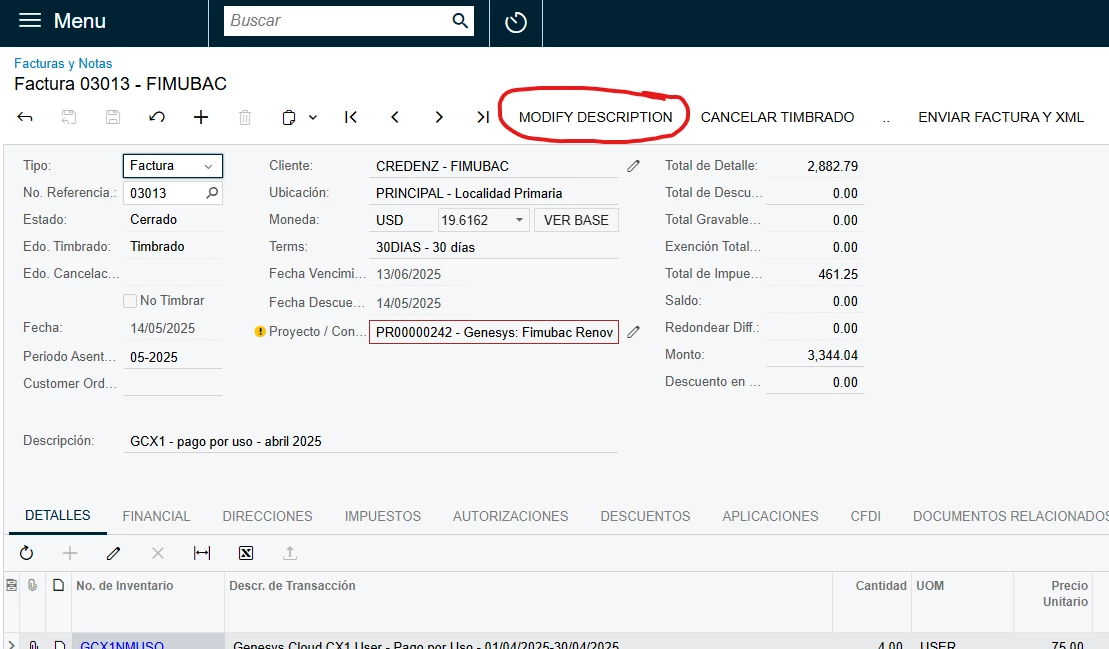
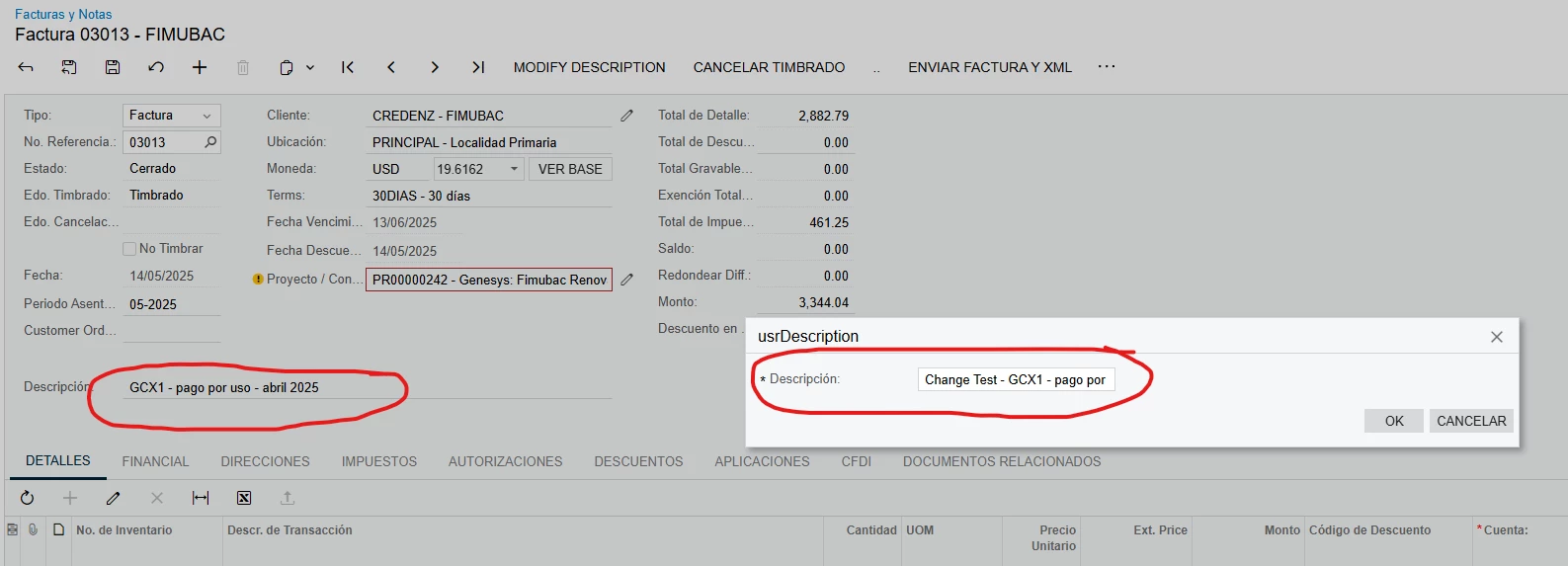
When you click on it it will ask for the description and will auto fill the current one:
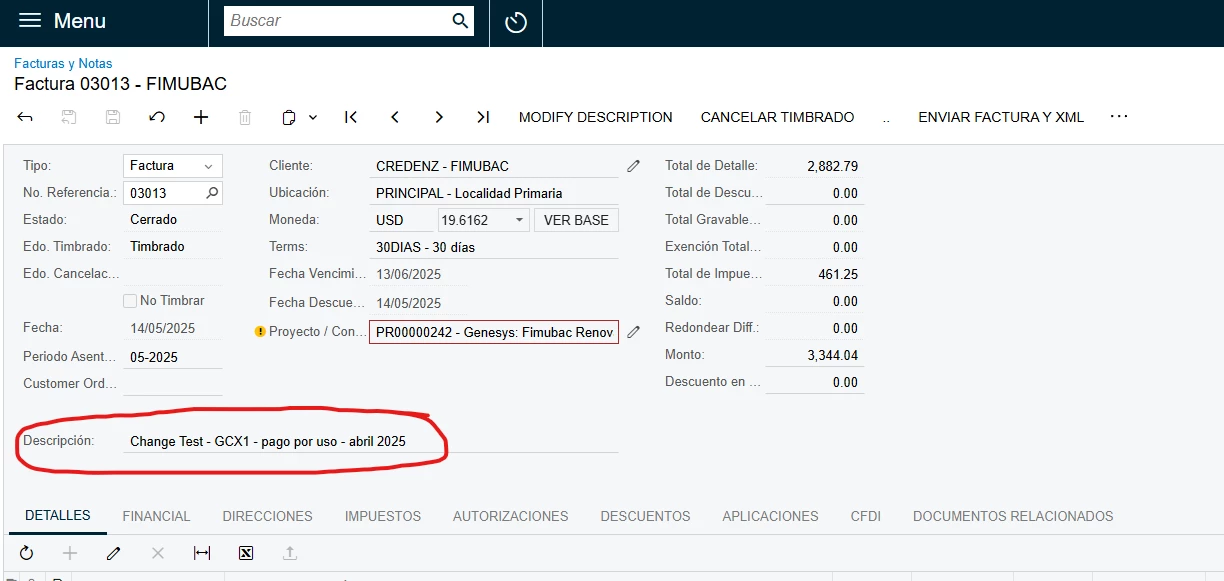
And the final result is:
 

I made the project while making the screenshots, so I’m attaching it here also. It’s a useful feature that I’ve been meaning to add to my own instance.


I hope this works well for you!


4 replies

miguel80
Semi-Pro III
Forum|alt.badge.img+3
  • Semi-Pro III
  • Answer
  • June 9, 2025

Hi!

I have managed to do that with a custom action, here are the steps

  • Create a new customization project.
  • Add the AR301000 screen to the project by using the “Customize Existing Screen” action and selecting this screen.

You should be able to see it here:


  • Go to the “Dialog Boxes” menu and add a new one using this parameters:


  • Go to the Action menu and add a new action:
  • Create it using these parameters:

Now you can publish the customization and the action will be there!

When you click on it it will ask for the description and will auto fill the current one:

And the final result is:


I made the project while making the screenshots, so I’m attaching it here also. It’s a useful feature that I’ve been meaning to add to my own instance.


I hope this works well for you!


KushaniPerera88
Acumatica Employee
Forum|alt.badge.img+3

Hi ​@ElkeS 

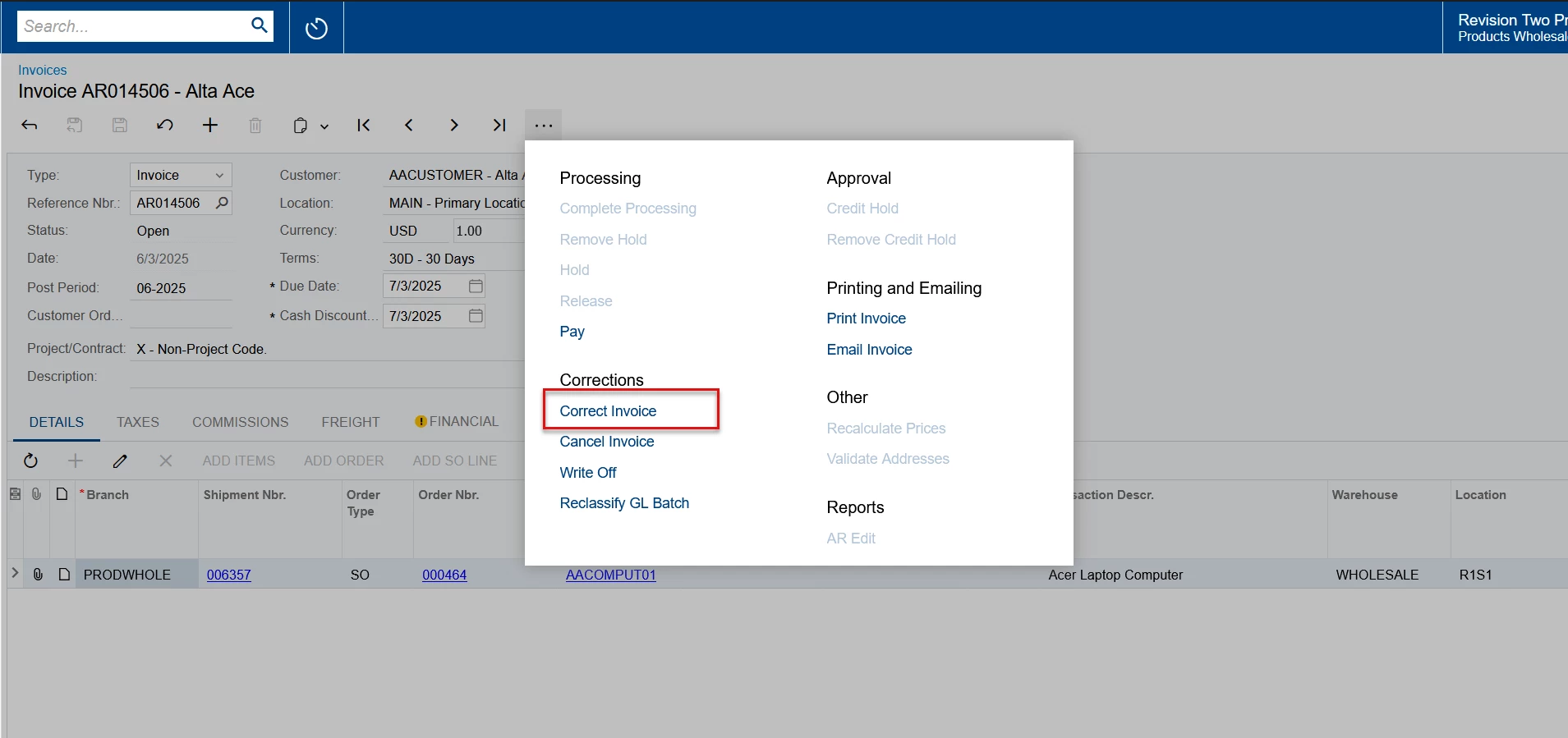
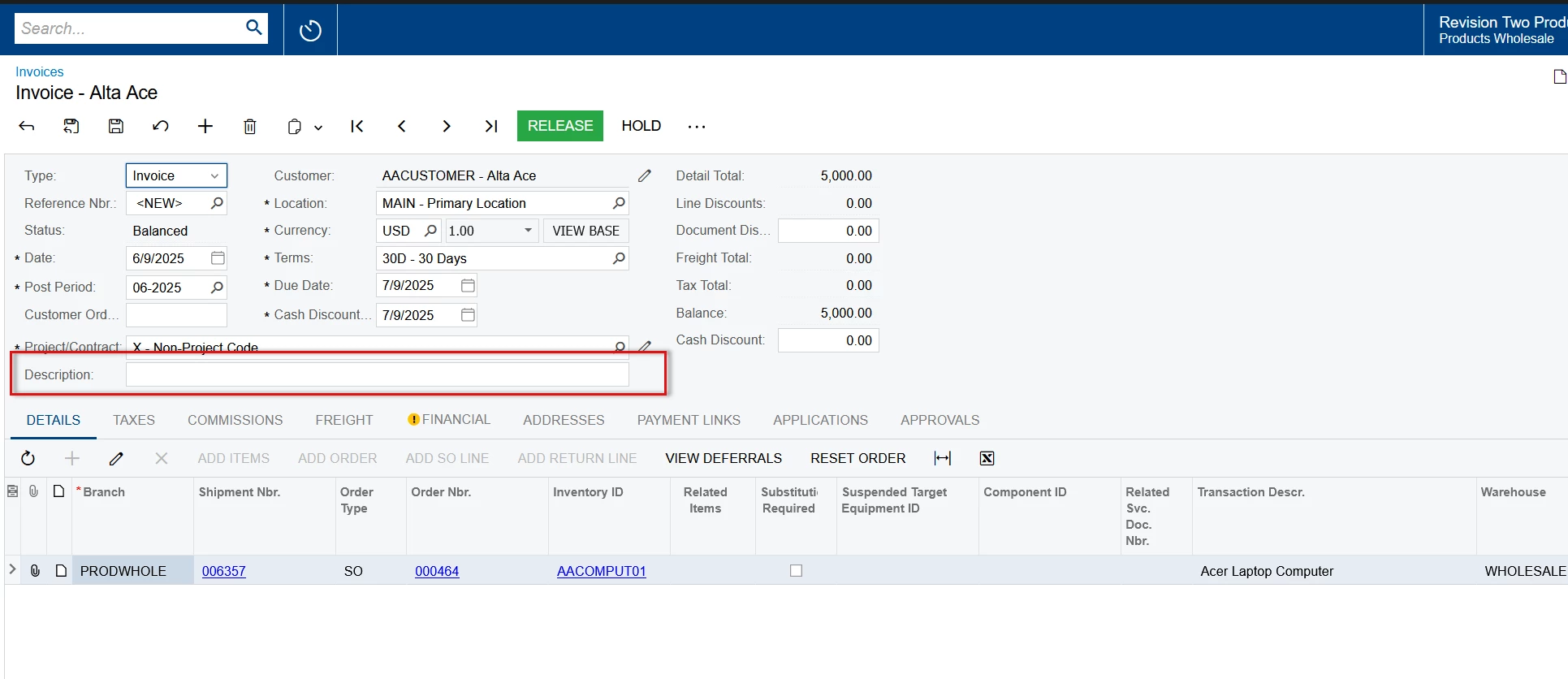
Once the invoice is released the description field becomes read only for AR invoices in Invoices and memos screen - AR301000 


However if the invoice is a SO invoice you can use the correct invoice option in SO303000 screen 


Then the system allows us to change the invoice description 


Manikanta Dhulipudi
Captain II
Forum|alt.badge.img+15

@KushaniPerera88 

We cannot change the description once released, May be an Acumatica support or custom script required to Update the description to Update the Invoice description.

Please use correct invoice or cancel invoice function to recreate the new invoice.


  • Author
  • Freshman II
  • October 8, 2025

Thanks everyone for the help with this - seems a lot to just change a description and nothing else….. but I appreciate all the help.  I might try this in the future - or just delete and do it again - or just make sure it is right 😉