Answer

Change highlight color of search result within report designer?

  • August 17, 2023
  • 5 replies
  • 92 views

jhouser
Captain II
Forum|alt.badge.img+6

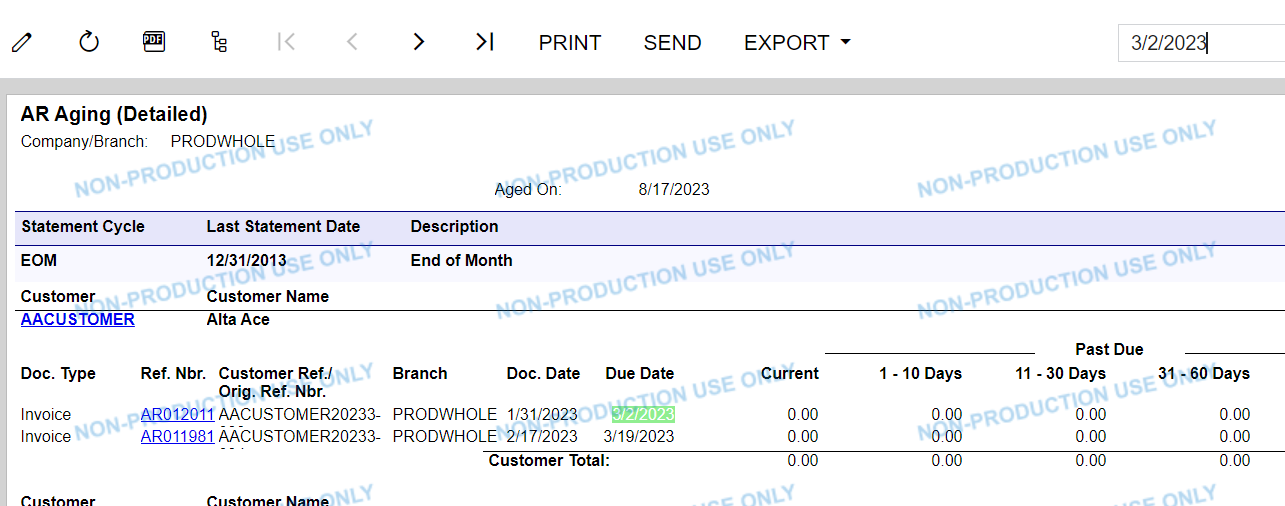
I have a client asking if the search result color can be changed within Report Designer. They find the light green difficult to see. I haven’t found a way of changing this. Does anyone know?

Example below:


Best answer by ThasinduRanasinghe61

@ThasinduRanasinghe61 Do you know if/where I could change that?

I don’t think you have an easy way to change the color as you need to change the base code.

And you might need to get permission to change the color and to do a customization. 

5 replies

Forum|alt.badge.img
  • Varsity I
  • August 18, 2023

Hi @jhouser 


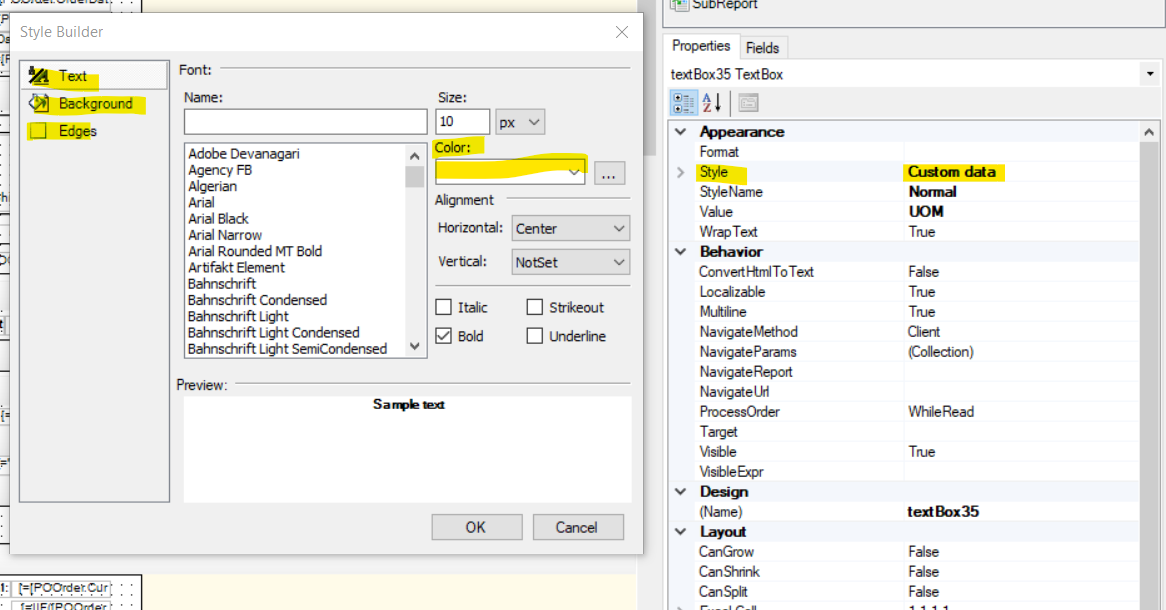
You can change the color of a text, background, or edges from below.


Hope this helps.


Forum|alt.badge.img
  • Varsity I
  • August 18, 2023

Oh, sorry, I misread your question. You were asking for the searched result color. I don’t know that yet also.


ThasinduRanasinghe61
Jr Varsity I
Forum|alt.badge.img

@jhouser this color comes from the code itself.

private const string _selectionStyle = "color: White;background-color: LightGreen;";


jhouser
Captain II
Forum|alt.badge.img+6
  • Author
  • Captain II
  • August 18, 2023

@ThasinduRanasinghe61 Do you know if/where I could change that?


ThasinduRanasinghe61
Jr Varsity I
Forum|alt.badge.img

@ThasinduRanasinghe61 Do you know if/where I could change that?

I don’t think you have an easy way to change the color as you need to change the base code.

And you might need to get permission to change the color and to do a customization.