Solved

Can't find "ghost" contact (RemitContact.EMail)

  • August 6, 2026
  • 3 replies
  • 57 views

Forum|alt.badge.img

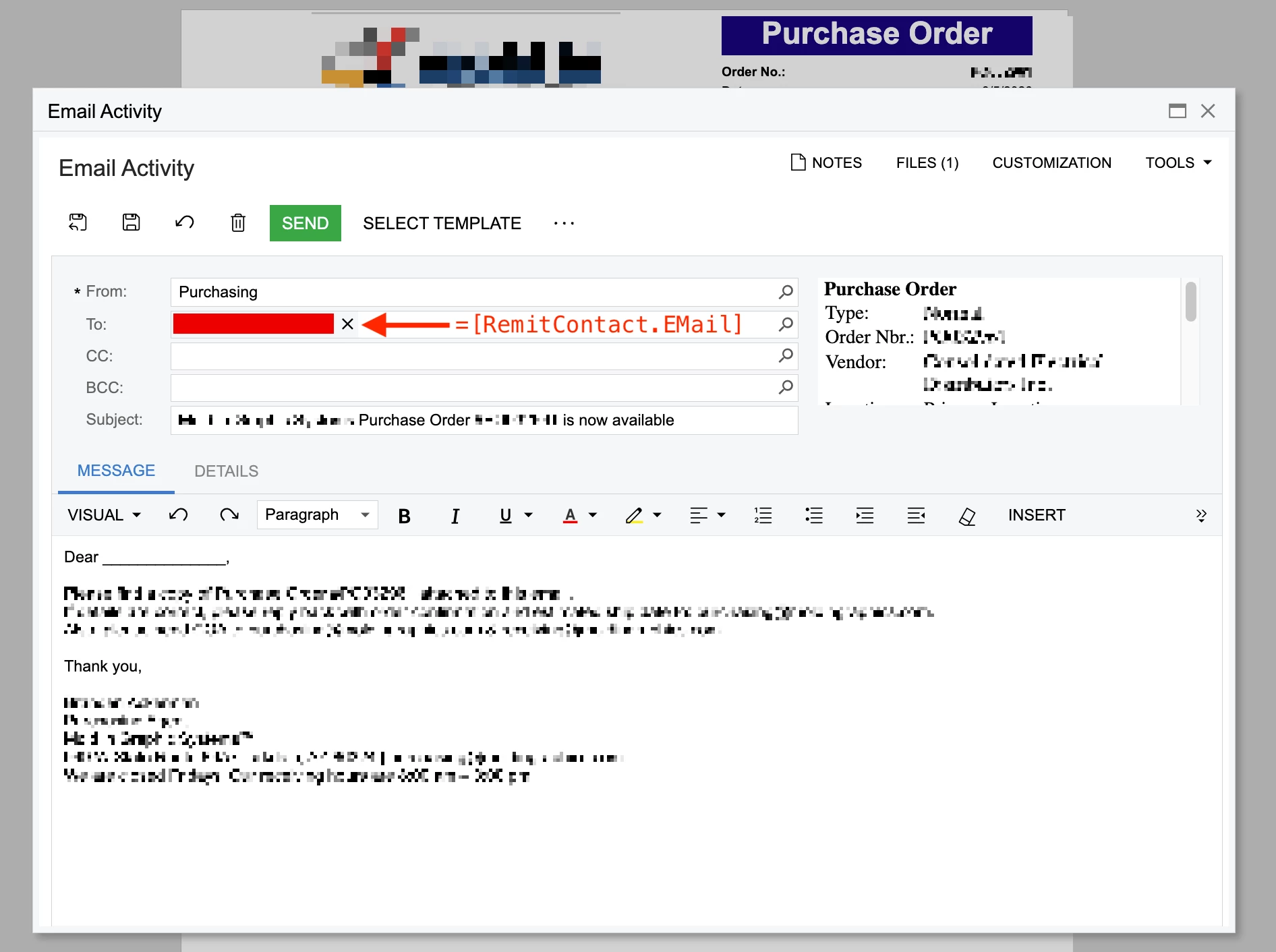
All, we have an email going out to a dead address -- the employee at the Vendor we’re sending a PO notification to has left the company months ago.

“dead@address.com” isn’t listed in the vendor card anywhere.

“dead@address.com” isn’t in Contacts.

I can’t find “dead@address.com” anywhere in Acumatica.

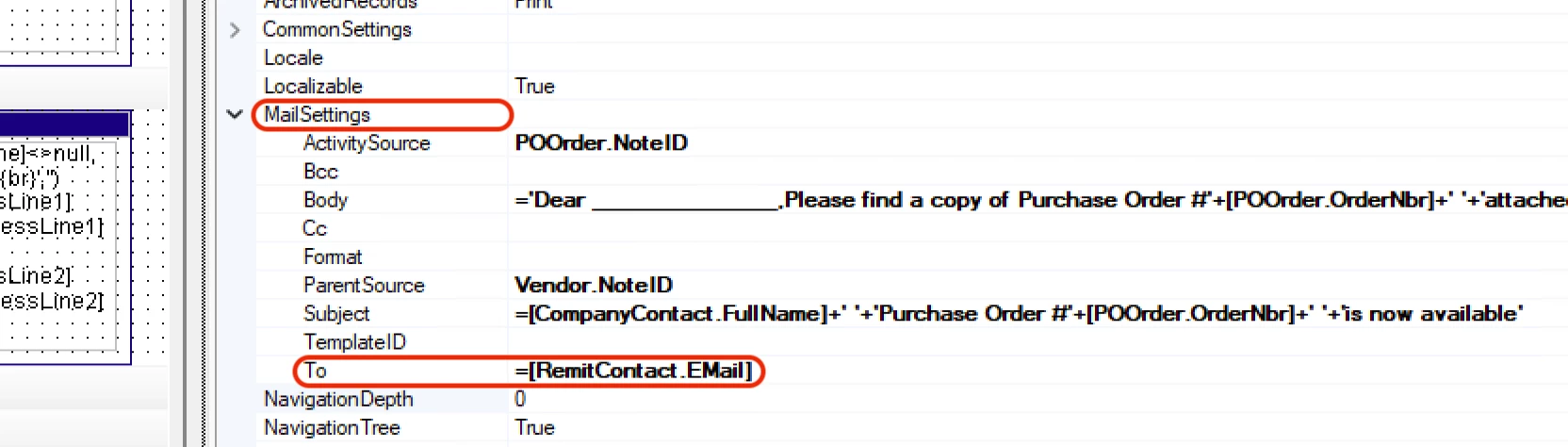
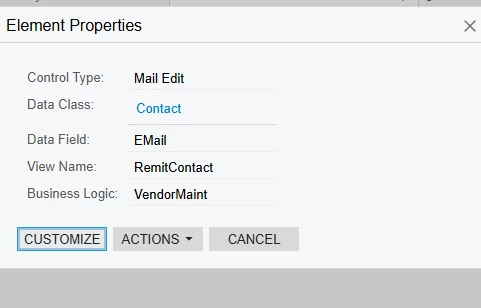
Firing up Report Designer is where I found the field =[RemitContact.EMail]

Does anyone have an idea of where [RemitContact.EMail] is stored?
 

Best answer by kmuczynski54

On the Vendor / Payment screen, the remit contact is listed.  Maybe this is where the value is being held?


3 replies

Forum|alt.badge.img+1
  • Varsity II
  • Answer
  • August 6, 2026

On the Vendor / Payment screen, the remit contact is listed.  Maybe this is where the value is being held?


lauraj46
Captain II
Forum|alt.badge.img+9
  • Captain II
  • August 6, 2026

Hi ​@swartzfeger ,

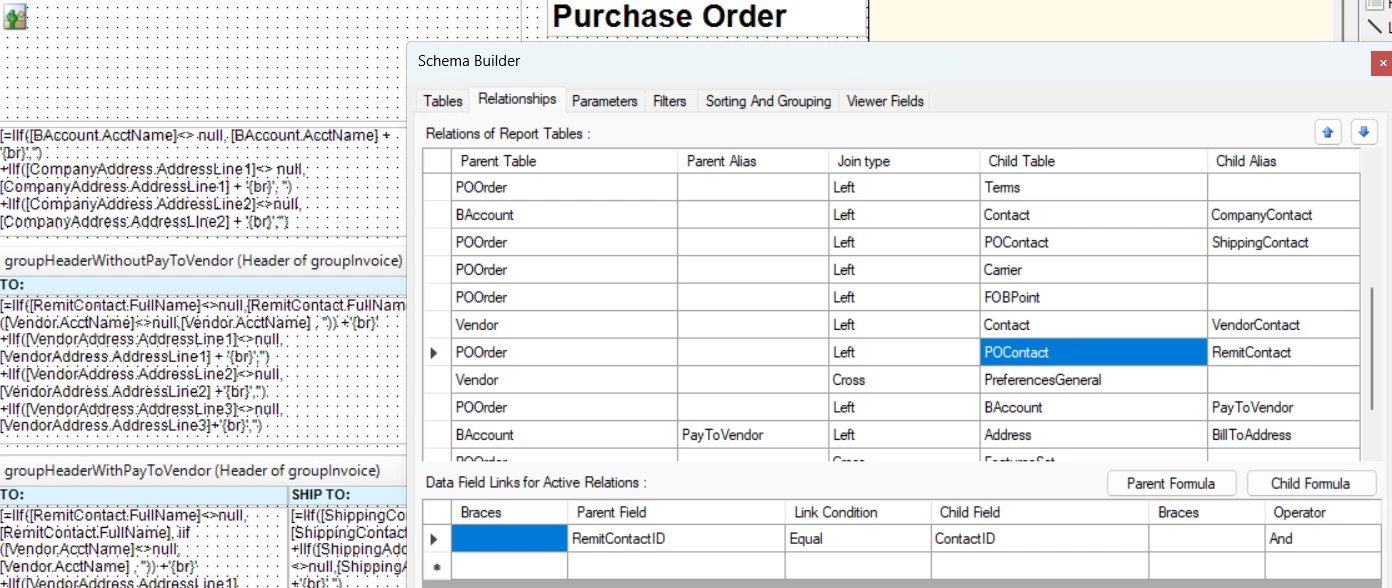
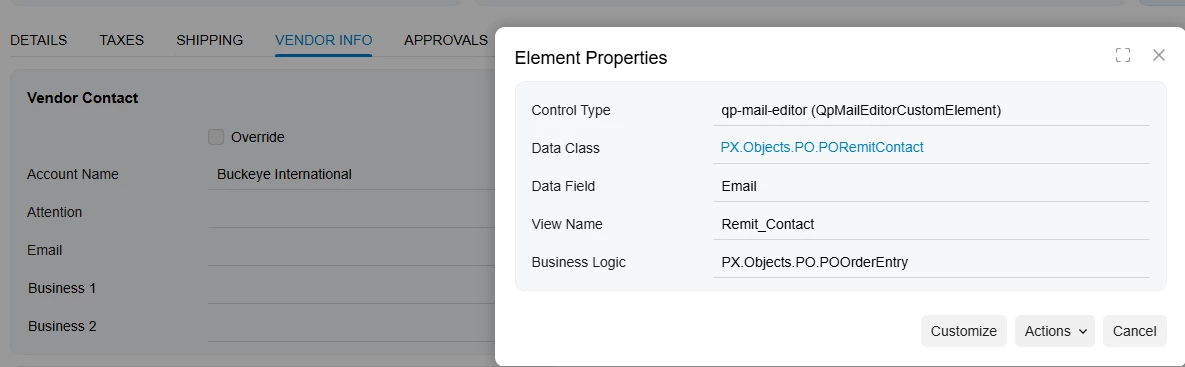
In the schema of the report you can find that the RemitContact is an alias for the POOrder.RemitContactID.  On the PO form, I believe this corresponds to the Vendor Contact on the Vendor Info tab of the purchase order.  The value is copied to the PO from the vendor when you create a PO.  If the contact details change on the vendor, you can check and uncheck the override box on the PO to refresh it from the vendor.

Hope this helps!


Forum|alt.badge.img
  • Author
  • Jr Varsity II
  • August 6, 2026

@lauraj46 ​@kmuczynski54  thank you both very much! Problem solved… part of the issue was user error on my part… changing information in the Vendor did nothing if the PO had already been created, but all new POs pulled the correct address. Thanks again.