Question

Business Event is Triggering via Schdeule

  • April 29, 2026
  • 7 replies
  • 34 views

Forum|alt.badge.img

Hi,

I am trying to create a Business Event which send Email and trigger via Automation Schedule.


Issue:-

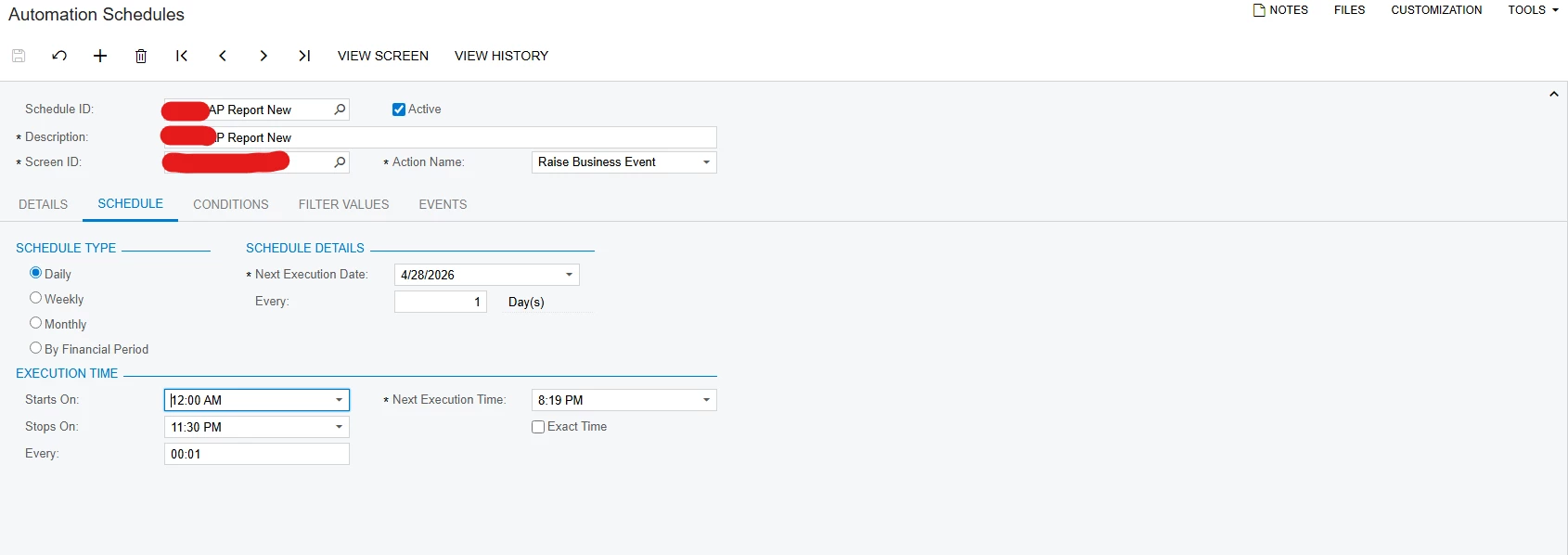
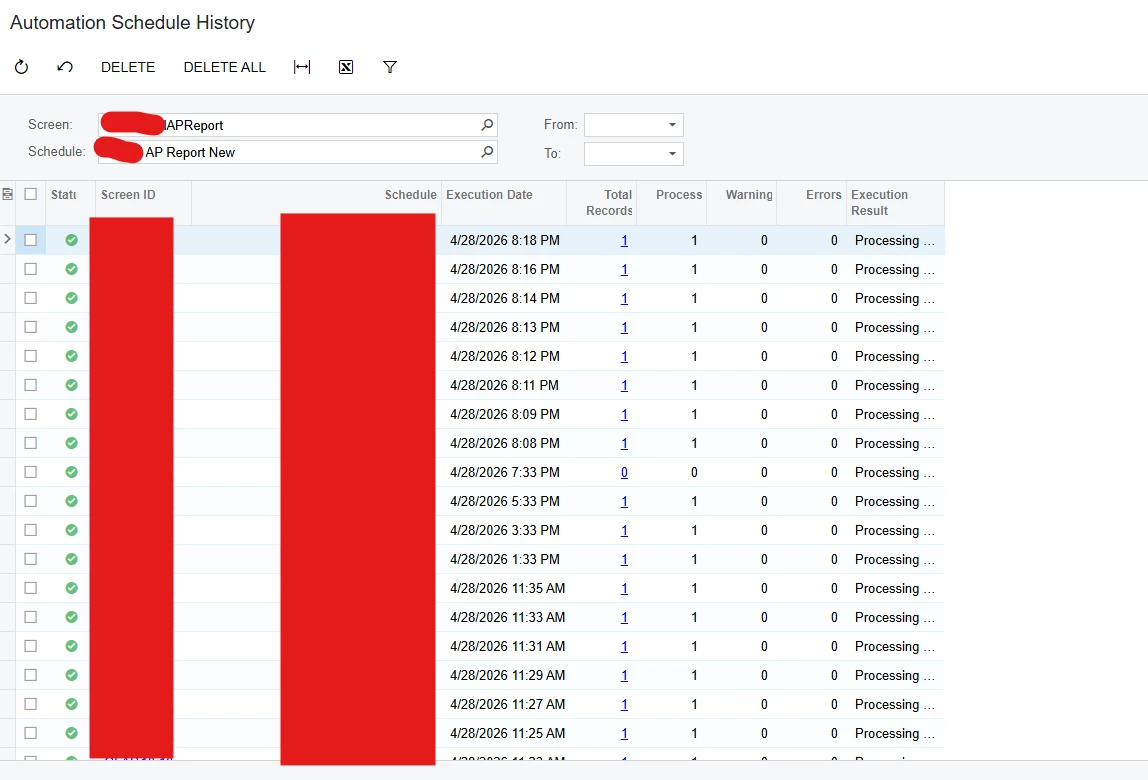
  1. Automation Schedule is running
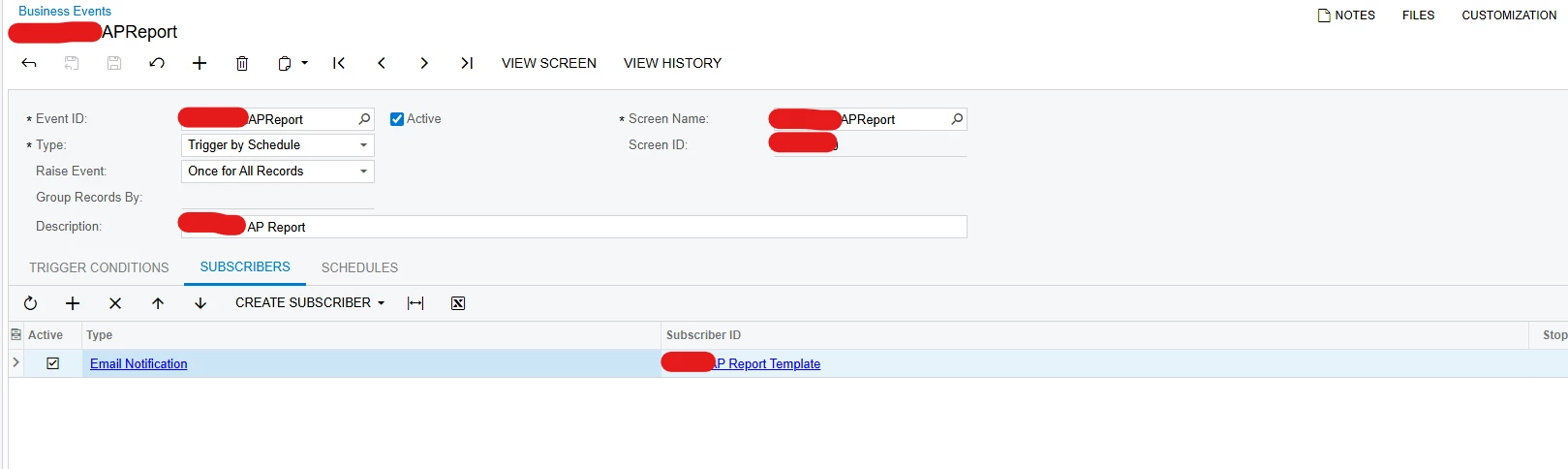
  2. But Business Event is not triggering

Below are the details for the Business Event


7 replies

Naveen Boga
Captain II
Forum|alt.badge.img+20
  • Captain II
  • April 29, 2026

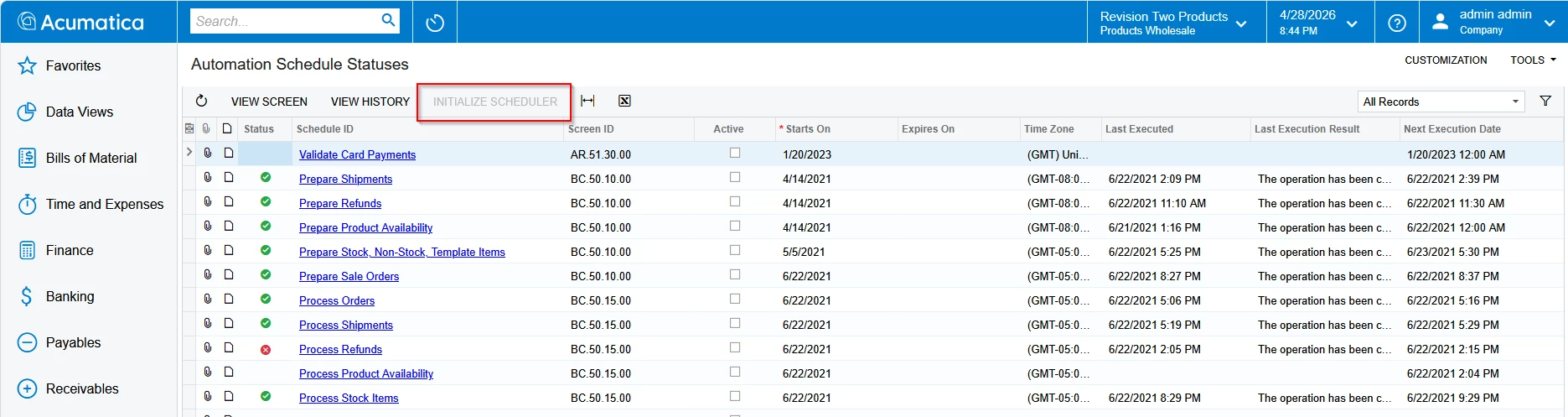
@anupusefulbi  Can you please check if the INITIALIZE SCHEDULER is turned on the instance?


Forum|alt.badge.img
  • Author
  • Freshman I
  • April 29, 2026

Hi ​@Naveen Boga .

Thank you for the response. 

INITIALIZE SCHEDULER is not turned on the instance


Naveen Boga
Captain II
Forum|alt.badge.img+20
  • Captain II
  • April 29, 2026

@anupusefulbi  I see that INITIALIZE SCHEDULER is disabled, which means it is already turned on. Can you please confirm, if other schedulers are working fine and only Automation Schedule is not working from Business Event ?

If yes, have you reviewed the Business Event History?


Forum|alt.badge.img+1
  • Pro I
  • April 29, 2026

HI ​@anupusefulbi Can you check the business event history please? it’s possible that your business event is firing, but your email notification is not going out. This could be due to your ‘To’ field in the email template is not valid. To test, you can temporarily enter your email address and see if the email notification goes out to you or not.

You can also check the email by looking at the All Emails screen and see if any email related to the business event is in the outgoing tab.

Hope this helps! 


Forum|alt.badge.img
  • Author
  • Freshman I
  • April 30, 2026

Hi ​@Naveen Boga ,

Thank you for the response.

Other schedulers are working fine.

I checked the BE history also restarted the Application. Still the BE is not triggering.


Hi ​@jzhu,

Thank you for the response.

I have add my email address for testing but no success.


Regards,

Anup


MissyMain41
Jr Varsity I
Forum|alt.badge.img
  • Jr Varsity I
  • April 30, 2026

Hey there, 
I recommend the following testing steps: 

1. Insert a fake (or your own) email address in the TO field of the template 
2. Since initialize scheduler is active on the site, and the schedule is running, then this step is covered already 
3. on “email Preferences” make sure “email Processing” is not deactivated, and specify a DEFAULT from email account 
4. Test without email subscriber active and check BE history - did it trigger? 
5. Activate email subscriber, except REMOVE any report tied to it - does it trigger? 
6. While logged in as the USER “Admin” click “View Screen” on the BE (I presume this is a GI screen so the parameters of the report can be supplied?) - ensure “View Screen” on the BE goes to the associated screen, or do you get access rights error? (ADMIN user ID this controls automations and BE’s in Acumatica, the user specifically, not just the administrator role, and may need access right configurations to branches) 
7. While logged in as the USER admin navigate to the report that is tied to the email subscriber - can you run the report with the data from the screen that is supplying report parameter data to the BE email notification? 
8. When re-attaching the report to the email notification, leave the checkbox for “use event as data source” false. Try to manually configure the parameters instead of data fields to see if there is any difference 


mohammadnawaz51
Jr Varsity II
Forum|alt.badge.img+6

@jzhu 

I’d like to better understand what you’re trying to achieve using the Business Events.

First, please confirm that the Generic Inquiry (GI) includes all the required key fields based on the DAC you’ve added.

Next, turn off the email notification and verify whether the Business Event is triggering as expected.

If the event is triggering successfully, then the issue is likely with the email template—specifically, it may be referencing fields that are not available in the GI but were included in the template.

Please review and let me know your findings.