Question

Archiving older BOMS

  • April 16, 2026
  • 6 replies
  • 43 views

Kandy Beatty
Captain II
Forum|alt.badge.img+18

HI, 

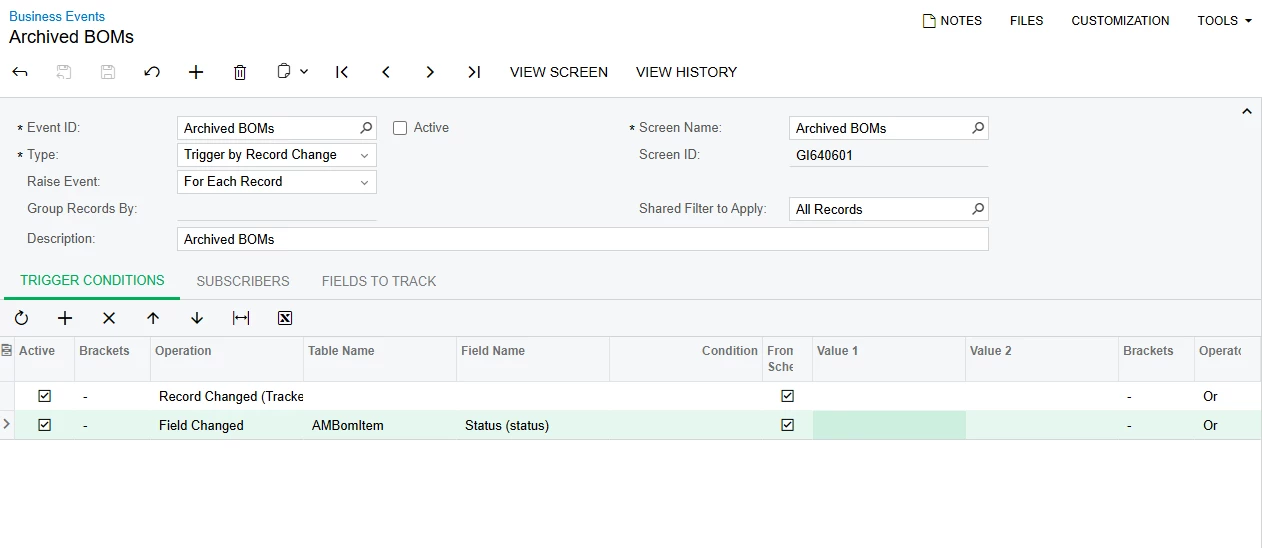
I have created a business event that I want to archive every BOM but the latest one. Can any one give insight as to what the trigger conditions should be? My GI work fine and so does the import scenario, the Business Event is not firing. I also do not want it to archive the newest BOM such as A. 


6 replies

lauraj46
Captain II
Forum|alt.badge.img+9
  • Captain II
  • April 16, 2026

Hi ​@Kandy Beatty ,

Have your verified that all of the key fields from the DAC tables are in included in your GI results?  

Does your GI include grouping?  

Either of those will cause issues with the BE not triggering.

I would also verify that the condition fields are included in the Fields to Track tab.  If you specify the conditions in the BE, they should be added there automatically.  I usually use the Record Inserted trigger condition and specify the filter conditions as New Field Value on the BE. 

Hope this helps!

Laura


Forum|alt.badge.img
  • Jr Varsity I
  • April 17, 2026

Hi ​@Kandy Beatty try once with below info

Type:
 Trigger by Record Change.

Raise Event: For Each Record.

Trigger condition: Field Changed on the BOM status or archive flag.

GI filter: Return only BOMs that are eligible to archive, excluding the newest/current one.

Fields to track: Include the exact field that changes, plus the key BOM/revision fields needed to identify the row.


Kandy Beatty
Captain II
Forum|alt.badge.img+18
  • Author
  • Captain II
  • April 17, 2026

Hi ​@lauraj46  and ​@nasir 


I tried both of your suggestions and it is archiving the newest revision of the BOM. Any other suggestions?


lauraj46
Captain II
Forum|alt.badge.img+9
  • Captain II
  • April 17, 2026

Hi ​@Kandy Beatty ,

Is the Business Event firing now but doing too much?

If there isn’t an existing field on the BOM that you can use to filter (such as hold status or end date) to identify the newest record, then you might consider creating a user defined field for this purpose and updating that first with a separate import scenario.

To identify the newest record in a GI you could group on the BOMID and select the max revisionid.  

Use this GI as the data provider to update the user defined field on the BOMs that you want to preserve.  If you are running this on an ongoing basis, you might also need to clear all of the values first.

Add the user defined field value as a condition on the business event that archives the BOMs.

Hope this helps!

Laura



bwhite49
Captain II
Forum|alt.badge.img+12
  • Captain II
  • April 17, 2026

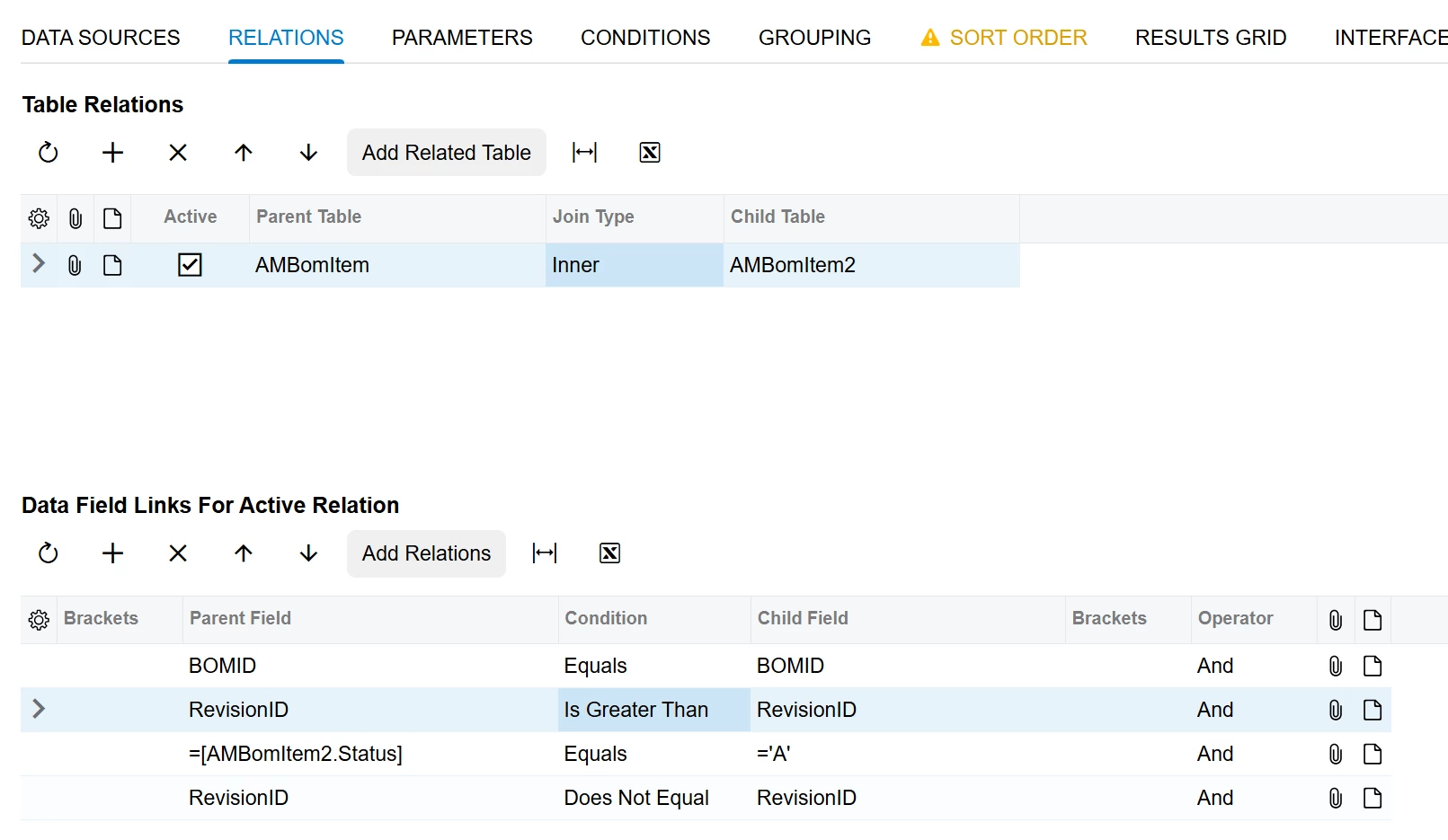
Hi Kandy,

I think this should give you your list. You would run the update on the AMBomItem2 revision nbr and the list should empty after update.


bwhite49
Captain II
Forum|alt.badge.img+12
  • Captain II
  • April 17, 2026

Oh sorry, you said your GI was fine. If you run it on a schedule and use the above join, you should be all set. The GI will always be empty