Solved

AP Aging Listing Report

  • March 10, 2026
  • 2 replies
  • 15 views

Forum|alt.badge.img

Hello Acumatica Community

I am working on a GI for AP Aging that gets exported to Excel. The PO Number is a requirement for this GI, but there is a something causing duplicate records. 

Example: This is by quick filter for the Reference Number of one bill
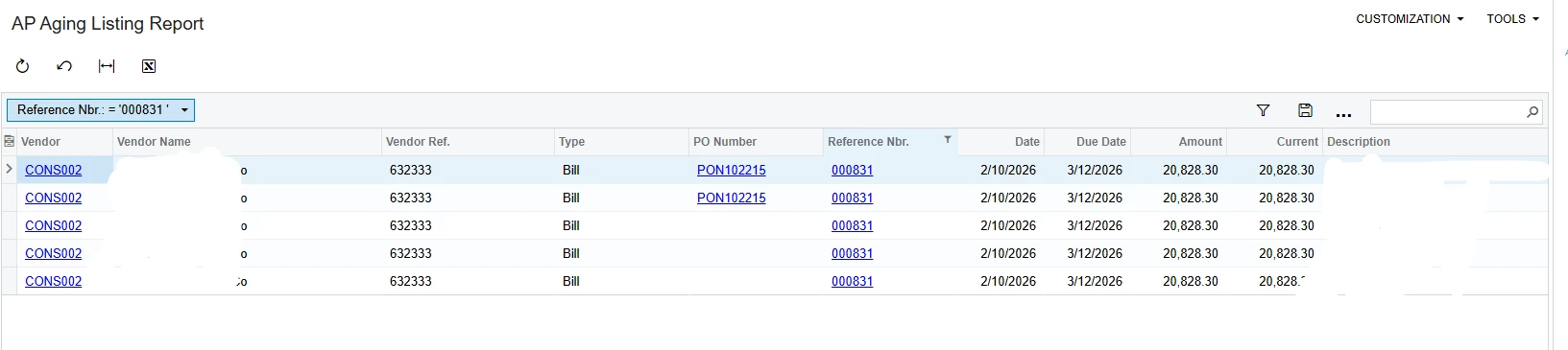
Ideally, this would only be one line in this GI.


Here are the GI details
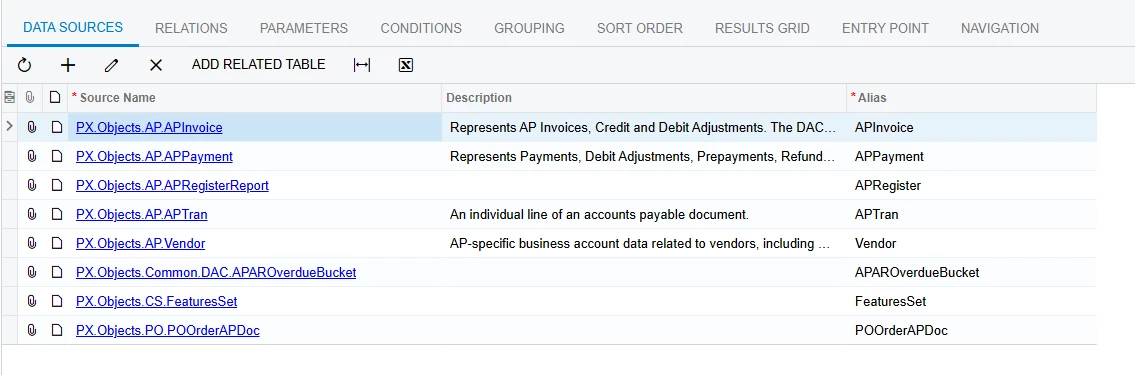
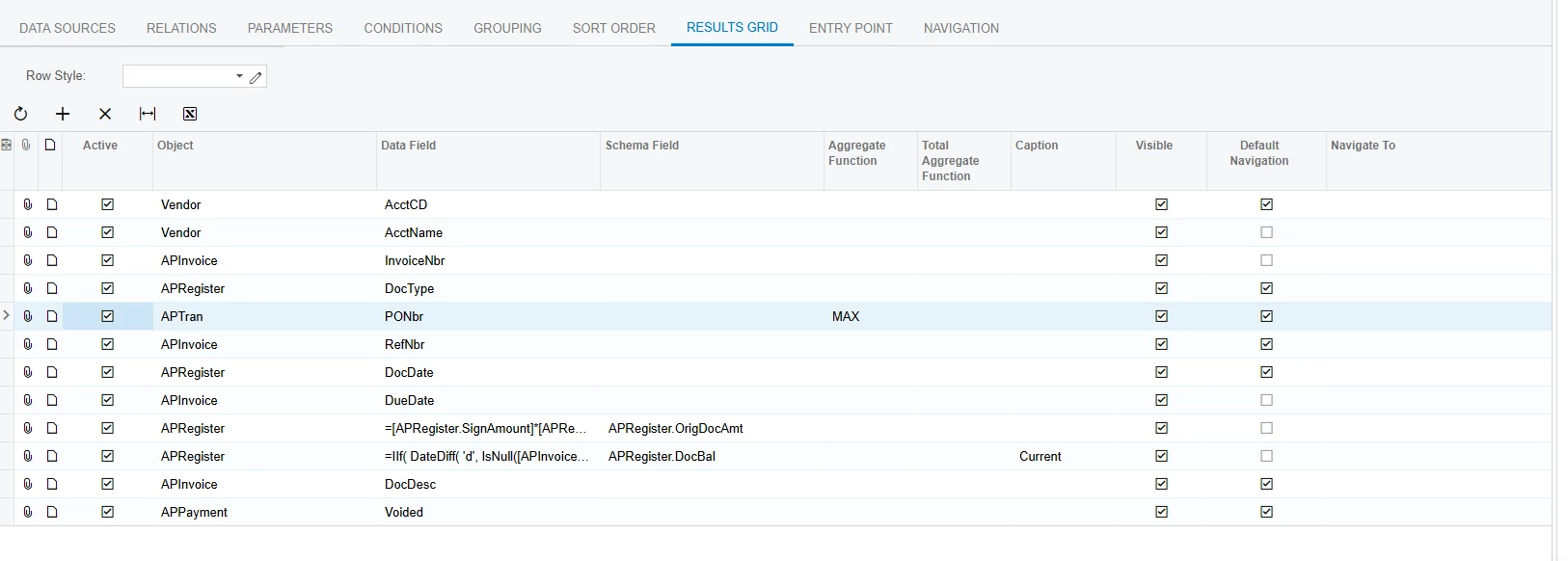
The duplicates are only occurring with AP documents with more than 1 line items. Please advise on how I can remove the duplicate records.

Thanks!

Best answer by jhalling52

Hi ​@aminerd,

Could you share your table joins? Do you have any groupings?  The APTran table brings in the AP Invoice detail lines, so it will create a record for each line on the Invoice.  You could add a grouping by APInvoice.RefNbr and APInvoice.DocType.  Then make sure to add the Aggregate Function (Max or Min) for the calculated fields in the Results Grid.

2 replies

jhalling52
Jr Varsity I
Forum|alt.badge.img
  • Jr Varsity I
  • Answer
  • March 10, 2026

Hi ​@aminerd,

Could you share your table joins? Do you have any groupings?  The APTran table brings in the AP Invoice detail lines, so it will create a record for each line on the Invoice.  You could add a grouping by APInvoice.RefNbr and APInvoice.DocType.  Then make sure to add the Aggregate Function (Max or Min) for the calculated fields in the Results Grid.


Forum|alt.badge.img
  • Author
  • Freshman I
  • March 10, 2026

Hi ​@aminerd,

Could you share your table joins? Do you have any groupings?  The APTran table brings in the AP Invoice detail lines, so it will create a record for each line on the Invoice.  You could add a grouping by APInvoice.RefNbr and APInvoice.DocType.  Then make sure to add the Aggregate Function (Max or Min) for the calculated fields in the Results Grid.

Thank you! 

I do have those groupings, but was receiving the following error “ Column 'APInvoice.DueDate' is invalid in the select list because it is not contained in either an aggregate function or the GROUP BY clause.”


However, when I added the MAX function to the calculated fields alongside the AP.Tran.PONbr, that seemed to do the trick!