Answer

After 2024R2 upgrade getting custom report error Cannot resolve the table name :[PX.Objects.Localizations.CA.CS.UnitOfMeasure

  • April 26, 2025
  • 5 replies
  • 179 views

Forum|alt.badge.img

Hi,

After 2024R2 upgrade we are getting custom report error Cannot resolve the table name :[PX.Objects.Localizations.CA.CS.UnitOfMeasure

I have read and followed some other suggestions about resolving these kinds of report issues but the issue has not resolved. Quick summary of what was attempted: removed UnitOfMeasure table from build schema, reloaded schema, and then add it back in

We do not have Canadian Localization enabled on the Enable/Disable form. Multiple reports are affected but, am specifically working on the invoice report, ar641000.rpx, which holds our custom report not the localization report, ar641000.ca.rpx
Best answer by DasunPerera91

Hello,

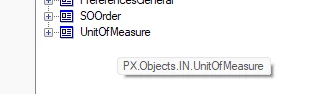
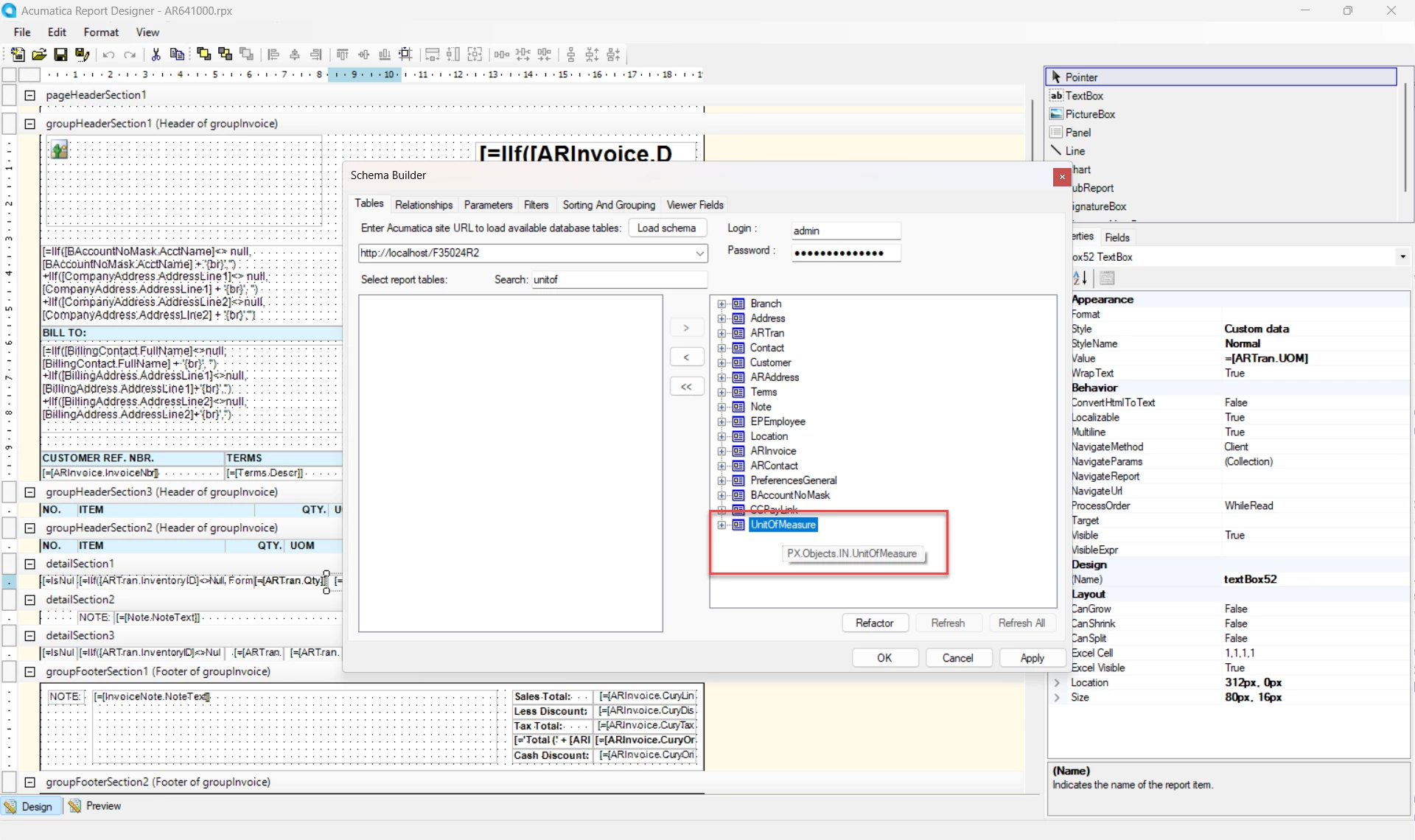
Readding the table should resolve the issue. UnitOfMeasure table should look like below.

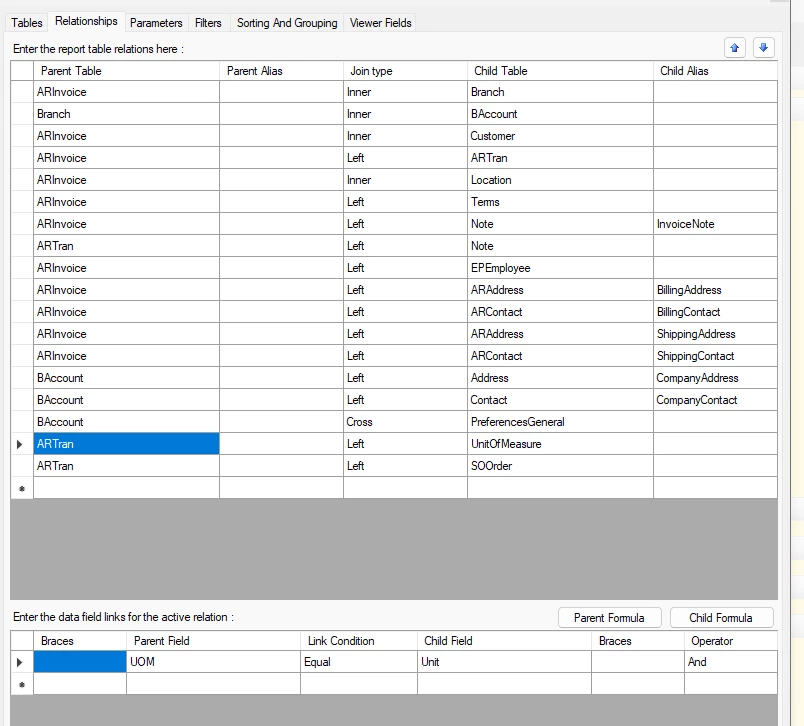
Can you provide some screenshots of Tables and Relationships?


5 replies

DasunPerera91
Acumatica Employee
Forum|alt.badge.img
  • Acumatica Employee
  • Answer
  • April 26, 2025

Hello,

Readding the table should resolve the issue. UnitOfMeasure table should look like below.

Can you provide some screenshots of Tables and Relationships?


Forum|alt.badge.img
  • Author
  • Jr Varsity II
  • April 26, 2025

Hi Dasun,

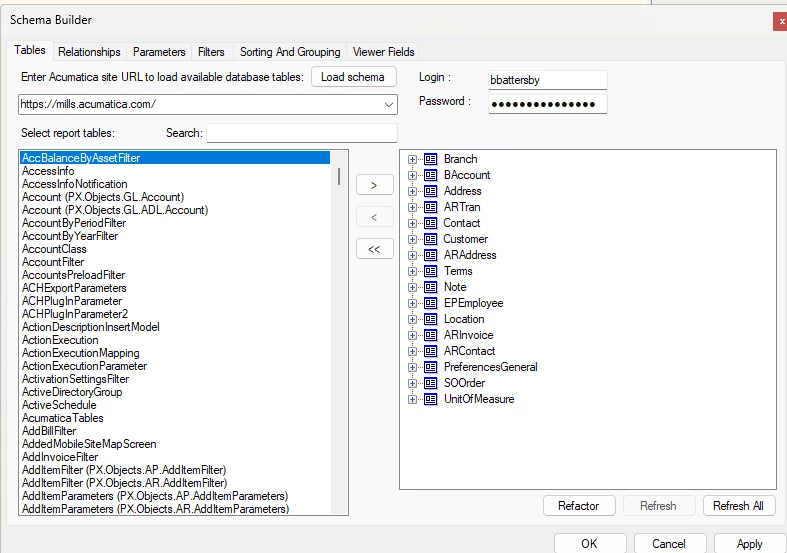
thank you for your reply. I tried again for what seems like the 100th time and for whatever reason it worked now!  I must have been missing a step previously. Below is what I just did. Screen shots are, unfortunately, after it started working.

Open Report, Build Schema, Load Schema, slide UnitOfMeasure to left, slide UnitOfMeasure to right, highlight UnitOfMeasure table, Refresh, Apply. Save to server as a new version.

The Invoice/Memo and Printed Form and Process Invoices and Memos screens now function. Clicking the Print button on an Invoice still returns the error so this must be a different form.


Forum|alt.badge.img
  • Author
  • Jr Varsity II
  • April 26, 2025


DasunPerera91
Acumatica Employee
Forum|alt.badge.img
  • Acumatica Employee
  • April 26, 2025

Glad to hear it worked. I’m not sure why it did not work before. Maybe check other reports having the same issue.


Forum|alt.badge.img
  • Author
  • Jr Varsity II
  • April 26, 2025

I have worked through the other reports and they are now working as well. Thanks again for you help!