Answer

Adding Shipped Qty to ARInvoice

  • June 11, 2024
  • 6 replies
  • 74 views

Hello, 

Working on report designer SO643000.rpx

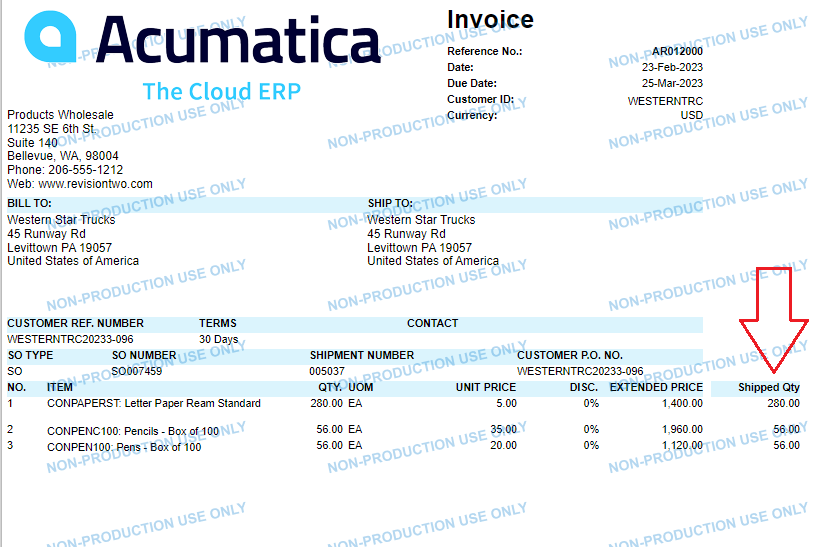
I have been looking through a few solutions on the discussion boards about adding the Shipped Qty as well as the Open Order Qty onto the Invoice without duplicating lines or having the whole report error out. None of these solutions have worked for me so far. 

I have tried the following connections:

ARTran-SOOrder  & ARTran-SOLine 

\\\\

SOOrder-SOLine 

\\\\

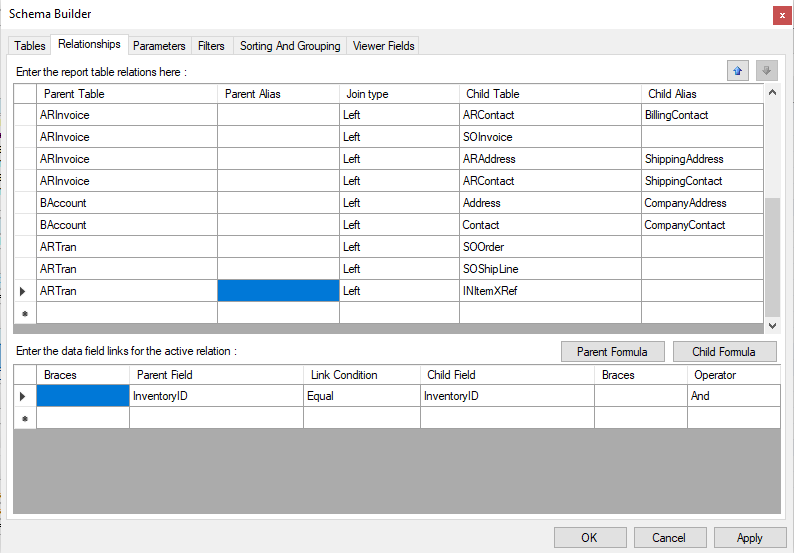
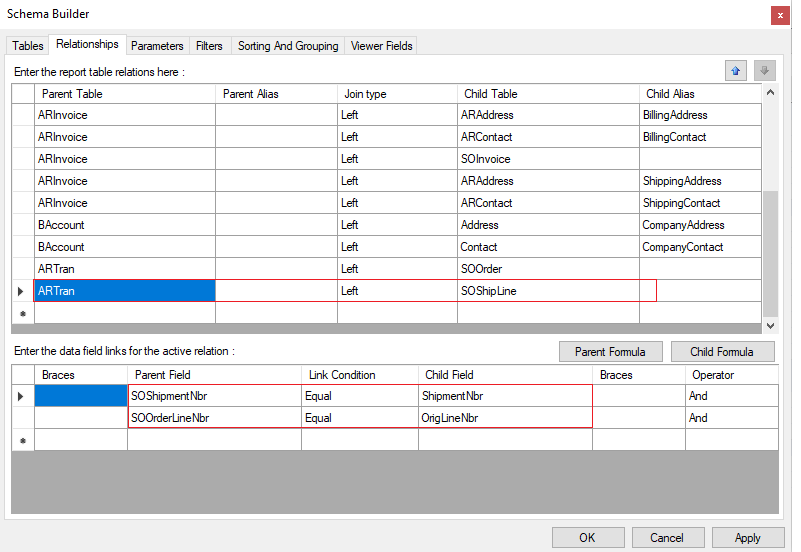
ARInvoice-SOOrderShipment & SOOrderShipment-SOOrderLine


None of these three solutions has worked out. I either get duplicated values or the whole report errors out. Does anyone have more suggestions?


Thanks,

Megan
Best answer by nhatnghetinh

Hi @mcanavan 

Please refer to the screenshots below.


Best Regards,

NNT

6 replies

nhatnghetinh
Captain II
Forum|alt.badge.img+11
  • Captain II
  • Answer
  • June 12, 2024

Hi @mcanavan 

Please refer to the screenshots below.


Best Regards,

NNT


  • Author
  • Freshman I
  • June 12, 2024

Thank you. This worked. 


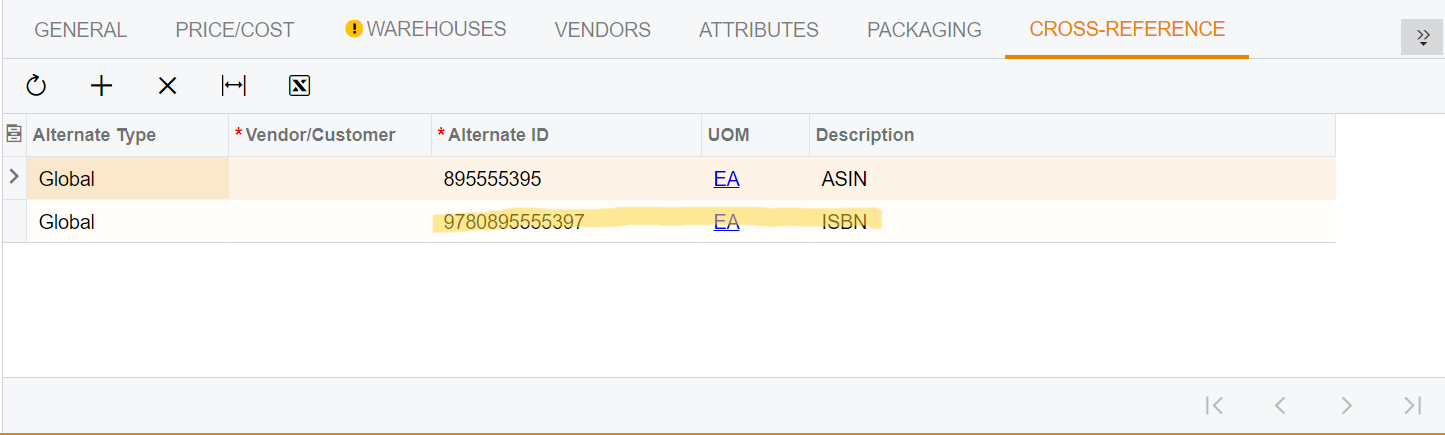
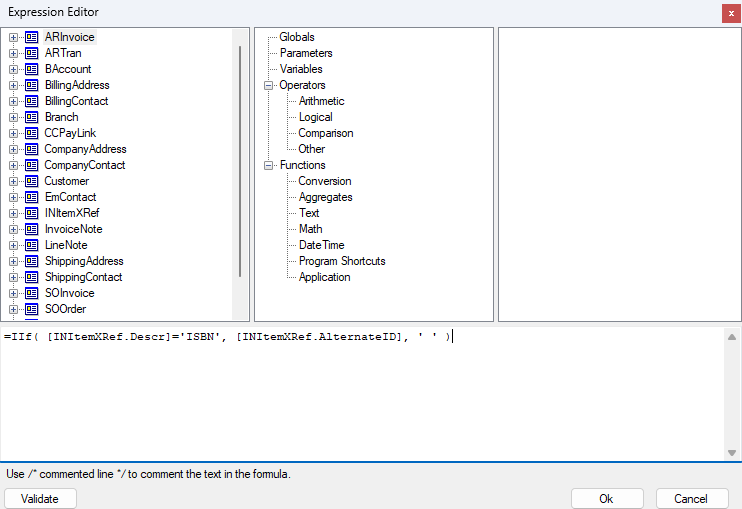
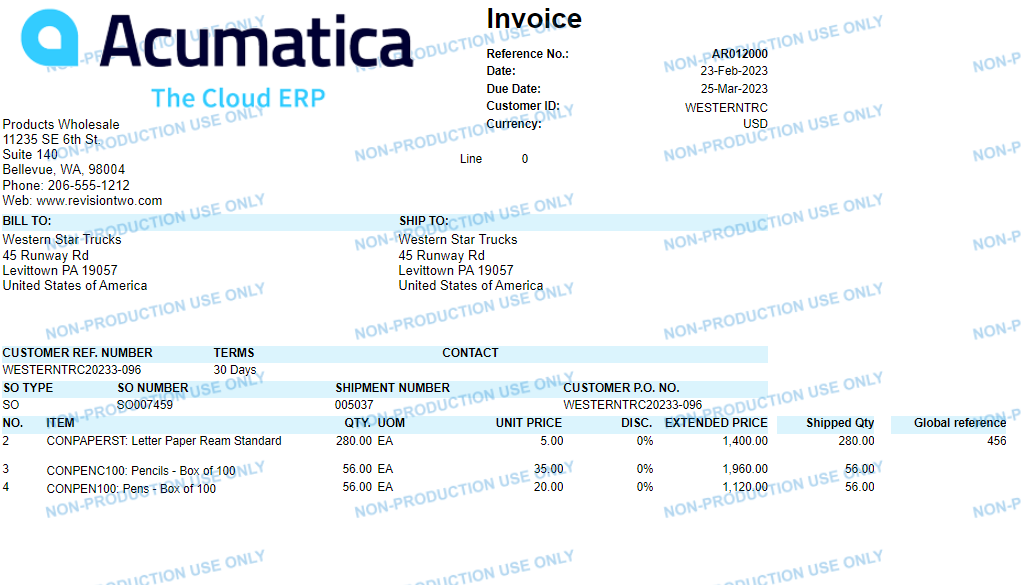
An additional question: do you know what logic to use to specify which, of multiple, global cross references to pull onto the report? Currently, our stock items have 2 Global cross reference numbers that have different descriptions. I have tried using iif( logic to pull based on the description value with no luck. 


Thank you,

Megan 


nhatnghetinh
Captain II
Forum|alt.badge.img+11

Hi @mcanavan 

Please attach the .rpx report file you want to edit and describe your requirements in more detail with screenshots so I can clearly understand and help you.


Best Regards,

NNT


  • Author
  • Freshman I
  • June 13, 2024

My Stock product has two Global references. An ASIN and ISBN

I want to include the ISBN on my reports


I have tried the iif logic to pull the Global reference with the Description ‘ISBN’ with no luck. 

I have also tried to change the ISBN number from Global to GTIN/EAN/UPC/ISBN and use the logic of iff([INItemXRef.AlternateType]=GTIN/EAN/UPC/ISBN, [INItemXRef.AlternateID], ‘ ‘ ,) with no luck

I am working with the out of the box SO643000.rpx


nhatnghetinh
Captain II
Forum|alt.badge.img+11

Hi @mcanavan 

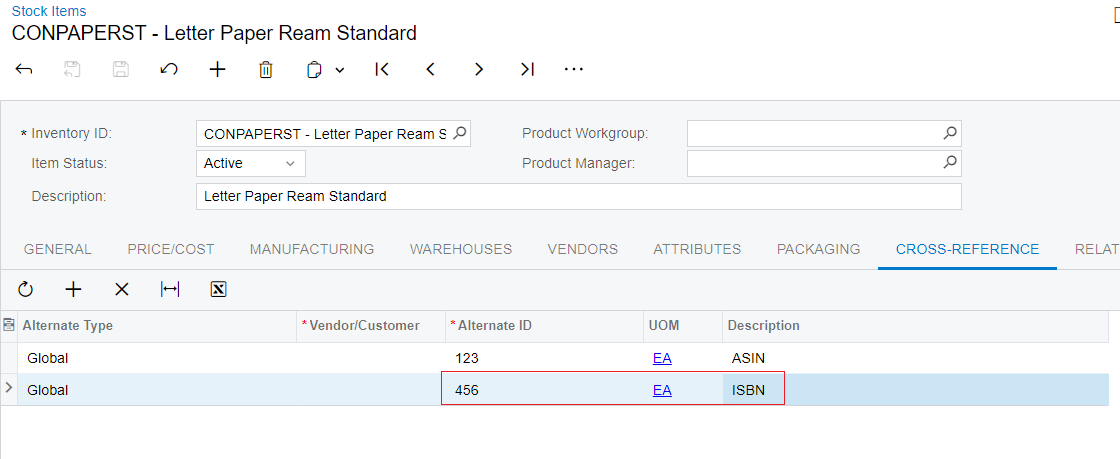
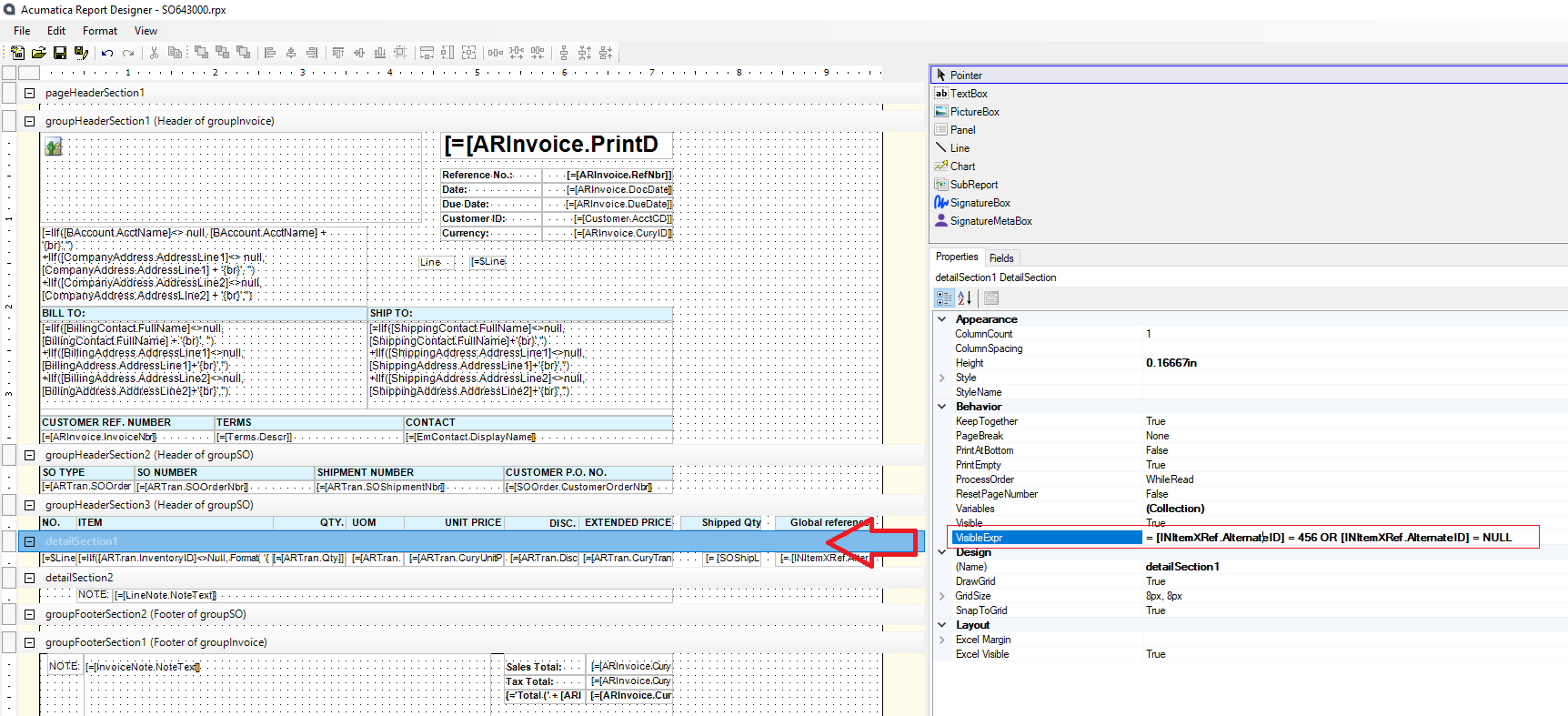
Please refer to the screenshots below.


Report Designer > Click “detailSection1” > “VisibleExpr” = [INItemXRef.AlternateID] = 456 OR [INItemXRef.AlternateID] = NULL


Best Regards,

NNT


  • Author
  • Freshman I
  • June 17, 2024

Hello, 

Thank you for this. However, the ISBN is a unique identifier for each product so the value cannot be written in like that. 

Would it help solve the problem if the ISBN was changed from a global cross reference type to GTIN/EAN/UPS/ISBN type? If so, what would be the logical expression to pull the Alternate ID value if the cross reference type was equal to GTIN/EAN/UPS/ISBN?