Answer

Added Decimals Since Upgrade to 23R2

  • April 8, 2024
  • 3 replies
  • 123 views

Forum|alt.badge.img

We just upgraded to 23R2 on Friday and noticed that some of reports are now pulling four decimal places in lieu of two. Under companies our price decimal places are still set to 2. We had this issue on another report previously and I was able to fix it by using #,##0.00 in the format field. However, that format is not working for these reports. Detailed formatting on these wasn’t previously required, so I’m not sure what changed causing the report to now have 4 decimal places or how to fix it. Has anyone else run into this with the upgrade? Or does anyone have other suggestions on how to get our reports to pull just the 2 decimal places? Thank you! 

Best answer by mnecaise

@YasasWithanage76 Thanks for your suggestion. I just tried the N2 format and unfortunately it didn’t work for us. However, we were able to decrease the decimal places by using the following string in the value: =IIf([PMProjectRevenueTotal.CuryRevisedAmount]<> 0.00, [PMProjectRevenueTotal.CuryRevisedAmount], '')

3 replies

YasasWithanage76
Acumatica Employee
Forum|alt.badge.img+4

Hello @mnecaise,

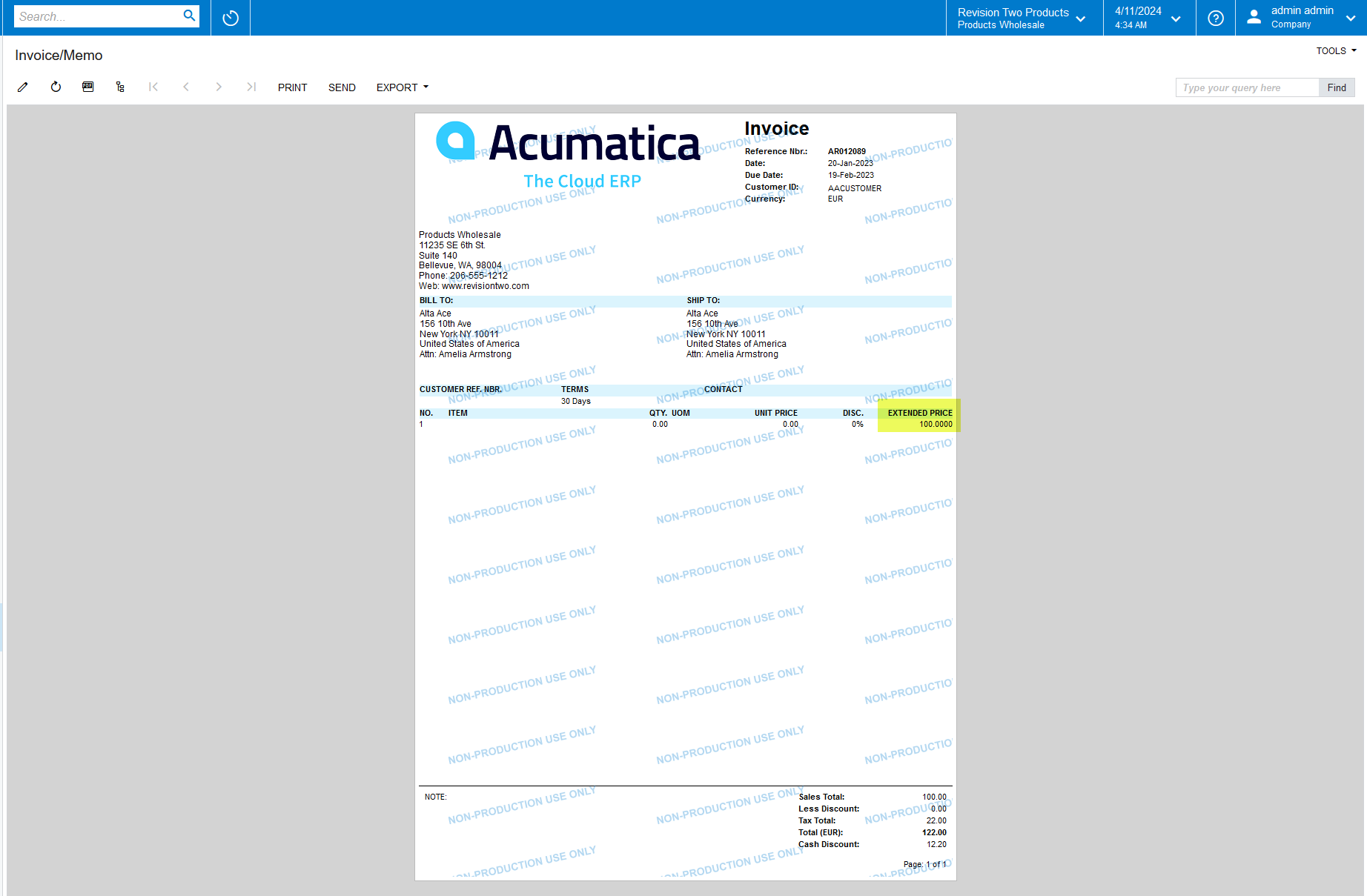
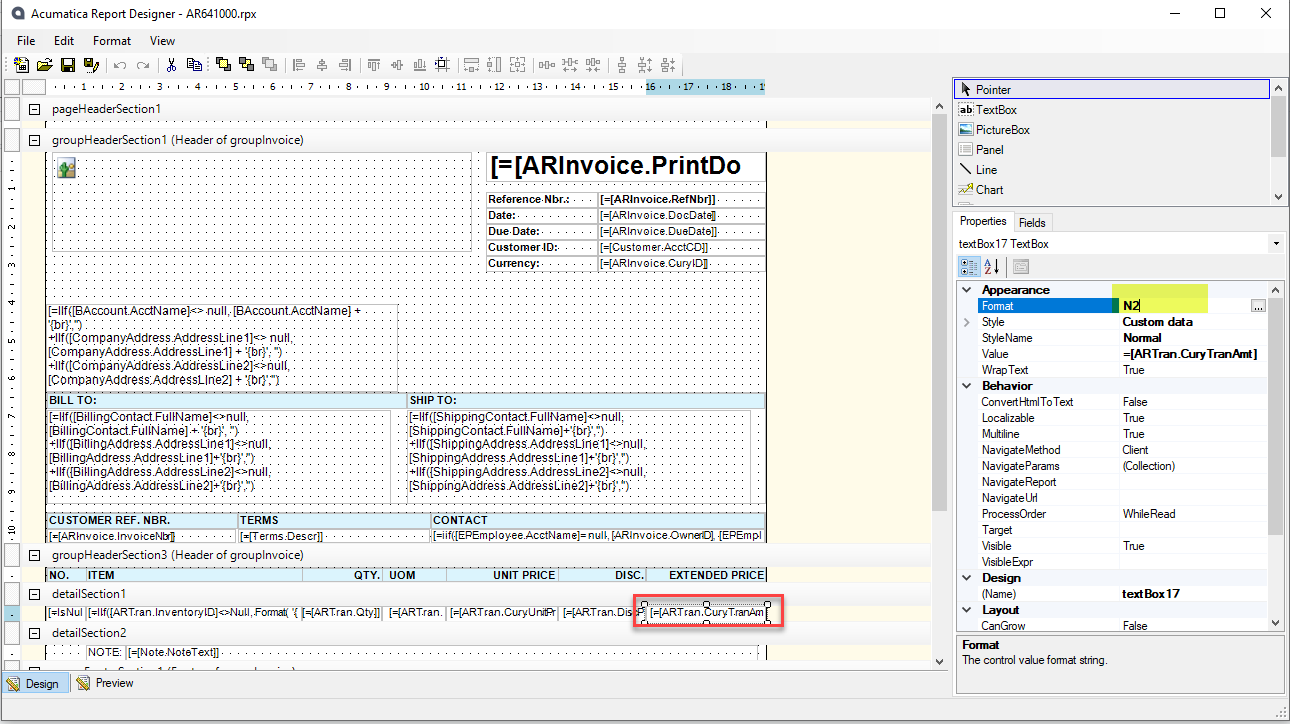
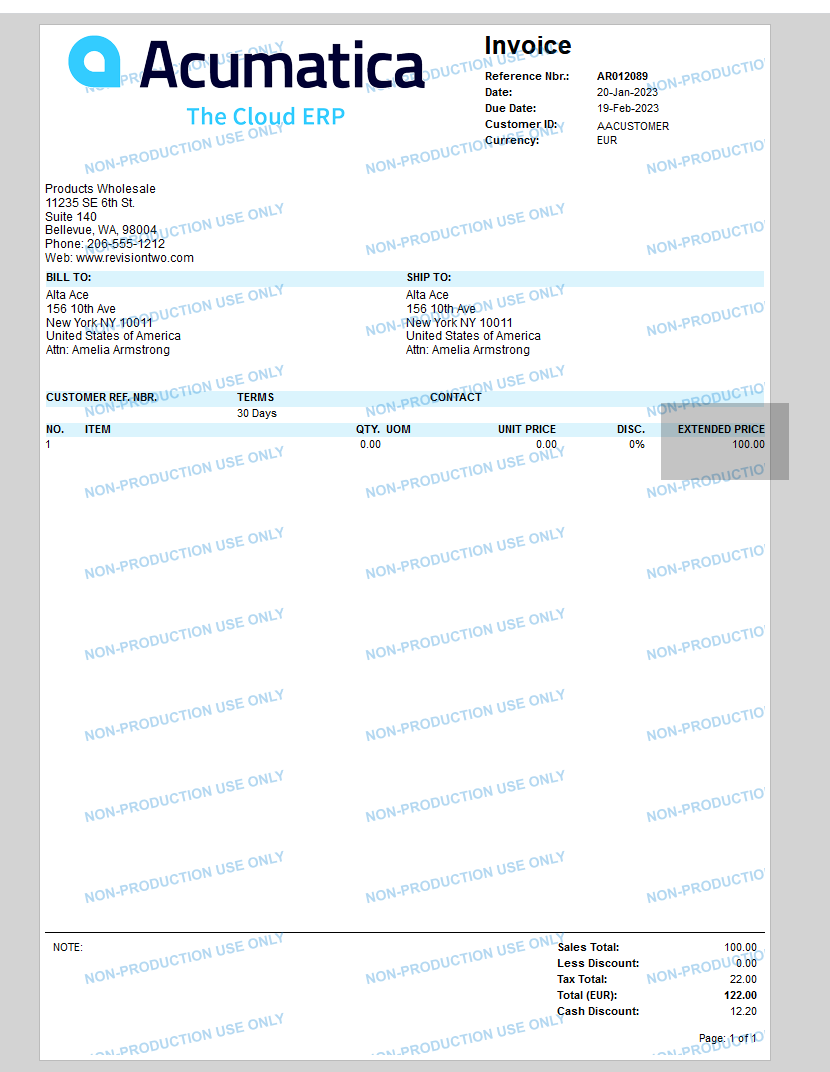
You can try the field format option as N2. Please try this format option and check.


Before


After


Thanks


Forum|alt.badge.img
  • Author
  • Varsity I
  • Answer
  • April 11, 2024

@YasasWithanage76 Thanks for your suggestion. I just tried the N2 format and unfortunately it didn’t work for us. However, we were able to decrease the decimal places by using the following string in the value: =IIf([PMProjectRevenueTotal.CuryRevisedAmount]<> 0.00, [PMProjectRevenueTotal.CuryRevisedAmount], '')


Chris Hackett
Community Manager
Forum|alt.badge.img
  • Acumatica Community Manager
  • April 11, 2024

Thank you for sharing your solution with the community @mnecaise!