

Answer

25R1 Report error on printing SOInvoices

  • May 29, 2025
  • 3 replies
  • 63 views

Forum|alt.badge.img

Cannot resolve the table name: [PX.Objects.Localizations.CA.TX.TaxRegistration]
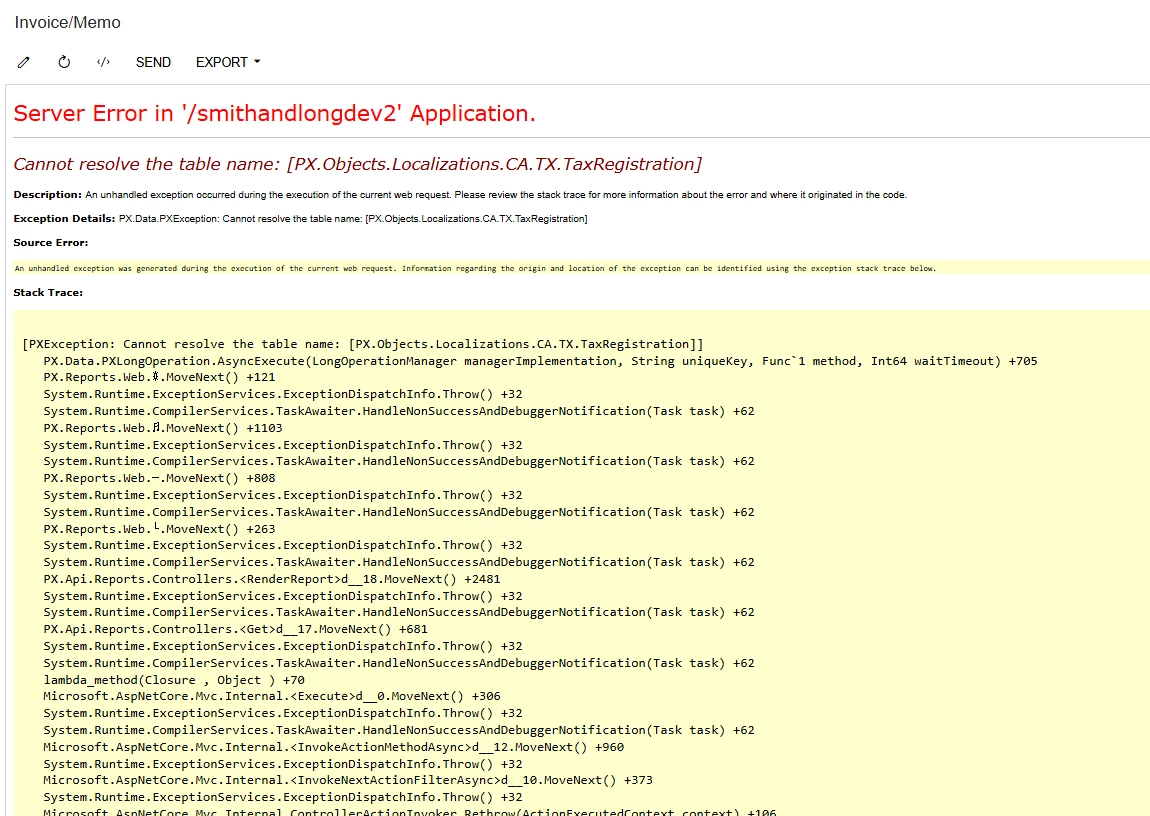


Getting this error on trying to print SOInvoices

Best answer by DipakNilkanth

Hi ​@ron,

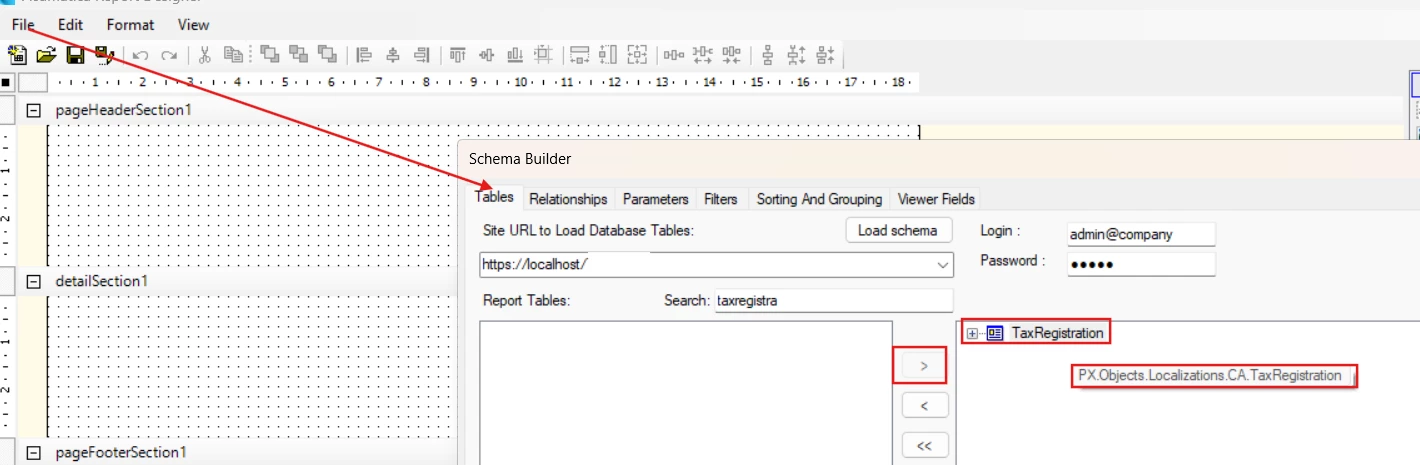
I believe you need to re-add the table from File → Build Schema.
As shown in the screenshot, TaxRegistration is using PX.Objects.Localizations.CA, not PX.Objects.Localizations.CA.TX.
Hope, it helps!

3 replies

BenjaminCrisman
Acumatica Employee
Forum|alt.badge.img+4
  • Acumatica Support Team
  • May 29, 2025

@ron Is the report customized? Have you tried running the standard version of the report to see if the error persists?

What you can do is open the report in Reports Designer and open the Build Schema (F3) and then on the Tables tab enter the site credentials and click Load at the top. From there you can click Refresh All button in lower left and it should pop up with the part of the report which is throwing this error.


DipakNilkanth
Pro III
Forum|alt.badge.img+13

Hi ​@ron,

I believe you need to re-add the table from File → Build Schema.
As shown in the screenshot, TaxRegistration is using PX.Objects.Localizations.CA, not PX.Objects.Localizations.CA.TX.

Hope, it helps!


Forum|alt.badge.img
  • Author
  • Varsity I
  • May 30, 2025

Thanks ​@Nilkanth Dipak  and ​@BenjaminCrisman 
The problem i found was report was referencing another report pm641002 which had the reference of TaxRegistration on it and not directly on main report. But rebuilding the scema works .
Thanks



