Solved

2025R2: Help creating Pivot table (aka view) from Generic Inquiry

  • December 31, 2025
  • 4 replies
  • 34 views

S1AW
Freshman II
Forum|alt.badge.img

Does anyone know what the limitations are when creating a pivot table from a generic inquiry in 2025R2? I’ve reviewed the help file on https://help.acumatica.com/ but it does not mention limitations.  It appears that I can make a pivot view from one of the Generic Inquiries that ships with Acumatica (eg BI-ARInvoices).

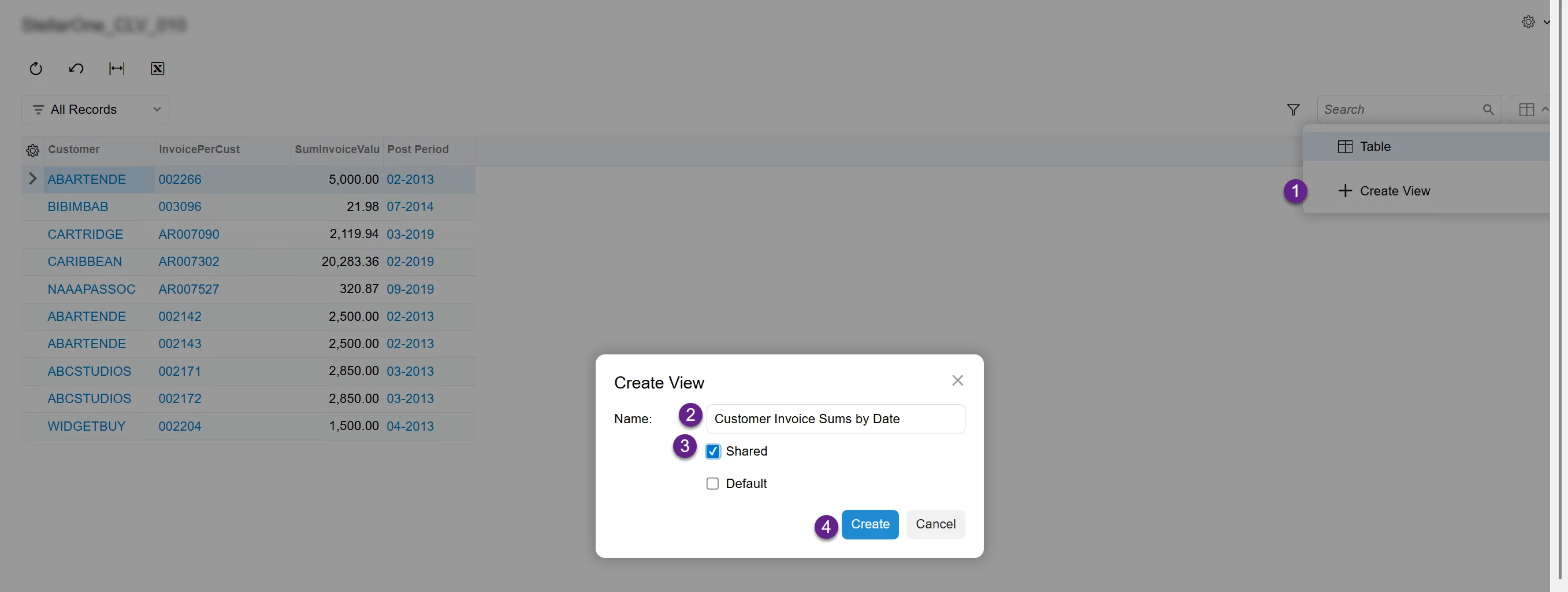
But once I create my OWN Generic Inquiry, I can’t seem to get to the configuration screen after attempting to do the below steps.
 

I wondered if the pivot wouldn’t work with a generic inquiry that had aggregate functions, so I removed the grouping and the COUNT and SUM functions from my query to get a more flat result set.

Even doing that, after clicking Create (step 4 in the image) , the screen does not respond. The configuration screen never appears.

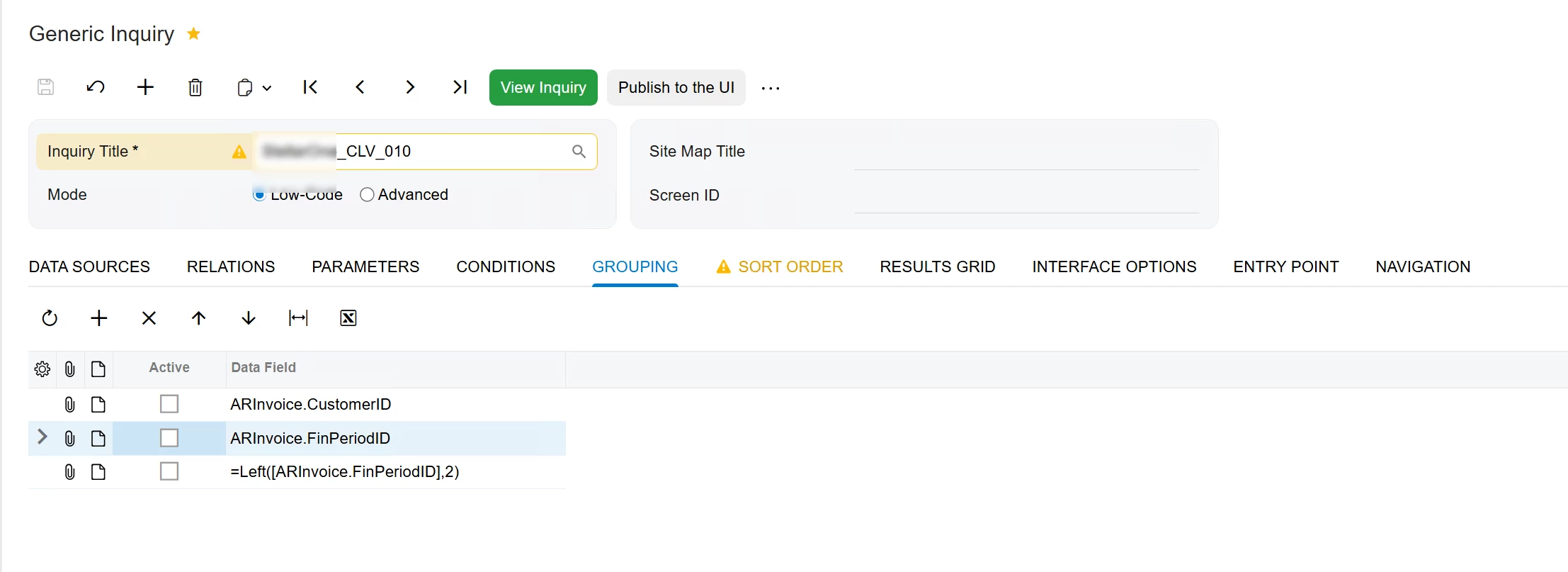
The source Inquiry, for reference, is exclusively pulling from the ARInvoice DAC.
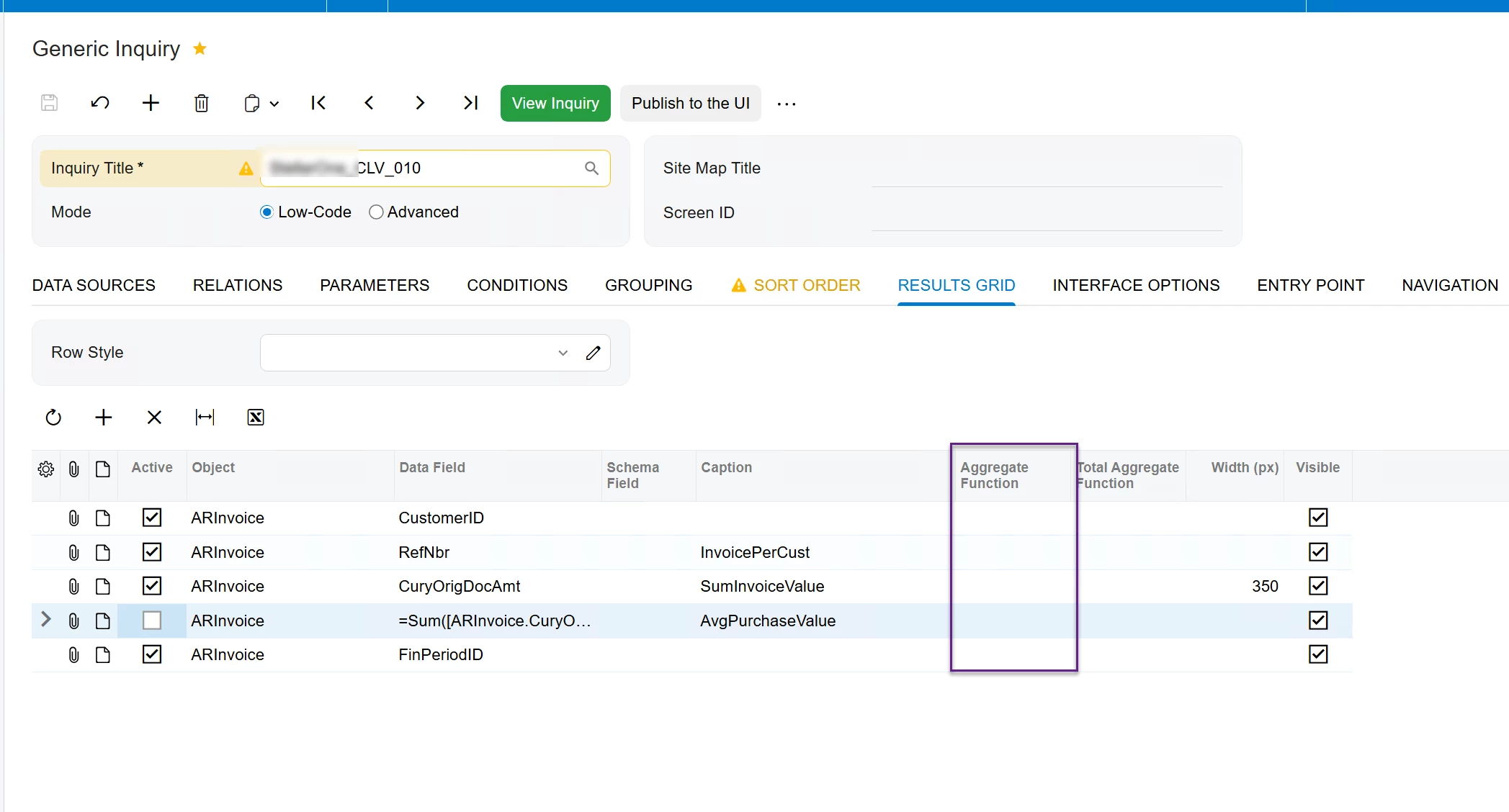
No Aggregate


No Grouping


Thank you for any ideas!

Best answer by lauraj46

Hi ​@S1AW ,

You need to Publish the Generic Inquiry before you can create pivots and shared filters.  

Hope this helps!

Laura

4 replies

lauraj46
Captain II
Forum|alt.badge.img+9
  • Captain II
  • Answer
  • December 31, 2025

Hi ​@S1AW ,

You need to Publish the Generic Inquiry before you can create pivots and shared filters.  

Hope this helps!

Laura


S1AW
Freshman II
Forum|alt.badge.img
  • Author
  • Freshman II
  • December 31, 2025

@lauraj46  you ALWAYS help Laura! Thank you for the hint. I’ll try that. It sounds logical! 😉


lauraj46
Captain II
Forum|alt.badge.img+9
  • Captain II
  • December 31, 2025

Thanks ​@S1AW and Happy New Year!


Forum|alt.badge.img
  • Varsity II
  • January 28, 2026

Thanks for posting.  I struggled with this for a bit too and then figured it out.  Although it may be intuitive to some (or most) experienced users, the help file page does not list that as a requirement nor does the process of attempting to create a pivot view against an unpublished GI give you any indication of the issue directly.  If you click ‘Create’ in the view definition window against an unpublished GI, nothing happens.  No message.  However, what you will find is that if you open the developer tools pane (F12), you’ll see a 404-response message against a GI screen number with all zeros.  

Unpublished GI Pivot View Create Error

I found other things frustrating about this new approach too, such as the fact that there’s no Save or OK button in the pivot definition screen.  You click the “X” in the upper right corner of the window to exit then the view is displayed.