Answer

Change set up of time card

  • March 18, 2025
  • 4 replies
  • 59 views

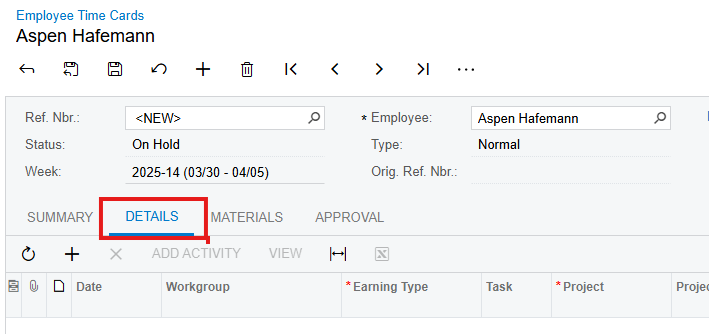
Hello - is it possible to change the default set up of the time card screen to default to the Details tab instead of the summary tab? 
 

Best answer by hkabiri

@ahafemann  This should be done using customization. If you need a conditional selection of the Tab you can use following KB to achieve it.

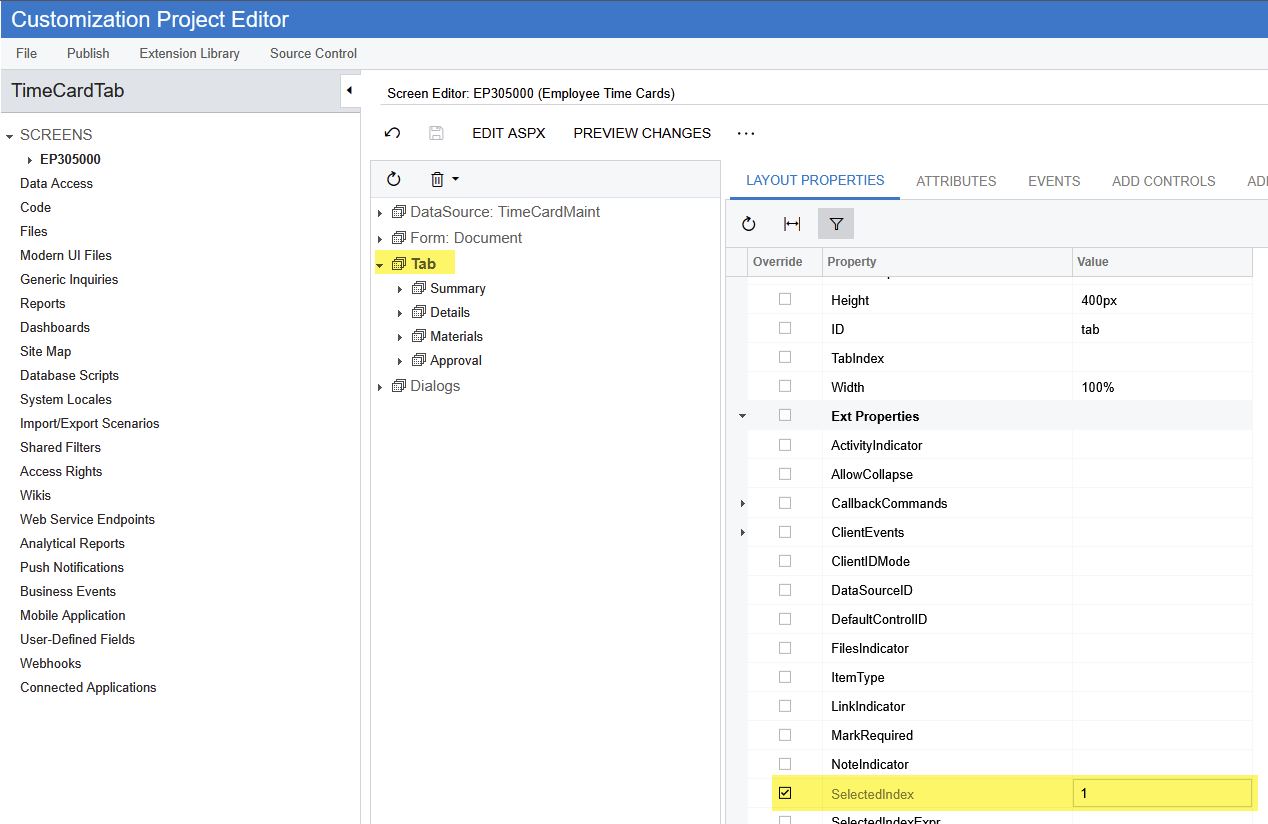
However, if you want to set it as default for all users you can set the SelectedIndex Value for the EP305000 Tab to 1 on the Layout Properties.(numbering starts from 0 which is the Summary Tab).

4 replies

hkabiri
Acumatica Moderator
Forum|alt.badge.img+8
  • Acumatica Support Team
  • Answer
  • March 18, 2025

@ahafemann  This should be done using customization. If you need a conditional selection of the Tab you can use following KB to achieve it.

However, if you want to set it as default for all users you can set the SelectedIndex Value for the EP305000 Tab to 1 on the Layout Properties.(numbering starts from 0 which is the Summary Tab).


  • Author
  • Freshman I
  • March 18, 2025

Where do I go to change the Selected Index Value?


hkabiri
Acumatica Moderator
Forum|alt.badge.img+8
  • Acumatica Support Team
  • March 18, 2025

@ahafemann Inside customization Project and Screen Editor


  • Author
  • Freshman I
  • March 18, 2025

Thank you!!!