Hi @MichaelShirk ,
That event log is exactly what we needed.
Confirmed: two of the runs crashed on a PatchTool bug
At 13:43:22 and 13:45:09 PatchTool terminated with an unhandled exception:
System.UnauthorizedAccessException at System.IO.File.InternalDelete(...) at PatchTool.Services.CacheService.FetchPatchArchive(...)
It was trying to delete a stale cached patch archive at C:\ProgramData\AcumaticaPatchTool\26.100.0175-2.zip and got "access denied". That delete isn't error-handled, and the exception isn't caught anywhere, so the process dies instantly with nothing written to the log - which is why your PowerShell window just vanished with no message. This is a defect on our side and we'll fix it.
The third run is a separate problem
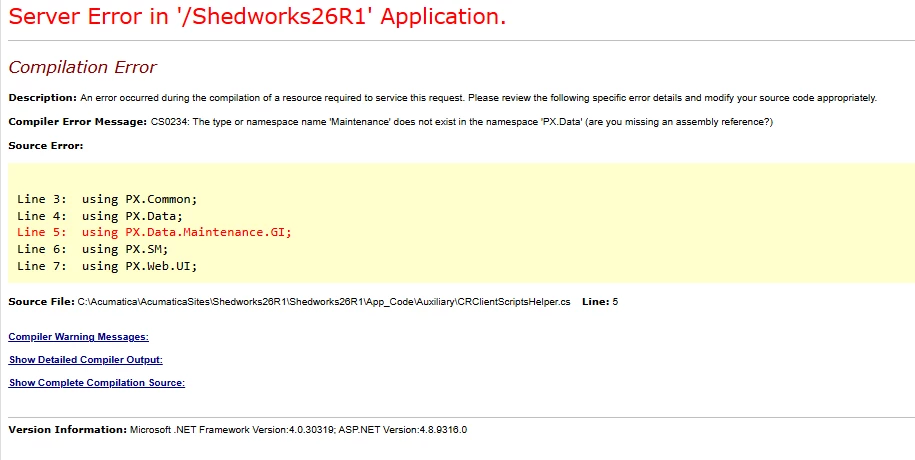
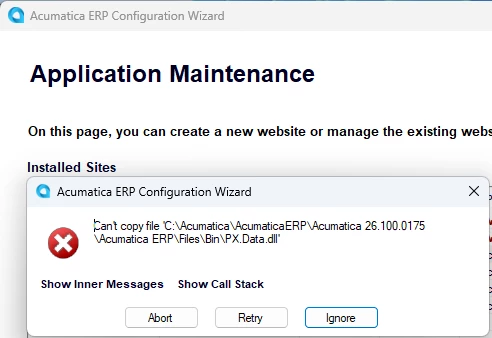
The run at 13:45:40 got much further — it downloaded, backed up and patched all files, then the log stops while starting npm ci. For that one there is no Application Error, no WER report and no .NET Runtime event at all in the 13:40–13:50 window, so it did not crash. It was either killed or left hanging.
Two things would help here:
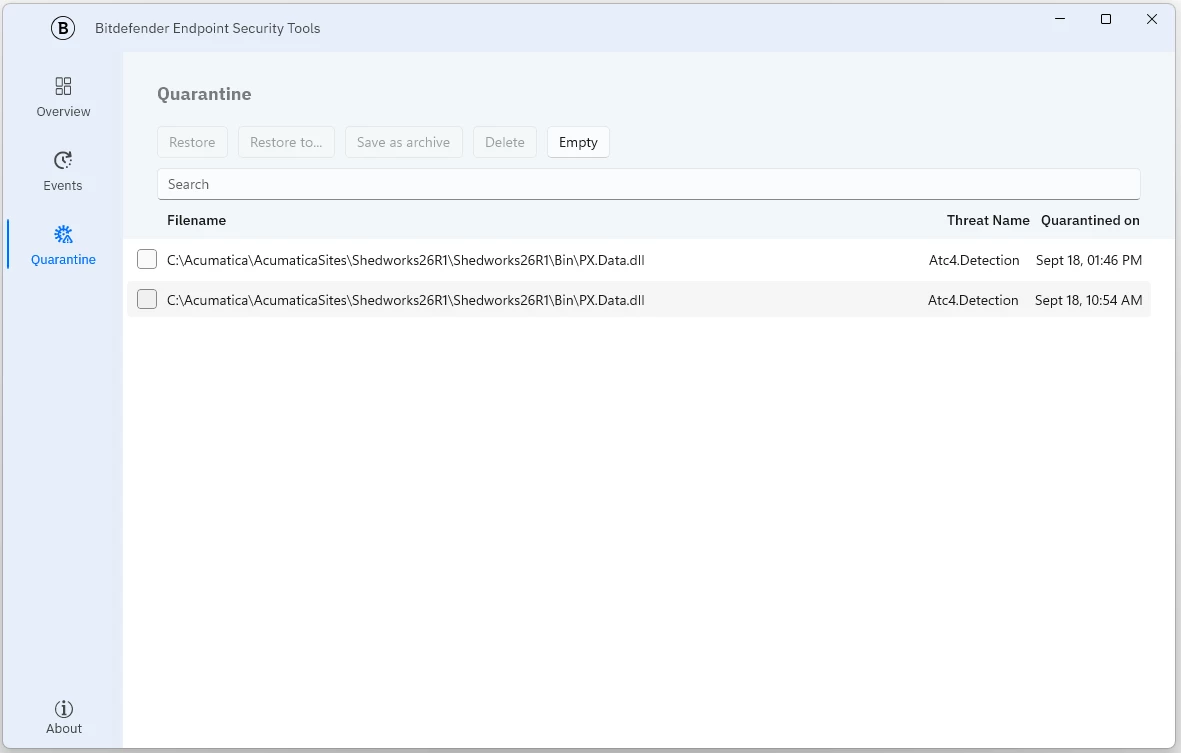
- The Defender output — you sent the Application/System query but not the two Defender ones. Please run those as well, and let us know if any third-party security/EDR product is installed (Defender's own log will look clean if a different product is responsible).
Get-ChildItem "C:\Acumatica\AcumaticaSites\Shedworks26R1\Shedworks26R1\App_Data\Logs\npm-2026-09-18-13-46-20*" — if only the -arguments.txt file is there, npm never finished.