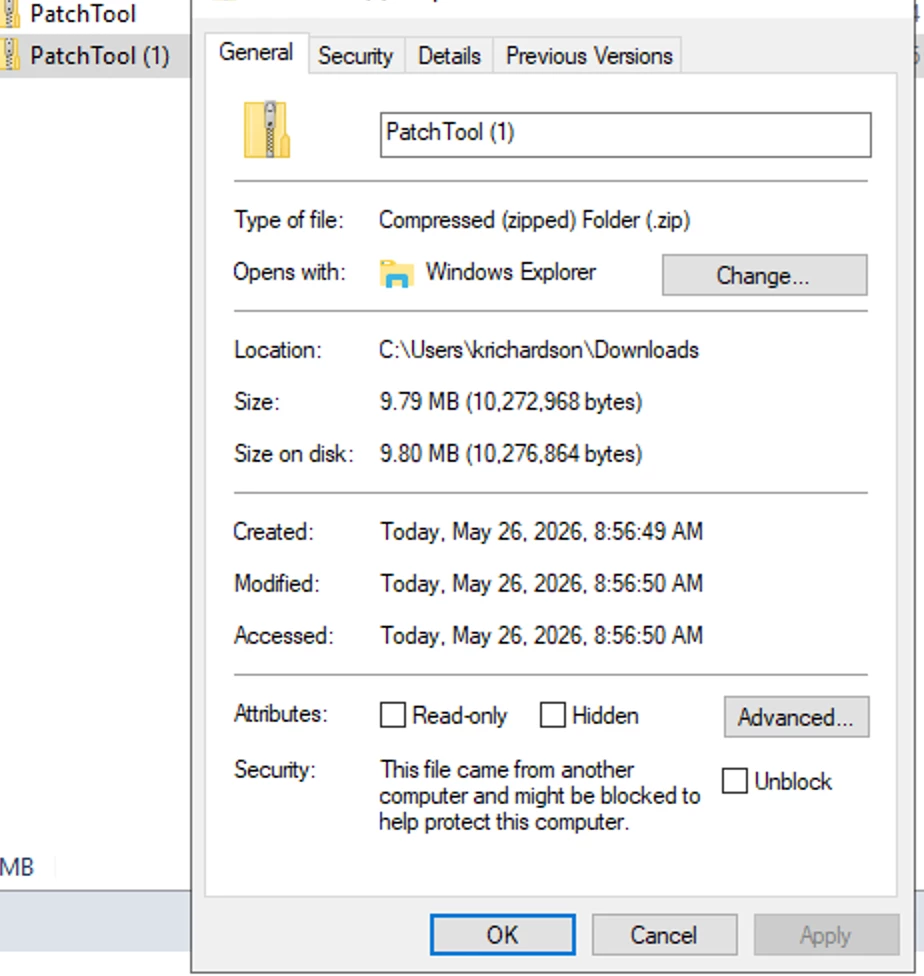
Has anyone else had an issue with the latest PatchTool utility download?
When I run the check command I get the error below.
C:\Acumatica\AcumaticaERP\Acumatica 26.100.0175\Acumatica ERP\Data\PatchTool>PatchTool.exe check --path "C:\Acumatica\AcumaticaSites\Shedworks26R1\Shedworks26R1"

Unhandled Exception: System.IO.FileLoadException: Could not load file or assembly 'Serilog.Extensions.Logging, Version=7.0.0.0, Culture=neutral, PublicKeyToken=24c2f752a8e58a10' or one of its dependencies. Operation is not supported. (Exception from HRESULT: 0x80131515) ---> System.NotSupportedException: An attempt was made to load an assembly from a network location which would have caused the assembly to be sandboxed in previous versions of the .NET Framework. This release of the .NET Framework does not enable CAS policy by default, so this load may be dangerous. If this load is not intended to sandbox the assembly, please enable the loadFromRemoteSources switch. See http://go.microsoft.com/fwlink/?LinkId=155569 for more information.
   --- End of inner exception stack trace ---
   at System.Reflection.RuntimeAssembly._nLoad(AssemblyName fileName, String codeBase, Evidence assemblySecurity, RuntimeAssembly locationHint, StackCrawlMark& stackMark, IntPtr pPrivHostBinder, Boolean throwOnFileNotFound, Boolean forIntrospection, Boolean suppressSecurityChecks)
   at System.Reflection.RuntimeAssembly.InternalLoadAssemblyName(AssemblyName assemblyRef, Evidence assemblySecurity, RuntimeAssembly reqAssembly, StackCrawlMark& stackMark, IntPtr pPrivHostBinder, Boolean throwOnFileNotFound, Boolean forIntrospection, Boolean suppressSecurityChecks)
   at System.Reflection.Assembly.Load(AssemblyName assemblyRef)
   at Serilog.Settings.Configuration.ConfigurationReader.LoadConfigurationAssemblies(IConfiguration section, AssemblyFinder assemblyFinder)
   at Serilog.Settings.Configuration.ConfigurationReader..ctor(IConfiguration configSection, AssemblyFinder assemblyFinder, ConfigurationReaderOptions readerOptions, IConfiguration configuration)
   at Serilog.ConfigurationLoggerConfigurationExtensions.GetConfigurationReader(IConfiguration configuration, ConfigurationReaderOptions readerOptions, DependencyContext dependencyContext)
   at Serilog.ConfigurationLoggerConfigurationExtensions.Configuration(LoggerSettingsConfiguration settingConfiguration, IConfiguration configuration, ConfigurationReaderOptions readerOptions)
   at PatchTool.ServiceRegistration.CreateServices(String[] args) in C:\code\UpdateService\PatchTool\ServiceRegistration.cs:line 49
   at PatchTool.Program.Main(String[] args) in C:\code\UpdateService\PatchTool\Program.cs:line 27

C:\Acumatica\AcumaticaERP\Acumatica 26.100.0175\Acumatica ERP\Data\PatchTool>
If I use the previous PatchTool version, I get this expected response. The documentation says we should always use the latest version of the PatchTool. What will happen if I use this one?
C:\Acumatica\AcumaticaERP\Acumatica 26.100.0175\Acumatica ERP\Data\PatchUtility>PatchTool.exe check --path "C:\Acumatica\AcumaticaSites\Shedworks26R1\Shedworks26R1"
[15:28:27 INF] PatchTool version: 1.14.4.0.
[15:28:27 INF] Found version: 26.100.0175
[15:28:27 INF] Requesting patch information from server: https://update.acumatica.com/rest
[15:28:27 INF] A new patch found: 26.100.0175-2

C:\Acumatica\AcumaticaERP\Acumatica 26.100.0175\Acumatica ERP\Data\PatchUtility>
Thank you,