Answer

DAC Schema Browser - Identify the code of an item

  • October 16, 2023
  • 4 replies
  • 616 views

Forum|alt.badge.img+1

I see ShipmentType in the SOOrderShipment DAC.  It shows char(1) and the visual shows “Shipment, Drop-Ship,etc.”  How do I determine what the single character is that represents “Shipment”?


Best answer by travislawson

Thanks @ChandraM.  I think I may have found an easier method after posting this.


When viewing the “Source Data” use a filter to select the data you want.
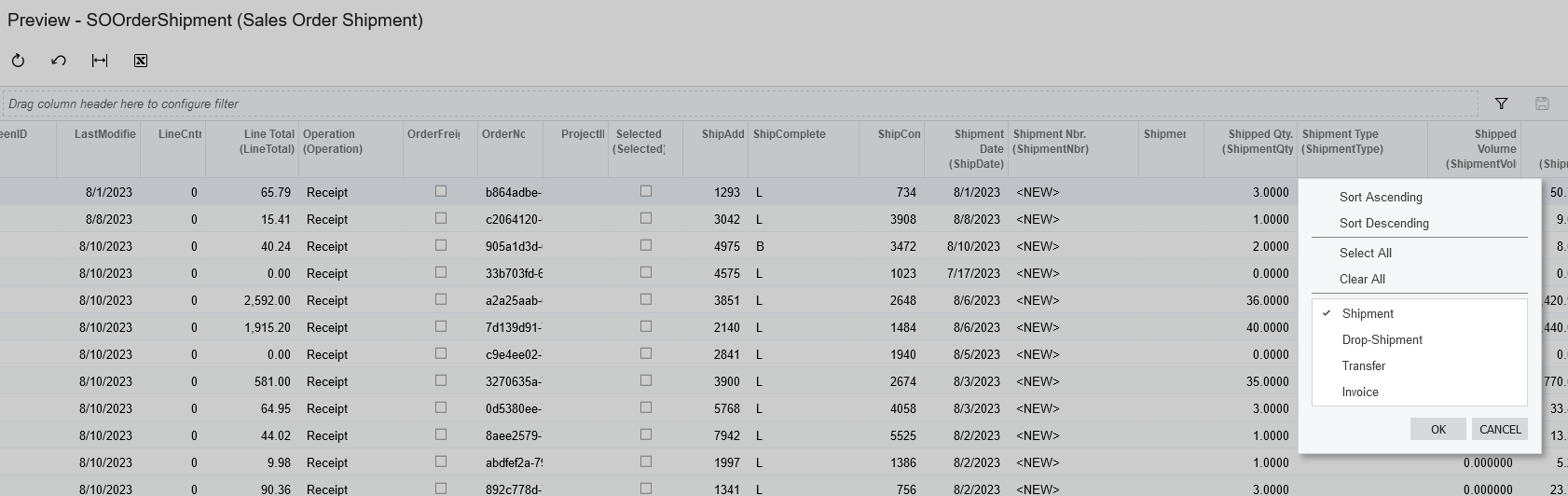


Then go to Tools, Trace


Then look at the SQL information to find it.  In this case it shows me ShipmentType = I. 

 

4 replies

Forum|alt.badge.img+8
  • Semi-Pro I
  • October 16, 2023

Hi @travislawson Please find the steps below to view the possible values of a field in Acumatica.

**Please perform this on a Test instance or a local Acumatica instance to avoid issues.

Steps:

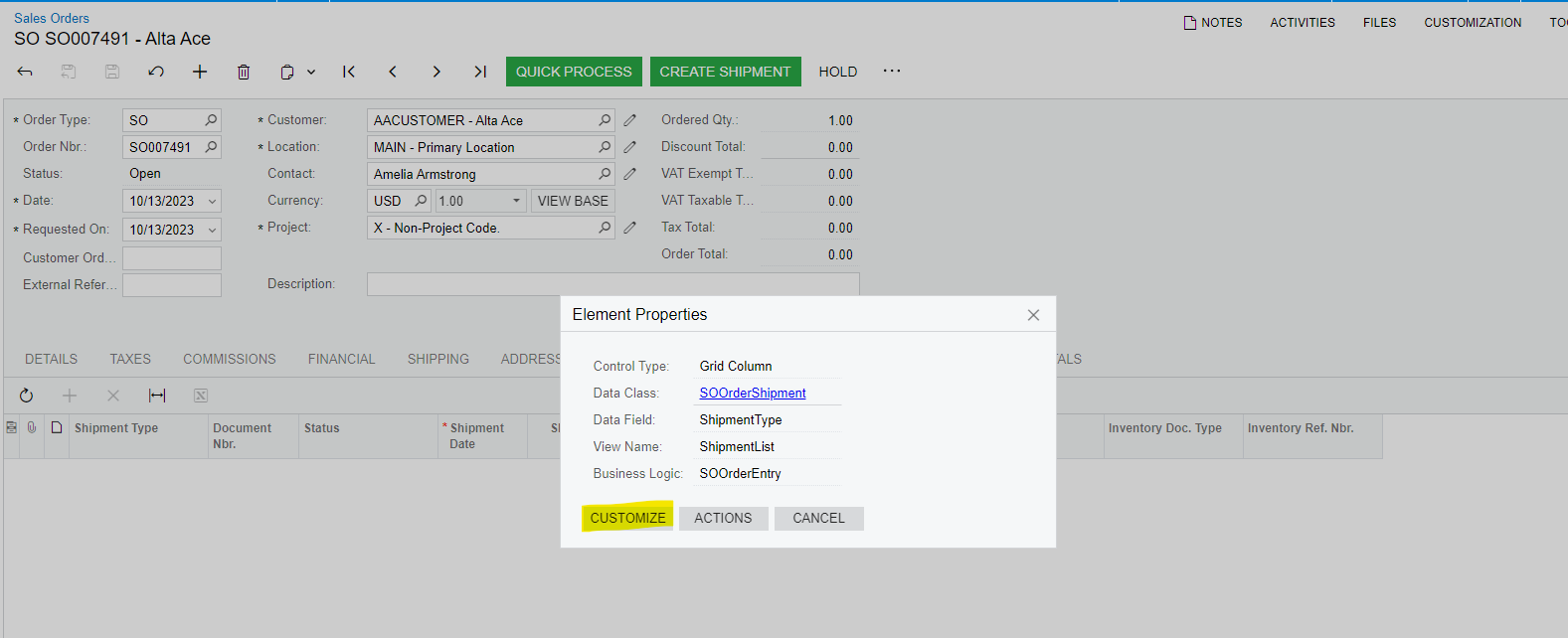
  1. Inspect Element on the field( Sales Order->Shipments tab->Shipment Type)

          use keyboard shortcut Ctrl+Alt or Customization → Inspect Element

  1. Click on Customize and expand the screen as shown below till the Fields lelve

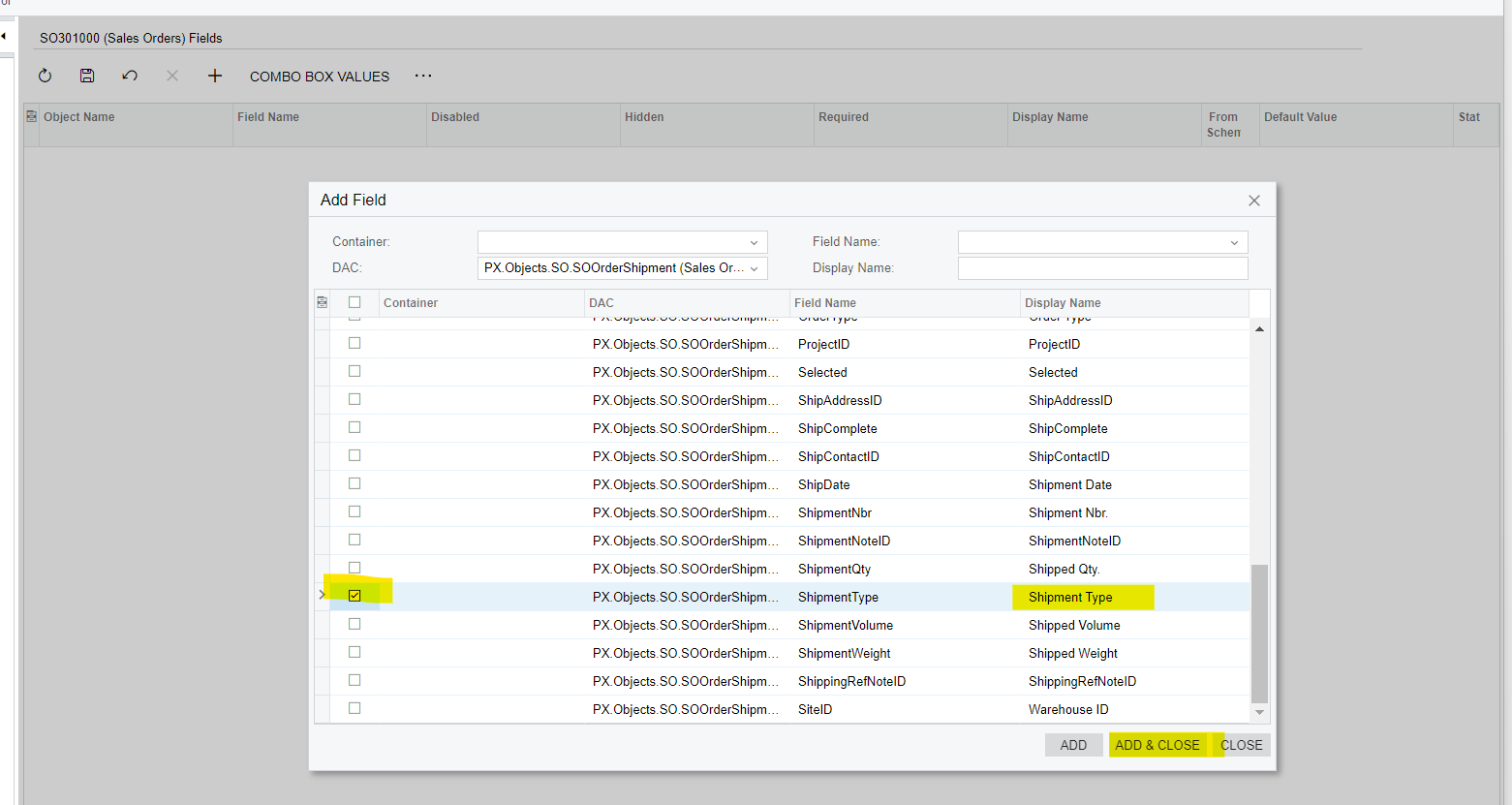
3.Select the ShipmentType, and click on “Add and Close” as shown below


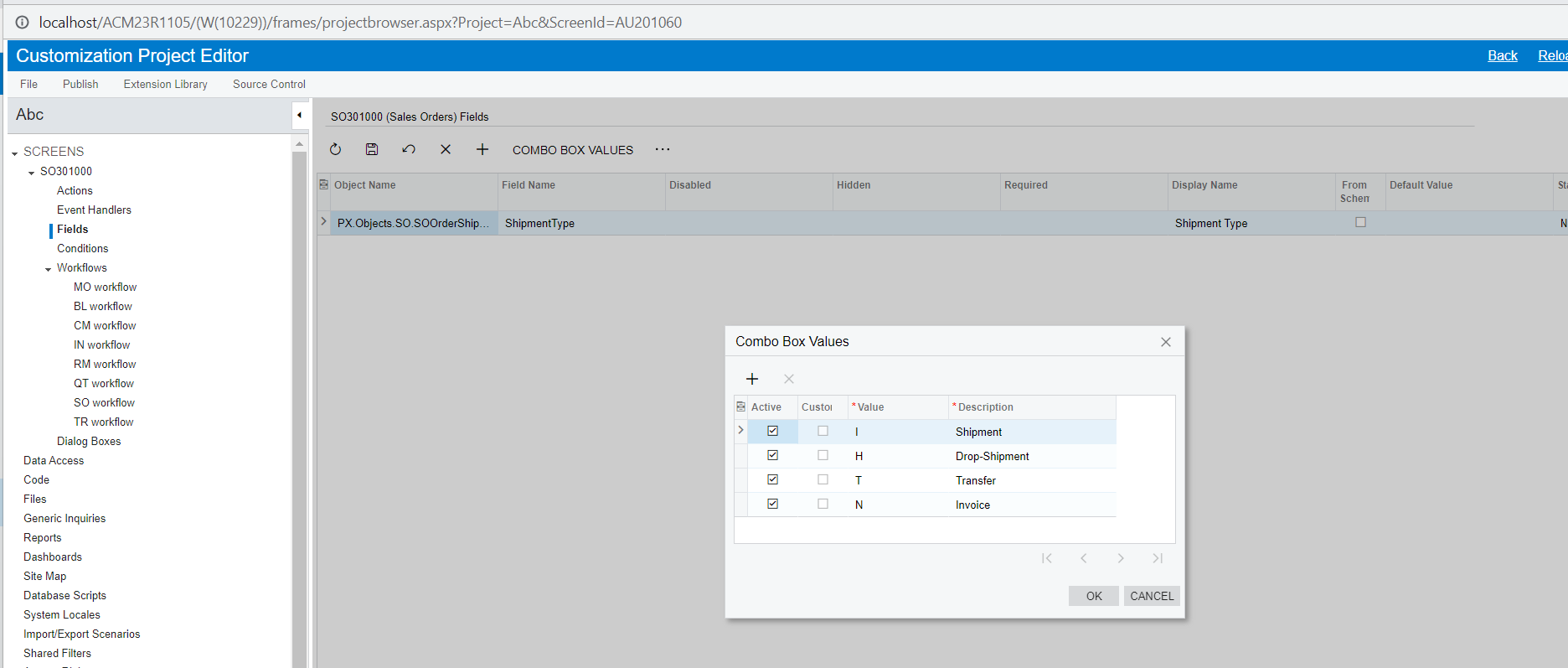
  1. Click on Combo box Values and the values will be shown.


Forum|alt.badge.img+8
  • Semi-Pro I
  • October 16, 2023

Hi @travislawson Please review the above details and let me know for any assistance.

Thanks


Forum|alt.badge.img+1
  • Author
  • Answer
  • October 17, 2023

Thanks @ChandraM.  I think I may have found an easier method after posting this.


When viewing the “Source Data” use a filter to select the data you want.


Then go to Tools, Trace


Then look at the SQL information to find it.  In this case it shows me ShipmentType = I. 


Forum|alt.badge.img+8
  • Semi-Pro I
  • October 17, 2023

Hi @travislawson Thanks for the update! 
Great to hear that have identified another method to get the SOOrder.ShipmentType=’I’.

The solution through the Customize option shows the Description of the Type and Value in tabular form that might be handy.

Have a great day!

Thanks