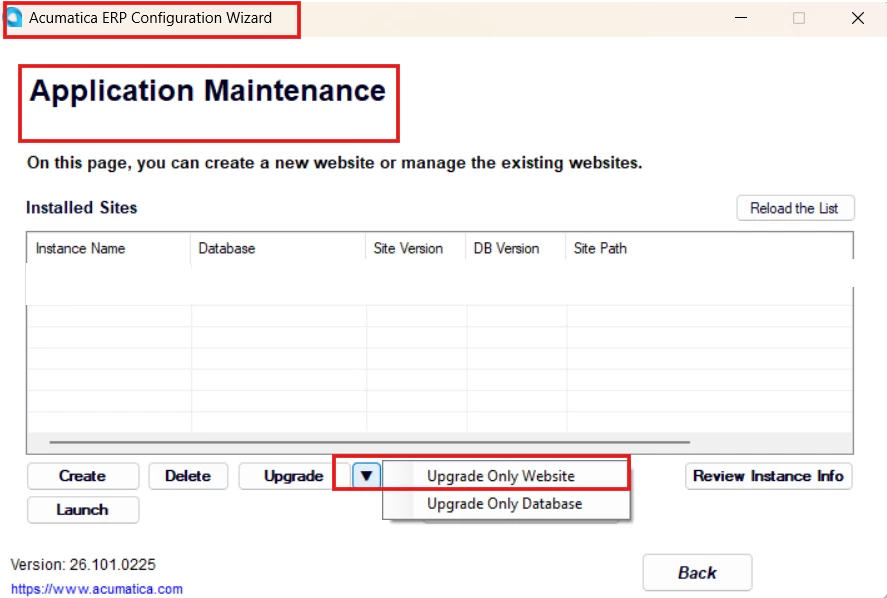
Trying to apply updates V26.101.0225 to 26.100.0175 and receive error message: “The CodeDom provider type "Microsoft.CodeDom.Providers.DotNetCompilerPlatform.CSharpCodeProvider, Microsoft.CodeDom.Providers.DotNetCompilerPlatform, Version=4.1.0.0, Culture=neutral, PublicKeyToken=31bf3856ad364e35" could not be located.”
Web.config line causing the error is: “ <compiler language="c#;cs;csharp" extension=".cs" type="Microsoft.CodeDom.Providers.DotNetCompilerPlatform.CSharpCodeProvider, Microsoft.CodeDom.Providers.DotNetCompilerPlatform, Version=4.1.0.0, Culture=neutral, PublicKeyToken=31bf3856ad364e35" warningLevel="4" compilerOptions="/langversion:default /nowarn:1659;1699;1701" />”
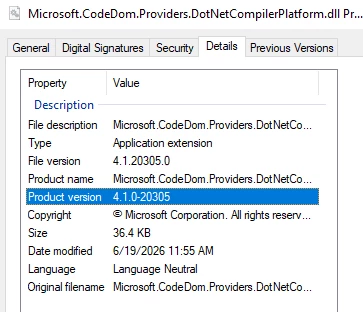
Here is DotNetCompilerPlatform version (Bin folder of the instance)