Question

Is there an option to track audit history for a single document without using Audit History?

  • October 6, 2026
  • 3 replies
  • 58 views
  • Translate All

janinakeith
Freshman I

Hi everyone,

Is there a way to track the audit history of a specific document directly from the document screen, without requiring users to access the standard Audit History screen?

Ideally, we would like to see the changes made to a single document, including:

  • Field/value changed
  • Previous and new value
  • User who made the change
  • What has been changed
  • Date/time of the change

We are looking for an option that can display the history specifically within the document, rather than showing audit records across the system.

Would this be possible using a Generic Inquiry, customization, or another standard Acumatica feature?

Any recommendations or examples would be appreciated. Thanks!

3 replies

nhatnghetinh
Captain II
Forum|alt.badge.img+14

Hi ​@janinakeith 

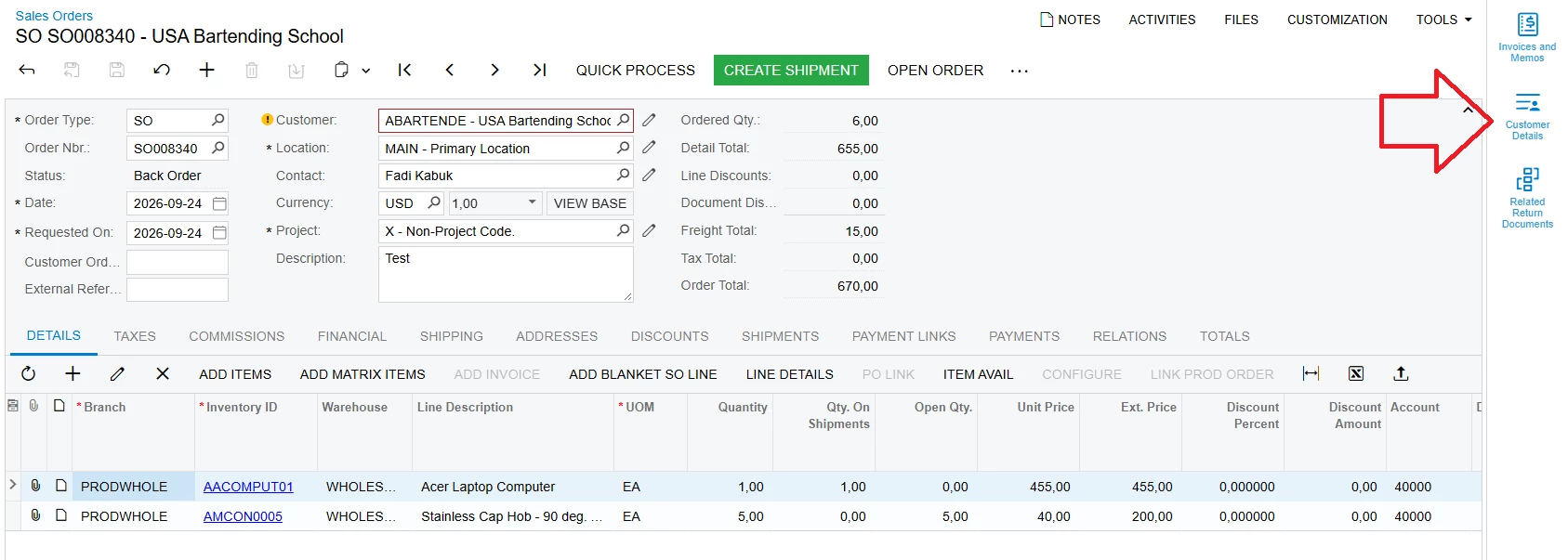
You can use the "Side Panel"—a standard, built-in Acumatica feature—without needing any customization. To set up a Side Panel that displays the history for the screen you are currently viewing, you simply need to create a Generic Inquiry that retrieves the history data for that screen, including the specific information you wish to display.


Please refer to the YouTube link below for instructions on how to create a Side Panel.


Best Regards,

NNT

Translate

mohammadnawaz51
Varsity I
Forum|alt.badge.img+8

​@janinakeith Acumatica provides document-specific audit history through a standard feature. However, displaying it as a tab or grid inside the document screen would require customization.

Translate

Forum|alt.badge.img+7
  • Jr Varsity II
  • October 6, 2026

Hi ​@janinakeith ,

Option 1: Existing audit configuration + SQL view + Generic Inquiry

  1. Enable auditing for the screen and fields you need (Audit screen, SM205510). Only fields audited after this point are tracked.
  2. Create a SQL view over the audit history tables that returns the columns users need: field, old value, new value, user, date/time, and operation.
  3. Expose the view to Acumatica (add it as a database object in a customization project, or create a DAC for it) and build a Generic Inquiry on it.
  4. Add a parameter, such as the document number, so the GI shows one document's history. Link it from the document through the inquiry/related-entity navigation.

My SQL view for Sales Order:

sql
CREATE OR ALTER VIEW AuditHistoryGI AS
WITH ParsedFields AS (
    SELECT 
        a.ChangeID, a.ChangeDate, a.UserID,
        a.ScreenID, a.TableName, a.CombinedKey,
        a.Operation,                          -- needed to filter inserts out at the end
        f.FieldName, f.NewValue
    FROM AuditHistory a
    CROSS APPLY (
        SELECT 
            MAX(CASE WHEN p.IsVal = 0 THEN LEFT(p.Val, 255) END) AS FieldName,
            MAX(CASE WHEN p.IsVal = 1 THEN       p.Val      END) AS NewValue
        FROM (
            SELECT 
                CAST(j.[key] AS INT) % 2        AS IsVal,
                CAST(j.[key] AS INT) / 2        AS PairIdx,
                CAST(j.[value] AS VARCHAR(MAX)) AS Val
            FROM OPENJSON(
                '["' + REPLACE(STRING_ESCAPE(a.ModifiedFields, 'json'), '\u0000', '","') + '"]'
            ) j
        ) p
        GROUP BY p.PairIdx
        HAVING ISNULL(MAX(CASE WHEN p.IsVal = 0 THEN LEFT(p.Val, 255) END), '') <> ''
    ) f
    WHERE 
        a.ModifiedFields IS NOT NULL
        AND a.Operation  IN ('U', 'I')    -- include inserts for LAG baseline
        AND a.ScreenID   = 'SO301000'
),
LineNbrFromFields AS (
    SELECT 
        a.ChangeID,
        TRY_CAST(ln.LineNbrVal AS INT) AS LineNbrVal
    FROM AuditHistory a
    CROSS APPLY (
        SELECT TOP 1
            MAX(CASE WHEN CAST(j.[key] AS INT) % 2 = 1
                     THEN CAST(j.[value] AS VARCHAR(20)) END) AS LineNbrVal
        FROM OPENJSON(
            '["' + REPLACE(STRING_ESCAPE(a.ModifiedFields, 'json'), '\u0000', '","') + '"]'
        ) j
        GROUP BY CAST(j.[key] AS INT) / 2
        HAVING MAX(CASE WHEN CAST(j.[key] AS INT) % 2 = 0
                        THEN CAST(j.[value] AS VARCHAR(255)) END) = 'LineNbr'
        ORDER BY (SELECT NULL)
    ) ln
    WHERE 
        a.ModifiedFields IS NOT NULL
        AND a.Operation  = 'U'
        AND a.ScreenID   = 'SO301000'
        AND a.TableName  = 'SOLine'
),
HistoryWithOldValues AS (
    SELECT 
        ScreenID, TableName, CombinedKey,
        ChangeDate, ChangeID, UserID,
        Operation,
        FieldName, NewValue,
        -- LAG now sees 'I' records too, so first 'U' gets the real inserted value
        LAG(NewValue) OVER (
            PARTITION BY CombinedKey, TableName, FieldName 
            ORDER BY ChangeDate ASC, ChangeID ASC
        ) AS OldValue
    FROM ParsedFields
),
KeyParts AS (
    SELECT 
        h.ScreenID, h.TableName,
        h.ChangeDate, h.ChangeID, h.UserID,
        h.Operation,
        h.FieldName, h.OldValue, h.NewValue,
        lf.LineNbrVal,
        v.ck,
        kr.rk,
        pp1.p1,
        pp2.p2,
        pp3.p3
    FROM HistoryWithOldValues h
    LEFT JOIN LineNbrFromFields lf
           ON lf.ChangeID = h.ChangeID
          AND h.TableName = 'SOLine'
    CROSS APPLY (VALUES (CAST(h.CombinedKey AS VARCHAR(400))))        v(ck)
    CROSS APPLY (VALUES (REPLACE(v.ck, CHAR(0), '|')))                kr(rk)
    CROSS APPLY (VALUES (CHARINDEX('|', kr.rk)))                      pp1(p1)
    CROSS APPLY (VALUES (CHARINDEX('|', kr.rk, pp1.p1 + 1)))         pp2(p2)
    CROSS APPLY (VALUES (CHARINDEX('|', kr.rk, pp2.p2 + 1)))         pp3(p3)
)
SELECT 
    ScreenID,
    TableName,
    CASE WHEN RIGHT(rk,1)='|' AND LEN(rk)>1 THEN LEFT(rk,LEN(rk)-1)
         WHEN RIGHT(rk,1)='|' AND LEN(rk)=1 THEN ''
         ELSE rk
    END                                                                         AS RecordKey,
    CASE WHEN p1 > 1 THEN SUBSTRING(rk, 1, p1-1)
         WHEN p1 = 1 THEN ''
         ELSE rk
    END                                                                         AS OrderType,
    CASE WHEN p1 > 0 AND p2 > p1 THEN SUBSTRING(rk, p1+1, p2-p1-1)
         WHEN p1 > 0              THEN SUBSTRING(rk, p1+1, LEN(rk)-p1)
         ELSE ''
    END                                                                         AS OrderNbr,
    ChangeDate,
    ChangeID,
    UserID,
    COALESCE(
        CASE
            WHEN p3 > p2 AND (p3-p2-1) > 0
                THEN TRY_CAST(SUBSTRING(rk, p2+1, p3-p2-1) AS INT)
            WHEN p3 = 0 AND p2 > 0 AND LEN(rk) > p2
                THEN TRY_CAST(
                    CASE WHEN RIGHT(rk,1) = '|'
                         THEN SUBSTRING(rk, p2+1, LEN(rk)-p2-1)
                         ELSE SUBSTRING(rk, p2+1, LEN(rk)-p2)
                    END AS INT)
            ELSE NULL
        END,
        LineNbrVal
    )                                                                           AS LineNbr,
    FieldName,
    OldValue,                               -- NULL here means truly no prior record exists
    NewValue
FROM KeyParts
WHERE Operation = 'U';                      -- only show updates; inserts were for LAG only
GO

Pros: no code, uses the built-in audit configuration, and covers every audited field.
Cons: audit records store the key in encoded form, so the view has to decode it to filter on one document. The view must be written per document type. Audit tables grow, so audit only what you need.

Option 2: Custom history table + event handlers + GI as a side panel

  1. Create a custom table (DAC) with the fields you need, for example: DocType, RefNbr, FieldName, OldValue, NewValue, ChangedBy, ChangedOn.
  2. In a graph extension, use an event handler such as RowPersisting or RowUpdated on the document. Compare the original and current values (cache.GetValueOriginal) and insert a row for each changed field.

csharp

protected void _(Events.RowUpdated<SOOrder> e)
{
// compare e.Row vs e.OldRow for the fields you track
// insert a history record per changed field
}
  1. Build a GI on the custom table, with the document keys as parameters.
  2. Add the GI as a side panel on the document screen. It can be wired to the current document's keys and opens right next to the form.


Hope above helps!!

Translate