Answer

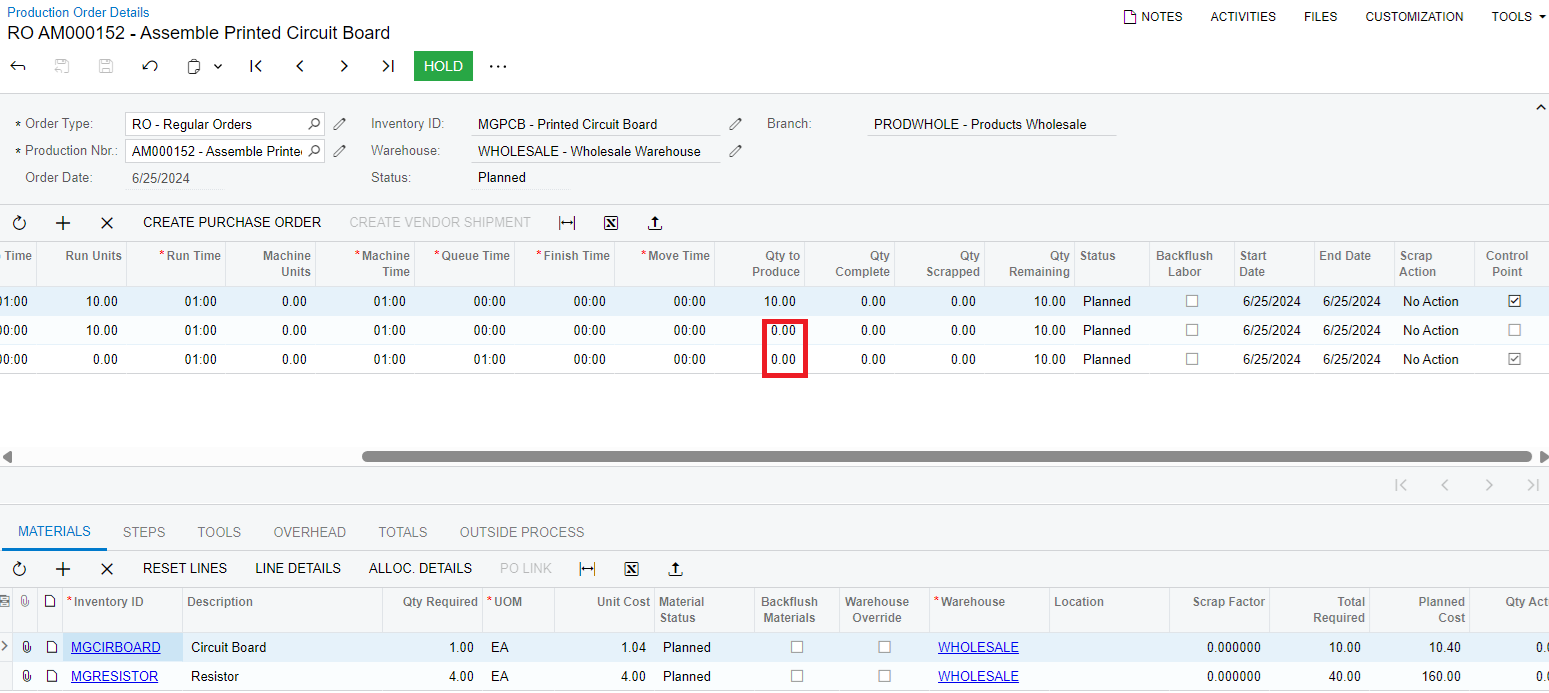
Unable to get qty to produce in production detail screen in all work centers.

  • June 25, 2024
  • 4 replies
  • 78 views

Forum|alt.badge.img

Hello ,I am facing this issue i am not able to get the qty to produce in production detail screen for all the work centers.
 

Best answer by PragatiMalviya64

@vishalsharma49 This is how system works, its sequential reporting. First operation should be reported first and if you are reporting second operation, then quantity will be reported in the first operation automatically as well.


4 replies

AndreasKleinfeld72
Varsity III
Forum|alt.badge.img+1

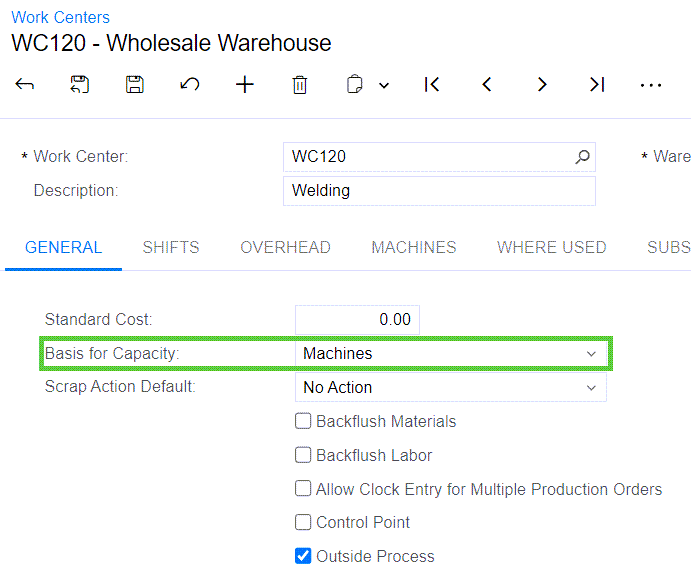
I assume the work centers of the second and third line are defined as “Machines”. (Check field “Basis for Capacity”

In this case you need to enter the “Machine Units” in the BOM.


Forum|alt.badge.img

I assume the work centers of the second and third line are defined as “Machines”. (Check field “Basis for Capacity”

In this case you need to enter the “Machine Units” in the BOM.

Hi Andreas, i have checked my work centers it is selected as crew size in basis of capacity, and also i changed it to machine and set the machine units then also i am not getting qty to produced.


Forum|alt.badge.img+2

@vishalsharma49 This is how system works, its sequential reporting. First operation should be reported first and if you are reporting second operation, then quantity will be reported in the first operation automatically as well.


dgodsill97
Varsity I
Forum|alt.badge.img+3
  • Varsity I
  • November 11, 2025

The Qty to Produce is the qty completed at the prior operation or for the first operation when the order status is released.  This allows the users to see what can be worked on in their work center.  The help should be updated to clarify.