


Answer

Server time out.

  • October 15, 2025
  • 3 replies
  • 41 views

Hi,

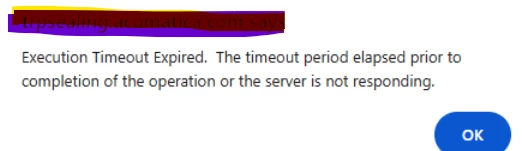
We are dealing with a very large and complex GI that includes massive data, which is causing timeout issues even after applying filters.

Is there a way to increase the server timeout, or are there other solutions you recommend for handling such GIs with large volumes of data?


Error
Thanks,

Prasad

Best answer by aiwan

@plakmina97 


From 24R2, you can use GI’s as data sources in other GI’s.

I would try creating a couple sub GI’s selecting only the fields you need to select and using those as data sources in your main GI, this should work similar to an SQL view.

3 replies

dcomerford
Captain II
Forum|alt.badge.img+15
  • Captain II
  • October 15, 2025

@plakmina97 You can create a support case with Acumatica to increase the Execution Timeout limit.

I would also review the GI and see if you can eliminate any unncessary tables or tackle it in a different way. Also see if you can use the conditions to filter out any unneeded records. 


Forum|alt.badge.img+8
  • Captain II
  • Answer
  • October 15, 2025

@plakmina97 


From 24R2, you can use GI’s as data sources in other GI’s.

I would try creating a couple sub GI’s selecting only the fields you need to select and using those as data sources in your main GI, this should work similar to an SQL view.


  • Author
  • Freshman I
  • October 15, 2025

Hi ​@aiwan 

I was thinking about the sub-GI solution and tried to check if anyone has received a solution from Acumatica regarding this server timeout issue.

Thanks for your insights, highly appreciated.

Prasad
